
1. Introduction
This manual provides essential information for the safe and effective operation, maintenance, and troubleshooting of your Makita MP001GZ 40V Max Cordless Inflator. Please read this manual thoroughly before using the product and retain it for future reference.
The Makita MP001GZ is a battery-powered inflator designed for various inflation tasks, including vehicle tires, bicycle tires, and sports equipment. It features a digital display for precise pressure setting, an automatic stop function, and a decompression feature.
2. Safety Information
Always observe basic safety precautions to reduce the risk of fire, electric shock, and personal injury when operating power tools.
General Safety Warnings:
- Work Area Safety: Keep the work area clean and well-lit. Cluttered or dark areas invite accidents. Do not operate power tools in explosive atmospheres, such as in the presence of flammable liquids, gases, or dust.
- Electrical Safety: Avoid body contact with earthed or grounded surfaces such as pipes, radiators, ranges, and refrigerators. There is an increased risk of electric shock if your body is earthed or grounded.
- Personal Safety: Always wear eye protection. Use appropriate personal protective equipment such as dust masks, non-skid safety shoes, hard hats, or hearing protection when necessary. Stay alert, watch what you are doing, and use common sense when operating a power tool.
- Tool Use and Care: Do not force the power tool. Use the correct power tool for your application. Do not use the power tool if the switch does not turn it on and off. Disconnect the battery pack from the power tool before making any adjustments, changing accessories, or storing power tools.
- Battery Tool Use and Care: Recharge only with the charger specified by the manufacturer. Use power tools only with specifically designated battery packs.
- Service: Have your power tool serviced by a qualified repair person using only identical replacement parts. This will ensure that the safety of the power tool is maintained.
3. Product Overview
Familiarize yourself with the components of your Makita MP001GZ Cordless Inflator.

Figure 1: Overall view of the Makita MP001GZ 40V Max Cordless Inflator with a battery attached.
Key Components:
- Digital Display: Shows current and set pressure values.
- Control Buttons: '+', '-', 'M' (Mode/Unit), Power button.
- Inflation Hose: Flexible hose for connecting to valves.
- Adapters: Various adapters for different valve types (e.g., Schrader, Presta, ball needle).
- Air Release Button: For deflating or releasing excess pressure.
- LED Light: Illuminates the work area.
- Battery Compartment: For inserting the 40V Max XGT battery.

Figure 2: Close-up of the digital display and control buttons.

Figure 3: Close-up of the air release button.
4. Setup
4.1 Battery Installation
- Ensure the inflator is turned off.
- Align the battery pack with the battery housing on the inflator.
- Slide the battery pack into the housing until it locks into place with a click.
- To remove, press the battery release button and slide the battery out.
4.2 Attaching the Inflation Hose and Adapters
- Uncoil the inflation hose from its storage position.
- Select the appropriate adapter for the item you wish to inflate.
- Screw the chosen adapter securely onto the end of the inflation hose.

Figure 4: Inflation hose end with various adapters.
5. Operating Instructions
5.1 Powering On/Off
- Press the power button to turn the inflator on. The digital display will illuminate.
- Press and hold the power button to turn the inflator off. The device also features an auto power-off function after a period of inactivity.
5.2 Setting Desired Pressure
- With the inflator on, press the 'M' button to cycle through pressure units (PSI, BAR, KPA).
- Use the '+' and '-' buttons to adjust the desired target pressure. The display shows both the current and set values.
- The device remembers the last pressure setting used.
5.3 Inflation
- Connect the appropriate adapter and hose securely to the item's valve.
- Ensure the desired pressure is set on the display.
- Press the trigger switch to begin inflation. The inflator will automatically stop when the set pressure value is reached.
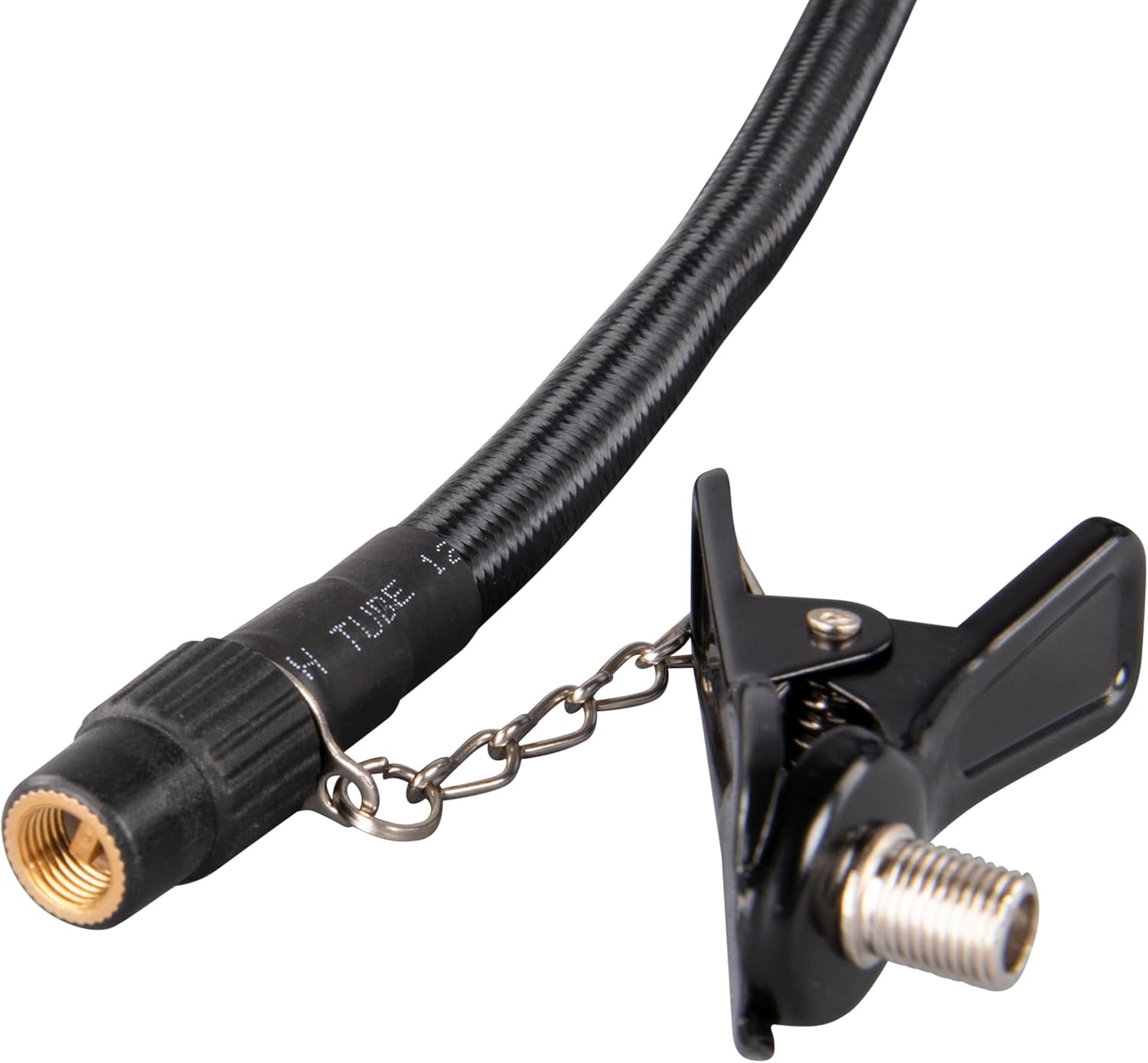
Figure 5: Inflating a car tire with the MP001GZ.

Figure 6: Adjusting pressure settings on the digital display.
5.4 Deflation
If the pressure is too high, air can be deflated by pressing and holding the air release button located on the side of the unit.
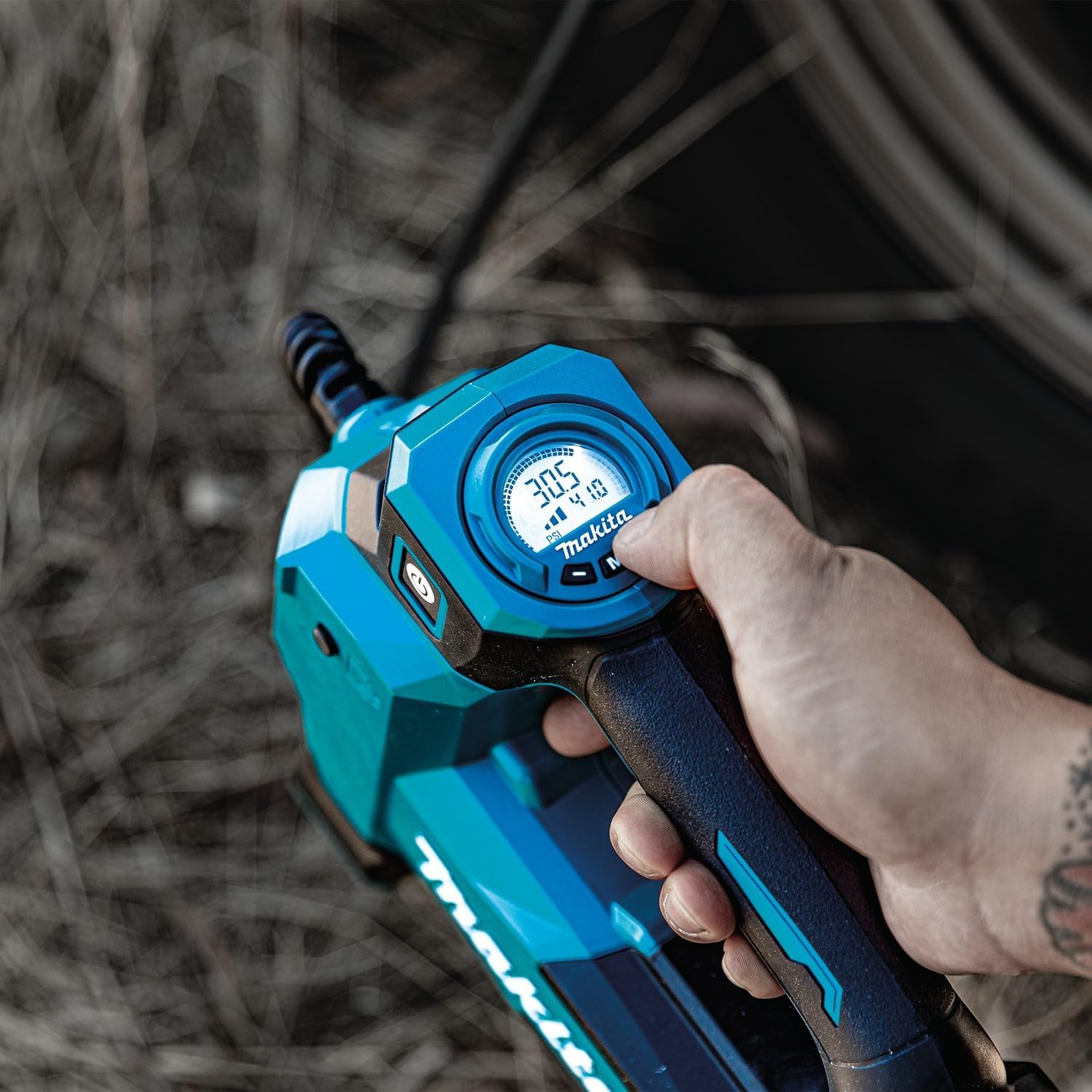
Figure 7: Using the air release button for deflation.
5.5 Using the LED Light
The built-in LED light can be activated to illuminate the inflation area, which is useful in low-light conditions. Refer to the power button or a dedicated light button if available on your model for activation.
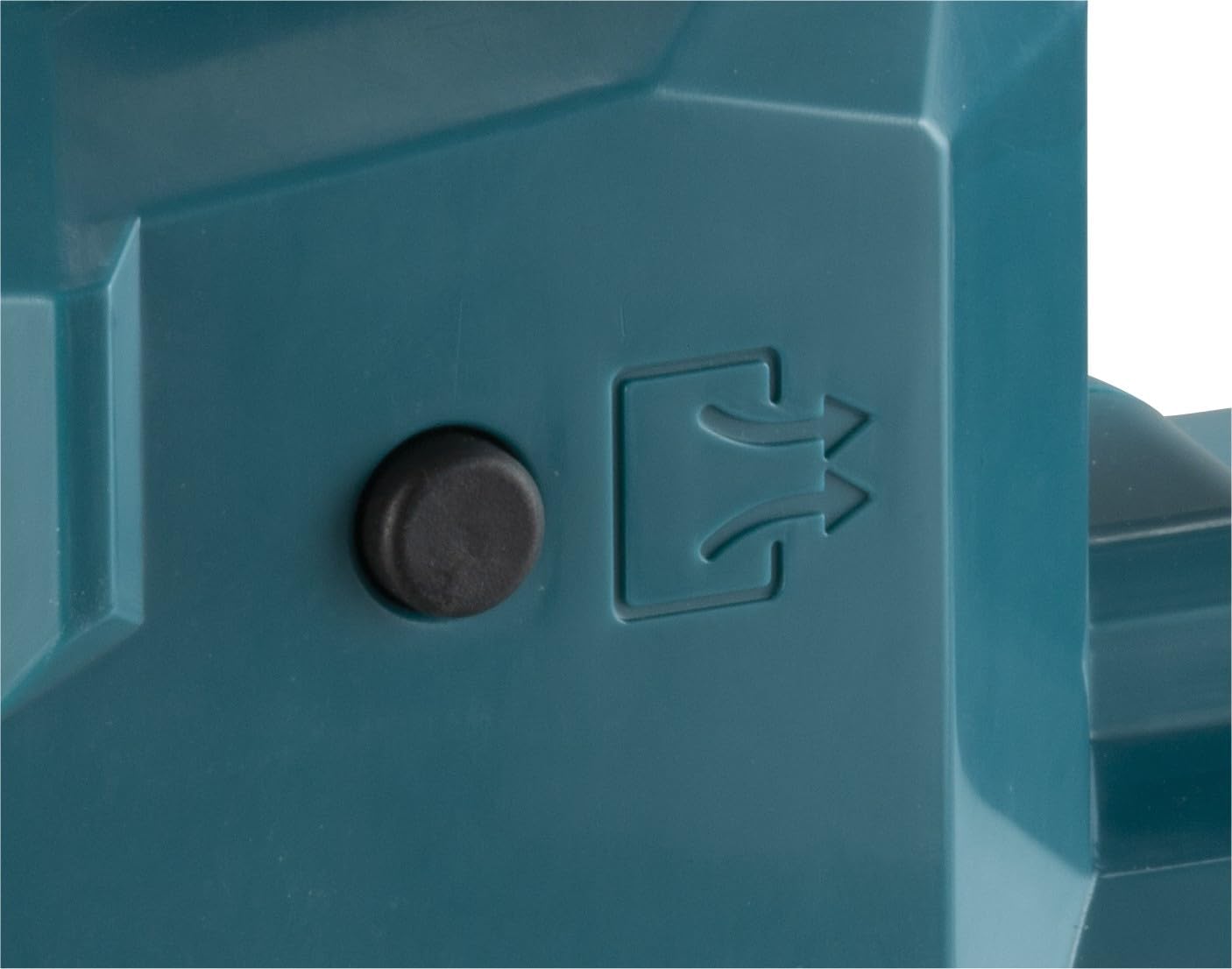
Figure 8: The LED light illuminating the work area.
6. Maintenance
Regular maintenance ensures optimal performance and extends the lifespan of your inflator.
- Cleaning: Wipe the inflator body with a soft, damp cloth. Do not use harsh chemicals or abrasive cleaners.
- Hose and Adapter Inspection: Regularly check the inflation hose and adapters for any signs of wear, cracks, or damage. Replace if necessary.
- Storage: Store the inflator in a clean, dry place, out of reach of children. Ensure the hose and adapters are properly stored to prevent damage.
- Battery Care: Follow the battery manufacturer's instructions for charging and storage. Remove the battery when the tool is not in use for extended periods.
7. Troubleshooting
Refer to the following common issues and their solutions:
- Inflator does not turn on: Ensure the battery is fully charged and properly inserted. Check if the power button is pressed correctly.
- Inflator stops before reaching set pressure: This may indicate the battery is low. Recharge the battery.
- Air leaks during inflation: Ensure the hose and adapter are securely connected to the valve. Check for damage to the hose or adapter.
- Pressure reading is inaccurate: Ensure the adapter is fully seated on the valve. Calibrate the device if a calibration option is available (refer to specific model features).
- Automatic stop function not working: If the device does not stop automatically at the set pressure, immediately turn it off manually and contact customer support.
8. Specifications
| Feature | Specification |
|---|---|
| Brand | Makita |
| Model Name | MP001GZ |
| Voltage | 40 Volts Max |
| Power Source | Battery Powered (Li-ion) |
| Maximum Operating Pressure | 11.1 Bars |
| Air Flow Capacity | 24 LPM |
| Hose Length | 65 Centimeters |
| Noise Level | 71 dB(A) |
| Item Weight (without battery) | 2.5 Kilograms (approx. 5.5 pounds) |
| Product Dimensions (L x W x H) | 13.82" x 4.25" x 9.09" (351 x 108 x 231 mm) |
| Material | Metal |
| Special Feature | Adaptor, Digital Display, Auto-Stop, Decompression Function, LED Light |
| UPC | 088381748926 |
9. Warranty and Support
Makita products are manufactured under strict quality control. For specific warranty details, please refer to the warranty card included with your product or visit the official Makita website for your region. Keep your purchase receipt as proof of purchase.
Spare parts availability for this model in the EU is typically 1 year from the date of purchase. For technical support, service, or to inquire about spare parts, please contact your authorized Makita service center or dealer.


