
Introduction
The XTAR VC4SL is an advanced 4-bay universal battery charger designed for both Lithium-ion (Li-ion) and Nickel-Metal Hydride (Ni-MH) rechargeable batteries. It features a USB-C input port with QC3.0 compatibility, allowing for efficient and versatile charging. This manual provides detailed instructions for the safe and effective use of your VC4SL charger.
Safety Information
- Only charge compatible battery types (3.6V/3.7V Li-ion and 1.2V Ni-MH/Ni-CD). Refer to the 'Compatible Battery Types' section for a detailed list.
- Ensure correct polarity when inserting batteries. Incorrect insertion can damage the charger and batteries.
- Do not disassemble or modify the charger.
- Keep the charger away from water, moisture, and high temperatures.
- Use the included QC3.0 adapter or a compatible 18W power source for optimal performance.
- Monitor batteries during charging, especially during initial use.
- The charger includes reverse-polarity, short circuit, overcharge, and overheat protection.
Package Contents
- 1 x XTAR VC4SL Charger
- 1 x USB-C Cable
- 1 x User Manual
- 1 x US Quick Charge 18W Adapter
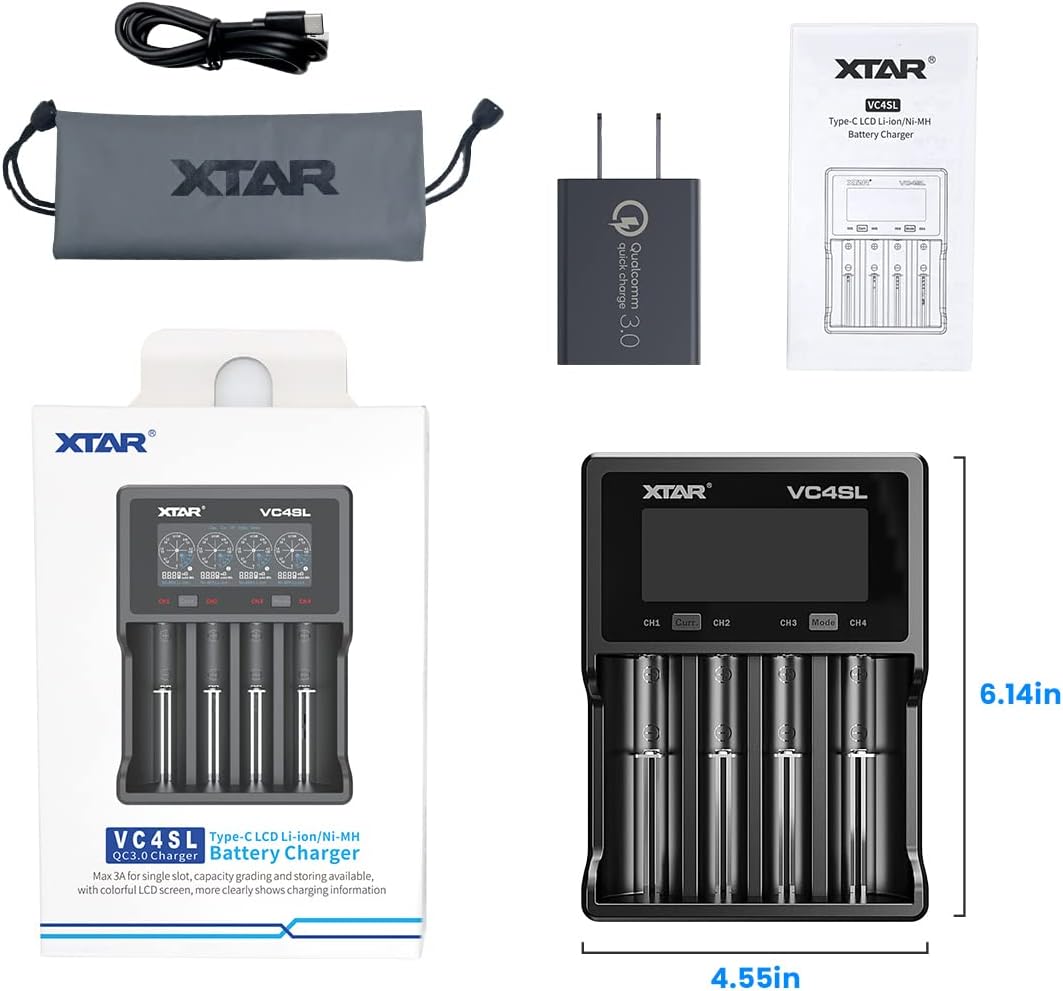
Image: Contents of the XTAR VC4SL package, including the charger, USB-C cable, user manual, and QC3.0 adapter.
Product Overview
The XTAR VC4SL features four independent charging bays and a clear LCD display that provides real-time information about the charging process. Key components include:
- LCD Display: Shows charging current, battery voltage, charged capacity, internal resistance, and battery type for each channel.
- CH1-CH4 Indicators: Indicate the active charging channels.
- 'Curr.' Button: Used to select the desired charging current.
- 'Mode' Button: Used to switch between Charging, Grading, and Storing modes.
- Type-C Port Input: For connecting the power adapter.
- Cathode: The negative contact point for batteries in each bay.
- ABS Fireproof Materials: Ensures safety during operation.

Image: A detailed view of the XTAR VC4SL charger with its various components and buttons labeled for easy identification.

Image: A close-up of the XTAR VC4SL's LCD display, highlighting the readouts for battery voltage, optional charging current, battery type, internal resistance, and charged capacity.
Setup
- Connect the USB-C cable to the Type-C input port on the XTAR VC4SL charger.
- Connect the other end of the USB-C cable to the included QC3.0 18W adapter.
- Plug the QC3.0 adapter into a suitable power outlet. The charger's display will illuminate.

Image: The XTAR VC4SL charger connected to a wall outlet via its USB-C cable and QC3.0 adapter, illustrating the power input setup.
Operating Instructions
Compatible Battery Types
The XTAR VC4SL is compatible with a wide range of rechargeable batteries:
- 3.6V/3.7V Li-ion/IMR/INR/ICR: 10440, 14500, 14650, 16340, 17335, 17500, 17670, 18350, 18490, 18500, 18650, 18700, 20700, 21700, 22650, 25500, 26650, 32650.
- 1.2V Ni-MH/Ni-CD: AAAA, AAA, AA, A, SC, C.
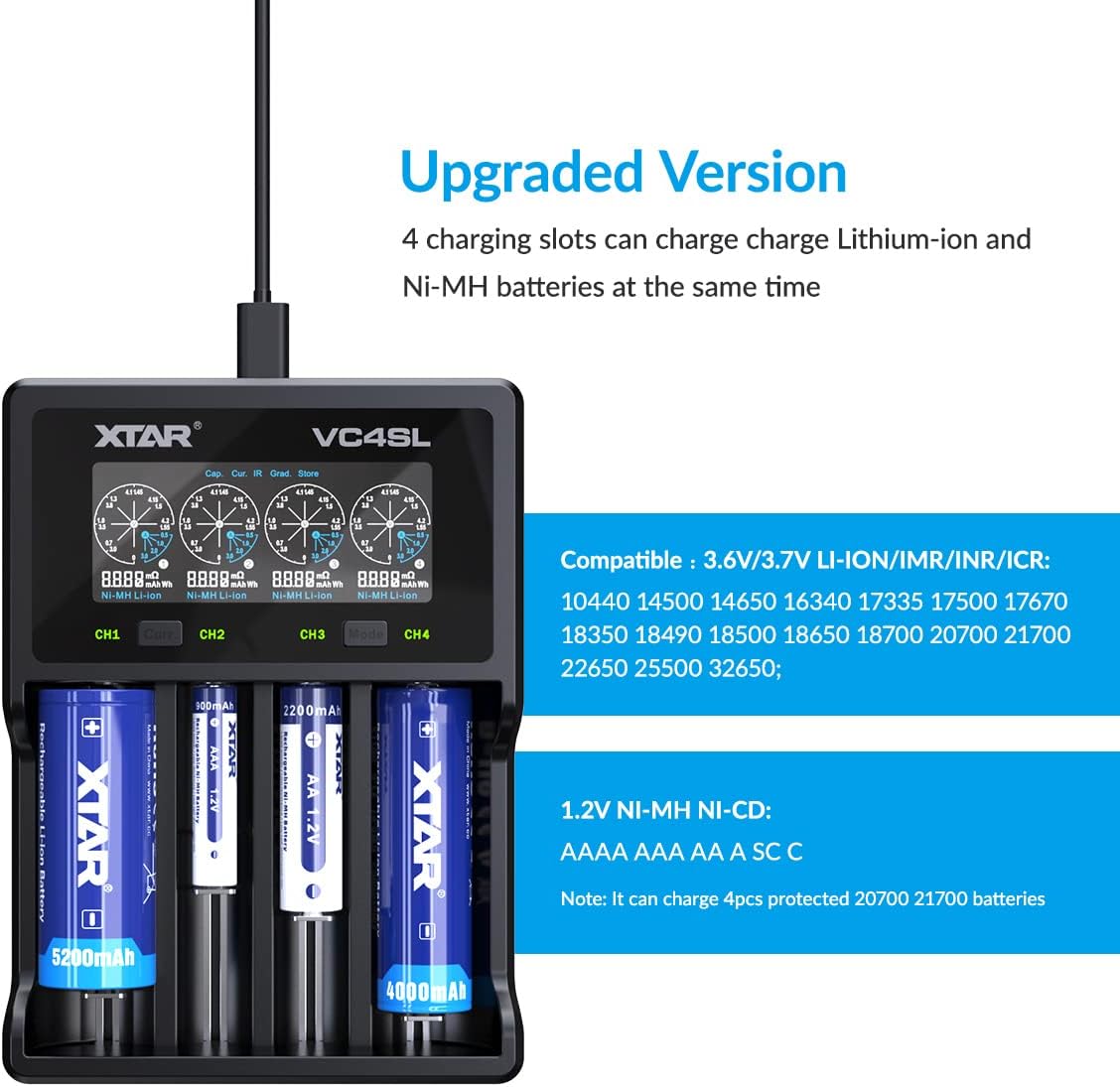
Image: The XTAR VC4SL charger with various battery sizes inserted, demonstrating its compatibility with both Li-ion and Ni-MH batteries.
Inserting Batteries
Gently insert batteries into the charging bays, ensuring the positive (+) and negative (-) ends align with the markings on the charger. The spring-loaded contacts will adjust to fit different battery lengths.
Understanding the LCD Display
Once batteries are inserted and the charger is powered, the LCD display will show real-time information for each channel. This includes the current charging status, voltage, and accumulated capacity.
Charging Modes
The XTAR VC4SL offers three operational modes:
- Charging Mode: Standard mode for recharging batteries.
- Grading Mode: Examines the real capacity of rechargeable batteries by fully discharging and then recharging them.
- Storing Mode: Activates and motivates rechargeable batteries, preparing them for long-term storage at an optimal voltage.
Press the 'Mode' button to cycle through these modes. The selected mode will be indicated on the display.

Image: Visual representation of the XTAR VC4SL's three operational modes: Charging, Grading, and Storing, with corresponding battery states.
Selecting Charging Current
The charger allows you to select optimal charging currents for your batteries:
- 3A (for 1 slot)
- 2A (for 2 slots)
- 1A (for 4 slots)
- 0.5A (for 4 slots)
- 0.25A (for 4 slots)
Press the 'Curr.' button to adjust the charging current for the selected channel. The charger will automatically select a suitable current if not manually set.
Video: A brief demonstration of the XTAR VC4SL charger in operation, showing the display and battery insertion. Note: This is a short preview video.
Maintenance
- Clean the charger and contacts regularly with a dry, soft cloth.
- Avoid exposing the charger to extreme temperatures or direct sunlight.
- Store the charger in a cool, dry place when not in use.
Troubleshooting
- Charger not powering on: Ensure the USB-C cable and adapter are securely connected to both the charger and a working power outlet.
- Battery not charging: Check if the battery is inserted with correct polarity. Ensure the battery is compatible with the charger. Clean battery contacts and charger contacts.
- Display issues: If the display is dim, press any button to wake it up. If issues persist, try reconnecting the power.
- Error messages: Refer to the specific error code (if any) displayed on the screen and consult XTAR support for further assistance.
Specifications
| Feature | Specification |
|---|---|
| Model | VC4SL |
| Input | QC3.0 (5V 3A / 9V 2A) |
| Constant Current | 3A x 1 / 2A x 2 / 1A x 4 / 0.5A x 4 / 0.25A x 4 |
| Cut-Off Current | <120mA |
| Cut-Off Voltage | 4.2±0.05V / 1.45±0.1V |
| Operating Temperature | 0-40°C |
| Dimensions (L x W x H) | 156 x 115.5 x 35mm (6.14 x 4.54 x 1.3 inches) |
| Net Weight | 212g (4.8 ounces) |
| Manufacturer | ShenZhen XTAR Electronics Co., Ltd |
Warranty and Support
The XTAR VC4SL Battery Charger comes with a 24-month friendly customer service warranty. If you encounter any issues with your product, please contact XTAR customer service for assistance. They aim to resolve issues within 24 hours.
For further information or support, please visit the official XTAR website or contact their customer service team.


