1. Product Overview
The kwmobile Neoprene Phone Pouch is designed to protect your mobile phone from daily wear and tear. Constructed from lightweight, water-resistant neoprene and elastane, it offers full protection against shocks, falls, bumps, and scratches. The pouch features a secure zipper closure and includes a wrist strap for convenient carrying. An internal mesh pocket provides additional storage for small items.

Image 1.1: The kwmobile Neoprene Phone Pouch in Dark Rose, shown alongside a smartphone, wireless earbuds, and a charging cable, illustrating its primary use for device protection and portability.
2. Key Features
- Lightweight and Water-Resistant: Made from neoprene/elastane material, providing a light feel and resistance to water splashes.
- Full Protection: Designed to shield your mobile phone from impacts, drops, and scratches.
- Secure Zipper Closure: Keeps your device safely enclosed within the pouch.
- Integrated Wrist Strap: Offers an additional carrying option for convenience and security.
- Internal Mesh Pocket: Provides storage for small accessories such as credit cards or earphones.

Image 2.1: An open view of the kwmobile Neoprene Phone Pouch, highlighting its internal mesh pocket for secure storage and the tough exterior material.
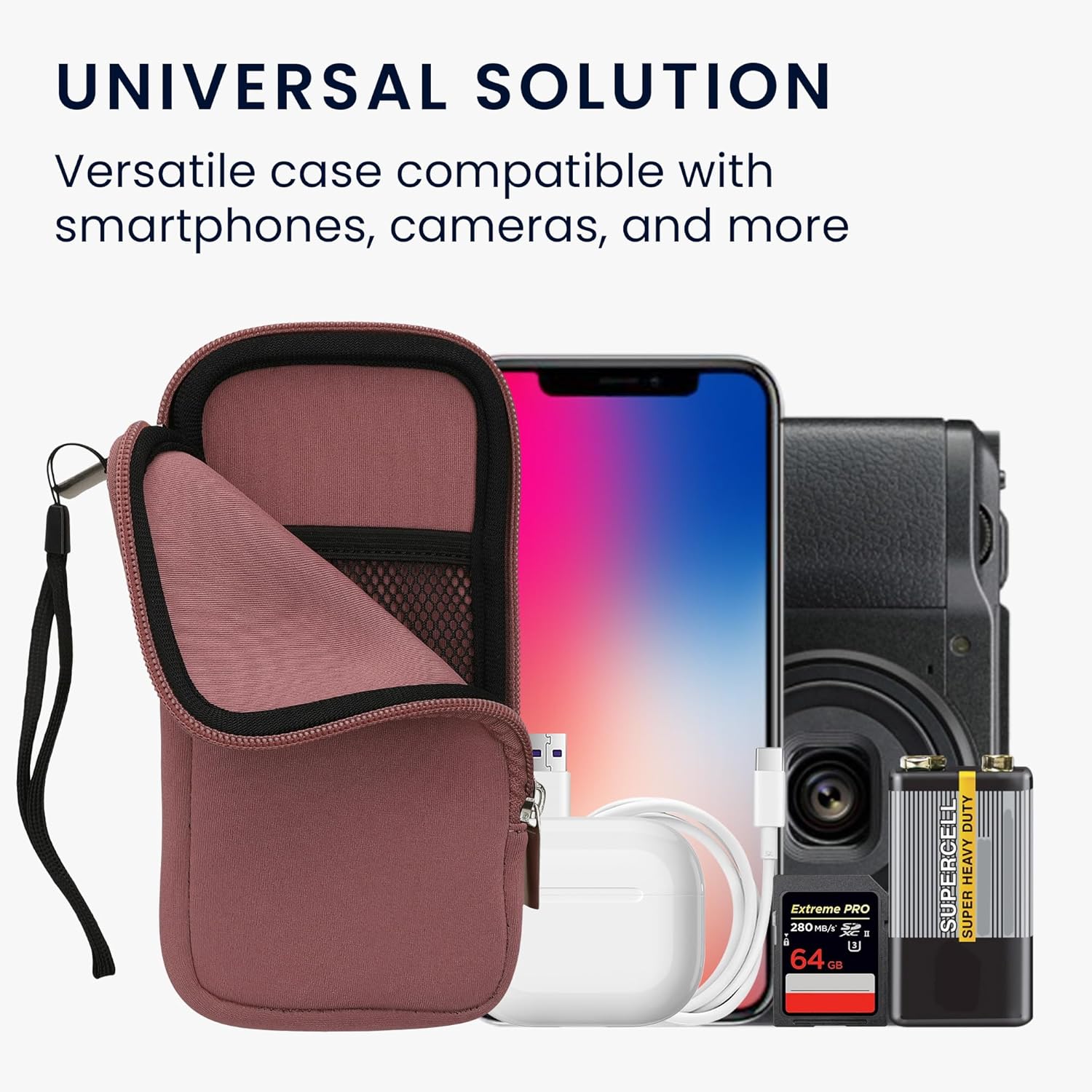
Image 2.2: The kwmobile Neoprene Phone Pouch displayed with a variety of electronic devices, including a smartphone, camera, and memory card, demonstrating its versatility as a universal storage solution.
3. Setup and Initial Use
The kwmobile Neoprene Phone Pouch requires no complex setup. It is ready for immediate use upon unboxing.
- Unpack: Remove the phone pouch from its packaging.
- Inspect: Check the pouch for any visible damage or defects.
- Insert Device: Open the zipper and carefully slide your compatible smartphone or other small electronic device into the main compartment. Ensure the device fits comfortably without excessive force.
- Secure: Close the zipper completely to secure your device inside the pouch.
- Attach Wrist Strap (Optional): The included wrist strap can be attached to the small loop near the zipper for added security and ease of carrying.

Image 3.1: A person wearing the kwmobile Neoprene Phone Pouch on their wrist, demonstrating the use of the attached wrist strap for convenient and secure carrying.
4. Operating Instructions
Using your kwmobile Neoprene Phone Pouch is straightforward. It is designed for simple and effective protection of your device.
- Inserting Your Phone: Gently slide your phone into the main compartment. The neoprene material provides a snug fit.
- Using the Zipper: Always ensure the zipper is fully closed to prevent your device from falling out and to protect it from dust and splashes.
- Utilizing the Mesh Pocket: The internal mesh pocket is suitable for small, flat items such as credit cards, ID cards, or small earphones. Avoid overfilling to prevent strain on the zipper or damage to your phone.
- Carrying: Use the wrist strap for easy carrying or place the pouch directly into a bag or pocket. The smooth material allows for easy insertion and removal.

Image 4.1: A diagram illustrating the inner dimensions of different kwmobile phone pouch sizes, including the XL size (17.2 cm x 8.4 cm or 6.8" x 3.3"), which is crucial for ensuring proper device fit.
5. Maintenance and Care
To ensure the longevity and appearance of your kwmobile Neoprene Phone Pouch, follow these care instructions:
- Cleaning: Wipe the exterior with a damp cloth and mild soap if necessary. Avoid harsh chemicals or abrasive cleaners.
- Drying: Allow the pouch to air dry completely before reinserting your device. Do not tumble dry or expose to direct heat.
- Storage: Store the pouch in a cool, dry place when not in use.
- Avoid Sharp Objects: While the pouch offers protection, avoid contact with sharp objects that could puncture or tear the material.
6. Troubleshooting
If you encounter any issues with your kwmobile Neoprene Phone Pouch, consider the following:
- Device Does Not Fit: Ensure your device's dimensions are within the pouch's internal measurements (6.7 x 3.3 inches or 17.2 x 8.4 cm). If your device has a bulky case, it might exceed the pouch's capacity. Refer to Image 4.1 for detailed dimensions.
- Zipper Sticking: Check for any fabric or debris caught in the zipper teeth. Gently clear any obstructions. Avoid forcing the zipper.
- Pouch Appears Wet: While water-resistant, the pouch is not waterproof. If exposed to significant moisture, remove your device immediately and allow the pouch to dry thoroughly.
7. Specifications
| Feature | Detail |
|---|---|
| Product Dimensions (External) | 9.45 x 5.31 x 0.4 inches (24 x 13.5 x 1 cm) |
| Internal Dimensions (Approx.) | 6.7 x 3.3 inches (17.2 x 8.4 cm) |
| Item Weight | 2.11 ounces (60 grams) |
| Material | Neoprene, Elastane |
| Color | Dark Rose |
| Model Number | 46188.4.167_m000066 |
| Compatible Phone Models | Universal for 6.7/6.8 inch devices (e.g., Google Pixel 6 Pro/7 Pro, Samsung Galaxy S20 Ultra/S21 Ultra/S22 Ultra 5G, Xiaomi Redmi Note 11) |
8. Warranty and Support
kwmobile products are manufactured with quality and durability in mind. For specific warranty information or technical support, please refer to the official kwmobile website or contact their customer service directly. You can also visit the kwmobile Store on Amazon for more information and assistance.


