
Product Overview
The Radtel R260 is a Family Radio Service (FRS) two-way radio designed for reliable communication in various environments. It features IP67 waterproofing, NOAA weather channels, an SOS emergency light, and a built-in flashlight. This manual provides essential instructions for its proper setup, operation, and maintenance.

Image: Radtel R260 Walkie Talkie highlighting its key features such as VOX, IP67 waterproofing, NOAA weather channels, high-intensity flashlight, floating capability, and SOS emergency light.
Video: An overview of the Radtel R260 FRS radio, demonstrating its features, charging methods, and durability tests including waterproofing, salt fog, and button life cycle.
Package Contents
Please verify that all the following items are included in your package:
- Radtel R260 Walkie Talkie (2 units)
- AA Rechargeable Batteries (6 units, 3 per radio)
- Belt Clips (2 units)
- Micro-USB Charging Cable
- Charger Station (for 2 units)
- User Manual (this document)

Image: The complete set of items included with the Radtel R260 walkie talkie, such as the radios, batteries, and charging accessories.
Setup
1. Battery Installation
- Open the battery compartment cover located on the back of the radio.
- Insert 3 AA rechargeable batteries into each radio, ensuring correct polarity as indicated inside the compartment.
- Close the battery compartment cover securely until it clicks into place.

Image: Detailed view of the battery compartment, showing the proper insertion of AA rechargeable batteries.
2. Charging the Batteries
The Radtel R260 offers multiple charging options:
- Charger Station: Place the walkie talkie into the charging station. Ensure the charging contacts on the radio align with those in the station.
- Micro-USB Cable: Connect the Micro-USB cable to the radio's charging port and a compatible USB power source (e.g., wall adapter, computer USB port).
The battery indicator on the LCD screen will display the charging status. A full charge typically takes several hours.

Image: Visual representation of the three available charging methods for the Radtel R260 walkie talkie.
Operating Instructions
1. Power On/Off
Press and hold the Power/Menu button until the display illuminates or turns off.
2. Adjusting Volume
Use the Up and Down arrow buttons to increase or decrease the listening volume.
3. Selecting a Channel
- Press the Menu button once. The current channel number will flash on the display.
- Use the Up and Down arrow buttons to select your desired channel (1-22).
- Press the Menu button again or wait a few seconds for the selection to be confirmed automatically.
4. Transmitting and Receiving
- To transmit, press and hold the PTT (Push-To-Talk) button located on the side of the radio. Speak clearly into the microphone.
- Release the PTT button to stop transmitting and listen for a response.
5. VOX Function (Hands-Free Operation)
The VOX (Voice Operated Exchange) function enables hands-free transmission, allowing you to speak without pressing the PTT button.
- Press the Menu button repeatedly until the VOX setting appears on the display (often indicated by "VOX").
- Use the Up and Down arrow buttons to select a VOX sensitivity level (1-3, with 3 being the most sensitive) or to turn the function off.
- Press the Menu button again to confirm your selection.

Image: The VOX function allows for hands-free communication, useful during activities like cycling or driving.

Image: A visual icon indicating the VOX function.
6. NOAA Weather Channel
The Radtel R260 can scan 11 NOAA Weather (WX) band channels to provide timely weather alerts (US only).
- To activate NOAA weather scan, press the Menu button repeatedly until the WX channel option appears.
- Use the Up and Down arrow buttons to enable the scan. The radio will automatically lock onto the strongest weather channel.
- Press the Menu button to exit the WX channel mode.

Image: The NOAA Weather Alert feature provides timely updates on severe weather conditions.
7. Flashlight and SOS Emergency Light
- Flashlight: Press the LAMP button to toggle the built-in LED flashlight on or off.
- SOS Emergency Light: In an emergency, press and hold the SOS button (often integrated with the LAMP button or a dedicated button) to activate the SOS signal, which includes a flashing red light and an audible emergency alert.
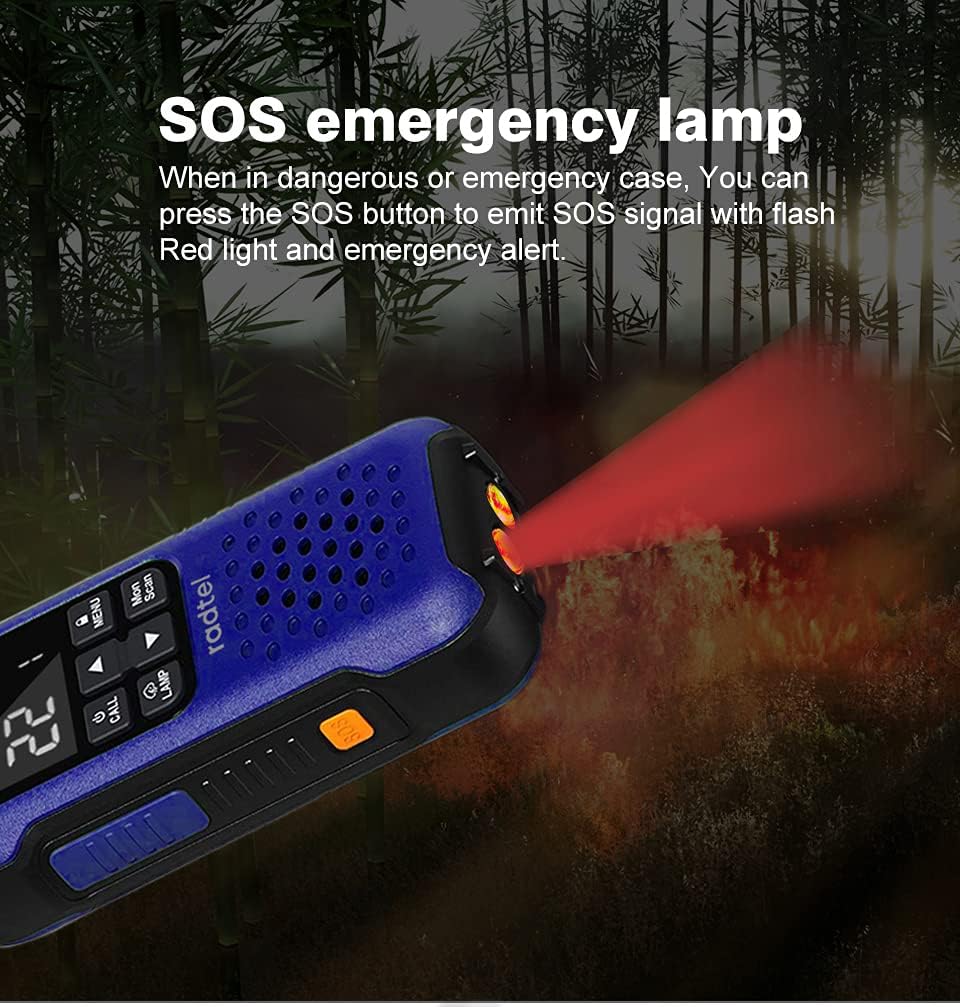
Image: The SOS emergency lamp feature, emitting a red light for signaling in dangerous or emergency situations.
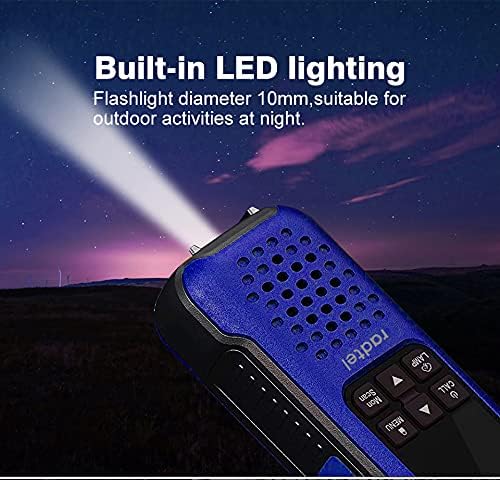
Image: The built-in LED flashlight provides illumination for outdoor activities at night.
8. Monitor and Scan Functions
- Monitor: Press the Mon button to temporarily disable squelch and listen for weak signals on the current channel.
- Scan: Press the Scan button to scan through all available channels for activity. The radio will stop on an active channel. Press again to resume scanning.
9. Keypad Lock
To prevent accidental changes to settings, press and hold the Lock button (often indicated by a padlock icon) to lock or unlock the keypad.
Maintenance
- Cleaning: Wipe the radio with a soft, damp cloth. Avoid using harsh chemicals, solvents, or abrasive cleaners, as these can damage the radio's finish and seals.
- Water Exposure: While the radio is IP67 waterproof, always ensure the battery compartment cover and charging port cover are securely closed before exposing the radio to water. After water exposure, gently shake off any excess water and allow the radio to air dry completely before charging or opening any compartments.
- Battery Care: Use only the specified AA rechargeable batteries. If the radio will not be used for an extended period, remove the batteries to prevent leakage and damage.
- Storage: Store the radio in a cool, dry place, away from direct sunlight, extreme temperatures, and corrosive materials.

Image: The Radtel R260 is designed to float and remain waterproof, making it suitable for use near water.
Troubleshooting
| Problem | Possible Cause | Solution |
|---|---|---|
| Radio does not power on. | Low or dead batteries; incorrectly installed batteries. | Charge batteries or replace with fresh ones. Ensure batteries are installed with correct polarity. |
| Cannot transmit or receive. | Incorrect channel selected; PTT button not pressed; radio out of range; squelch too high. | Verify both radios are on the same channel. Press and hold PTT firmly. Move closer to the other radio. Use the Monitor function to check for weak signals. |
| Poor audio quality. | Low battery; radios too far apart; water in speaker/microphone. | Charge batteries. Move closer to the other radio. Shake off water and allow the speaker/microphone to dry. |
| Keypad is unresponsive. | Keypad lock is activated. | Press and hold the Lock button to unlock the keypad. |
Specifications
- Model: Radtel R260
- Channels: 22 FRS Channels
- Water Resistance: IP67 Waterproof
- Battery Type: 3x AA Rechargeable (included)
- Battery Life: Approximately 10 Hours
- Dimensions: 7.87 x 2.36 x 1.57 inches
- Weight: 1.76 pounds
- Special Features: NOAA Weather Channel, SOS Emergency Light, Built-in Flashlight, VOX Function
Warranty and Support
For detailed warranty information, technical support, or customer service inquiries, please refer to the official Radtel website or contact their customer support team directly. It is recommended to retain your purchase receipt for any warranty claims.
Radtel Store Link: Visit the Radtel Store on Amazon


