1. Product Overview
The hipee P1 Smart Posture Trainer & Corrector is designed to help users improve their posture through intelligent vibration reminders and real-time tracking via a dedicated mobile application. This device promotes natural muscle training for sustained posture correction.
Key features include:
- Smart vibration reminders for posture correction.
- App control for personalized settings and real-time posture analysis.
- Lightweight and strapless design for comfortable wear.
- USB rechargeable with long battery life.
- Skin-friendly silicone material.
2. What's in the Box
Upon unpacking your hipee P1 Smart Posture Trainer, please ensure all items are present:
- 1 x hipee P1 Posture Corrector
- 1 x USB Charging Cable
- 1 x User Manual (this document)

3. Setup Guide
3.1 Initial Charging
Before first use, fully charge the hipee P1 device. Insufficient battery power may prevent the device from turning on.
- Locate the charging port: The charging port is discreetly hidden. Gently detach the sensor module from the neck loop to reveal the Type-C charging port on its side.
- Connect the USB charging cable to the device and a suitable USB power source.
- The indicator light will turn blue once fully charged. Charging typically takes approximately 1.5 hours.

3.2 App Installation and Bluetooth Pairing
The hipee P1 operates optimally with the dedicated mobile application for real-time tracking and personalized settings.
- Download the "POSTURE UP" app from the Apple App Store or Google Play Store.
- Ensure your phone's Bluetooth is enabled.
- Open the app and follow the on-screen instructions to pair your hipee P1 device. The device number for pairing will follow the format: Hi-JZ-xxxxxxxxxxx.

3.3 Wearing the Device
The hipee P1 is designed to be worn comfortably around the neck.
- Place the device around your neck.
- Position the sensor module at the back, between your shoulder blades. For optimal performance, the sensor should ideally touch your skin directly. Wearing it over thin clothing is also acceptable.
- Ensure the device is comfortable and does not restrict movement.

3.4 Calibration
Calibration is a one-time process required during the first use to establish your correct posture baseline.
- After wearing the device and connecting it to the app, follow the startup animation within the app to complete the calibration process.
- Stand or sit in your ideal posture during calibration.

4. Operating Instructions
4.1 Powering On/Off
- To power on: Long press the button on the sensor module for 3 seconds. The blue indicator will flash, and a single vibration will occur.
- To power off: Long press the button on the sensor module until the device powers down.

4.2 Posture Monitoring and Reminders
Once calibrated and powered on, the hipee P1 will monitor your posture and provide vibration reminders when you deviate from your set posture.
- Vibration Reminders: The device will gently vibrate when it detects that your back is leaning forward beyond the set trigger angle.
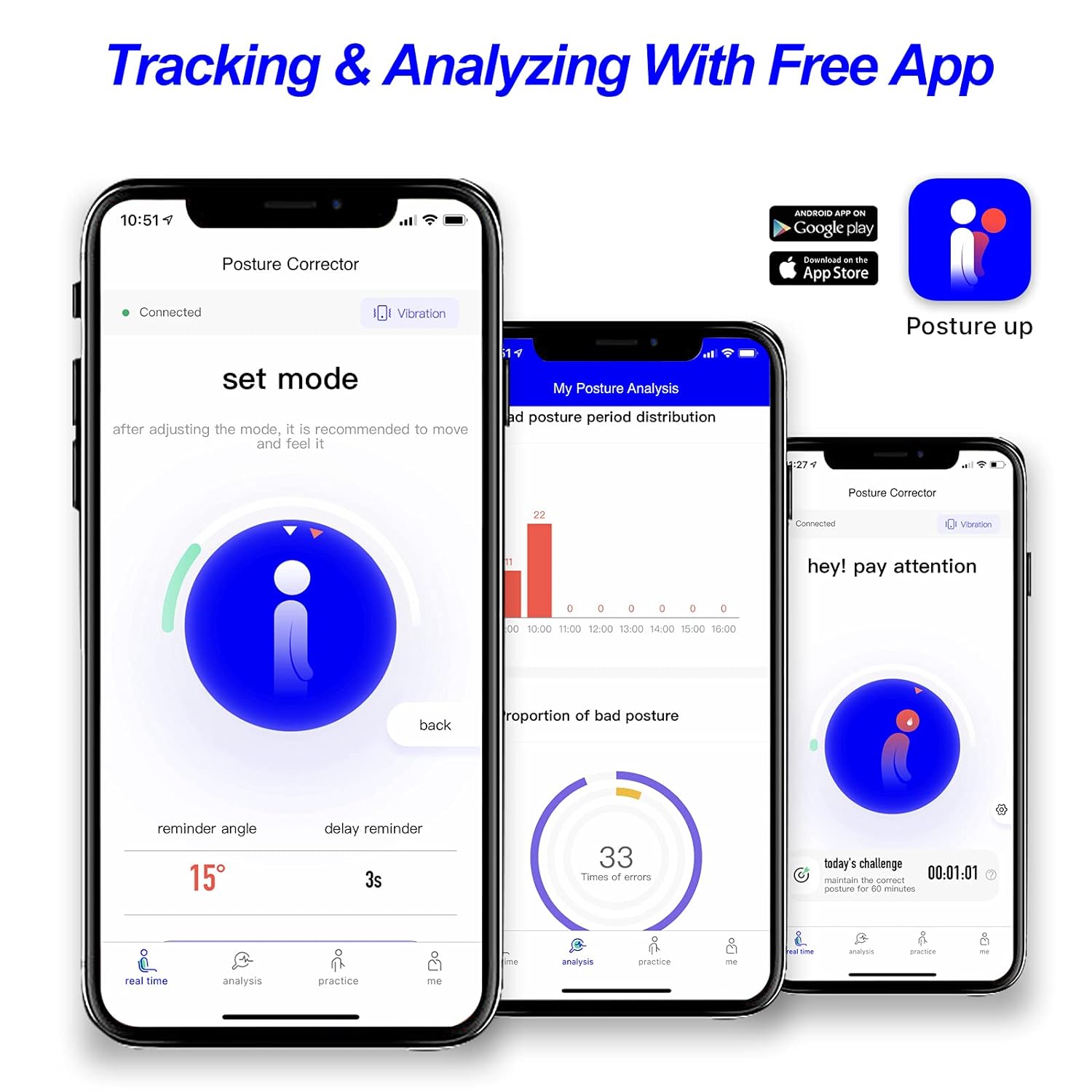
- Real-time Tracking: The "POSTURE UP" app provides real-time analysis of your posture, allowing you to track progress and identify areas for improvement.
4.3 App Settings and Customization
The "POSTURE UP" app allows you to customize various settings to suit your needs:
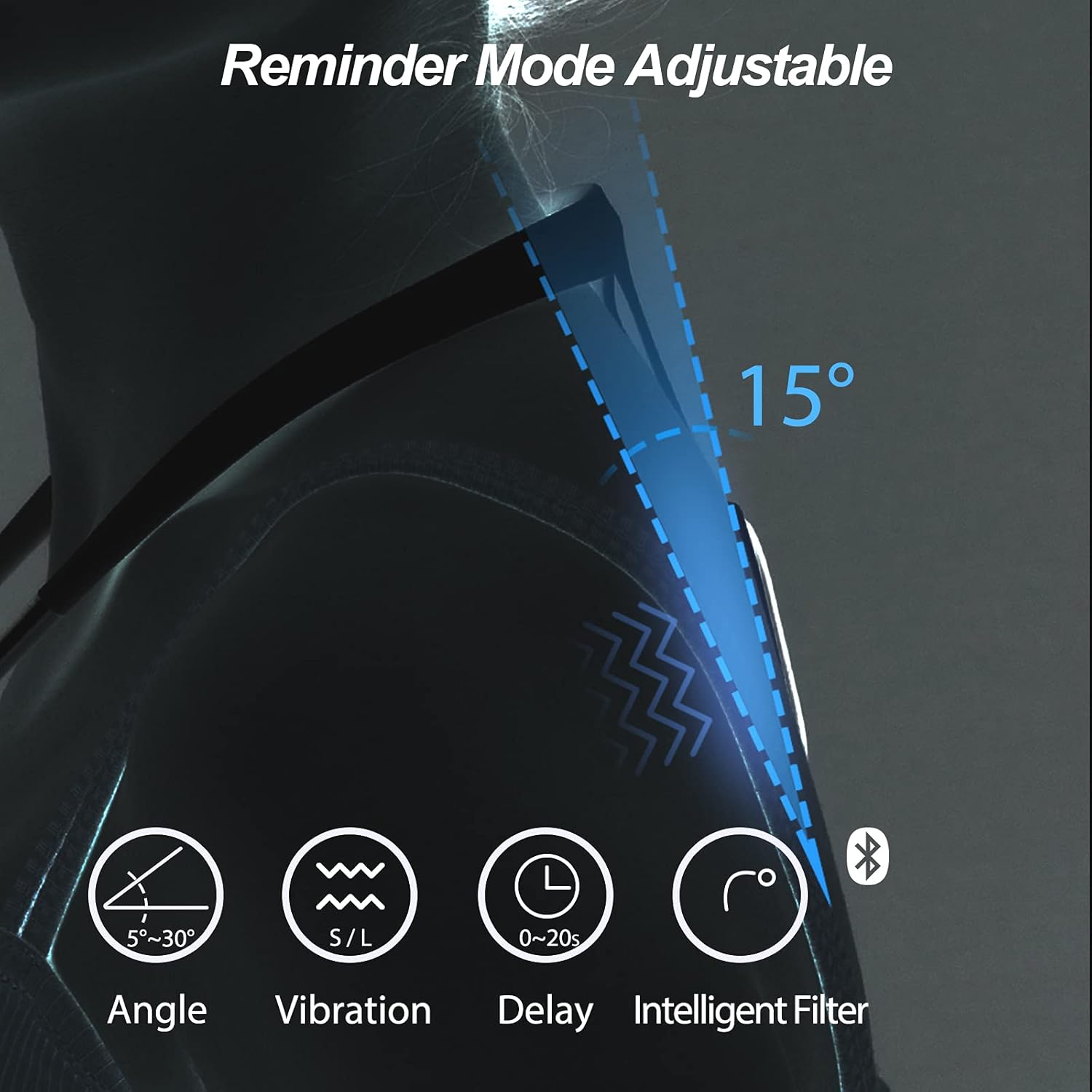
- Reminder Angle: Adjust the angle (5-30°) at which the device triggers a vibration reminder.
- Delay Time: Set a delay (0-20 seconds) for reminders, preventing vibrations for brief posture deviations.
- Intelligent Filtering Mode: This mode, enabled by default, cancels unnecessary reminders during activities like sitting, standing up, bending over, or tying shoelaces. You can disable this feature in the app if desired (Me > Device Management > Personalized Reminder Settings > Intelligent Filtering Reminder Scene > Switch OFF).
5. Maintenance
5.1 Charging
The hipee P1 features a rechargeable lithium battery. A full charge provides approximately 50 hours of use.
- Recharge the device when the indicator light turns red, signaling low battery.
- Use the provided USB charging cable.
5.2 Cleaning
The device is made with skin-friendly silicone. To maintain hygiene:
- Wipe the device gently with a soft, damp cloth.
- Do not use harsh chemicals or abrasive cleaners.
- Ensure the device is completely dry before charging or storing.
6. Troubleshooting
| Problem | Possible Cause | Solution |
|---|---|---|
| Device cannot be turned on. | Insufficient battery power. | Fully charge the device for approximately 1.5 hours. The indicator light will turn blue when fully charged. |
| Indicator light is red. | Low battery. | Recharge the device. |
| Cannot find the charging port. | The charging port is hidden. | Disassemble the sensor module from the neck loop to access the Type-C charging port on its side. |
| Trigger angle settings from the app do not take effect. | Bluetooth pairing issue. | Ensure your phone's Bluetooth is enabled and correctly paired with the device (device number format: Hi-JZ-xxxxxxxxxxx). |
| No reminders when bending over. | Intelligent Filtering Mode is enabled. | This mode is designed to cancel unnecessary reminders during common movements. If you wish to receive reminders for these actions, disable Intelligent Filtering Mode in the app: Me > Device Management > Personalized Reminder Settings > Intelligent Filtering Reminder Scene > Switch OFF. |
| Bluetooth connection issues with the app. | Incorrect pairing or Bluetooth interference. | Ensure Bluetooth is active on your phone. Forget the device in your phone's Bluetooth settings and re-pair through the "POSTURE UP" app. Ensure no other devices are interfering. |

7. Specifications
| Feature | Detail |
|---|---|
| Model | P1 |
| Brand | hipee |
| Product Dimensions | 6.57 x 5.39 x 4.72 inches (167mm x 137mm) |
| Weight | 2.2 ounces (4.66 ounces packaged) |
| Neck Circumference (Recommended) | 13.39 - 16.93 inches |
| Battery Type | 1 Lithium Ion battery (included) |
| Charging Time | Approximately 1.5 hours |
| Battery Life | Up to 50 hours on a full charge |
| Connectivity | Bluetooth |
| Adjustable Reminder Angle | 5° - 30° |
| Adjustable Delay Time | 0 - 20 seconds |
| Material | Skin-friendly silicone |
| Certifications | CMA, SRRC, FCC |
| Recommended Age Range | Adults and adolescents (neck circumference 13.39-16.93 inches) |

8. Warranty and Support
The hipee P1 Smart Posture Trainer is designed for durability and performance. For any questions or assistance during use, please contact hipee customer support.
Please refer to the product packaging or the official hipee website for specific warranty terms and contact information.


