1. Introduction
This manual provides instructions for the proper setup, operation, and maintenance of your JOBY GripTight GorillaPod for MagSafe. This device is designed to securely hold MagSafe-compatible iPhones (iPhone 12, 13, 14 series) and other smartphones, offering versatile positioning for photography, videography, and general use.
2. Product Overview
The JOBY GripTight GorillaPod for MagSafe combines a flexible tripod with a magnetic and clamping phone holder, providing a stable and adaptable platform for your mobile device.
Key Features:
- MagSafe Compatibility: Quick and secure magnetic attachment for iPhone 12, 13, 14 series, and other MagSafe-enabled smartphones.
- Hybrid Holding Mechanism: Utilizes both magnetic attachment and a closing jaw clamp for enhanced security.
- 360° Rotation: Allows for seamless switching between horizontal and vertical phone orientations.
- Accessory Mounts: Features two integrated 1/4" connections for attaching additional accessories like lights or microphones.
- Flexible GorillaPod Legs: Bendable and grippable legs for securing the device to various surfaces or using it as a handheld grip.
Components:
- GripTight MagSafe Phone Holder
- GorillaPod 1K Tripod

Figure 2.1: The JOBY GripTight GorillaPod for MagSafe, showing the flexible tripod legs and the phone holder with its magnetic disc.

Figure 2.2: The GorillaPod with a smartphone mounted, demonstrating the attachment points for external accessories like a light and microphone (shown in outline).
3. Setup Instructions
3.1 Attaching the Phone Holder to the GorillaPod
- Ensure the 1/4"-20 screw on the GorillaPod is aligned with the threaded hole at the base of the GripTight MagSafe Phone Holder.
- Screw the phone holder onto the GorillaPod until it is securely tightened. Do not overtighten.
3.2 Mounting Your Smartphone
The GripTight MagSafe Phone Holder offers two methods for securing your smartphone:
- Magnetic Attachment (for MagSafe-compatible devices):
- Align your MagSafe-compatible iPhone (iPhone 12, 13, 14 series) with the magnetic disc on the phone holder.
- The phone will snap into place magnetically. Ensure a firm connection.
- Clamping Mechanism (for added security or non-MagSafe devices):
- After magnetically attaching your phone, or if using a non-MagSafe phone within the compatible width range (64-86mm / 2.52-3.39 inches), gently pull the top jaw of the holder upwards.
- Place your phone between the jaws.
- Release the top jaw to securely clamp the phone. Ensure the phone is centered and stable.
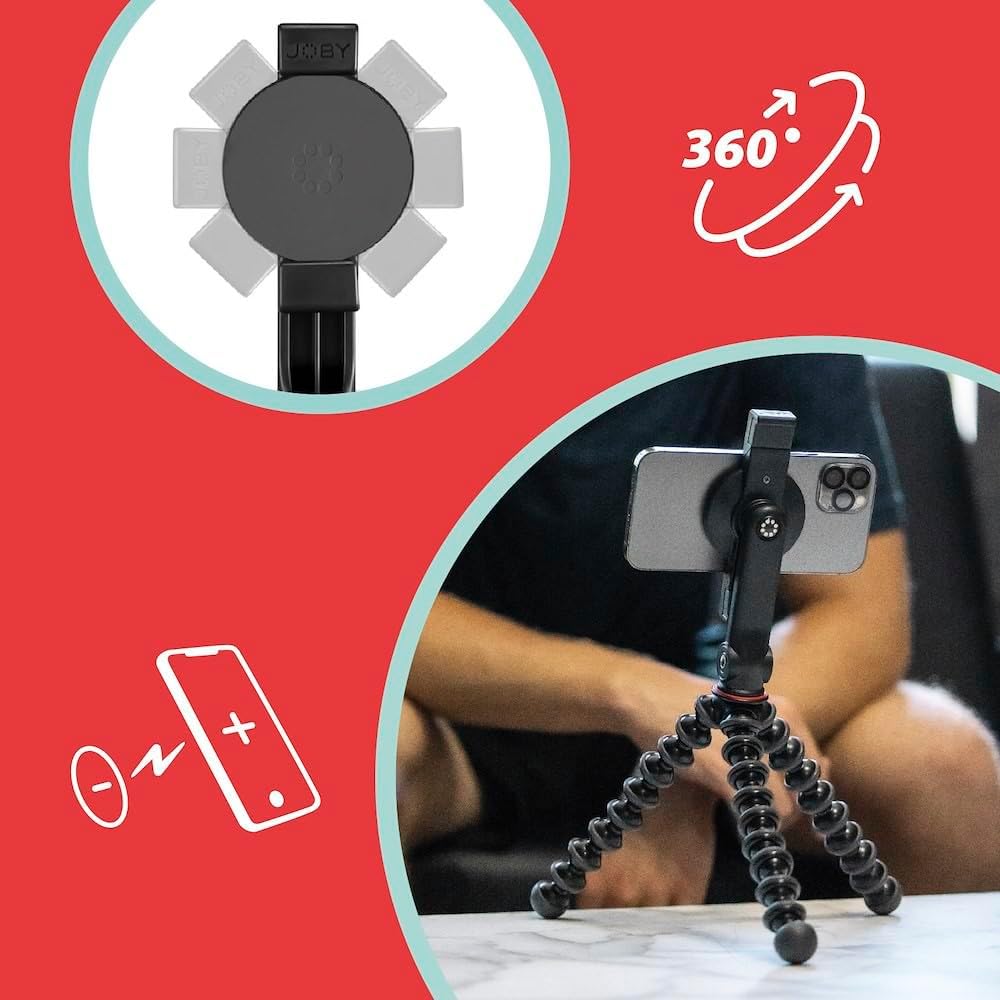
Figure 3.1: Illustration of MagSafe attachment and the 360-degree rotation capability of the phone holder.

Figure 3.2: The phone holder's adjustable jaws accommodate smartphones with widths between 64mm and 86mm (2.52-3.39 inches).
3.3 Attaching External Accessories
The phone holder features two 1/4" connections for mounting additional accessories.
- Locate the 1/4" threaded holes on the sides of the phone holder.
- Screw compatible accessories, such as a JOBY Beamo light or Wavo microphone, into these connections.
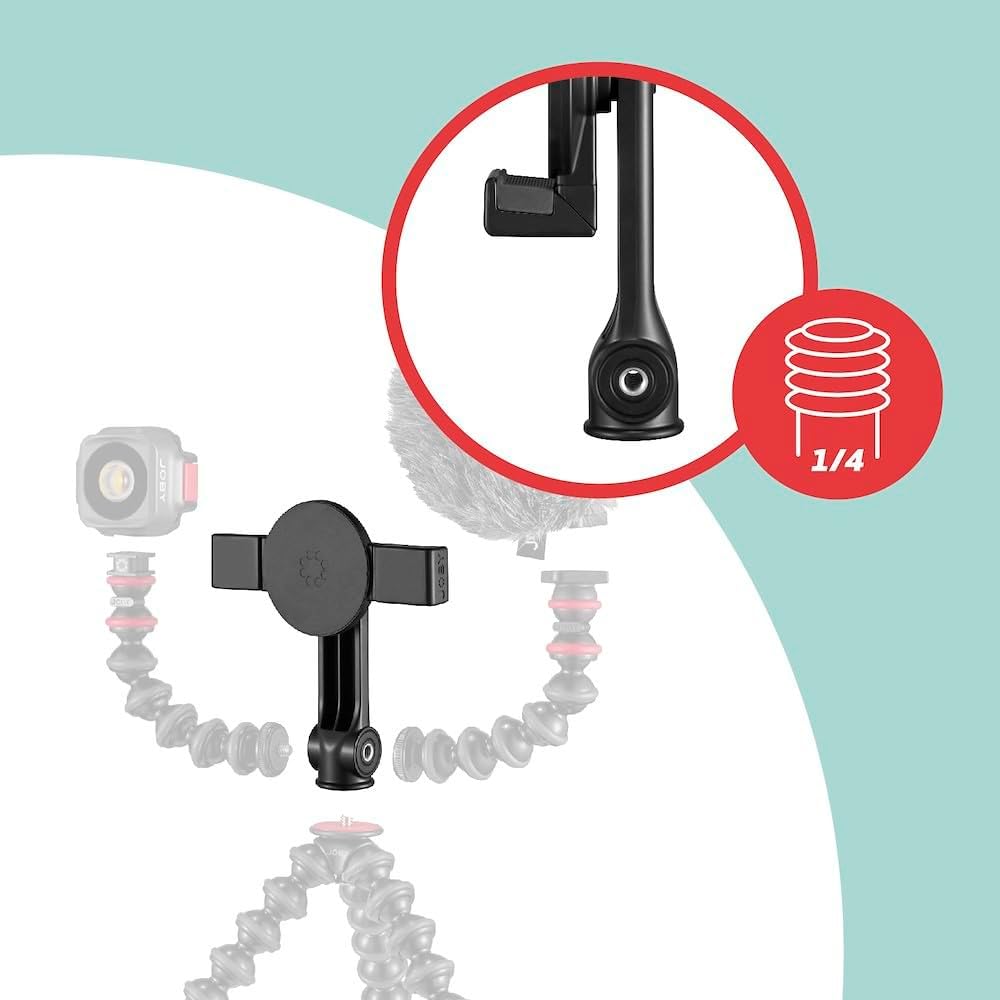
Figure 3.3: The 1/4" accessory mounts on the phone holder, allowing for expansion with lights or microphones.
4. Operating Instructions
4.1 Positioning the GorillaPod
The flexible legs of the GorillaPod allow for various configurations:
- Tripod Mode: Spread the legs to form a stable base on flat surfaces.
- Grip Mode: Bring the legs together to use the GorillaPod as a comfortable handheld grip for vlogging or mobile photography.
- Wrap Mode: Bend and wrap the flexible legs around objects like branches, poles, or railings to secure your phone in unique positions.

Figure 4.1: The GorillaPod's flexible legs allow it to be wrapped around objects for secure mounting.

Figure 4.2: Using the GorillaPod as a handheld grip for mobile vlogging with attached accessories.
4.2 Adjusting Phone Orientation
The phone holder allows for 360-degree rotation. Simply rotate your phone to switch between portrait and landscape modes as needed for your content creation or viewing.
5. Maintenance
- Cleaning: Wipe the GorillaPod and phone holder with a soft, damp cloth. Avoid harsh chemicals or abrasive cleaners.
- Storage: Store the device in a cool, dry place away from direct sunlight when not in use.
- Leg Care: While the GorillaPod legs are durable, avoid excessive force or extreme bending angles that could damage the joints over time.
- Magnetic Surface: Keep the magnetic surface clean and free of debris to ensure optimal magnetic adhesion.
6. Troubleshooting
| Issue | Possible Cause | Solution |
|---|---|---|
| Phone not holding securely (MagSafe) | Debris on magnetic surface; phone case interfering; not a MagSafe-compatible phone. | Clean the magnetic disc and phone back. Remove phone case if it's not MagSafe-compatible. Use the clamping mechanism for added security or if your phone is not MagSafe-compatible. |
| Phone slipping from clamp | Phone width outside specified range; clamp not fully engaged. | Ensure phone width is between 64-86mm. Verify the clamp jaws are fully closed and gripping the phone firmly. |
| GorillaPod unstable | Legs not properly positioned; uneven surface. | Adjust the legs to create a wider, more stable base. Ensure all three feet are making contact with the surface. |
7. Specifications
| Feature | Detail |
|---|---|
| Model Number | JG T GT/GP/MS |
| Product Dimensions | 2.36 x 1.97 x 14.17 inches |
| Item Weight | 7.7 ounces |
| Compatible Devices | Smartphones (MagSafe-compatible iPhones 12, 13, 14 series; other smartphones 64-86mm wide) |
| Mounting Type | Phone Mount, Magnetic Mount, Tripod Mount |
| Accessory Mounts | Two 1/4" connections |
8. Warranty and Support
For warranty information and customer support, please refer to the official JOBY website or contact JOBY customer service directly. Keep your proof of purchase for any warranty claims.
Official JOBY Website: www.joby.com


