
1. Introduction
Thank you for choosing the VEGER Power Bank 20000mAh. This portable charger is designed to provide reliable and fast charging for your mobile devices on the go. Featuring built-in cables for various device types, a clear LED display, and multiple output ports, it offers convenience and efficiency for your daily charging needs.

Image: The VEGER Power Bank 20000mAh, showcasing its sleek black design and digital display.
2. Package Contents
Please verify that all items are present in your package:
- VEGER Power Bank Portable Battery Charger (20000mAh)
- User Manual
- Warranty Card
3. Product Features and Overview
The VEGER Power Bank is equipped with several features for optimal performance and user convenience:
- Built-in Multiple Cables: Includes Type-C, Micro-USB, and Lightning cables for direct charging of various devices.
- USB2.0 Input Cable: Integrated USB-A cable for convenient recharging of the power bank itself.
- High Capacity: 20000mAh battery capacity, capable of recharging most smartphones multiple times.
- Fast Charging Technology: Intelligently identifies your device to deliver the fastest possible charge.
- Multiple Output Ports: Single USB output port (5V/2.0A) in addition to built-in cables.
- Dual Input Ports: Micro-USB (5V/2.0A) and Type-C (5V/2.0A) for recharging the power bank.
- Safety Protection: Built-in multi-protection system against over-current, short circuit, over-charging, and over-discharging.
- Digital LED Display: Shows the remaining battery percentage.
- Compact and Portable: Slim design for easy portability.

Image: The power bank highlighting its integrated Lightning, Type-C, Micro-USB, and USB-A cables.

Image: Illustration of two ways to recharge the power bank: via its built-in USB-A cable or a Type-C input port.

Image: The power bank simultaneously charging a smartphone, tablet, earbuds, and a portable speaker.
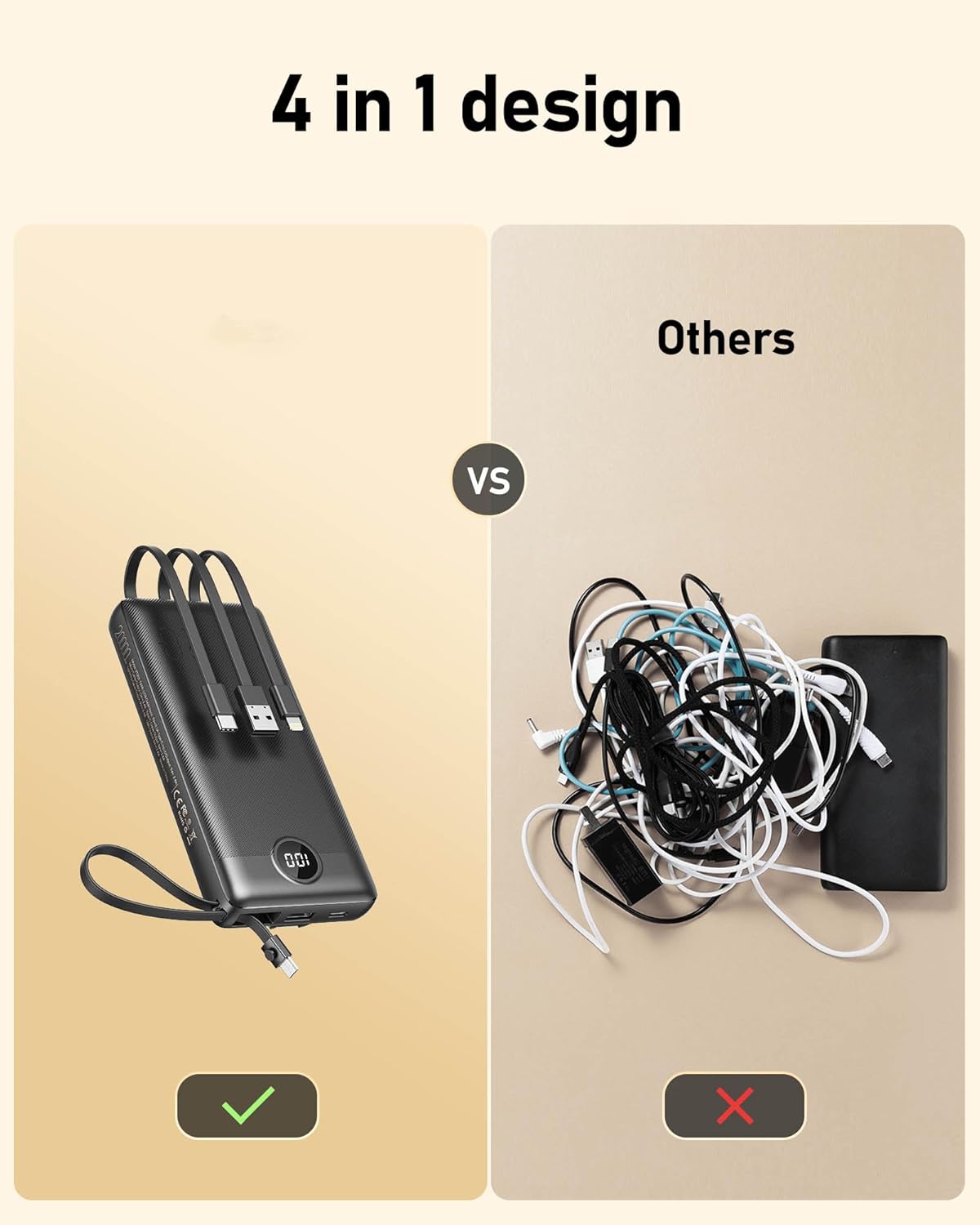
Image: A diagram illustrating the wide compatibility of the power bank with various devices, including iPhones, Samsung phones, Google Pixel, iPads, and AirPods.
4. Setup and Initial Use
4.1 Charging the Power Bank
Before first use, fully charge your VEGER Power Bank. You can recharge the power bank using its built-in USB-A input cable or via the dedicated Micro-USB or Type-C input ports.
- Connect the power bank to a USB wall charger, computer USB port, or other compatible power source using either the built-in USB-A cable or a separate Micro-USB/Type-C cable.
- The LED digital display will show the charging progress, indicating the battery percentage.
- Once the display shows "100", the power bank is fully charged and ready for use.
Video: A demonstration of charging the VEGER Power Bank and using its built-in cables to charge various devices like smartphones, earbuds, and drones.
4.2 Charging Your Devices
The VEGER Power Bank offers multiple ways to charge your devices:
- Using Built-in Cables: Select the appropriate built-in cable (Lightning, Type-C, or Micro-USB) and connect it directly to your device.
- Using USB-A Output Port: Connect your device's charging cable to the USB-A output port on the power bank.
- The power bank will automatically begin charging your device. The LED display will show the power bank's remaining battery level.

Image: A user holding the slim VEGER Power Bank while it charges a smartphone, demonstrating its portability.
5. Maintenance and Safety
5.1 General Care
- Keep the power bank away from extreme temperatures, direct sunlight, and humid environments.
- Avoid dropping or subjecting the power bank to strong impacts.
- Clean the power bank with a soft, dry cloth. Do not use harsh chemicals or abrasive materials.
- Store the power bank in a cool, dry place when not in use for extended periods.
5.2 Safety Precautions
- Do not disassemble, open, or attempt to repair the power bank.
- Do not expose the power bank to fire or water.
- Avoid short-circuiting the power bank.
- Do not use the power bank if it is damaged or appears swollen.
- Built-in multiple protection system protects against over-current, short circuit, over-charging, and will automatically turn off if issues occur to extend device lifespan.
- Keep out of reach of children.
6. Troubleshooting
If you encounter issues with your VEGER Power Bank, please refer to the following common problems and solutions:
| Problem | Possible Cause | Solution |
|---|---|---|
| Power bank not charging | Charging cable or adapter faulty; power bank not properly connected. | Ensure the charging cable and adapter are working correctly. Reconnect the power bank firmly to the power source. |
| Device not charging from power bank | Device cable faulty; power bank battery depleted; device incompatible. | Check the device's charging cable. Ensure the power bank is charged. Verify device compatibility with the power bank's output specifications. |
| Power bank automatically shuts off when charging a single device (especially below 50% charge) | Low power draw from a single device may trigger auto-shutoff to conserve power or due to a minimum current threshold. | If possible, try charging multiple devices simultaneously to increase the power draw. If the issue persists, ensure the power bank is adequately charged (above 50%) before charging a single device. |
| Slow charging | Cable quality; device input limit; multiple devices charging simultaneously. | Use high-quality cables. Ensure your device supports fast charging. Charging multiple devices simultaneously may reduce individual charging speeds. |
7. Technical Specifications
| Feature | Specification |
|---|---|
| Model Number | VP-2059 |
| Battery Capacity | 20000 Milliamp Hours (mAh) |
| Product Dimensions | 15.6 x 7 x 2.62 cm |
| Item Weight | 396 g |
| Input (Micro-USB) | 5V/2.0A |
| Input (Type-C) | 5V/2.0A |
| Output (USB-A Port) | 5V/2.0A |
| Built-in Cables | Lightning, Type-C, Micro-USB, USB-A (for input) |
| Special Features | Digital Display, Built-in Multi-Cables, Over Charging Protection, Fast Charging |
| Color | Black |
8. Warranty and Customer Support
Your VEGER Power Bank comes with a warranty. Please refer to the included warranty card for specific terms and conditions regarding coverage and duration. For any product problems, technical support, or customer service inquiries, please feel free to contact us. Our friendly customer service team is available to assist you.
We offer 24-hours professional after-sales service, 45-day 100% returns & exchanges service, and 24-months product technical support maintenance.
For further assistance, please visit the official VEGER store or contact the seller directly through your purchase platform.


