
GP E211
GP ReCyko USB Charger User Manual
Model: E211
1. Introduction
Thank you for choosing the GP ReCyko USB Charger. This manual provides essential information for the safe and efficient operation of your charger and rechargeable batteries. Please read it thoroughly before use and retain it for future reference.
The GP ReCyko E211 USB Charger is designed to provide a simple, reliable, and safe method for charging NiMH AA and AAA rechargeable batteries. Its compact design makes it suitable for use at home, in the office, or while traveling.
2. Safety Information
To ensure safe operation, always follow these precautions:
- Use only NiMH rechargeable batteries with this charger. Do not attempt to charge alkaline, carbon-zinc, or other types of batteries, as this may lead to leakage, rupture, or explosion.
- Do not expose the charger to rain, moisture, or extreme temperatures.
- Do not disassemble or modify the charger. Refer all servicing to qualified personnel.
- Keep the charger and batteries out of reach of children and pets.
- Ensure proper polarity when inserting batteries into the charger.
- Unplug the charger from the power source when not in use or before cleaning.
- Do not cover the charger during operation to prevent overheating.
- If a battery becomes excessively hot during charging, discontinue charging immediately and remove the battery carefully.
3. Package Contents
Verify that all items are present in your package:
- 1 x GP ReCyko USB Charger (Model E211)
- 2 x GP ReCyko 800mAh AAA NiMH Rechargeable Batteries
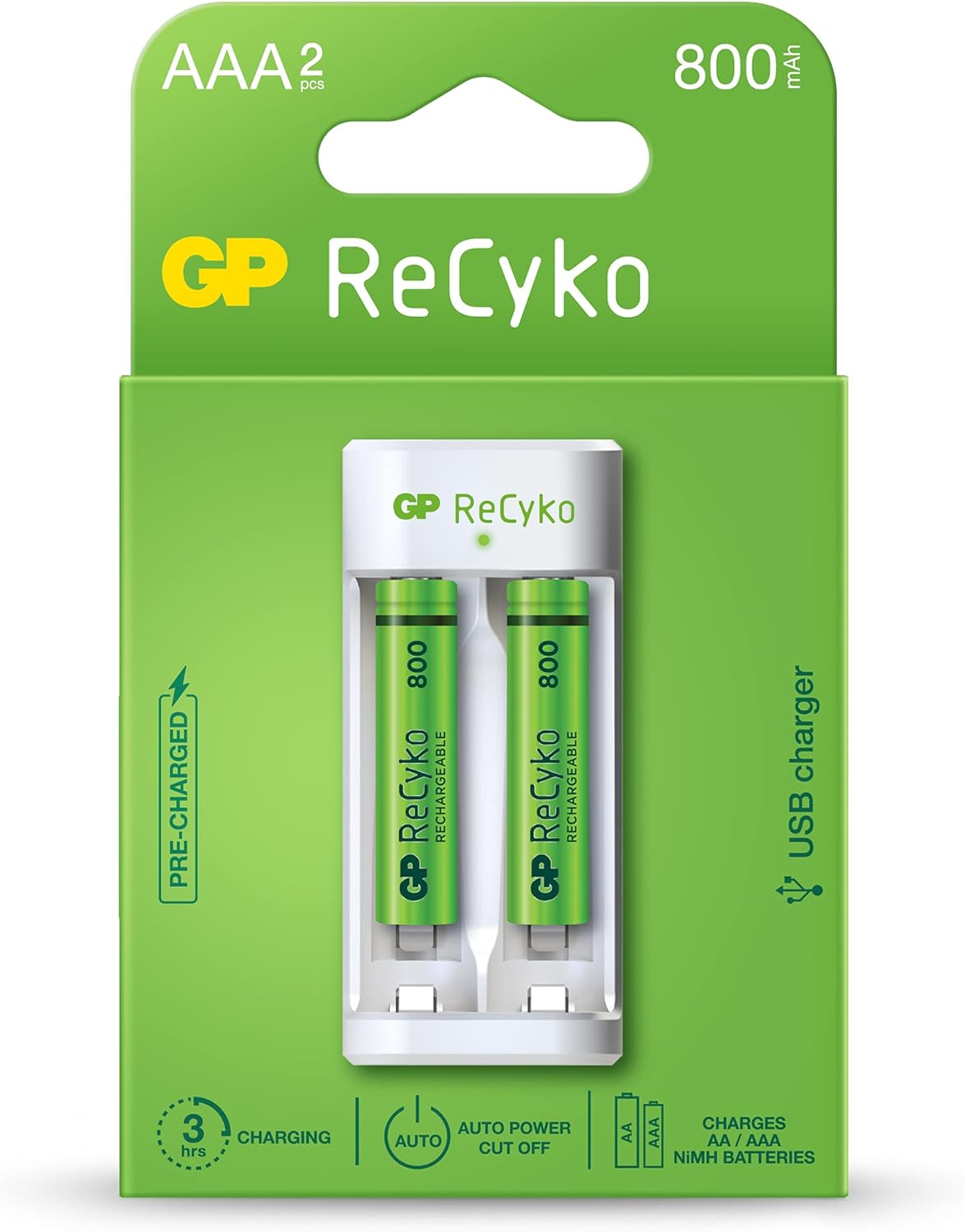
Image: The GP ReCyko USB Charger and two 800mAh AAA rechargeable batteries, displayed in their retail packaging. The packaging highlights features such as "PRE-CHARGED", "3 hrs CHARGING", "AUTO POWER CUT OFF", and "CHARGES AA / AAA NiMH BATTERIES".
4. Setup and Charging Instructions
- Insert Batteries: Open the battery compartment of the charger. Insert 1 or 2 AA or AAA NiMH rechargeable batteries into the charging slots, ensuring correct polarity (+ and - ends match the markings inside the charger).

Image: A close-up view of the GP ReCyko USB Charger with two green GP ReCyko 800mAh AAA batteries correctly inserted into their respective charging slots. The charger's white casing and the green batteries are clearly visible.
- Connect to Power: Plug the USB connector of the charger into a compatible USB power source (e.g., computer USB port, USB wall adapter, power bank). The charger requires a standard USB 5V input.
- Charging Indicator: The charger features an LED indicator for each charging slot.
- Solid LED: Indicates that the battery is charging.
- Flashing LED: Indicates a malfunctioning battery, an alkaline battery, or a bad battery has been detected. Remove the battery immediately.
- LED Off: Indicates charging is complete, or no battery is inserted, or the charger is not connected to power.
- Charging Completion: The charger is equipped with -DV and timer power cut-off features to prevent overcharging and overheating, optimizing battery lifespan. Once charging is complete, the LED indicator will turn off.
- Remove Batteries: Once charging is complete, unplug the charger from the USB power source and remove the charged batteries.
5. Operating Times
Approximate charging times for various battery capacities:
| Battery Type | Capacity | Approximate Charging Time |
|---|---|---|
| AA NiMH | 1300mAh | 5-6 hours |
| AA NiMH | 2100mAh | 8 hours |
| AAA NiMH | 650mAh | 2.5-3 hours |
| AAA NiMH | 800mAh | 3 hours |
| Highest Capacity AA NiMH | 2600mAh | (Charging time will be longer than 2100mAh) |
| Highest Capacity AAA NiMH | 950mAh | (Charging time will be longer than 800mAh) |
Note: Charging times are approximate and may vary based on battery condition, capacity, and power source.
6. Maintenance and Storage
- Cleaning: Disconnect the charger from the power source before cleaning. Use a soft, dry cloth to wipe the surface of the charger. Do not use abrasive cleaners or solvents.
- Storage: Store the charger and batteries in a cool, dry place away from direct sunlight and extreme temperatures.
- Battery Care: For optimal battery life, it is recommended to fully discharge NiMH batteries periodically before recharging.
7. Troubleshooting
| Problem | Possible Cause | Solution |
|---|---|---|
| LED indicator is flashing. | Malfunctioning battery, alkaline battery, or bad battery detected. | Remove the battery immediately. Ensure you are only using NiMH rechargeable batteries. Try a different battery. |
| No LED indicator when batteries are inserted and charger is plugged in. | Charger not receiving power, batteries not inserted correctly, or batteries are already fully charged. | Check USB connection. Ensure batteries are inserted with correct polarity. If batteries are fully charged, the LED will be off. |
| Batteries are not charging or charging slowly. | Low power USB source, faulty USB cable, or very old/damaged batteries. | Try a different USB port or a higher-power USB adapter. Use a different USB cable. Replace old or damaged batteries. |
8. Specifications
| Feature | Detail |
|---|---|
| Brand | GP |
| Model Name | ReCyko E211 |
| Manufacturer | GP Batteries |
| Compatible Battery Types | NiMH AA / AAA |
| Number of Charging Slots | 2 (Single channel charging system) |
| Input Voltage | USB 5V |
| Output Current | 2 Amps (Charger output rating) |
| Safety Features | -DV & timer power cut-off, Malfunctioning/Alkaline/Bad battery detection |
| Product Dimensions | 4 x 3 x 9 cm |
| Item Weight | 100 g (Charger only) / 0.1 Kilograms (Total package weight) |
9. Warranty and Support
For warranty information and technical support, please refer to the official GP Batteries website or contact your local distributor. Keep your proof of purchase for warranty claims.
Official Website: www.gpbatteries.com
Related documentsE211


Ask a question about this manual
Ask about setup, troubleshooting, compatibility, parts, safety, or missing instructions. Manuals+ will review the question and use this page’s manual context to help answer it.