
1. Introduction
Thank you for choosing the OUILA 36 LED Motion Sensor Cabinet Light. This manual provides essential information for the safe and efficient use of your new lighting product. Please read these instructions carefully before installation and operation, and retain them for future reference.
2. Safety Information
- Do not expose the light to extreme temperatures, direct sunlight, or high humidity.
- Keep the device away from water and other liquids.
- Do not attempt to disassemble, repair, or modify the light. This will void the warranty and may cause damage or injury.
- Use only the provided USB cable for charging.
- Ensure the installation surface is clean and dry before applying adhesive.
- This product is intended for indoor use only.
3. Package Contents
Verify that all items are present in your package:
- OUILA 36 LED Motion Sensor Cabinet Light (x2)
- USB Charging Cable (x2)
- Strong Nano Sticker / 3M Adhesive Magnetic Strip (x4)
- User Manual (x1)
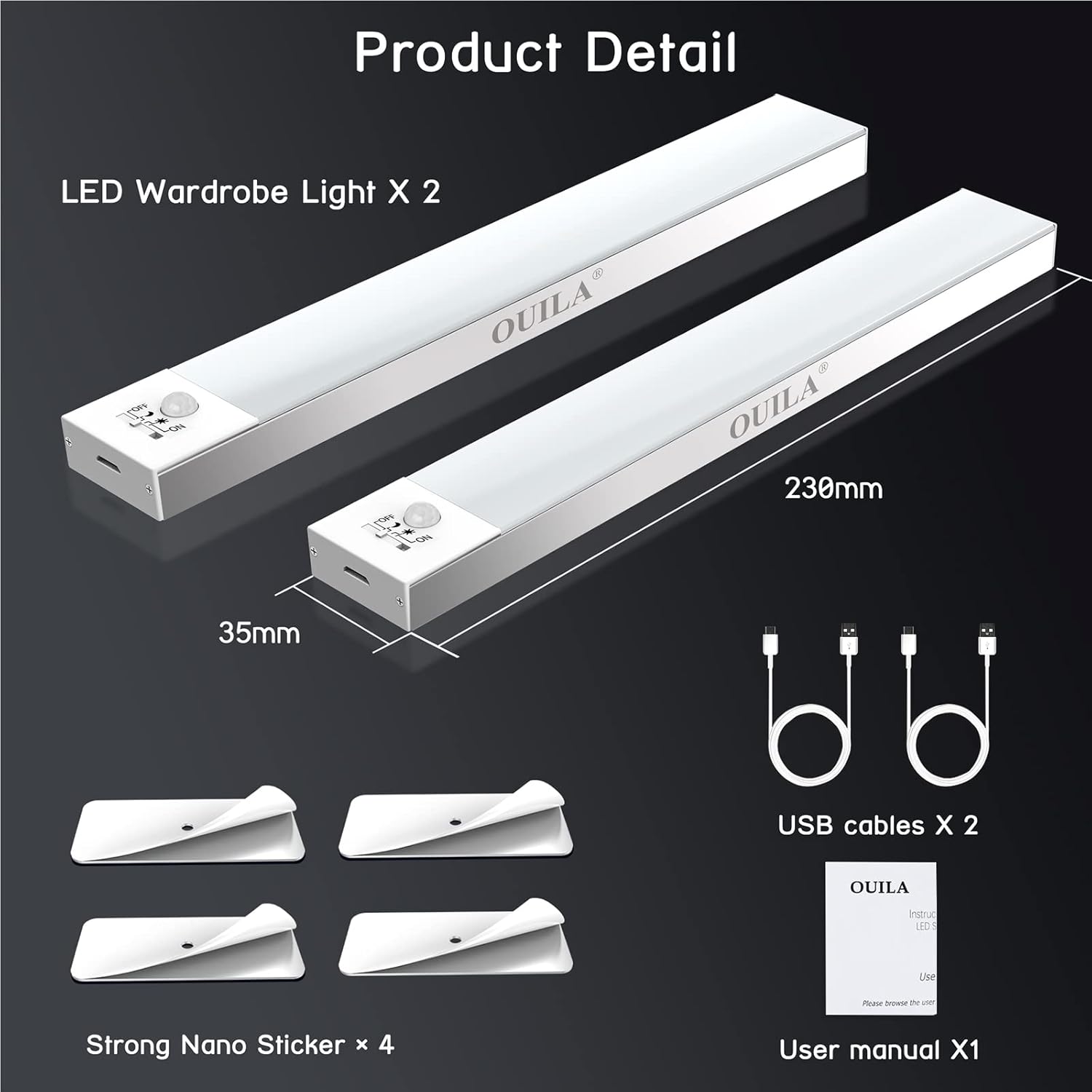
The package includes two LED wardrobe lights, two USB charging cables, and four strong nano stickers for installation.
4. Product Overview
The OUILA 36 LED Motion Sensor Cabinet Light is designed to provide convenient and efficient illumination with its integrated motion sensor and versatile installation options.
Key Features:
- 36 Bright LEDs: Provides 5000K cool white light with a high color rendering index (>80 Ra).
- Built-in Magnetic Design: Allows for easy attachment to metal surfaces.
- PIR Motion Sensor: Detects human movement within 3-5 meters at a 120° angle.
- 4 Lighting Modes: Offers flexibility for various lighting needs (Night Sensing, Daytime Sensing, Always ON, OFF).
- USB Rechargeable: Equipped with a 1000mAh battery for long-lasting use.
- Eye-Care Illumination: Designed to provide soft, non-glaring light.

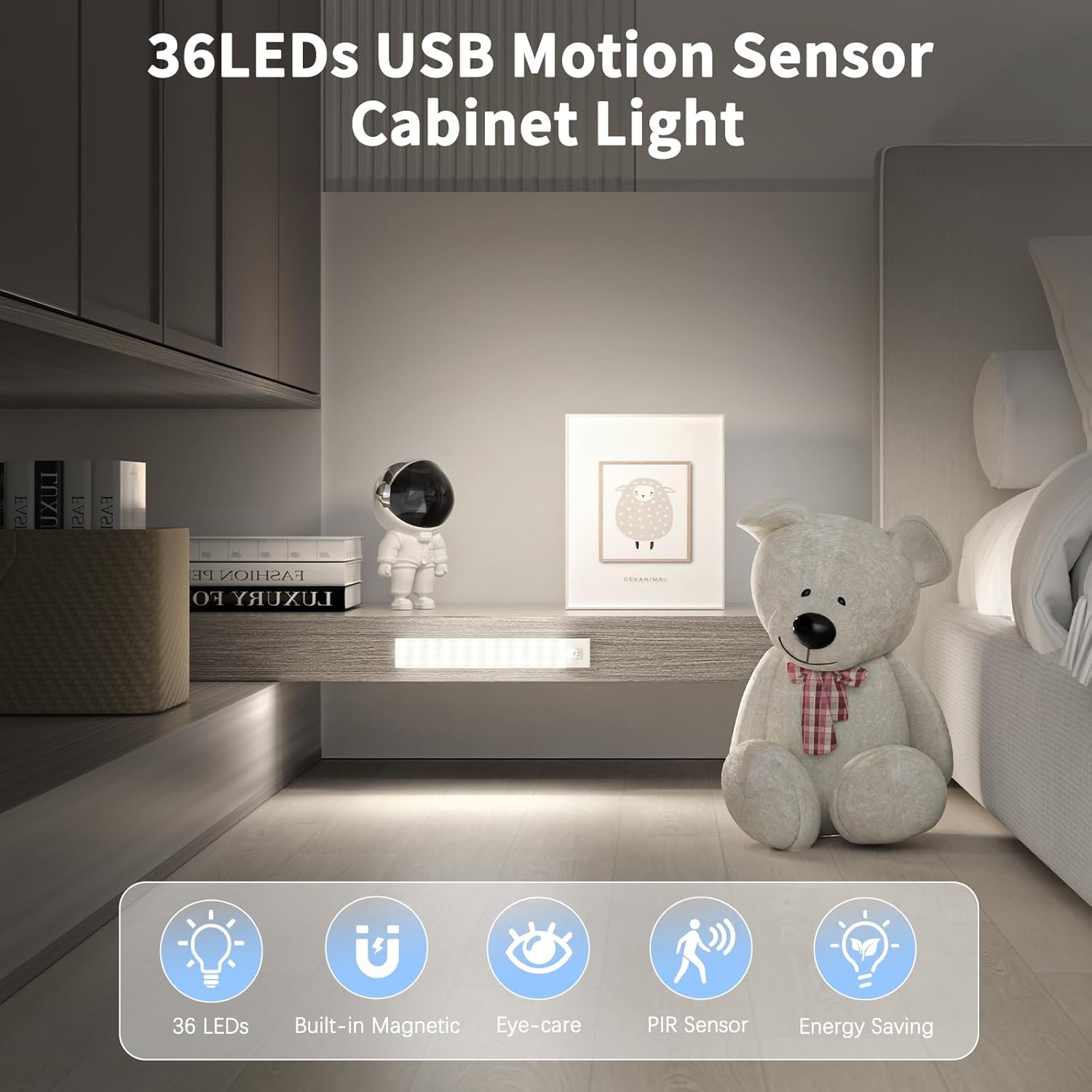
The OUILA 36 LED Motion Sensor Cabinet Light features 36 LEDs, a built-in magnetic design, eye-care illumination, a PIR motion sensor, and energy-saving operation.
5. Setup and Installation
The OUILA cabinet light offers two primary installation methods:
Method 1: Magnetic Attachment (for Iron Surfaces)
- Ensure the iron surface is clean and dry.
- Simply place the light directly onto the iron surface. The built-in magnets will secure it in place.
Method 2: Adhesive Magnetic Strips (for Non-Iron Surfaces)
- Clean and dry the desired installation surface thoroughly.
- Peel off the protective film from one side of the 3M adhesive magnetic strip.
- Firmly press the adhesive side onto the clean surface and hold for a few seconds.
- Attach the light to the magnetic strip. The light can be easily removed for charging or repositioning.
The light can be installed directly on iron surfaces using its built-in magnets. For non-iron surfaces, use the included 3M adhesive magnetic strips.
6. Operating Instructions
Charging the Light:
The light is equipped with a 1000mAh rechargeable battery. To charge:
- Locate the USB charging port on the side of the light.
- Connect the provided USB charging cable to the light and to a USB power source (e.g., USB adapter, computer, power bank).
- A red indicator light will illuminate, indicating that the light is charging.
- Once fully charged, the indicator light will turn green.
Charging typically takes 3-4 hours. A full charge can provide up to 30 days of use in motion sensor mode, depending on usage frequency.

Connect the included USB cable to the charging port. A red indicator light signifies charging, and a green light indicates a full charge. Charging takes approximately 3-4 hours. The 1000mAh battery provides up to 30 days of use in motion sensor mode.
Selecting Lighting Modes:
The light features a switch to cycle through four operating modes:
- 1. Night Sensing Mode (Moon Icon): The light will only turn on automatically when human motion is detected in a dark environment. It will turn off after 15-18 seconds if no further motion is detected.
- 2. Daytime Sensing Mode (Sun Icon): The light will turn on automatically when human motion is detected, regardless of the ambient light conditions. It will turn off after 15-18 seconds if no further motion is detected.
- 3. Always ON Mode (ON): The light will remain continuously on, functioning as a constant light source.
- 4. OFF Mode (OFF): The light is turned off and will not activate.

The light offers four modes: Daytime Sensing (auto-on when motion detected, regardless of ambient light), Night Sensing (auto-on when motion detected in dark conditions), ON Mode (light stays on continuously), and OFF Mode (light is off).
7. Maintenance
- Cleaning: Wipe the light with a soft, dry cloth. Do not use abrasive cleaners or solvents.
- Battery Care: To prolong battery life, avoid fully discharging the battery frequently. Charge the light regularly, especially if it has not been used for an extended period.
- Sensor Maintenance: Keep the motion sensor clear of obstructions to ensure optimal performance.
8. Troubleshooting
| Problem | Possible Cause | Solution |
|---|---|---|
| Light does not turn on. | Battery is low or depleted. Incorrect mode selected. | Charge the light fully. Ensure the light is not in OFF mode. |
| Motion sensor not working. | Light is in Always ON or OFF mode. Ambient light is too bright (for Night Sensing mode). Sensor is obstructed. | Switch to Night Sensing or Daytime Sensing mode. Ensure the environment is dark enough for Night Sensing. Clear any obstructions from the sensor. |
| Short battery life. | Frequent activation. Light is in Always ON mode. | Consider using Night Sensing mode in frequently used areas. Avoid using Always ON mode for extended periods if battery life is a concern. Ensure the light is fully charged. |
| Light falls off surface. | Adhesive not properly applied or surface not clean. | Clean the surface thoroughly and reapply the adhesive magnetic strip firmly. Ensure the surface is suitable for adhesive mounting. |
9. Specifications
| Feature | Specification |
|---|---|
| Model Number | GLS-C002 |
| Light Source | 36 LED bulbs |
| Color Temperature | 5000 Kelvin (Cool White) |
| Color Rendering Index (CRI) | >80 Ra |
| Battery Type | 2 Lithium-polymer (included) |
| Battery Capacity | 1000 mAh |
| Charging Time | 3-4 hours |
| Usage Time (Motion Sensor Mode) | Up to 30 days |
| Motion Sensor Range | 3-5 meters |
| Motion Sensor Angle | 120° |
| Auto-off Delay | 15-18 seconds (after no motion) |
| Dimensions (L x W x H) | 23 cm x 3.5 cm x 1.4 cm |
| Weight | Approx. 280.66 grams (9.9 ounces) |
| Material | Aluminum |
| Input Voltage | 5 Volts |
| Wattage | 2 Watts |
| UPC | 650380990738 |
10. Warranty and Support
OUILA products are designed for reliability and performance. For warranty information or technical support, please refer to the contact details provided with your purchase or visit the official OUILA website. Please have your model number (GLS-C002) and purchase information ready when contacting support.