
GODOX V860III
Contents
Godox V860III-C TTL Flash for Canon User Manual
Model: V860III
1. Introduction
This manual provides detailed instructions for the safe and effective use of your Godox V860III-C TTL Flash. Please read this manual thoroughly before use to ensure optimal performance and to prevent damage to the product or injury to yourself.
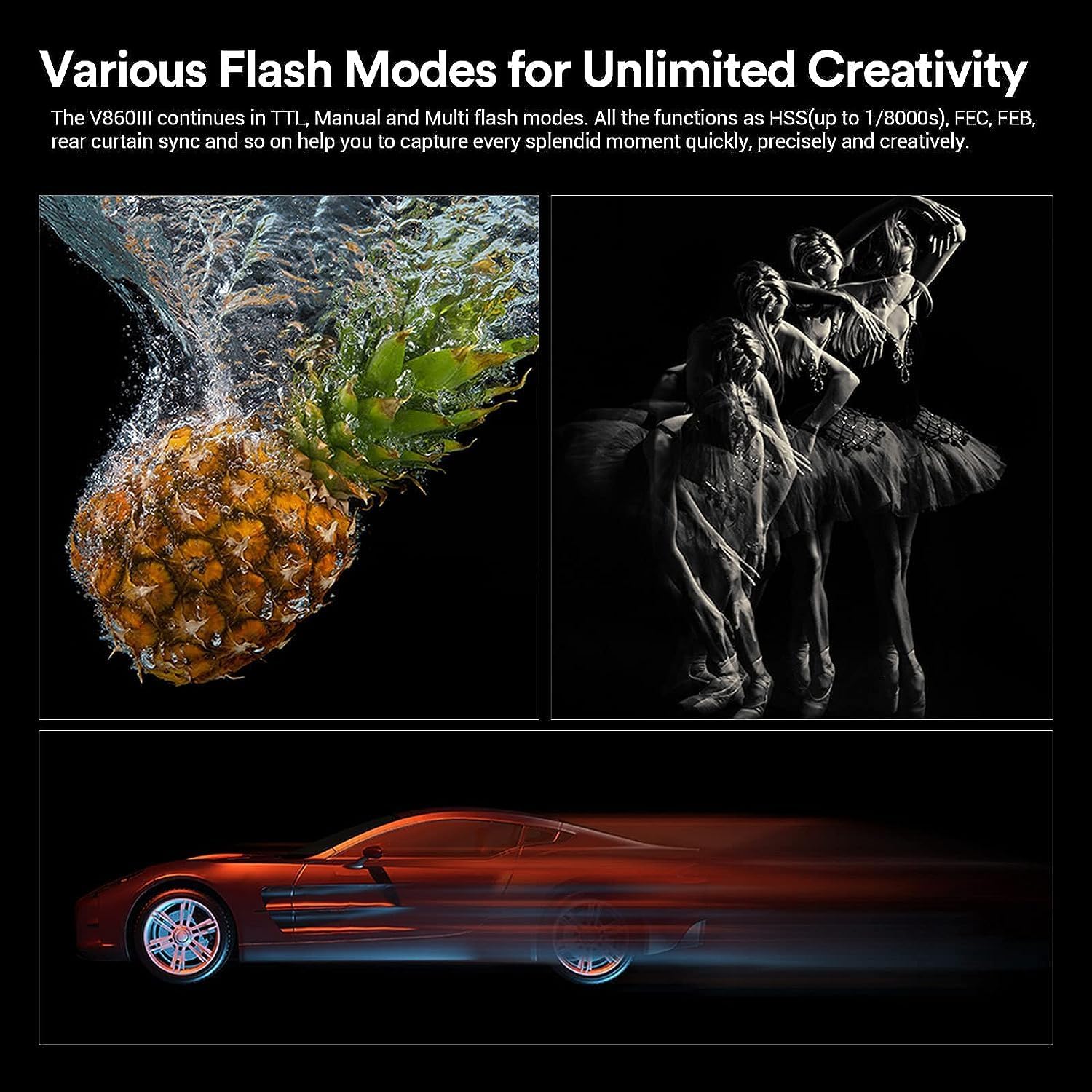
The Godox V860III-C is a powerful TTL flash designed for Canon EOS cameras, featuring a built-in 2.4G wireless X system, a high-capacity Li-ion battery, and a 10-level LED modeling lamp. It supports various flash modes including TTL auto flash, manual flash, multi-flash, high-speed sync (HSS) up to 1/8000s, flash exposure compensation (FEC), and second curtain sync.
2. Safety Information
Warning: To prevent electric shock, fire, or damage to the product, always observe the following safety precautions:
- Do not disassemble or modify this product.
- Keep the product dry. Do not handle with wet hands or immerse in water.
- Do not use the flash in the presence of flammable gases or liquids.
- Keep out of reach of children.
- Avoid direct eye exposure to the flash, especially at close range, as it may impair vision.
- Use only the specified battery and charger.
- Do not operate the flash in environments with extreme temperatures.
3. Package Contents
Verify that all items are present in your package:
- Godox V860III Flash Unit x 1
- Mini Stand x 1
- Instruction Manual x 1
- Charger x 1
- Lithium Battery (VB26A) x 1
- USB Battery Charger x 1
- USB Cable x 1
- Protective Case x 1
- INSSTRO Cloth x 1

4. Product Overview
4.1. Key Features
- Modeling Light: Integrated LED modeling lamp with 10 adjustable brightness levels for pre-visualization.
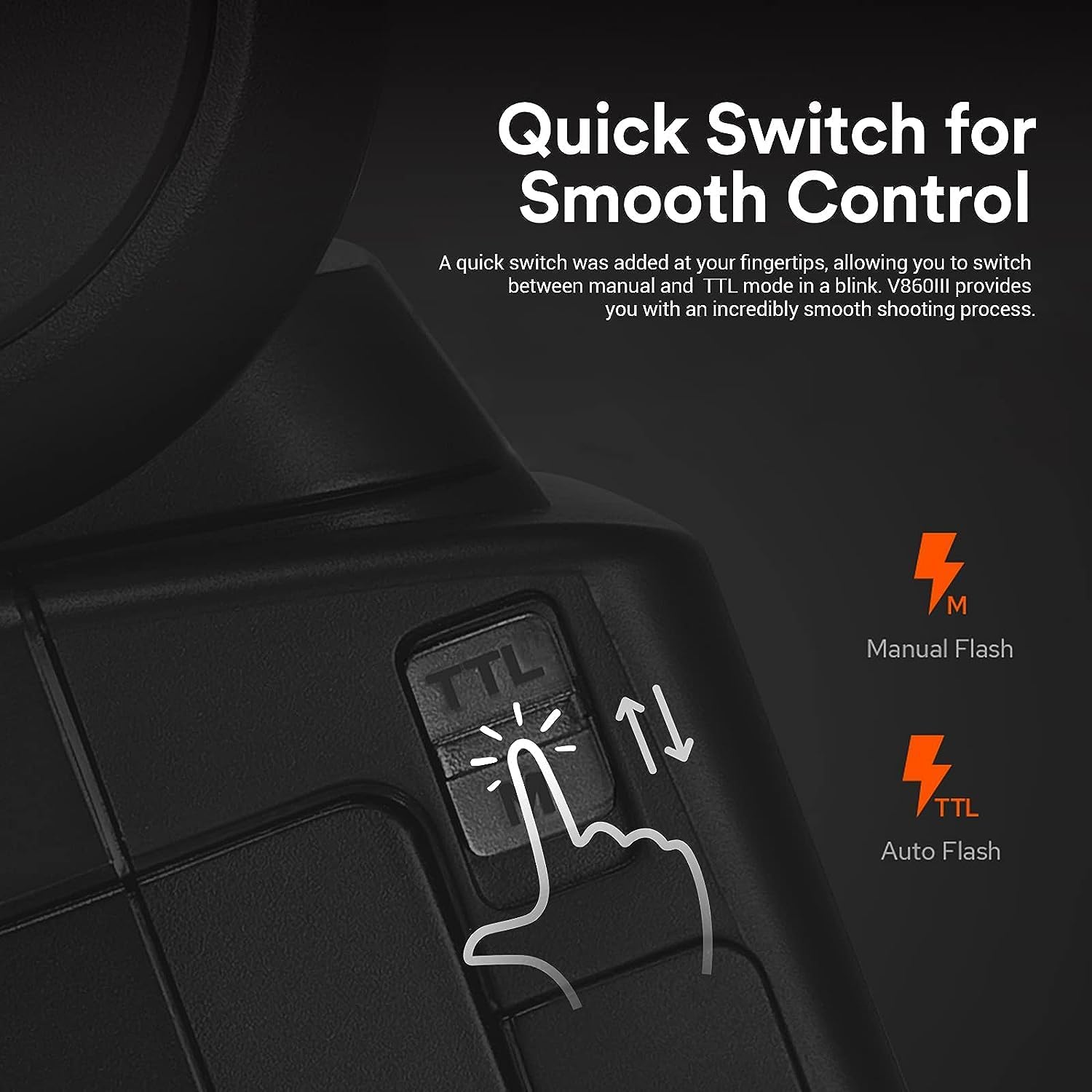
- Quick Switch: Dedicated switch for fast transitions between TTL and Manual flash modes.
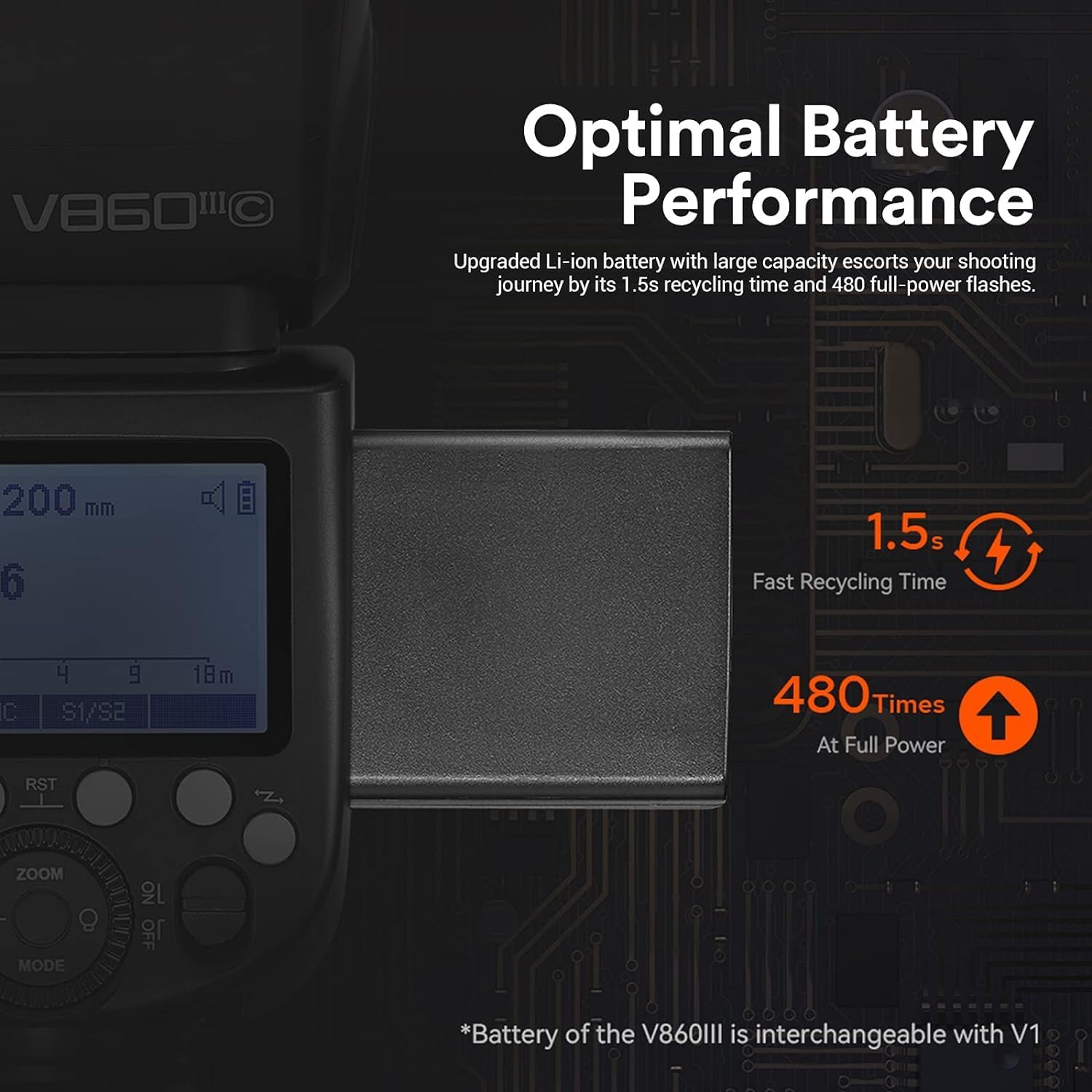
- Optimal Battery Performance: High-capacity 7.2V Li-ion battery (VB26A) provides 1.5s recycling time and up to 480 full-power flashes.
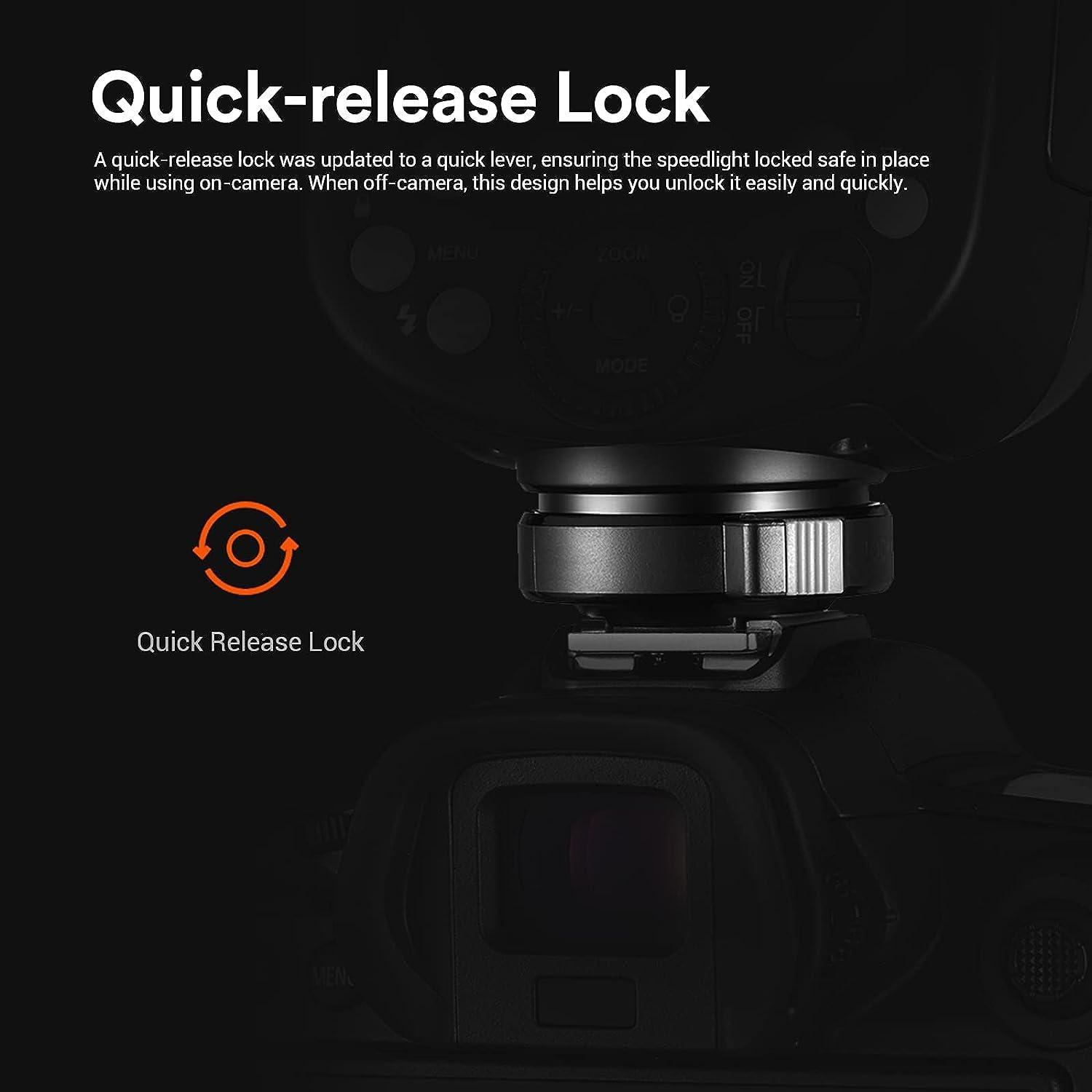
- Quick-release Lock: Updated hotshoe lock for secure and rapid attachment/detachment.
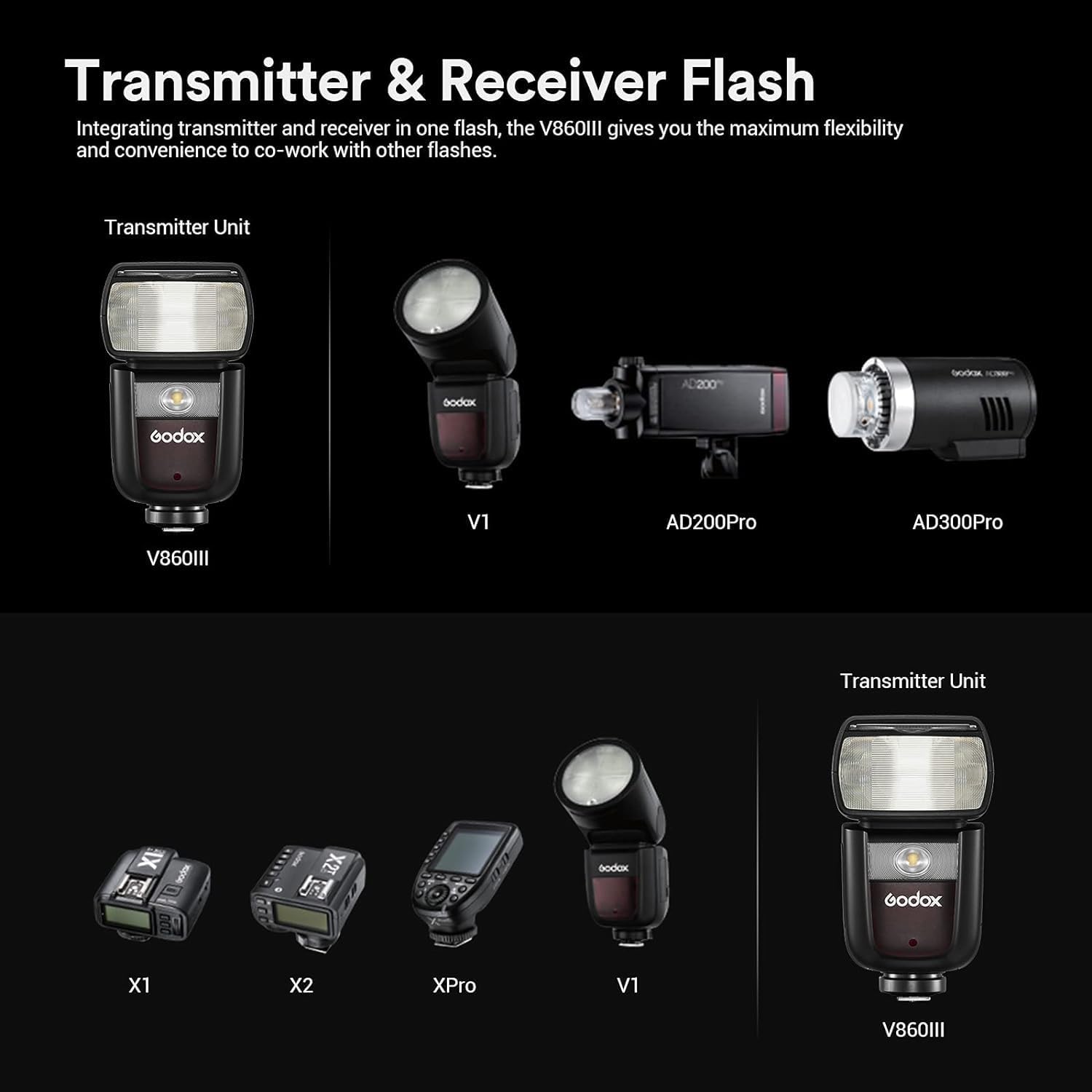
- Built-in Godox 2.4G Wireless X System: Functions as both transmitter and receiver for seamless wireless control with other Godox X system devices.
- Zoomable Flash Head: Flash head zooms from 20mm to 200mm automatically or manually.
- Flexible Shooting Angle: Swivel angle from 0° to 330° horizontally and -7° to 120° vertically for versatile lighting.
4.2. Component Identification



5. Setup
5.1. Battery Installation and Charging
- Install Battery: Open the battery compartment cover on the flash unit. Insert the VB26A Li-ion battery, ensuring correct polarity. Close the cover securely.
- Charge Battery: Connect the VB26A battery to the provided charger (VC26) using the USB cable. Plug the charger into a power source. The indicator light on the charger will show charging status (e.g., red for charging, green for fully charged). A full charge typically takes approximately 3.5 hours.
5.2. Mounting the Flash on Camera
- Slide the flash hotshoe onto your camera's hotshoe mount.
- Engage the quick-release lock by pushing it forward until it clicks into place, securing the flash firmly to the camera.
- To remove, disengage the quick-release lock and slide the flash off the hotshoe.
6. Operation
6.1. Power On/Off
To power on the flash, slide the power switch to the "ON" position. To power off, slide it to "OFF".
6.2. Flash Modes
The V860III-C supports TTL, Manual (M), and Multi (Stroboscopic) flash modes. Use the dedicated quick switch button on the side to toggle between TTL and Manual modes rapidly. For Multi mode, access through the menu.
- TTL Auto Flash: The flash output is automatically adjusted by the camera to achieve correct exposure.
- Manual Flash (M): Allows manual control over flash output from 1/1 to 1/256 power.
- Multi Flash (Stroboscopic): Fires a series of rapid flashes during a single exposure to capture multiple movements of a subject.
6.3. High-Speed Sync (HSS)
HSS allows the flash to synchronize with shutter speeds up to 1/8000s, enabling wider apertures in bright conditions or freezing fast motion. Activate HSS through the flash menu or camera settings.
6.4. Flash Exposure Compensation (FEC)
Adjust the flash output relative to the camera's metered exposure. This is useful for fine-tuning flash brightness. FEC can be set from -3 to +3 stops in 1/3 stop increments.
6.5. Second Curtain Sync
Fires the flash just before the second curtain closes, creating a trail of light behind moving subjects. This is typically set via the camera's flash function menu.
6.6. Modeling Lamp
The integrated LED modeling lamp can be adjusted from level 1 to 10. Press the dedicated modeling lamp button (often indicated by a light bulb icon) to turn it on/off and use the dial to adjust brightness. This helps in pre-visualizing lighting effects.
6.7. Zoom Head Adjustment
The flash head can automatically or manually zoom to match the lens focal length from 20mm to 200mm. In auto mode, it adjusts with the lens. In manual mode, use the zoom button and dial to set the desired focal length.
6.8. Wireless Operation (2.4G X System)
The V860III-C can function as a master or slave unit within the Godox 2.4G Wireless X System. Refer to the detailed instructions in the manual for setting up wireless groups, channels, and modes (e.g., Master, Slave, Off) to control other Godox flashes or be controlled by Godox X-series triggers (X1T, X2T, XPro).
7. Maintenance
- Cleaning: Use a soft, dry cloth to clean the flash unit. For stubborn dirt, a slightly damp cloth can be used, followed by a dry cloth. Do not use solvents or abrasive cleaners.
- Storage: When not in use for extended periods, remove the battery and store the flash in its protective case in a cool, dry place.
- Battery Care: Recharge the battery every three months if not in regular use to maintain its lifespan.
8. Troubleshooting
| Problem | Possible Cause | Solution |
|---|---|---|
| Flash does not fire. | Low battery; Flash not securely mounted; Flash is off; Camera settings incorrect. | Charge or replace battery; Re-mount flash securely; Turn flash on; Check camera flash settings. |
| Flash output is too dark/bright. | Incorrect FEC setting; Manual power level incorrect; ISO/aperture mismatch. | Adjust FEC; Adjust manual power level; Verify camera ISO and aperture settings. |
| Wireless communication failure. | Incorrect channel/group settings; Distance too far; Interference. | Ensure matching channel/group; Reduce distance; Change channel. |
9. Specifications
| Feature | Detail |
|---|---|
| Brand | GODOX |
| Model | V860III |
| Guide Number | GN60 (ISO 100, 200mm) |
| Flash Coverage | 20 to 200mm (Auto/Manual Zoom) |
| Flash Duration | 1/300s to 1/20000s |
| Exposure Control System | TTL Auto Flash, Manual Flash, Multi Flash |
| High-Speed Sync (HSS) | Up to 1/8000s |
| Flash Exposure Compensation (FEC) | ±3 stops in 1/3 stop increments |
| Wireless Flash Function | Master, Slave, Off |
| Wireless Transmission Range | Approx. 100 meters (328 feet) |
| Channels | 32 (1-32) |
| Groups | 5 (A, B, C, D, E) |
| Power Source | 7.2V/3000mAh Li-ion Polymer Battery (VB26A) |
| Recycle Time | Approx. 1.5 seconds (full power) |
| Full Power Flashes | Approx. 480 |
| Modeling Lamp | LED, 10 levels of brightness |
| Dimensions (W x H x D) | 19.5 x 5.9 x 7.5 cm |
| Weight (with battery) | Approx. 1 kg |
10. Warranty and Support
For warranty information and technical support, please refer to the warranty card included in your package or visit the official Godox website. Keep your purchase receipt as proof of purchase for warranty claims.
For further assistance, contact Godox customer service or your local distributor.
Ask a question about this manual
Ask about setup, troubleshooting, compatibility, parts, safety, or missing instructions. Manuals+ will review the question and use this page’s manual context to help answer it.