
Product Overview and Compatibility
This manual provides instructions for the weelye RX57 12V Bluetooth Remote Control and Receiver Kit, designed as a replacement part for specific children's electric ride-on cars. This kit includes a 2.4G Bluetooth remote control and a weelye RX57 12V control box with a 7-pin hole four-sided socket. The control box features a slow start function, eliminating the need for additional slow starter installation.
Compatibility Check: To ensure this control box fits your vehicle, open your electric ride-on car and visually compare the appearance of your existing control box with the images provided. If the appearance matches, this part should be compatible.
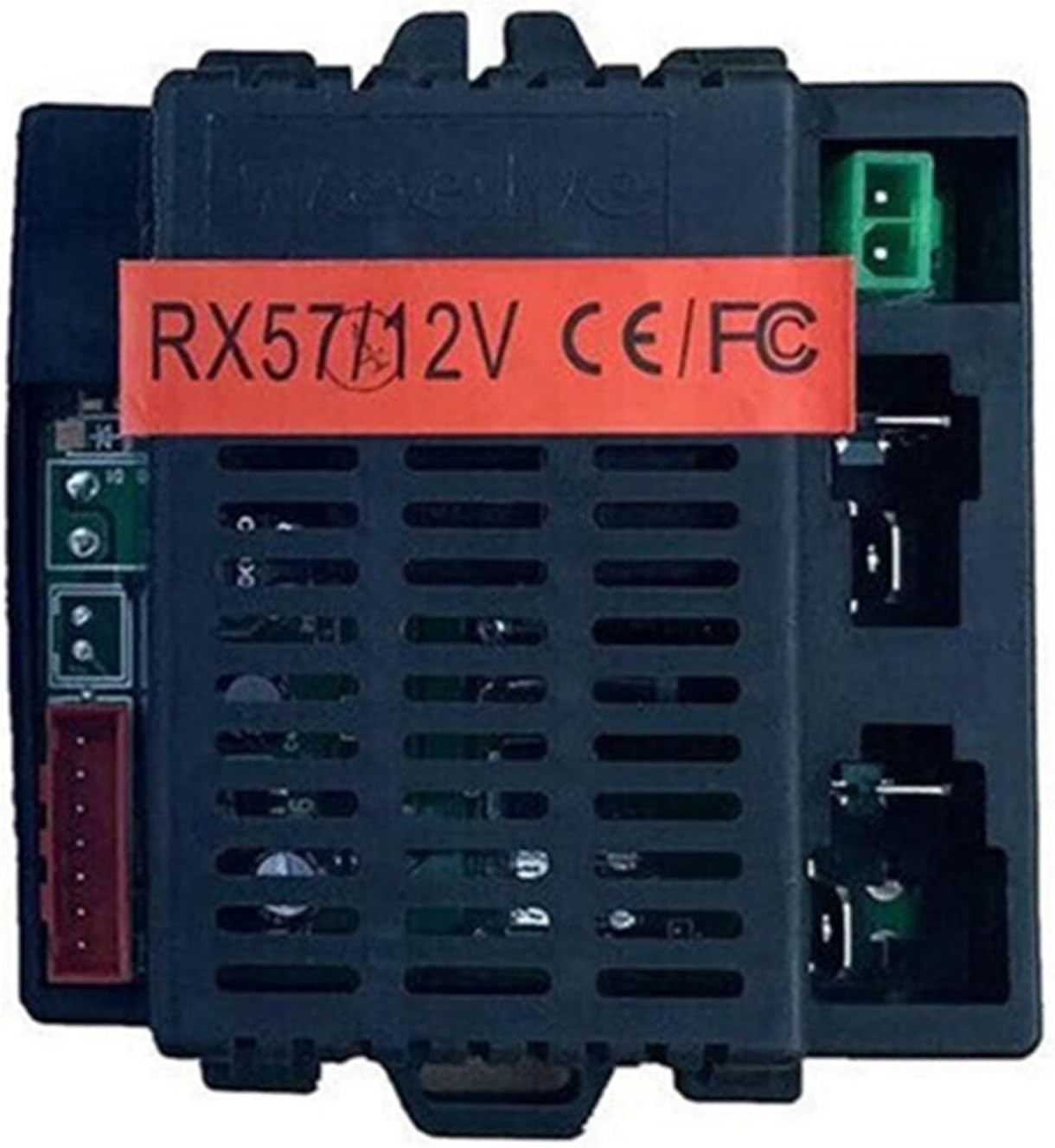
Figure 1: Front view of the weelye RX57 12V control box, showing the model number and certification labels. This image helps in verifying the physical appearance for compatibility.
Setup Instructions
1. Control Box Installation
Carefully remove the old control box from your ride-on car. Connect the wiring from the car to the new weelye RX57 12V control box, ensuring all connections are secure and match the original configuration. The control box is designed for a 7-pin hole four-sided socket connection.

Figure 2: Side view of the weelye RX57 12V control box, illustrating the various connection ports for wiring into the ride-on car's electrical system.
2. Remote Control Battery Installation
- Open the battery compartment on the back of the remote control.
- Install two AAA 1.5V batteries. Pay close attention to the positive (+) and negative (-) polarity markings inside the battery chamber.
- Close the battery cover securely. The indicator light on the remote will flash three times, confirming correct battery installation.

Figure 3: Top view of the weelye 2.4G Bluetooth remote control, showing the control buttons and indicator light. Batteries are not included with the remote control.
3. Frequency Matching (Pairing)
This procedure is required for the first use or after replacing the remote control batteries.
- With the remote control batteries installed, press and hold the frequency key (often labeled 'car select' or a similar symbol) on the remote for approximately 2 seconds. The indicator light on the remote will begin to flash.
- While the remote's indicator light is flashing, turn on the power supply of the ride-on car.
- The indicator light on the remote control should turn off, indicating successful frequency matching.
- If the matching is unsuccessful (the indicator light does not turn off), turn off the power supply of the car and repeat steps 1 and 2.
Operating Instructions
Using the Remote Control
Once paired, the remote control allows you to operate the ride-on car. Refer to the specific button functions printed on the back of your remote control for detailed operation. Common functions include:
- Forward/Backward: Controls the direction of movement.
- Left/Right: Controls steering.
- Speed Selection: Adjusts the speed of the vehicle.
- Brake: Stops the vehicle.
The weelye RX57 12V control box includes a built-in slow start function, which provides a gradual acceleration for smoother operation and enhanced safety, without requiring any additional components.
Maintenance
Regular maintenance ensures the longevity and proper function of your ride-on car's control system.
- Battery Check: Periodically check the batteries in the remote control and replace them when the indicator light becomes dim or unresponsive.
- System Check: Ensure all other functions of your ride-on car, such as motors and main battery, are working correctly. Malfunctions in other components can affect the performance of the control kit.
- Cleanliness: Keep the control box and remote control clean and free from dust, dirt, and moisture. Use a dry cloth for cleaning.
- Storage: Store the remote control and control box in a dry, cool place when not in use for extended periods.
Troubleshooting
If you encounter issues with your weelye RX57 12V Bluetooth Remote Control and Receiver Kit, refer to the following common solutions:
- Remote Not Responding:
- Check if the remote control batteries are correctly installed and have sufficient charge. Replace if necessary.
- Perform the frequency matching procedure again (see Setup Instructions, Section 3).
- Ensure the ride-on car's main power is on.
- Car Not Moving/Erratic Movement:
- Verify that the control box is securely connected to the car's wiring harness.
- Check the car's main battery and motor for proper function. This kit replaces the control system, but other components must be operational.
- Ensure there are no obstructions to the car's wheels or steering mechanism.
- Indicator Light Issues:
- If the remote indicator light flashes continuously after pairing attempts, repeat the frequency matching process.
- If no indicator light appears after battery installation, check battery polarity and charge.
If problems persist after following these steps, please contact customer support.
Specifications
| Feature | Detail |
|---|---|
| Brand | weelye |
| Model Number | RX57 12V |
| Voltage | 12V |
| Control Type | 2.4G Bluetooth Remote Control |
| Control Box Socket | 7-pin hole four-sided socket |
| Special Features | Slow start function built-in |
| Remote Control Batteries | 2 x AAA 1.5V (not included) |
| Material Type | Plastic |
| Item Weight | 0.28 Pounds |
| Item Dimensions | 4.8 x 3 x 2.4 inches |
Warranty and Support
For information regarding warranty coverage, please refer to the documentation provided with your original purchase or contact the seller directly. As this is a replacement part, warranty terms may vary.
For technical support or further assistance, please contact the manufacturer, weelye, or the retailer from whom you purchased this product. Ensure you have your product model number (RX57 12V) and purchase details available when seeking support.