
1. Product Overview
The WALI CM2665-P is a full-motion ceiling TV mount designed for televisions ranging from 26 to 65 inches and weighing up to 99 lbs. This mount offers versatile viewing options with tilt, swivel, and rotation adjustments, and is suitable for various ceiling types.
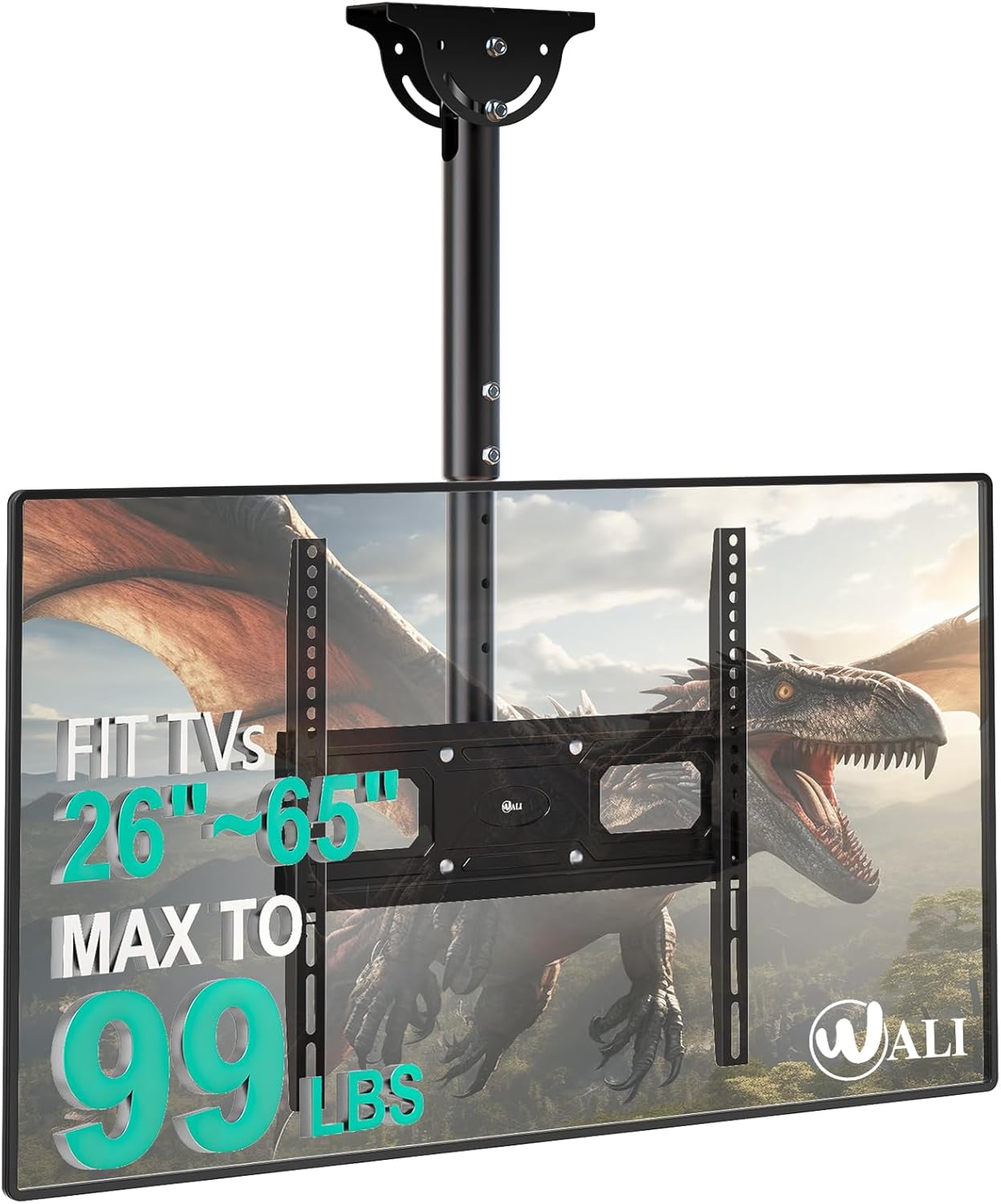
Image 1.1: WALI CM2665-P Ceiling TV Mount with a television attached.
2. Safety Information
Please read this manual thoroughly before installation and use. Improper installation may cause property damage, serious injury, or death. If you do not understand the instructions or have doubts, contact qualified personnel.
- Ensure the mounting surface can safely support the combined weight of the mount and the television.
- Do not mount on drywall alone. Always secure to a solid structure such as wood studs, concrete, or brick.
- Use all provided hardware. Do not use parts that are damaged or missing.
- Keep children away during installation.
- Periodically check the mount for security and stability.
3. Package Contents
Verify that all components are present and undamaged before proceeding with installation. Refer to the diagram below for a visual representation of all included parts.

Image 3.1: All parts included in the WALI CM2665-P package.
4. Setup and Installation
4.1 Compatibility Check
Before installation, confirm your TV meets the following criteria:
- Screen Size: 26 to 65 inches
- Weight Capacity: Up to 99 lbs (45 kg)
- VESA Mounting Patterns: 100x100mm, 200x100mm, 200x200mm, 300x200mm, 300x300mm, 400x200mm, 400x300mm, 400x400mm.

Image 4.1: Display compatibility details for the mount.
4.2 Ceiling Type Considerations
This mount is designed for installation on various ceiling types, including:
- Wood Joist Ceilings
- Concrete Ceilings
- Brick Ceilings
Important: Do not mount on drywall alone. Always locate and secure to a structural support.
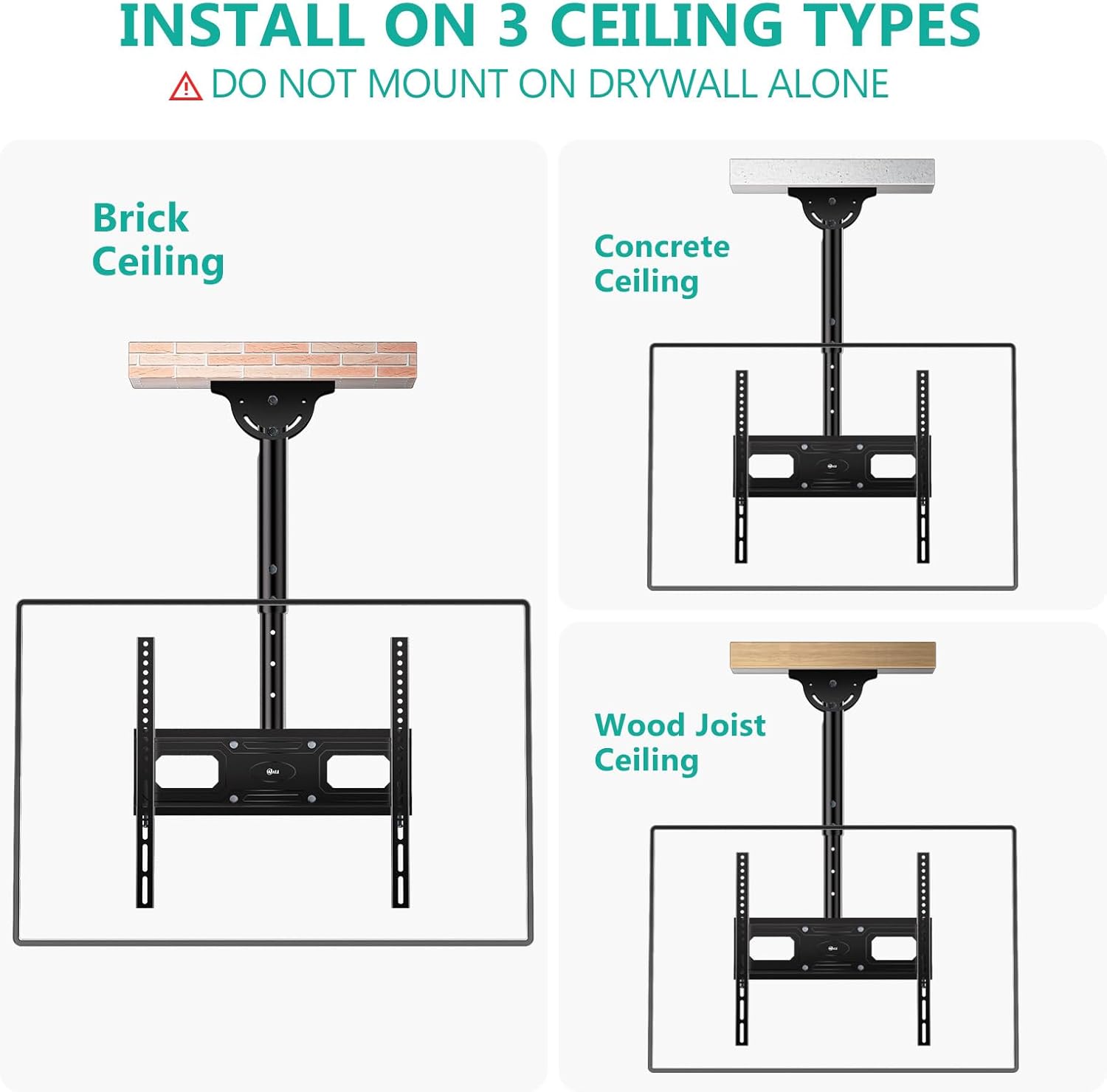
Image 4.2: Installation examples for different ceiling types.
4.3 Installation Steps (General Overview)
The installation process typically involves the following steps:
- Attach Brackets to TV: Secure the TV brackets to the back of your television using the appropriate screws and spacers.
- Install Ceiling Plate: Mount the ceiling plate to your chosen structural ceiling location. Ensure it is securely fastened.
- Assemble Pole: Connect the extension pole to the ceiling plate.
- Hang TV: Carefully lift and hang the TV (with attached brackets) onto the mount's pole assembly.
- Secure and Adjust: Secure the TV to the mount and make any necessary adjustments for optimal viewing.

Image 4.3: Features of the WALI mount including flat/sloping ceiling compatibility and cable management.

Image 4.4: The mount supports installation on flat or sloped ceilings.
5. Operating the Mount
The WALI CM2665-P mount offers multiple adjustment options to achieve your desired viewing angle.
- Tilt: Adjust the TV tilt angle from 0° to +25° to reduce glare and optimize viewing.
- Swivel: Rotate the TV 360° left or right for flexible viewing angles from different positions in a room.
- Rotation: Fine-tune the TV's level with a ±3° rotation adjustment after installation.
- Height Adjustment: The mount allows for height adjustment from 20.3 inches to 26.2 inches (measured from the ceiling to the center of the mounting plate).

Image 5.1: Demonstrates the swivel, tilt, and leveling capabilities of the mount.

Image 5.2: Height adjustment range of the mount.
6. Maintenance
Regular maintenance ensures the longevity and safe operation of your TV mount.
- Cleaning: Wipe the mount with a soft, dry cloth to remove dust. Avoid abrasive cleaners or solvents.
- Periodic Checks: Every few months, inspect all screws and connections to ensure they remain tight and secure. Re-tighten if necessary.
- Movement Check: Verify that all adjustable components (tilt, swivel) move smoothly and without excessive play.
7. Troubleshooting
If you encounter issues with your WALI CM2665-P mount, refer to the following common solutions:
- TV is not level: Use the ±3° rotation adjustment feature to fine-tune the TV's horizontal alignment. Ensure all mounting screws are tightened evenly.
- Mount feels unstable: Double-check all ceiling and TV connections. Ensure the mount is secured to a solid structural element and not just drywall. Verify your TV's weight does not exceed the mount's capacity.
- Difficulty adjusting tilt/swivel: Ensure no cables are obstructing movement. Check for any locking mechanisms that might be engaged.
- Missing parts: Refer to the 'Package Contents' section and contact WALI customer support if any parts are missing.
8. Specifications
| Feature | Specification |
|---|---|
| Brand | WALI |
| Model Number | CM2665-P |
| TV Size Compatibility | 26 - 65 inches |
| Weight Capacity | Up to 99 lbs (45 kg) |
| VESA Compatibility | 100x100mm, 200x100mm, 200x200mm, 300x200mm, 300x300mm, 400x200mm, 400x300mm, 400x400mm |
| Tilt Angle | 0° to +25° |
| Swivel Angle | 360° |
| Rotation | ±3° |
| Height Adjustment (Ceiling to Plate Center) | 20.3" to 26.2" |
| Material | Solid Steel |
| Item Weight | 10.23 pounds |
| Product Dimensions | 4.65 x 9.37 x 17.17 inches |
9. Warranty and Support
WALI provides customer support for this product.
- Customer Support: US-based support is available 7 days a week. Refer to the product packaging or WALI's official website for contact information.
- Warranty: For detailed warranty information, please refer to the product packaging or the official WALI website.


