
GODOX V860III-F
Contents
Godox V860III-F Flash for Fujifilm Camera Instruction Manual
Model: V860III-F
Introduction
This manual provides comprehensive instructions for the safe and effective operation of your Godox V860III-F Flash for Fujifilm Camera. Please read this manual thoroughly before use and retain it for future reference.
What's in the Box
- 1x Godox V860III Flash for Fuji
- 1x Mini Stand
- 1x Charger
- 1x Lithium Battery
- 1x USB Battery Charger
- 1x USB Cable
- 1x Protection Case
- 1x Instruction Manual
- 1x Cleaning Cloth
Key Features
- 2.4G Wireless Transmission: Compatible with Fujifilm cameras and TTL autoflash, with GODOX 2.4G X system for all-in-one functions and approximately 100m transmission distance.
- Modeling Light for Pre-visualization: Integrated modeling light with 10-level dimmable brightness to preview light effects and assist with lighting techniques.
- Master & Slave Flash Capability: Functions as both a transmitter and receiver, allowing flexible co-working with other flashes and triggers (e.g., AD200 Pro, V1, AD300Pro as transmitter; X1T, XPro, X2T, XProII, X3, X3Pro as slave).
- Optimal Battery Performance: Upgraded Li-ion battery (7.2V/2980mAh) provides 1.5s recycle time and over 480 full power flashes. Battery is interchangeable with V1 flash.
- Various Flash Modes: Supports TTL autoflash, manual flash, multiple flash, 1/8000 HSS, flash exposure compensation, front/rear curtain sync, and automatic zoom.
- Flexible Shooting Angle: Swivel angle from 0° to 330° horizontally and -7° to 120° vertically for direct flash, bounce flash, and other techniques. Flash head zooms from 20mm to 200mm automatically or manually.
- Practical Design: Features a quick-release lever for secure on-camera mounting and easy off-camera detachment. Large, clear LCD screen and quick switch between manual and TTL modes enhance usability.

Image: Godox V860III-F Flash showing its modeling light and control panel.
Setup
- Charge the Battery: Use the provided USB Battery Charger and USB Cable to fully charge the Lithium Battery before first use. The battery provides 1.5s recycle time and over 480 full power flashes.
- Insert Battery: Open the battery compartment on the flash unit and insert the charged Lithium Battery, ensuring correct polarity.
- Mount on Camera: Slide the flash unit onto your Fujifilm camera's hotshoe. Secure it in place using the quick-release lever.
- Power On: Press and hold the power button to turn on the flash. The LCD screen will illuminate.

Image: Godox V860III-F Flash securely mounted on a Fujifilm camera's hotshoe.
Operating Instructions
Basic Operation
- Power On/Off: Press and hold the power button.
- Mode Selection: Use the mode button to cycle through TTL, Manual, and Multi-flash modes. A quick switch button is available for fast transitions between Manual and TTL modes.
- Adjusting Flash Output: In Manual mode, use the control dial to adjust flash power.
- Zoom Function: The flash head can zoom automatically or manually from 20mm to 200mm to match your lens's focal length.
- Modeling Light: Activate the 10-level dimmable LED modeling light for pre-visualization of lighting effects.
Advanced Functions
- High-Speed Sync (HSS): Supports shutter speeds up to 1/8000s for freezing fast action or using wide apertures in bright conditions.
- Wireless Control (2.4G X System): The V860III-F can act as a master or slave unit within the Godox 2.4G X wireless system. Refer to the detailed instruction manual for pairing and group settings.
- Flash Exposure Compensation (FEC): Adjust the flash output relative to the camera's exposure setting.
- Front/Rear Curtain Sync: Synchronize the flash with either the beginning or end of the shutter curtain movement for creative effects.
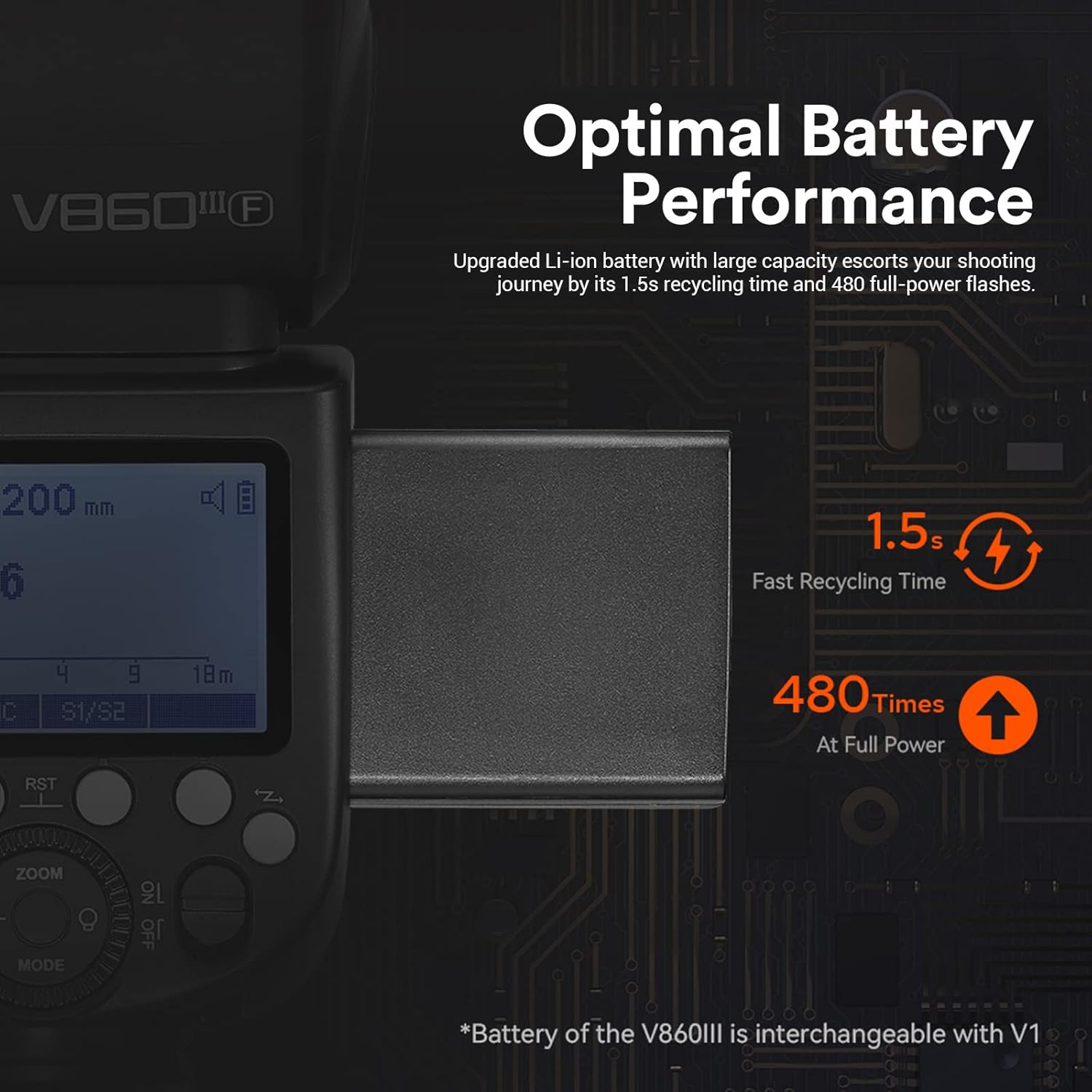
Image: Close-up of the Godox V860III-F Flash control panel, showing the LCD screen and various buttons for mode selection and adjustments.
Video: Official Godox V860III Camera Flash Operation Tutorial. This video demonstrates the basic setup and operation of the flash unit, including mounting it on a camera and navigating its menu system.
Specifications
| Brand | GODOX |
| Model Number | V860III-F for Fuji |
| Package Dimensions | 9.21 x 8.27 x 3.86 inches |
| Item Weight | 2.22 pounds |
| Batteries | 1 Lithium Ion battery required (included) |
| Compatible Mountings | Fujifilm Fuji |
| Camera Flash | Hotshoe |
| Flash Sync Speed | 1/8000s |
Maintenance
- Keep the flash unit dry. Do not handle with wet hands.
- Clean the flash head and body with a soft, dry cloth. Avoid using solvents or harsh chemicals.
- Store the flash in its protection case when not in use to prevent dust and damage.
- Regularly check battery contacts for corrosion and clean if necessary.
Troubleshooting
- Flash not firing: Ensure the battery is charged and correctly inserted. Check if the flash is securely mounted on the camera's hotshoe. Verify camera and flash settings are compatible (e.g., flash mode, sync speed).
- Inconsistent flash output: Check battery level. Ensure no obstructions are blocking the flash sensor or light output. If using wireless mode, verify proper channel and group settings.
- Flash overheating: Excessive rapid firing can cause overheating. Allow the flash to cool down if an overheating warning appears. Reduce flash power or increase recycle time.
- Communication issues: For wireless operation, ensure the flash and trigger are on the same channel and ID. Check for interference from other wireless devices.
Warranty and Support
For warranty information and technical support, please refer to the official Godox website or contact your local distributor. Keep your purchase receipt as proof of purchase for warranty claims.
Online resources and FAQs may also be available on the GODOX Store.
Ask a question about this manual
Ask about setup, troubleshooting, compatibility, parts, safety, or missing instructions. Manuals+ will review the question and use this page’s manual context to help answer it.