
1. Introduction and Overview
Thank you for choosing the Ebarsenc X5 Mini 1080P Wireless WiFi Camera. This compact surveillance camera is designed for discreet home security and monitoring, offering 1080P high-definition video, motion detection, and night vision capabilities. Its small size and magnetic mount allow for flexible placement in various environments. This manual provides detailed instructions for setup, operation, and maintenance to ensure optimal performance.

Image 1.1: Ebarsenc X5 Mini WiFi Camera highlighting its compact design and key features such as HD lens, infrared light, USB interface, reset port, switch, and magnetic universal bracket. It also lists features like Full HD 1080P, App Remote Control, Night Vision, 2.4G WiFi Connection, Motion Detection, SD/Cloud Storage, and Battery Operated.
2. What's in the Box
Please check the package contents to ensure all items are present:
- Ebarsenc X5 Mini 1080P Wireless WiFi Camera
- Magnetic Universal Bracket
- USB Charging Cable
- Reset Pin
- User Manual
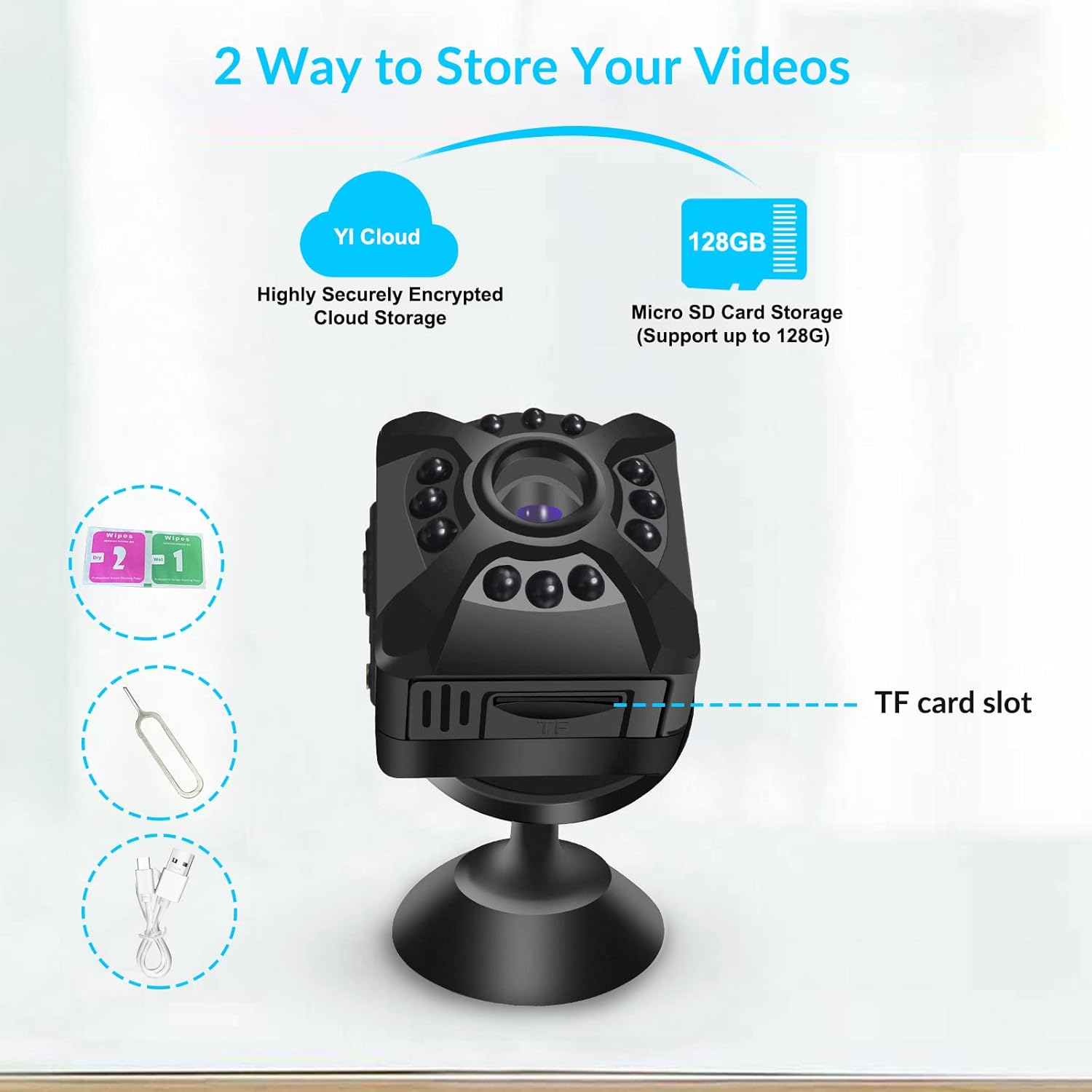
Image 2.1: The Ebarsenc X5 Mini WiFi Camera and its accessories, including the USB cable, reset pin, magnetic holder, and user manual, neatly arranged in its packaging.
3. Setup Guide
3.1 Powering On and Resetting
- Insert a compatible Micro SD card (up to 128GB, not included) into the camera's SD card slot.
- Use the provided reset pin to press and hold the reset button for approximately 5 seconds until the blue indicator light flashes. This resets the camera to factory settings.
- Slide the power switch to the 'ON' position. The blue indicator light will illuminate.
3.2 App Download and Account Creation
- Scan the QR code provided on the product packaging or in the user manual to download the 'YI IoT' application from your smartphone's app store.
- Install the 'YI IoT' app and create a user account by following the on-screen instructions.
3.3 Connecting to WiFi
The camera supports 2.4GHz WiFi networks. Ensure your smartphone is connected to a 2.4GHz WiFi network during the setup process.
- Open the 'YI IoT' app and tap the '+' icon to add a new camera.
- Select 'WiFi connection' as the connection mode.
- Follow the app's prompts. When instructed, connect your phone to the camera's hotspot (usually named 'CAM_xxxx' with a default password like '12345678').
- Return to the 'YI IoT' app and enter your 2.4GHz home WiFi network details (SSID and password).
- The app will generate a QR code. Position your phone's screen with the QR code in front of the camera lens (approximately 15-20 cm away) until the camera scans it successfully.
- Wait for the camera to connect to your WiFi network. Once connected, you can name your camera and begin monitoring.
Video 3.1: This video demonstrates the process of configuring the camera's hotspot to connect to your home WiFi network using the YI IoT app.
Video 3.2: A step-by-step guide on how to connect the Ebarsenc X5 camera to a 2.4G WiFi network.
4. Operating Instructions
4.1 Live View
Once connected, open the 'YI IoT' app and select your camera from the device list to view the live video feed. You can monitor your space in real-time from anywhere with an internet connection.
4.2 Flexible Placement
The camera's compact size and magnetic base allow for easy and discreet placement. Attach it to any metallic surface or use the included magnetic universal bracket to position it as needed.

Image 4.1: The Ebarsenc X5 Mini WiFi Camera shown next to a human finger for size comparison, emphasizing its small and discreet design. It also illustrates the magnetic attachment to its universal bracket.
5. Motion Detection & Alerts
The Ebarsenc X5 camera features intelligent motion detection. When motion is detected, the camera can automatically begin recording and send instant alerts to your smartphone via the 'YI IoT' app.
- Enabling Motion Detection: Navigate to the camera settings within the 'YI IoT' app and enable the 'Motion Detection' feature.
- Adjusting Sensitivity: You can adjust the motion detection sensitivity (Low, Medium, High) to minimize false alarms.
- Alert Frequency: Configure how often you receive alerts to suit your monitoring needs.

Image 5.1: An illustration depicting the camera's motion detection capability, showing a person triggering an alert within the camera's field of view, resulting in an instant app notification.
6. Storage Options
The Ebarsenc X5 offers versatile storage solutions for your recordings:
- Micro SD Card Storage: The camera supports Micro SD cards up to 128GB. Recordings can be stored locally on the card. The camera features loop recording, automatically overwriting the oldest files when the card is full.
- Cloud Storage: An optional cloud storage service is available through the 'YI IoT' app (subscription may be required). This provides secure, off-site storage for your video footage.

Image 6.1: Visual representation of the two storage options for the Ebarsenc X5 camera: YI Cloud for highly encrypted cloud storage and Micro SD Card Storage supporting up to 128GB.
7. Night Vision
The camera is equipped with infrared (IR) night vision, allowing it to capture clear video footage even in low-light or complete darkness. The night vision mode activates automatically when ambient light levels are insufficient.

Image 7.1: A black and white image demonstrating the camera's night vision capabilities, showing a person in a dimly lit indoor environment.
8. Specifications
| Feature | Description |
|---|---|
| Model Number | X5 |
| Video Resolution | 1080P Full HD |
| Connectivity | 2.4GHz Wireless WiFi |
| Lens Type | Fixed Focus, Wide Angle (120-degree field of view) |
| Storage | Micro SD Card (up to 128GB), Cloud Storage (optional) |
| Special Features | Motion Detection, Night Vision, HD Coating, Magnetic Mount |
| Product Dimensions | 1.18 x 1.18 x 1.1 inches |
| Item Weight | 2.08 ounces |
9. Troubleshooting
If you encounter issues with your Ebarsenc X5 camera, please refer to the following common solutions:
- Camera Not Connecting to WiFi:
- Ensure your WiFi network is 2.4GHz. The camera does not support 5GHz networks.
- Place the camera close to your WiFi router during the initial setup.
- Verify that the WiFi password entered in the app is correct.
- Reset the camera using the provided pin and attempt the connection process again.
- No Sound/One-Way Audio:
- The Ebarsenc X5 camera supports one-way audio, meaning you can hear audio from the camera's environment, but there is no two-way talk function.
- SD Card Not Recording:
- Ensure the Micro SD card is inserted correctly and is not full. The camera supports loop recording, overwriting old files.
- Format the SD card through the camera settings in the 'YI IoT' app.
- Check if the recording settings (e.g., 'All time recording' or 'Event recording') are correctly configured in the app.
- Poor Video Quality:
- Ensure the camera lens is clean and free from dust or smudges.
- Check your WiFi signal strength. A weak signal can affect video streaming quality.
10. Maintenance
- Cleaning: Use a soft, dry cloth to clean the camera lens and body. Avoid using liquid cleaners or abrasive materials.
- Storage: When not in use for extended periods, store the camera in a cool, dry place.
- Battery Care: Charge the camera regularly to maintain battery health, especially if it's not continuously powered.
11. Warranty and Support
For warranty information or technical support, please refer to the contact details provided on the product packaging or the official Ebarsenc website. Keep your purchase receipt as proof of purchase.


