
Introduction
Thank you for choosing the gear4music Universal Stand. This manual provides essential information for the safe and efficient setup, operation, and maintenance of your stand. Please read these instructions carefully before use and retain them for future reference.
This stand is designed to securely hold various musical instruments and equipment, including keyboards, amplifiers, drum pads, and speakers, with a maximum load capacity of 60 kg.
Safety Information
- Weight Limit: Do not exceed the maximum load capacity of 60 kg. Overloading can cause instability and damage.
- Stable Surface: Always place the stand on a flat, stable, and level surface to prevent tipping.
- Assembly: Ensure all components are correctly assembled and tightened before placing any equipment on the stand.
- Adjustments: Make sure all adjustment mechanisms are securely locked after setting the desired height and width.
- Children: Keep children away from the stand during assembly and adjustment to prevent injury.
- Maintenance: Regularly inspect the stand for any signs of wear, damage, or loose parts. Do not use if damaged.
Package Contents
Please check that all components are present and undamaged:
- 1 x gear4music Universal Stand (main frame)
- Assembly hardware (if applicable, e.g., screws, knobs)
- This instruction manual
Note: The stand requires assembly.
Setup Instructions
Follow these steps to assemble and set up your gear4music Universal Stand:
- Unpack Components: Carefully remove all parts from the packaging and lay them out on a clean, flat surface.
- Unfold the Stand: Gently pull the two main vertical frames apart. The X-frame mechanism will extend.
- Adjust Width: Adjust the width of the stand to your desired setting. The X-frame allows for independent height and width adjustment. Ensure the stand is wide enough to provide stable support for your equipment.
- Adjust Height: Loosen the adjustment knobs on the vertical arms. Raise or lower the arms to the desired height. Ensure both arms are set to the same height for a level surface. Tighten the adjustment knobs securely to lock the height in place.
- Final Check: Before placing any equipment, gently shake the stand to ensure it is stable and all connections are tight.
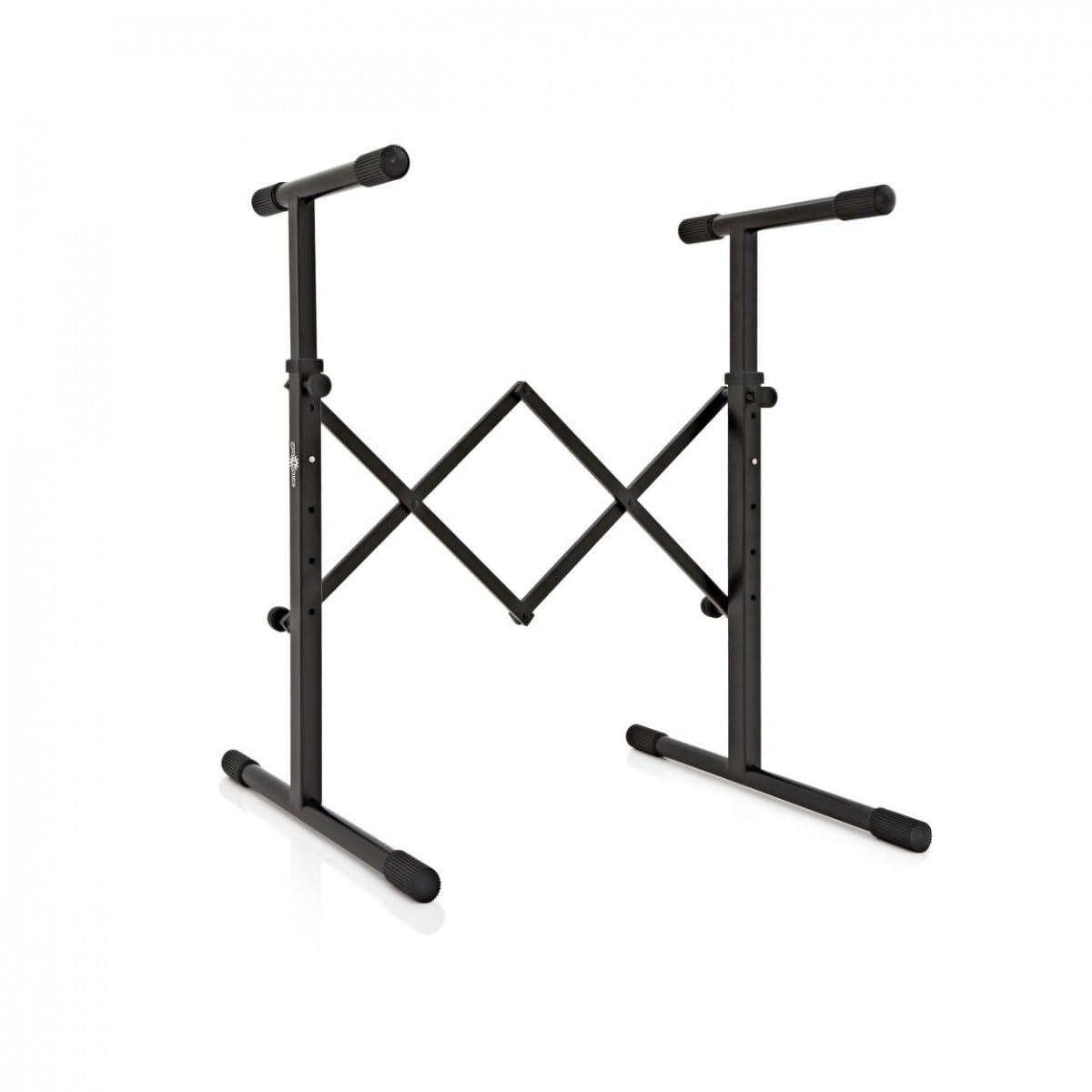
Image: The gear4music Universal Stand fully assembled, showing the front view with the X-frame extended and arms adjusted.
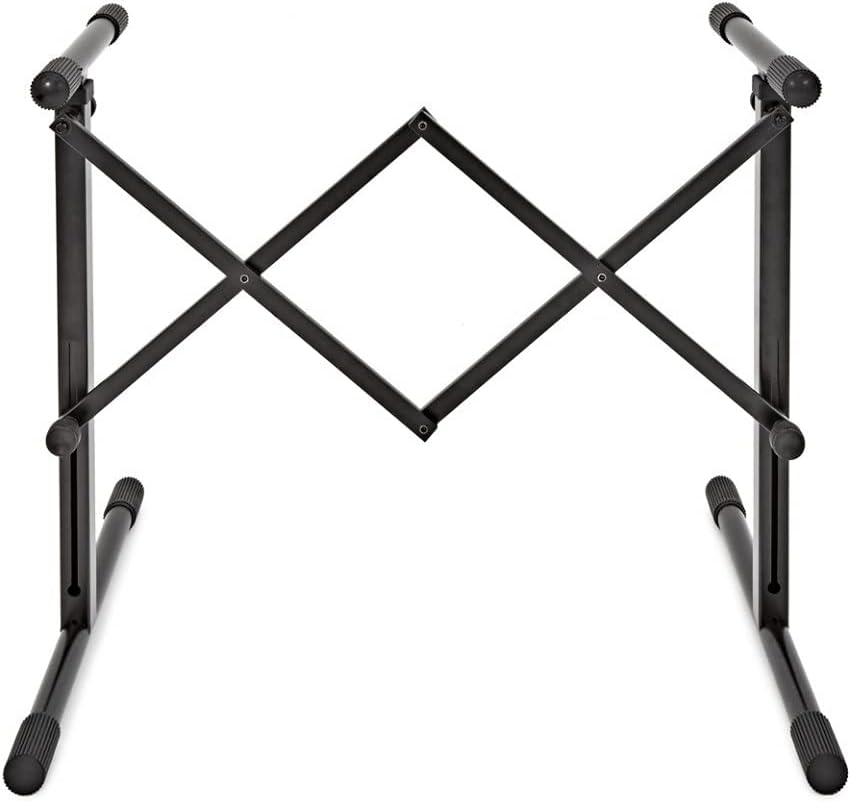
Image: An angled view of the assembled gear4music Universal Stand, demonstrating its sturdy construction and adjustable arms.
Operating Instructions
Once the stand is assembled and stable, you can place your equipment on it:
- Placement: Carefully place your keyboard, amplifier, drum pad, or speakers onto the support arms. Ensure the equipment is centered and balanced on the stand.
- Stability Check: After placing the equipment, gently test its stability. If there is any wobbling, re-check the adjustments and ensure the stand is on a level surface.
- Cable Management: Route any necessary cables safely to avoid tripping hazards or accidental dislodging of equipment.
Maintenance
To ensure the longevity and safe operation of your stand, follow these maintenance guidelines:
- Cleaning: Wipe the stand with a soft, damp cloth to remove dust and dirt. Avoid abrasive cleaners or solvents.
- Inspection: Periodically inspect all joints, bolts, and adjustment mechanisms for tightness and wear. Tighten any loose fasteners.
- Storage: When not in use, the stand can be folded flat for compact storage. Store in a dry environment away from extreme temperatures.
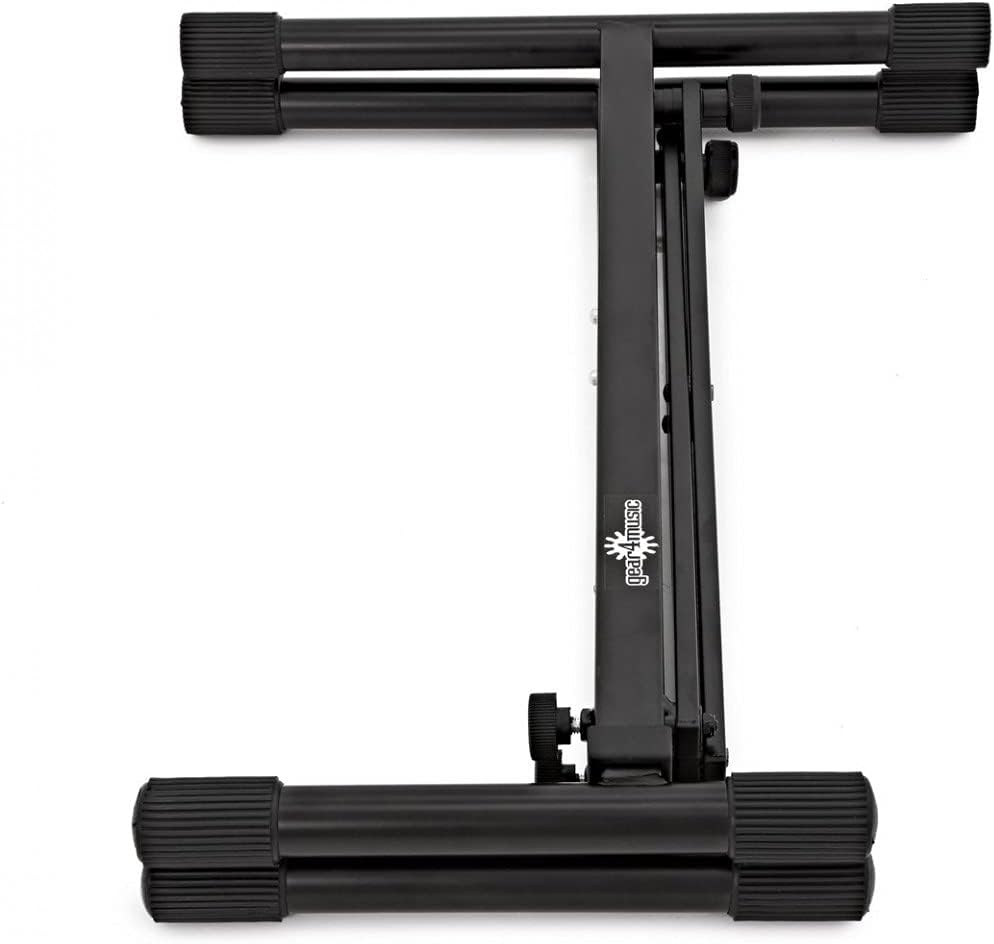
Image: The gear4music Universal Stand folded flat, demonstrating its compact form for easy storage and transport.
Troubleshooting
| Problem | Possible Cause | Solution |
|---|---|---|
| Stand is wobbly or unstable. |
|
|
| Difficulty adjusting height/width. |
|
|
Specifications
- Model: 188489
- Material: Alloy Steel
- Color: Black
- Maximum Load Capacity: 60 kg
- Maximum Dimensions (Height x Width x Depth): 850 x 830 x 310 mm
- Product Weight: 4.4 kg
- Special Feature: Independent height and width adjustment
- Assembly Required: Yes
Warranty and Support
For warranty information and customer support, please refer to the documentation provided at the time of purchase or visit the official gear4music website. Keep your proof of purchase for any warranty claims.
Manufacturer: Gear4music
ASIN: B09DFZ3QRF