
1. Product Overview
The ECOXGEAR EcoExtreme 2 is a versatile, portable Bluetooth speaker and dry box designed for outdoor enthusiasts. It provides a secure, watertight compartment for your smartphone and other valuables while delivering clear audio. Its robust construction ensures protection against water, dust, and impacts, making it ideal for various environments.

Image: Front view of the ECOXGEAR EcoExtreme 2 speaker, showcasing its orange casing and control panel.
2. What's in the Box
Please verify that all items are present in the package:
- 1x EcoExtreme 2 Dry Box Bluetooth Speaker
- 1x USB-C Charging Cable
- 1x Carabiner
- 1x User Guide (this manual)
3. Setup Guide
3.1 Initial Charging
Before first use, fully charge your EcoExtreme 2. Connect the supplied USB-C cable to the charging port located inside the dry box compartment and plug the other end into a USB power source (e.g., computer, wall adapter). The charging indicator lights will illuminate.
3.2 Powering On/Off
To power on the device, press and hold the Power button on the control panel until you hear an audible prompt and the indicator lights activate. To power off, press and hold the Power button again until the device shuts down.
3.3 Opening and Closing the Dry Box
To open the dry box, unlatch the two side clips. Gently lift the lid. Ensure the rubber gasket seal is clean and free of debris before closing. To close, align the lid, press down firmly, and secure both side clips until they click into place. A proper seal is crucial for waterproof integrity.

Image: The EcoExtreme 2 dry box shown open, revealing the empty internal compartment and the charging port.
4. Operating Instructions
4.1 Bluetooth Pairing
- Ensure the EcoExtreme 2 is powered on.
- Press the Bluetooth button on the control panel. The Bluetooth indicator light will flash, indicating pairing mode.
- On your smartphone or Bluetooth-enabled device, navigate to the Bluetooth settings.
- Select "EcoExtreme 2" from the list of available devices.
- Once connected, the Bluetooth indicator light will become solid, and you will hear a confirmation tone.
4.2 EcoCast Multi-Speaker Pairing
The EcoExtreme 2 features EcoCast technology, allowing you to wirelessly connect up to 100 EcoCast-enabled speakers for a synchronized audio experience. Note: EcoCast is not compatible with previous generation EcoConnect technology.
- Ensure both EcoExtreme 2 speakers are powered on and not connected to any Bluetooth device.
- On the first speaker (primary), press the EcoCast button. The EcoCast indicator light will flash.
- On the second speaker (secondary), press the EcoCast button. The EcoCast indicator light will flash.
- The speakers will automatically connect. Once connected, the EcoCast indicator lights on both speakers will become solid.
- Now, connect your Bluetooth device to the primary speaker as described in Section 4.1. Audio will play through both connected speakers.
4.3 Push-to-Talk (Zello App)
The EcoExtreme 2 can be used with the Zello App on your smartphone for push-to-talk functionality. Ensure your phone is connected via Bluetooth and the Zello app is installed and configured.
4.4 Using the Dry Box
The internal compartment of the EcoExtreme 2 is designed to safely store your smartphone and other small items, protecting them from water and dust. External buttons allow you to control music playback and answer calls without opening the dry box.

Image: The EcoExtreme 2 dry box shown open with a smartphone securely placed inside, demonstrating its protective storage capability.

Image: Technical diagram illustrating the internal dimensions of the EcoExtreme 2 dry box, showing measurements in inches and millimeters.
4.5 Battery Life and Charging
The EcoExtreme 2 provides up to 15 hours of playtime at average listening levels and approximately 5 hours at maximum volume. A full recharge takes about 3 hours. The speaker can play audio while recharging.

Image: Side view of the EcoExtreme 2 speaker with a graphic indicating "15+ hours of play time", highlighting its extended battery performance.
5. Maintenance
To ensure the longevity and optimal performance of your EcoExtreme 2, follow these maintenance guidelines:
- Cleaning: After use, especially in saltwater or sandy environments, rinse the speaker with fresh water. Use a soft, damp cloth to wipe down the exterior. Do not use abrasive cleaners or solvents.
- Seal Inspection: Regularly inspect the rubber gasket seal inside the dry box lid for any signs of wear, cracks, or debris. A clean and intact seal is vital for maintaining the IP67 waterproof rating.
- Storage: Store the speaker in a cool, dry place when not in use. Avoid prolonged exposure to extreme temperatures.
- Battery Care: For best battery health, avoid fully discharging the battery frequently. If storing for an extended period, charge the battery to approximately 50% every few months.
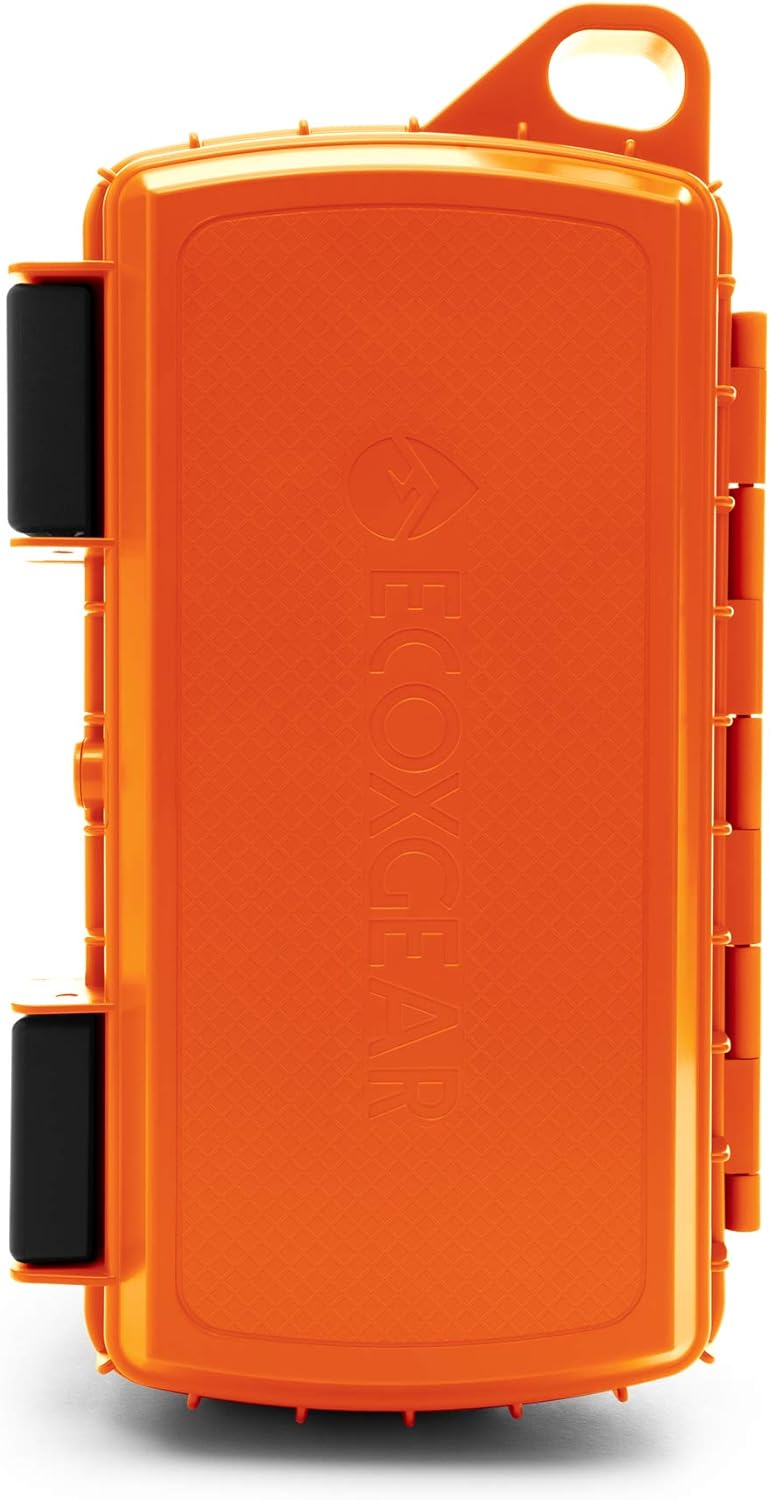
Image: The EcoExtreme 2 speaker being splashed with water, prominently displaying the IP67 waterproof rating, indicating its resistance to water and dust.
6. Troubleshooting
| Problem | Possible Cause | Solution |
|---|---|---|
| No Power | Battery is depleted. | Charge the unit using the supplied USB-C cable. |
| No Sound | Volume is too low or muted. Device not paired. | Increase volume on both the speaker and your connected device. Ensure Bluetooth pairing is successful. |
| Bluetooth Disconnection | Device is out of range. Interference. | Move the connected device closer to the speaker (within 100 feet). Avoid obstacles or other strong wireless signals. |
| EcoCast Not Connecting | Speakers are not in EcoCast pairing mode. Incompatible EcoConnect speaker. | Ensure both speakers are in EcoCast pairing mode. Verify that all speakers are EcoCast compatible. |
| Water inside Dry Box | Seal compromised or not properly closed. | Immediately remove contents. Inspect the rubber gasket for debris or damage. Ensure clips are fully latched when closing. |
7. Specifications
| Feature | Detail |
|---|---|
| Model Name | EcoExtreme 2 |
| Material | Plastic |
| Color | Orange |
| Product Dimensions (LxWxH) | 10.1" x 5.5" x 2.6" (25.65 cm x 13.97 cm x 6.6 cm) |
| Item Weight | 1.38 pounds (0.62 kg) |
| Water Resistance Level | IP67 (Waterproof and Dustproof) |
| Bluetooth Version | 5.0 |
| Bluetooth Range | Up to 100 feet (30.5 meters) |
| Battery Life | Up to 15 hours (average volume) |
| Speaker Output Power | 15 Watts |
| Power Source | Battery Powered (1 Lithium Ion battery included) |
| Connectivity Protocol | Bluetooth |
| Special Features | Built-in Microphone, Lightweight, Portable, Stereo Pairing (EcoCast), Waterproof Dry Box |
8. Warranty and Support
The ECOXGEAR EcoExtreme 2 comes with a Limited Warranty. For detailed warranty information, please refer to the warranty card included in your product packaging or visit the official ECOXGEAR website. For technical support, troubleshooting assistance, or warranty claims, please contact ECOXGEAR customer service directly.
Manufacturer: ECOXGEAR