
1. Introduction
This manual provides essential instructions for the safe and effective use, care, and maintenance of your Serta Reversible Fleece to Sherpa Electric Blanket. Please read all instructions thoroughly before initial use and retain this manual for future reference.
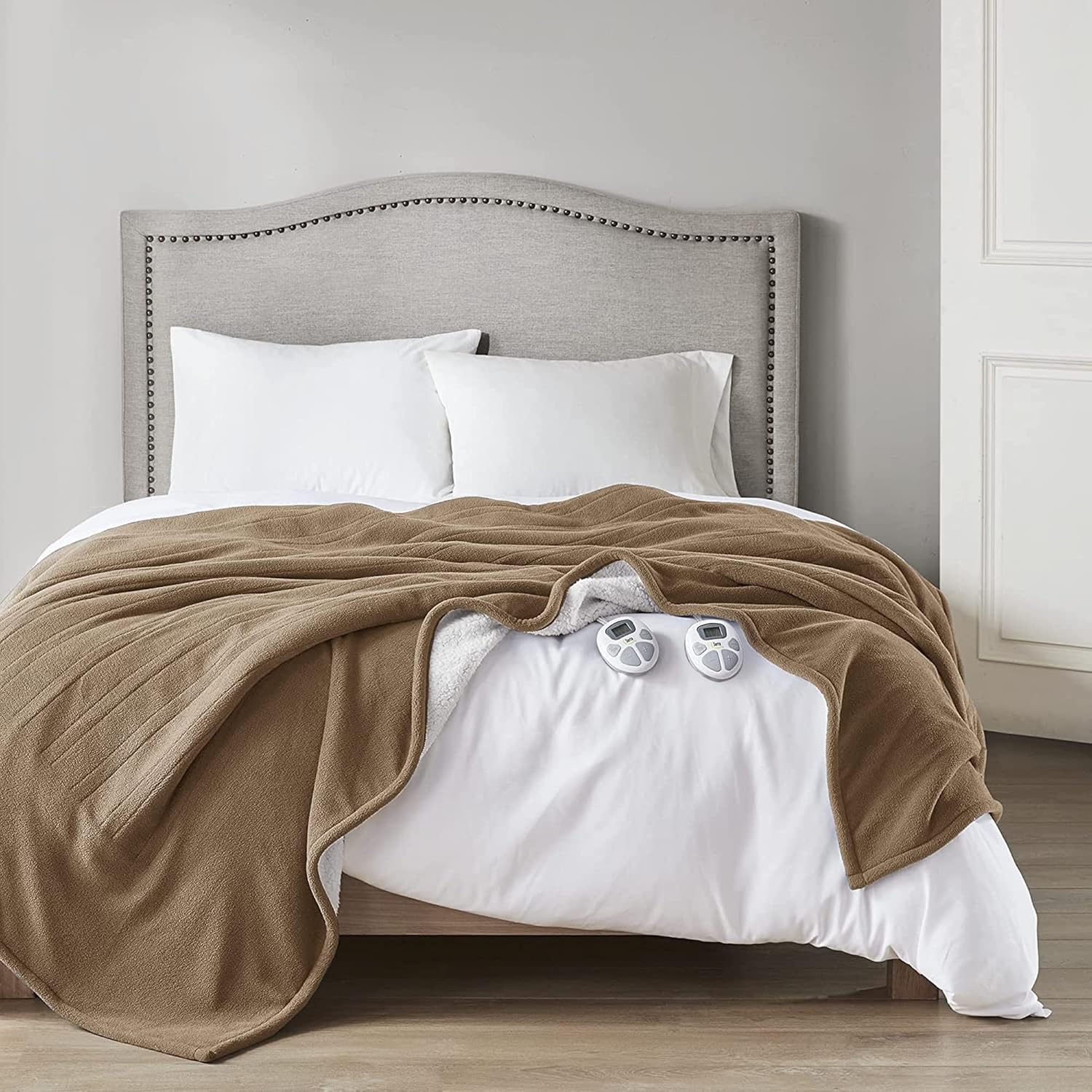
Image 1.1: The Serta Reversible Fleece to Sherpa Electric Blanket in Stone Brown, draped over a bed, showcasing its texture and the two attached controllers.
2. Important Safety Instructions
When using electrical appliances, basic precautions should always be followed to reduce the risk of fire, electric shock, and injury to persons. Read all instructions before using this blanket.
- DO NOT leave the controller covered when in use to avoid overheating. Ensure the controller is always exposed to air.
- DO NOT use this heated product on waterbeds, bunk beds, adjustable mechanical beds, or children's cribs and beds.
- DO NOT use with an infant, a child, an incapacitated person, a paraplegic, a quadriplegic, a diabetic, anyone insensitive to heat, or anyone who cannot clearly understand the instructions and/or operate the controls.
- DO NOT use with or on an animal.
- DO NOT use if the blanket is wet.
- DO NOT insert pins or other metallic objects into the blanket.
- DO NOT use if the power cord or plug is damaged. Contact customer support for assistance.
- Always ensure the blanket is spread out evenly and not bunched, folded, or balled up when in use to prevent localized overheating.
- Keep the controller cord loose and untwisted to prevent damage.
- Unplug the blanket from the electrical outlet when not in use.
- This blanket is equipped with an auto shut-off safety timer for your protection.

Image 2.1: Visual guide illustrating correct and incorrect usage practices for the electric blanket to ensure safety and proper function.
3. Setup Instructions
Follow these steps to set up your electric blanket for first use:
- Unpack: Carefully remove the electric blanket and controller(s) from the packaging.
- Inspect: Check the blanket and cords for any signs of damage. Do not use if damaged.
- Position: Place the electric blanket on your bed, ensuring it is spread out smoothly and evenly. The connector(s) should be positioned at the foot of the bed.
- Connect Controller(s): Firmly plug the controller cord(s) into the connector(s) on the blanket. Ensure a secure connection. For Queen and larger sizes, two controllers are provided for dual-zone heating.
- Plug In: Plug the power cord(s) from the controller(s) into a 120V/60Hz electrical outlet. Ensure the outlet is easily accessible.

Image 3.1: A close-up view of two Serta electric blanket controllers, highlighting their features including cord lengths, heat settings, and timer functionality. Queen and larger sizes include dual controllers.
4. Operating Instructions
Your Serta electric blanket features multiple heat settings and an automatic shut-off timer for personalized comfort and safety.
- Power On/Off: Press the 'ON/OFF' button on the controller to turn the blanket on or off.
- Adjust Heat Setting: Use the '+' and '-' buttons to select your desired heat level. The blanket offers 10 heat settings, displayed on the LCD screen.
- Set Auto Shut-Off Timer: Press the 'TIMER/HEAT' button to cycle through the timer options. You can set the timer from 1 to 12 hours in 1-hour increments. The blanket will automatically turn off after the selected time.
- Dual Control (Queen & King sizes): For Queen and King size blankets, two controllers are provided. Each controller operates one side of the blanket independently, allowing two users to customize their heat settings.

Image 4.1: The Serta electric blanket controller, detailing its LCD display, control buttons, and specifications for heat settings, auto shut-off timer, and cord lengths.

Image 4.2: A visual representation of the dual-zone heating capability, demonstrating how Queen and larger sizes allow independent temperature control for two users.
5. Care and Maintenance
Proper care ensures the longevity and safe operation of your electric blanket. Always disconnect the power cord(s) from the wall outlet and the blanket before cleaning.
Washing Instructions:
- Disconnect: Ensure all controllers are disconnected from the blanket.
- Pre-soak (Optional): For best results, pre-soak the blanket for 15 minutes in cold water with a small amount of mild detergent.
- Wash: Machine wash on a delicate or gentle cycle in cold water. Use minimal detergent.
- Rinse: Rinse thoroughly in cold water.
Drying Instructions:
- Spin Cycle: Remove the blanket immediately after the spin cycle to prevent wrinkles.
- Tumble Dry: Tumble dry on a medium or low heat setting for approximately 5 minutes.
- Air Dry: Gently stretch the blanket to its original size and hang to finish drying. Ensure it is completely dry before storing or reusing.
- DO NOT hang with clothespins, as this can damage the internal wires.
- DO NOT iron the blanket.
Storage:
To prolong the life of your electric blanket, roll it loosely rather than folding it tightly. Store in a cool, dry place. Do not compress the blanket or place heavy objects on top of it, as this can damage the internal heating wires.

Image 5.1: A visual guide to the proper washing and drying procedures for the Serta electric blanket, emphasizing gentle care to maintain functionality.
6. Troubleshooting
If you encounter issues with your electric blanket, refer to the following common problems and solutions:
- Problem: The controller light is blinking.
Solution: Unplug the blanket from the wall outlet and reconnect it. Ensure the controller is securely connected to the blanket. If the issue persists, contact customer support. - Problem: The controller feels warm to the touch.
Solution: This is normal. The controller may feel warm (not hot) during operation as small amounts of electricity cycle through it. This does not indicate a malfunction. - Problem: The blanket is not heating.
Solution: Ensure the blanket is properly plugged into a working outlet and the controller is securely connected to the blanket. Check that the blanket is spread out evenly and not folded or bunched. If the problem continues, contact customer support.
7. Specifications
| Feature | Detail |
|---|---|
| Model Number | ST54-0212 |
| Size | Queen (90"L x 84"W) |
| Material | 100% Polyester Fleece to Sherpa |
| Color | Stone Brown |
| Heat Settings | 10 Levels |
| Auto Shut-Off Timer | 1-12 Hours (in 1-hour increments) |
| Input Voltage | 120V/60Hz |
| Controller Cord Length | 8.5 ft |
| Power Cord Length | 6 ft |
| Weight | 3.3 Pounds |
| Certifications | ETL Certified |

Image 7.1: A diagram showing the precise dimensions of the Queen size electric blanket.
8. Warranty and Support
Your Serta Reversible Fleece to Sherpa Electric Blanket is backed by a 5-year limited manufacturer's warranty. This warranty covers defects in materials and workmanship under normal use.
For warranty claims, technical support, or any questions regarding your product, please contact Serta customer service. Refer to the product packaging or the official Serta website for the most current contact information.


