
Introduction
The XMSJSIY USB 3.0 Front Panel Cable provides a convenient solution for adding two USB 3.0 Type-A female ports to your PC case's front panel, connecting directly to a 19/20-pin USB 3.0 header on your motherboard. This 50cm cable is designed to deliver high-speed data transfer rates of up to 5 Gbps, enhancing your computer's connectivity.

Figure 1: Overview of the XMSJSIY USB 3.0 Front Panel Cable components.
Setup Instructions
- Prepare Your System: Power off your computer and unplug it from the wall outlet. Open your PC case to access the motherboard and front panel area.
- Locate Motherboard Header: Identify an available 19/20-pin USB 3.0 header on your motherboard. This header is typically blue and labeled "USB3.0" or "F_USB3".
- Connect to Motherboard: Carefully align the 19/20-pin connector of the XMSJSIY cable with the USB 3.0 header on your motherboard. Gently push down to ensure a secure connection. Avoid bending pins.
- Route the Cable: Route the cable neatly through your PC case to the desired front panel location where you intend to mount the dual USB-A female ports. Utilize cable management features of your case if available.
- Mount USB-A Ports: Secure the dual USB-A female ports to an available opening on your PC's front panel. These ports are designed for mounting in standard USB 2.0 front panel slots or similar openings. Ensure they are firmly in place.
- Close Case and Power On: Once all connections are secure and the cable is routed, close your PC case, plug it back in, and power on your computer.
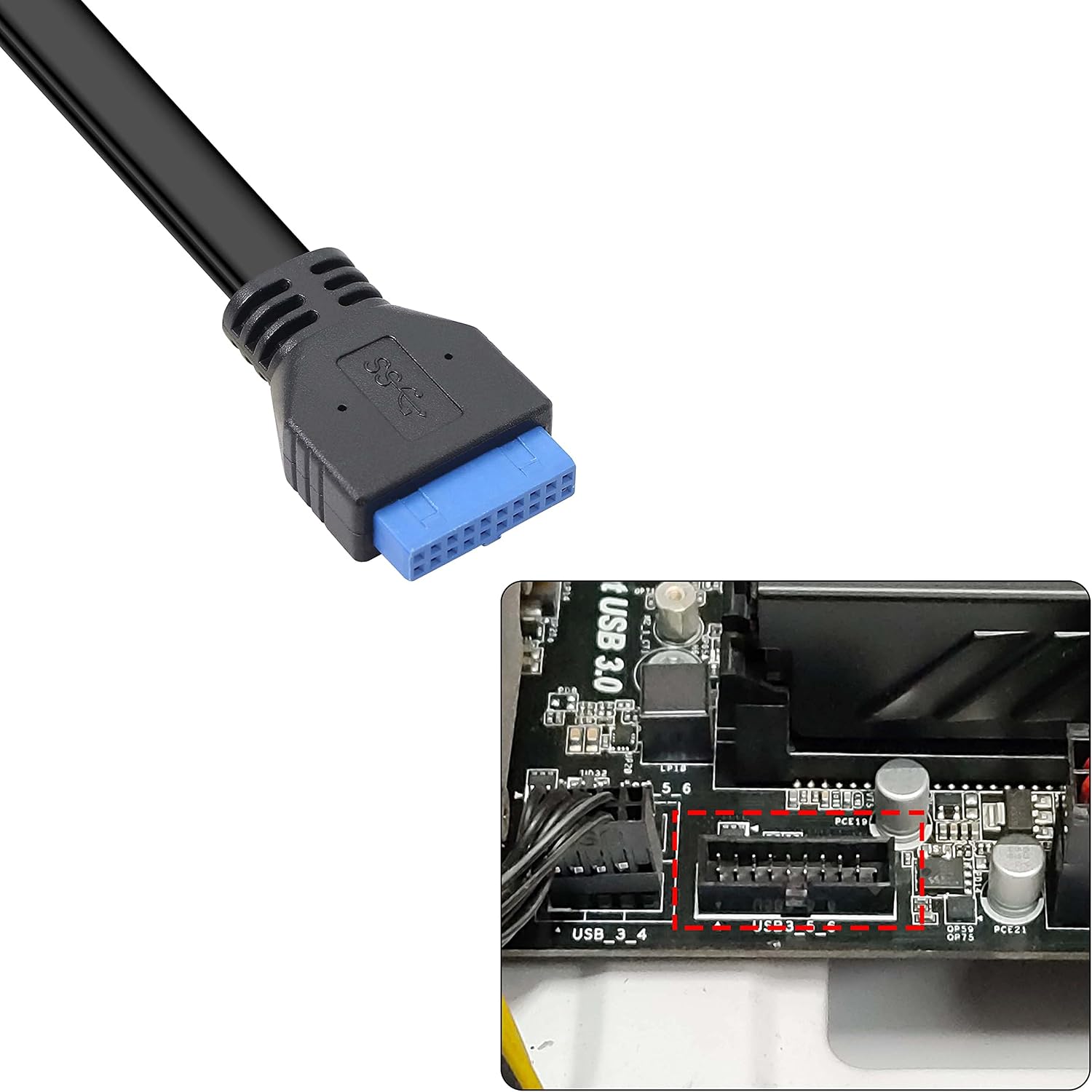
Figure 2: The 19/20-pin USB 3.0 header on a motherboard.

Figure 3: Example of cable routing and connection inside a PC case.

Figure 4: Dual USB-A female ports ready for front panel installation.
Operating Instructions
After successful installation, the two USB 3.0 ports on your front panel are ready for use. Simply plug any USB 3.0 compatible device into these ports to utilize their high-speed data transfer capabilities. The cable supports data transfer rates up to 5 Gbps, ideal for external hard drives, USB flash drives, and other high-bandwidth peripherals.
- Ensure your connected devices are USB 3.0 compatible for optimal performance.
- The cable is compatible with Windows (WinXP / Vista / Win7 / Win8 32bit/64bit) and MAC10.8 or higher operating systems.
Maintenance
The XMSJSIY USB 3.0 Front Panel Cable requires minimal maintenance. To ensure longevity and optimal performance:
- Keep the cable free from kinks or sharp bends, which can damage internal wiring.
- Avoid exposing the cable to extreme temperatures or moisture.
- Periodically check connections to ensure they remain secure.
- Clean the USB ports gently with a dry, lint-free cloth if dust accumulates.
Troubleshooting
| Problem | Possible Cause | Solution |
|---|---|---|
| USB 3.0 ports not recognized or not functioning. |
|
|
| Devices connected to the front panel ports operate at USB 2.0 speeds. |
|
|
| Physical damage to the cable or connectors. |
|
|
Specifications
- Brand: XMSJSIY
- Model Number: XMSJSIY
- Connector Type: USB 3.0 (19/20-pin male to dual USB-A female)
- Cable Length: 50 cm (19.7 inches)
- Data Transfer Rate: Up to 5 Gbps (USB 3.0 SuperSpeed)
- Number of Ports: 2 (USB 3.0 Type-A Female)
- Compatible Devices: Personal Computer (PC)
- Compatible Operating Systems: WinXP / Vista / Win7 / Win8 (32bit/64bit), MAC10.8 or higher
- Material: Flexible PVC environmental protection material
- Shielding: Internal membrane protection, external copper + aluminum platinum shielding

Figure 5: Cable and connector dimensions.
Warranty and Support
Specific warranty details and direct support contact information are not provided in this manual. Please refer to the retailer or manufacturer's website for the most current warranty policy and customer support options.