
1. Product Overview
The OtterBox Defender Series Case provides multi-layer protection for your iPhone 13 Pro. It is designed to guard your device against serious drops, dirt, scrapes, and bumps. The included holster can function as a belt clip or a hands-free kickstand.
Compatible With: iPhone 13 Pro
Materials: Synthetic rubber slipcover, Polycarbonate shell, Polycarbonate holster.
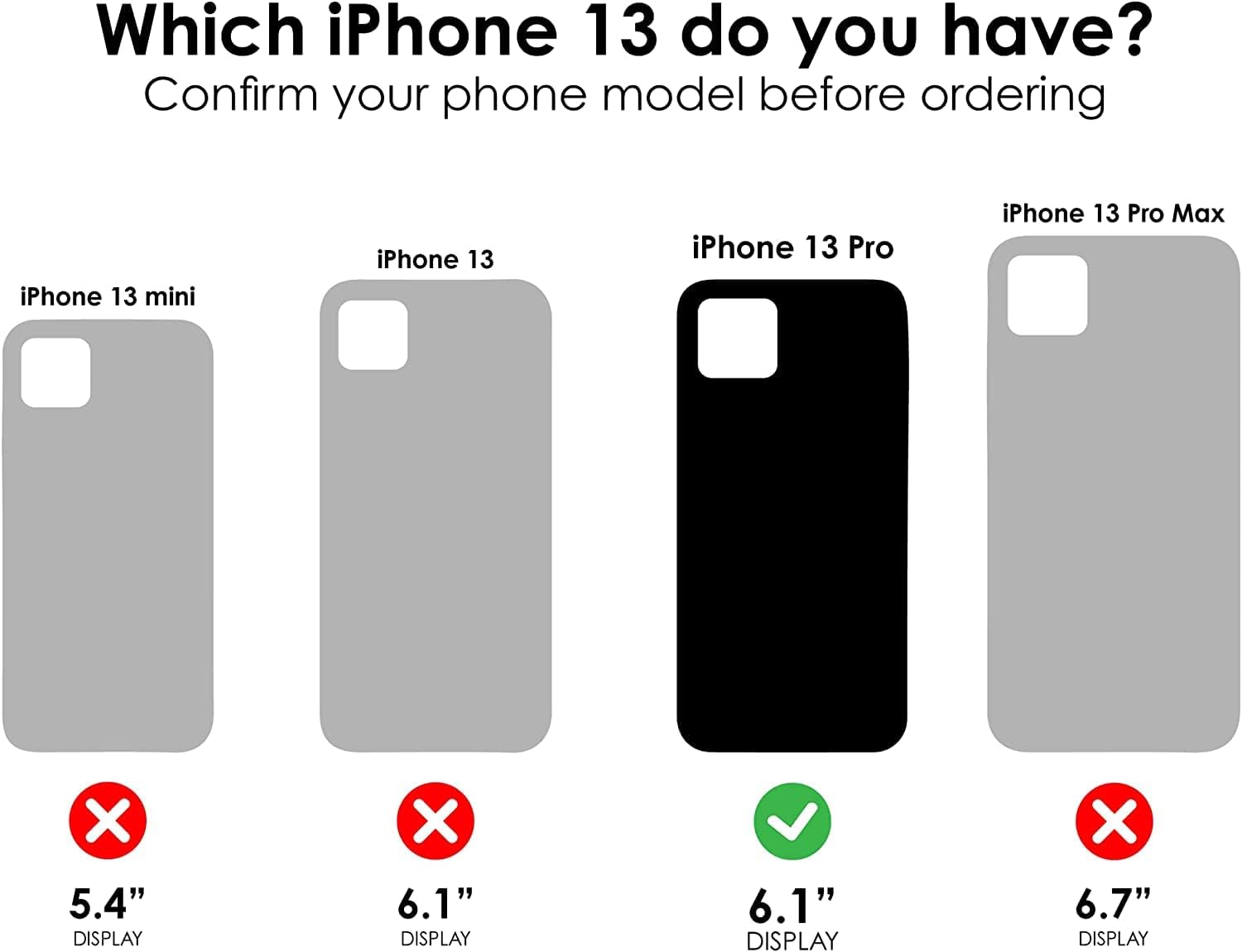
Image: Front view of the OtterBox Defender Series Case for iPhone 13 Pro, showcasing its rugged design.
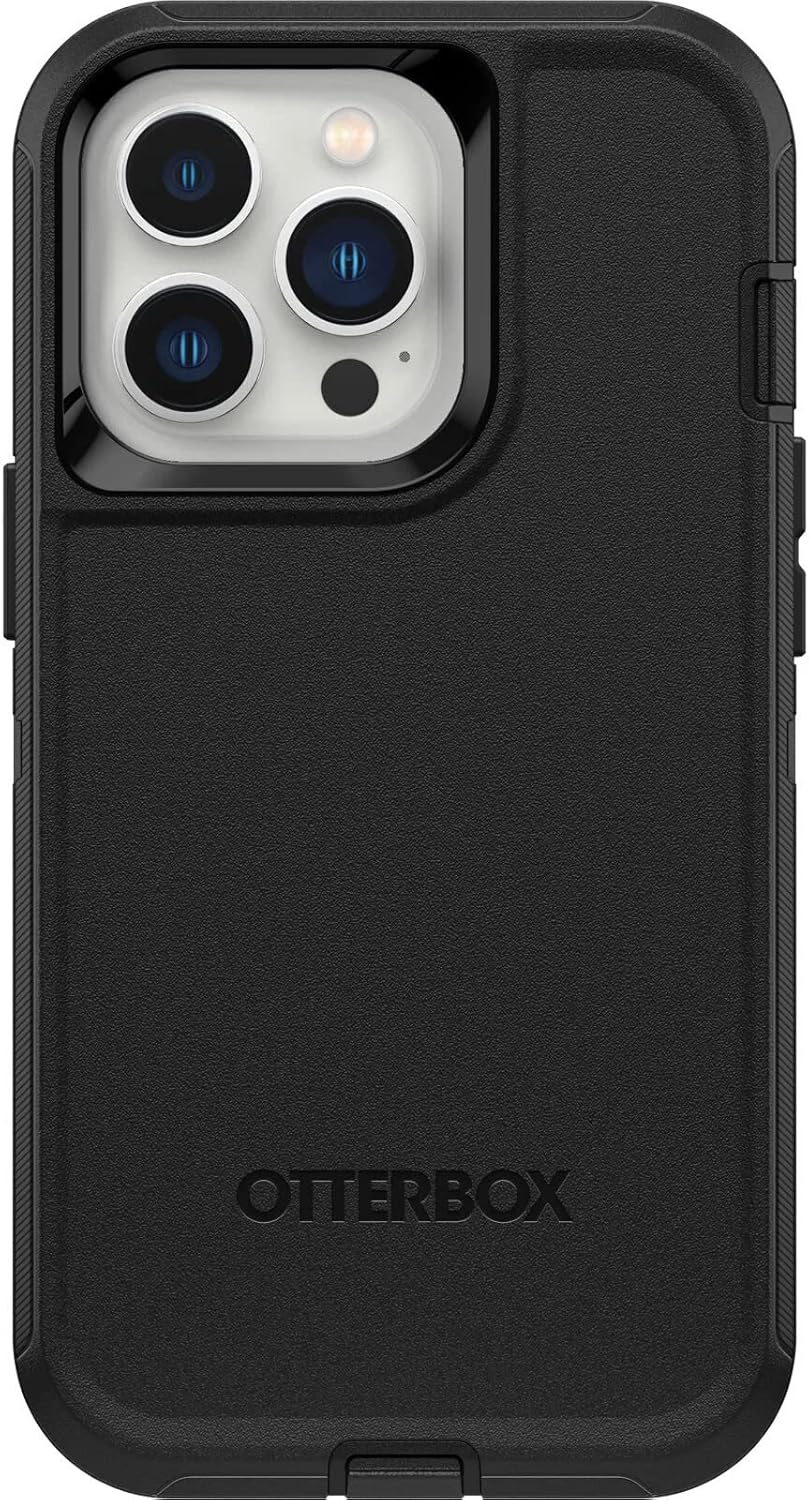
Image: Back view of the OtterBox Defender Series Case for iPhone 13 Pro, highlighting the camera cutout and OtterBox branding.
2. Identifying Your iPhone Model
Ensure you have the correct case for your device. This case is specifically designed for the iPhone 13 Pro.

Image: A diagram illustrating the different iPhone 13 models (mini, 13, 13 Pro, 13 Pro Max) with checkmarks and crosses indicating compatibility. The iPhone 13 Pro is marked as compatible.
3. Case Installation
The OtterBox Defender Series Case features a multi-layer design for maximum protection. Follow these steps to properly install your iPhone 13 Pro into the case:
- Separate the Layers: The case consists of an inner hard shell and an outer synthetic rubber slipcover. Carefully peel back the rubber slipcover from the hard shell.
- Open the Hard Shell: The hard shell itself is composed of two pieces that clip together. Gently unclip these pieces to open the hard shell.
- Place iPhone: Insert your iPhone 13 Pro into one half of the hard shell. Ensure it sits snugly and all buttons and ports align with the shell's openings.
- Close Hard Shell: Place the second half of the hard shell over your iPhone and carefully press along the edges until all clips securely fasten. You should hear a series of clicks.
- Apply Rubber Slipcover: Once the hard shell is fully assembled around your iPhone, carefully stretch and fit the synthetic rubber slipcover over the hard shell. Ensure all edges are properly seated and the port covers are aligned.

Image: An exploded view demonstrating the multi-layer construction of the Defender Series case, showing the inner hard shell, outer rubber slipcover, and the phone.
Video: A demonstration of how to disassemble and assemble the OtterBox Defender Series case for iPhone 13 Pro, showing the multi-piece design and proper phone insertion.
Video: A user demonstrating the installation of the iPhone 13 Pro into the Defender Series case, highlighting the secure fit and port covers.
4. Operating Your Case
The Defender Series case is designed for seamless interaction with your iPhone 13 Pro while providing robust protection.
- Port Covers: The case features integrated port covers that prevent dirt, dust, and lint from entering your charging port and other openings. Gently lift the covers to access ports and ensure they are securely closed when not in use.
- Button Functionality: The case is designed with responsive button covers that maintain the tactile feel and functionality of your iPhone's buttons.
- Holster Clip: The included holster can be used as a belt clip for convenient carrying or as a hands-free kickstand for media viewing. Simply attach your cased iPhone to the holster.
- Wireless Charging: The case is compatible with wireless charging. Place your cased iPhone on a compatible wireless charging pad.
- Screenless Design: The screenless design ensures flawless touch response directly on your iPhone's screen. For total 360-degree protection, consider pairing with an OtterBox screen protector.

Image: A close-up view of the OtterBox Defender Series case demonstrating the port covers, designed to protect against dust and debris.
5. Maintenance and Care
To ensure the longevity and effectiveness of your OtterBox Defender Series Case, follow these simple maintenance guidelines:
- Regular Cleaning: Periodically remove your iPhone from the case and clean both the device and the case. Use a soft, damp cloth with mild soap and water to clean the case. Avoid harsh chemicals or abrasive materials.
- Inspect for Damage: Regularly check the case for any signs of wear, tear, or damage, especially after significant drops or impacts. Replace the case if its protective integrity is compromised.
- Keep Ports Clear: Ensure the port covers are free from debris and function correctly to maintain protection against dust and dirt.
6. Troubleshooting
If you encounter any issues with your OtterBox Defender Series Case, consider the following:
- Difficulty Installing/Removing: The case is designed for a tight fit. Ensure you are separating the layers as described in the installation section. Applying gentle, even pressure is key. Avoid excessive force.
- Microphone/Speaker Issues: Verify that the case's openings for the microphone and speakers are not obstructed by debris or improperly seated rubber. Ensure the port covers are not interfering with sound transmission.
- Wireless Charging Not Working: Confirm that your wireless charger is compatible and that your iPhone is correctly positioned on the charging pad. Remove any foreign objects between the phone and the charger.
7. Specifications
| Feature | Detail |
|---|---|
| Compatible With | iPhone 13 Pro |
| Drop Height | DROP+ | 4X as many drops as military standard (MIL-STD-810G 516.6) |
| Dimensions | 6.39 in x 3.57 in x 1.31 in / 162.20 mm x 90.61 mm x 33.25 mm |
| Weight | 0.27 lbs | 124.05 g |
| Materials | Synthetic rubber slipcover, Polycarbonate shell, Polycarbonate holster |
| Special Features | Wireless Charging Compatible, Kickstand, Belt Clip, Port Protection, Screenless Design, Raised Edges for Camera/Screen Protection |
| Color | Black |
| Model Number | 77-84217 |
8. Warranty and Support
OtterBox provides a limited lifetime warranty that covers material and workmanship defects. For warranty claims or further support, please visit the official OtterBox website or contact their customer service.
Video: A short promotional video from Otter Products, LLC, highlighting the brand's commitment to protection and quality.


