
Mennekes 271224
Amtron Professional 22 C2 Wallbox
User Instruction Manual
1. Introduction
This manual provides essential information for the safe and efficient operation, installation, and maintenance of your MENNEKES Amtron Professional 22 C2 Wallbox. Please read this manual thoroughly before installation or use and retain it for future reference.
The Amtron Professional 22 C2 Wallbox is designed for reliable and robust electrical equipment applications, ensuring durable performance.
2. Safety Information
Important Safety Instructions:
- Installation must be performed by a qualified electrician in accordance with all local and national electrical codes.
- Do not attempt to open or repair the device yourself. Refer all servicing to qualified service personnel.
- Ensure the power supply is disconnected before any installation, maintenance, or cleaning procedures.
- Keep the device away from water, moisture, and extreme temperatures.
- Use only original or approved accessories and spare parts.
3. Package Contents
Verify that all items are present and undamaged upon unpacking:
- MENNEKES Amtron Professional 22 C2 Wallbox unit
- Mounting hardware (screws, anchors)
- User Instruction Manual (this document)
- Installation template (if applicable)
4. Setup and Installation
The Amtron Professional 22 C2 Wallbox is designed for wall-mounted installation. Professional installation is highly recommended.
- Site Selection: Choose a suitable indoor or outdoor location that is protected from direct impact and extreme weather conditions, and is easily accessible for operation.
- Power Disconnection: Ensure the main power supply to the installation area is completely disconnected before proceeding.
- Mounting:
- Use the provided mounting template (if included) to mark drilling points on the wall.
- Drill holes and insert appropriate wall anchors.
- Securely mount the wallbox to the wall using the provided screws.
- Electrical Connection:
- Open the wallbox enclosure (refer to specific diagrams in the full installation guide for access).
- Connect the main power supply cables to the designated terminals inside the unit, following the wiring diagram. Ensure proper grounding.
- Close and secure the enclosure.
- Initial Power-Up: Once installation is complete and verified by a qualified electrician, restore power to the unit. Observe indicator lights for proper operation.
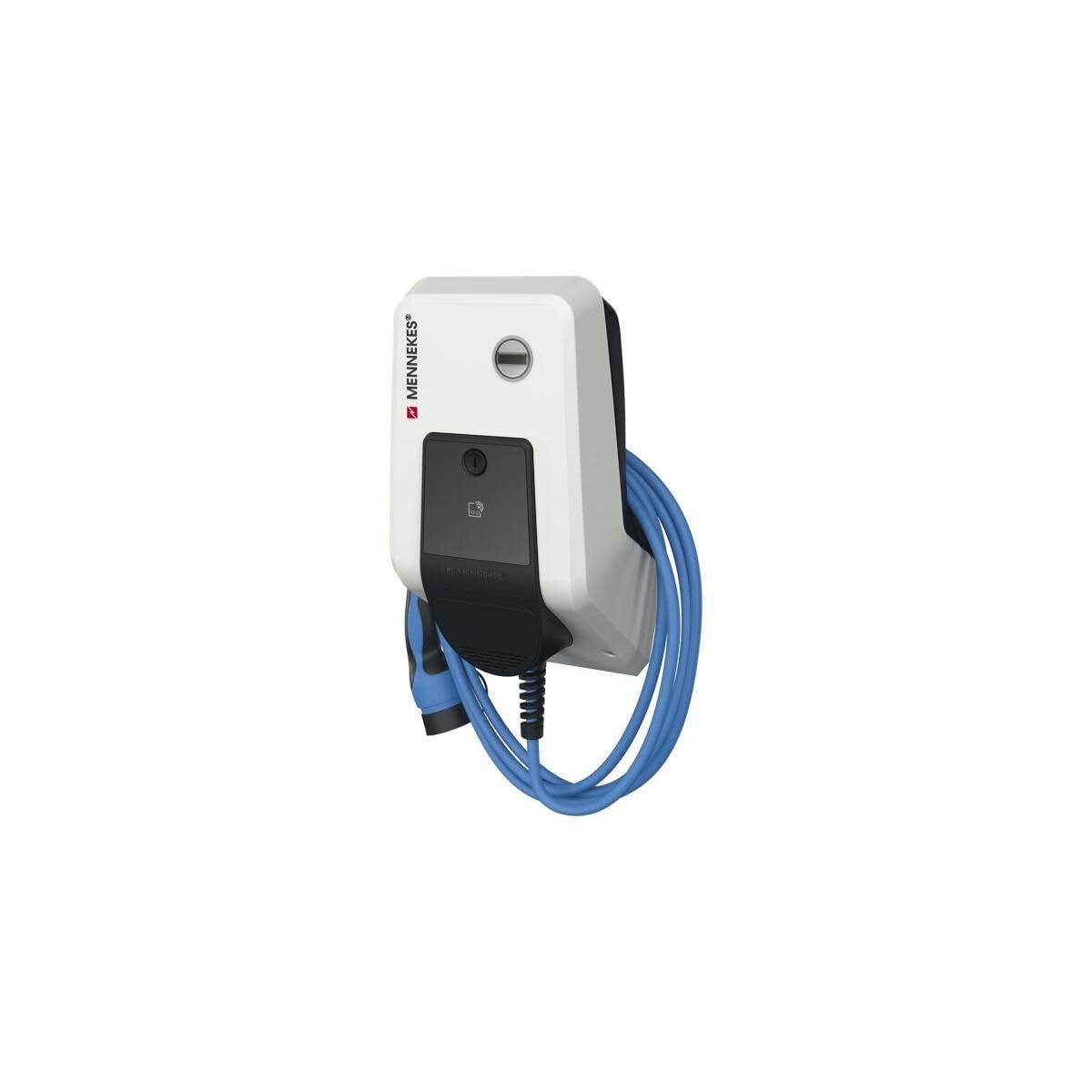
Figure 1: The Amtron Professional 22 C2 Wallbox, showing its compact design and integrated charging cable. This image illustrates the typical appearance of the unit when installed.
5. Operating Instructions
Operating the Amtron Professional 22 C2 Wallbox is straightforward:
- Preparation: Ensure the wallbox is powered on and its status indicator shows readiness (e.g., green light).
- Connecting: Take the charging cable from the wallbox and securely insert the connector into the vehicle's charging port.
- Initiating Charge: The charging process typically starts automatically once the connection is established and the vehicle requests power. Some models may require authentication (e.g., RFID card) before charging begins. Refer to your specific model's detailed operating guide for authentication procedures.
- Monitoring: Observe the status indicators on the wallbox and your vehicle's dashboard to monitor the charging progress.
- Ending Charge: To stop charging, follow your vehicle's instructions (e.g., unlock the charging port). Disconnect the cable from the vehicle first, then from the wallbox.
- Storing Cable: Coil the charging cable neatly around the wallbox or use the integrated cable management features to prevent damage and tripping hazards.
6. Maintenance
Regular maintenance ensures the longevity and safe operation of your Amtron Professional 22 C2 Wallbox:
- Cleaning: Clean the exterior of the wallbox periodically with a soft, damp cloth. Do not use abrasive cleaners, solvents, or excessive water. Ensure the unit is powered off before cleaning.
- Cable Inspection: Regularly inspect the charging cable and connectors for any signs of wear, damage, cracks, or discoloration. If any damage is found, discontinue use immediately and contact qualified service personnel.
- Ventilation: Ensure that ventilation openings (if present) are not blocked by dust or debris to prevent overheating.
- Professional Inspection: It is recommended to have the unit inspected by a qualified electrician at least once a year to ensure all electrical connections are secure and the unit is functioning correctly.
7. Troubleshooting
This section addresses common issues you might encounter. For problems not listed here, contact customer support.
| Problem | Possible Cause | Solution |
|---|---|---|
| Wallbox not powering on | No power supply; tripped circuit breaker; internal fault. | Check main power supply and circuit breaker. If problem persists, contact a qualified electrician. |
| Charging not starting | Cable not fully inserted; vehicle not ready to charge; authentication required; vehicle fault. | Ensure cable is securely connected. Check vehicle status. Perform authentication if necessary. Consult vehicle manual. |
| Indicator light shows error | Internal fault; overcurrent; ground fault. | Disconnect power for 5 minutes, then reconnect. If error persists, contact qualified service personnel. |
8. Specifications
| Feature | Detail |
|---|---|
| Product Model | Amtron Professional 22 C2 Wallbox |
| Manufacturer | MENNEKES |
| Model Number | 271224 |
| Dimensions (L x W x H) | 22 x 35 x 12 cm |
| Weight | 9 kilograms |
| Material | Plastic |
| ASIN | B09D3X5WJW |
| Color | N.A |
9. Warranty and Support
For warranty information, technical support, or service requests, please contact MENNEKES customer service or your authorized dealer. Keep your purchase receipt and product model number (271224) readily available when contacting support.
Manufacturer: MENNEKES
Website: www.mennekes.com (Note: This is a placeholder link, please refer to official MENNEKES documentation for precise contact details and website.)
Related documents271224

Ask a question about this manual
Ask about setup, troubleshooting, compatibility, parts, safety, or missing instructions. Manuals+ will review the question and use this page’s manual context to help answer it.