
1. Introduction
The FLYLINKTECH CF800 is a portable lithium battery jump starter designed to provide emergency starting power for 12V vehicles. It features a high-capacity battery, multiple charging outputs, and an integrated LED flashlight, making it a versatile tool for automotive emergencies and outdoor activities.
2. Safety Information
Read all safety warnings and instructions before using this product. Failure to follow these instructions may result in electric shock, fire, or serious injury.
- Always wear eye protection and protective clothing when jump starting a battery.
- Do not allow the positive and negative clamps to touch each other.
- Do not jump start a frozen battery.
- Keep the device away from children.
- Do not expose the device to rain or extreme temperatures.
- Ensure proper ventilation during use.
- If battery acid comes into contact with skin or eyes, flush immediately with clean water and seek medical attention.
3. Package Contents
Verify that all items are present in your package:
- FLYLINKTECH Lithium Jump Starter (CF800)
- Smart Jumper Cables with LCD Screen
- Type-C Charging Cable
- 12V DC Cable
- User Guide
- EVA Carrying Case

Image: Contents of the FLYLINKTECH CF800 package.
4. Product Features
- High Capacity & Peak Current: 3000A peak current and 20000mAh capacity, capable of starting 12V vehicles (up to 10.0L gas or 9.0L diesel engines).
- Portable Power Bank: Equipped with a 15W Type-C input port and dual USB outputs (one with Quick Charge 3.0) for charging smartphones, tablets, and other electronic devices. Includes a 12V DC output port with a cigarette lighter adapter.
- Smart Jumper Clamps: Features high-quality, gold-plated smart clamps with comprehensive protection mechanisms and an integrated LCD screen displaying battery voltage and warnings.
- Multifunctional LED Flashlight: Offers 4 modes: flashlight, SOS, strobe, and red/blue strobe for various emergency and utility lighting needs.
5. Setup: Charging the Jump Starter
Before first use, fully charge the FLYLINKTECH CF800 jump starter.
- Connect the provided Type-C charging cable to the jump starter's Type-C input port.
- Connect the other end of the Type-C cable to a USB wall adapter (not included) or a car charger. Ensure the charger provides at least 2A output.
- The LED indicators on the jump starter will illuminate to show the charging progress. All four LEDs will be solid when fully charged.
- Charging typically takes 3-4 hours.
It is recommended to recharge the device every 3-6 months to maintain optimal battery health, even if not in use.
6. Operating Instructions
6.1. Jump Starting a Vehicle
Follow these steps carefully to jump start your vehicle:
- Ensure the jump starter is at least 75% charged (three LED indicators solid).
- Turn off your vehicle's ignition and all accessories.
- Plug the smart jumper cable into the jump starter's EC5 port. Ensure a secure connection.
- Connect the red (positive, +) clamp to the positive terminal of your vehicle's battery.
- Connect the black (negative, -) clamp to the negative terminal of your vehicle's battery. The LCD screen on the smart clamp will display the battery voltage. If an error is detected, it will show a warning.
- Start your vehicle's engine. If it doesn't start on the first attempt, wait at least 30 seconds before trying again. Do not attempt more than 3 consecutive starts.
- Once the vehicle starts, immediately remove the black (negative) clamp from the vehicle battery, followed by the red (positive) clamp.
- Unplug the smart jumper cable from the jump starter.

Image: Step-by-step guide for jump starting a car.
6.2. Using as a Portable Power Bank
The CF800 can charge various electronic devices:
- USB Outputs: Connect your device's USB charging cable to either the USB1 (QC3.0) or USB2 port on the jump starter.
- 12V DC Output: Use the provided 12V DC cable with a cigarette lighter adapter to power 12V accessories.

Image: The CF800 functioning as a portable power bank.
6.3. Using the LED Flashlight
The integrated LED flashlight has four modes:
- Flashlight Mode: Press and hold the power button for 3 seconds to turn on the flashlight.
- Strobe Mode: Short press the power button again to switch to strobe mode.
- SOS Mode: Short press the power button again to switch to SOS mode.
- Red/Blue Strobe Mode: Short press the power button again to activate the red and blue warning strobe.
- To turn off the flashlight, short press the power button until it cycles off, or press and hold the power button for 3 seconds.
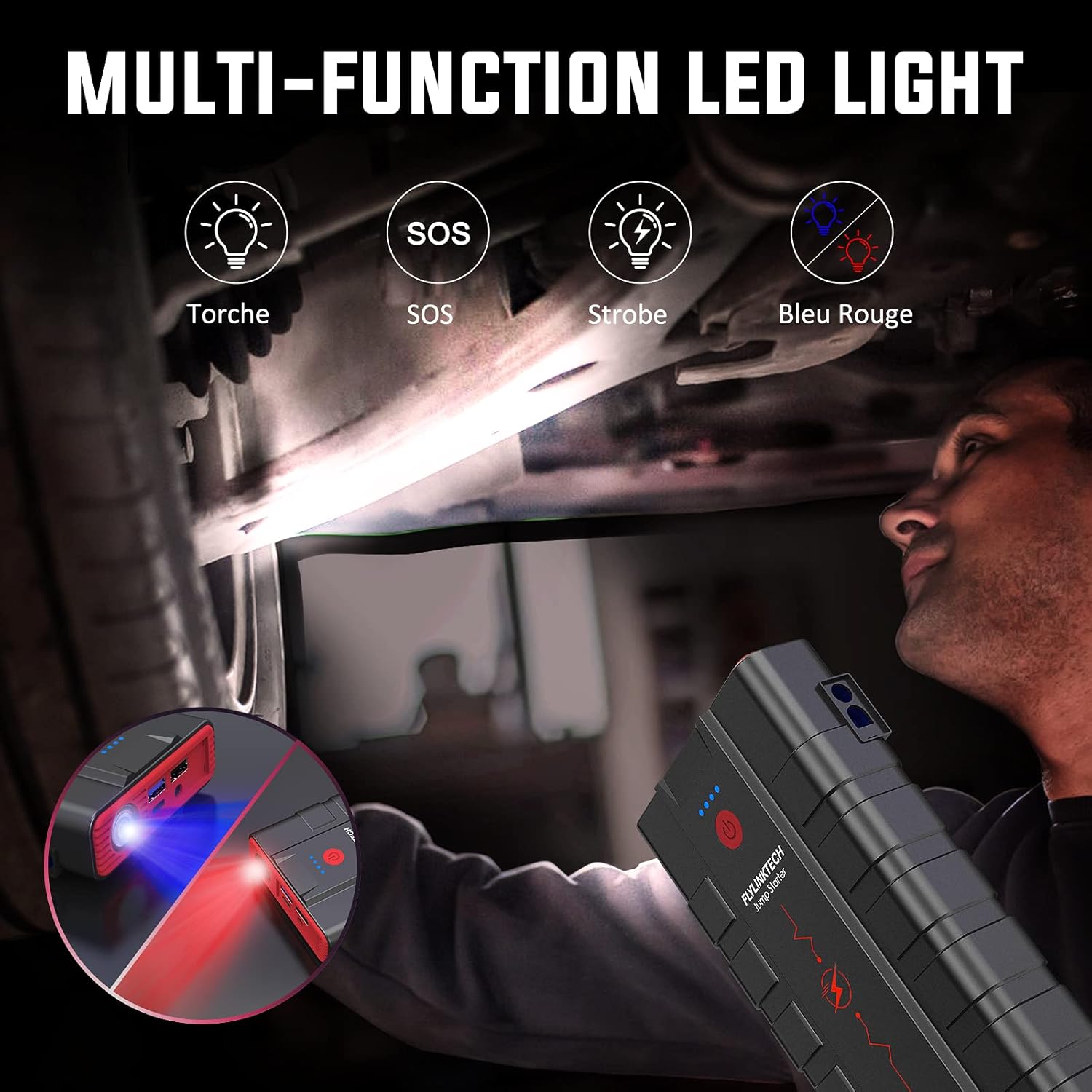
Image: Demonstrating the multi-function LED light.
7. Maintenance
- Cleaning: Wipe the device with a dry, soft cloth. Do not use harsh chemicals or abrasive materials.
- Storage: Store the jump starter in a cool, dry place, away from direct sunlight and extreme temperatures.
- Recharging: For optimal battery life, recharge the unit every 3-6 months, even if it has not been used.
- Keep the ports free of dust and debris.
8. Troubleshooting
If you encounter issues, refer to the following common problems and solutions. The smart clamp's LCD screen provides valuable diagnostic information.
| Problem | Possible Cause | Solution |
|---|---|---|
| Jump starter does not turn on. | Battery is depleted. | Recharge the jump starter fully. |
| Vehicle does not start. | Incorrect clamp connection. | Check the smart clamp's LCD for error messages. Ensure clamps are connected to the correct battery terminals (red to positive, black to negative). |
| Vehicle does not start. | Jump starter battery too low. | Ensure the jump starter is sufficiently charged (at least 75%). |
| Smart clamp shows error/warning. | Reverse polarity, short circuit, low voltage, high voltage, overheat. | Refer to the specific error code on the LCD screen and correct the issue (e.g., reconnect clamps, allow device to cool). |
| Device not charging. | Faulty cable or adapter. | Try a different Type-C cable and a different USB wall adapter. |

Image: Smart clamp features and safety protections.
9. Specifications
| Feature | Specification |
|---|---|
| Model Number | CF800 |
| Peak Amperage | 3000A |
| Battery Capacity | 20000mAh |
| Battery Cell Composition | Lithium Ion |
| Voltage | 12 Volts |
| Engine Compatibility | Up to 10.0L Gas, 9.0L Diesel |
| Input (Type-C) | 15W |
| USB Output 1 (QC3.0) | 5V/3A, 9V/2.4A, 12V/1.5A |
| USB Output 2 | 5V/2.4A |
| DC Output | 12-16V/8A |
| Product Dimensions | 9.06 x 4.72 x 1.57 inches |
| Item Weight | 2.46 pounds |
| Operating Temperature | -20°C to +50°C |
10. Warranty and Support
FLYLINKTECH provides professional after-sales service for this product. If you encounter any problems or have questions, please contact FLYLINKTECH customer service. Refer to the contact information provided in the original product packaging or on the official FLYLINKTECH website for assistance. Our 7*24 hour customer service is available to help you.