
GIDEALED RGBW LED Light Strip
GIDEALED Smart 32.8ft WiFi RGBW LED Strip Light Kit
Instruction Manual - Model: RGBW LED Light Strip
Introduction
This manual provides detailed instructions for the installation, operation, and maintenance of your GIDEALED Smart 32.8ft WiFi RGBW LED Strip Light Kit. Please read this manual thoroughly before use to ensure proper functionality and safety.
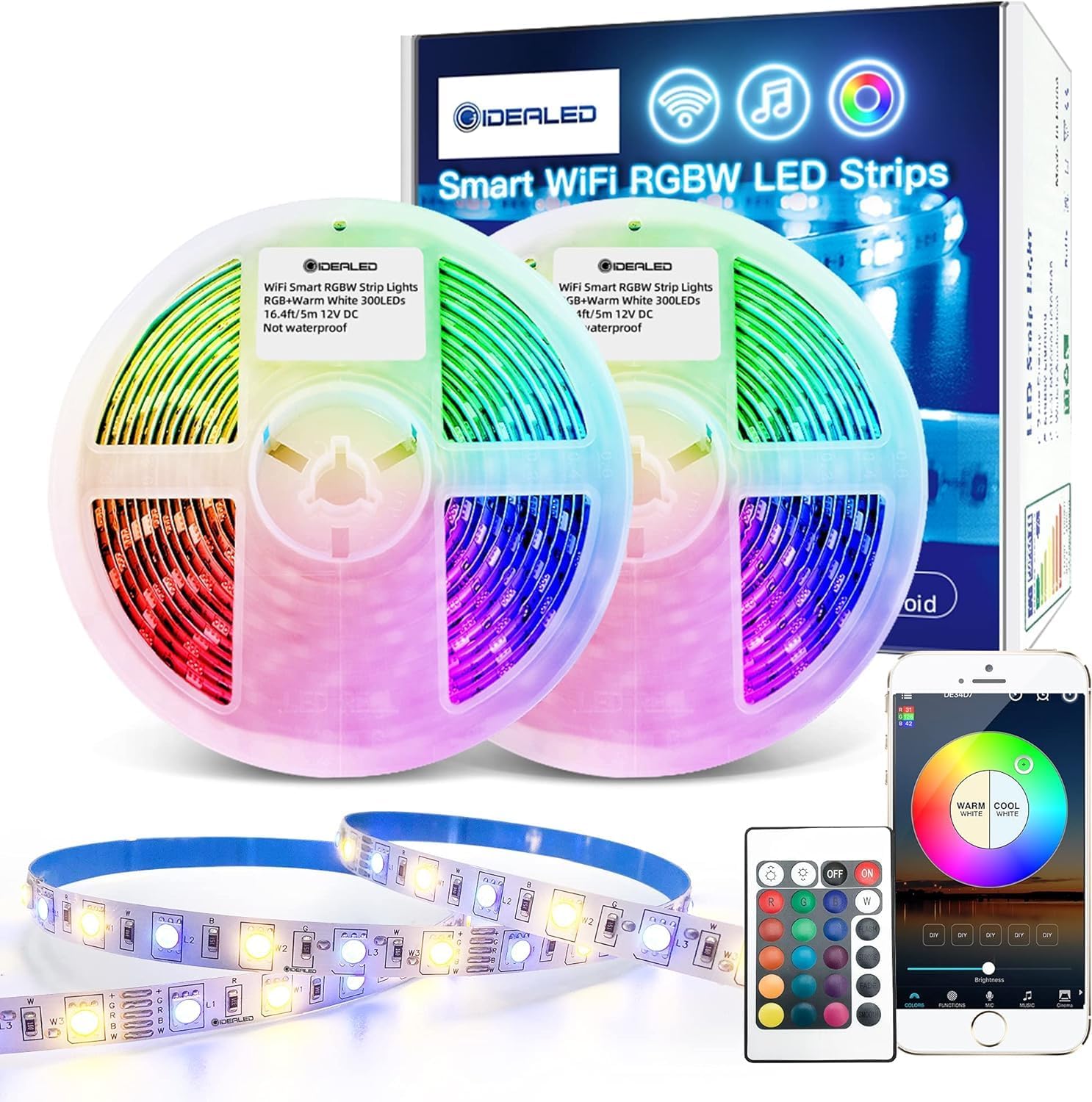
Image: Overview of the GIDEALED Smart WiFi RGBW LED Strip Light Kit components.
What's in the Box
- 32.8ft RGB+WW LED Light Strip (non-waterproof)
- WiFi Controller
- Power Adapter (12V)
- RF Remote Control
Product Features
- Voice Control: Compatible with Amazon Alexa and Google Home for hands-free operation (no hub required).
- Smart APP Control: Wireless control via iOS/Android app, allowing color changes, mode selection, speed adjustment, microphone mode, music sync, and timer functions. Supports grouping multiple lights.
- RGBW Technology: Features both RGB (Red, Green, Blue) and Warm White LEDs for a wide range of colors and dedicated warm white lighting.
- Energy Saving: Designed for efficient power consumption.
- Easy Installation: Plug and Play design for quick setup.

Image: High Brightness RGBWW LEDs, illustrating the difference between pure warm white and mixed white lights.
Setup Instructions
- Prepare the Surface: Ensure the installation surface is clean, dry, and smooth.
- Connect Components: Connect the LED strip to the WiFi controller, and then connect the controller to the power adapter.
- Mount the Strip: Peel off the adhesive backing and firmly press the LED strip onto the desired surface.
- Power On: Plug the power adapter into an electrical outlet. The lights should turn on.
- App Pairing:
- Download the recommended smart home app (e.g., Smart Life or Magic Home) from your device's app store.
- Ensure your phone's Wi-Fi (2.4GHz network only, 5GHz is not supported) and Bluetooth are enabled. Location services may also be required for easier connection.
- Open the app and follow the on-screen instructions to add a new device. The app should automatically detect the LED strip.
- Confirm the device and complete the pairing process.
- Voice Assistant Integration:
- Once paired with the app, open your Amazon Alexa or Google Home app.
- Enable the skill for the smart home app you used (e.g., Smart Life skill).
- Discover new devices. Your LED strip should appear and be ready for voice commands.

Image: Connection diagram for the LED strip, controller, and power adapter.

Image: Step-by-step guide for installing the LED strip.

Image: App interface demonstrating the connection process for the smart LED strip.
Video: A demonstration of the GIDEALED Smart WiFi RGBW LED Strip Kit, showcasing its features and setup.
Operating Instructions
A. Using the RF Remote Control

Image: RF Remote Control layout and button functions.
- Power On/Off: Press the 'ON' or 'OFF' buttons.
- Brightness/Speed: Use the brightness buttons to adjust light intensity or the speed of dynamic modes.
- Color Selection: Press any of the colored buttons for static colors.
- White LED: Long press the 'W' button for 5 seconds to turn on the pure Warm White LED.
- Dynamic Modes: Select 'FLASH', 'STROBE', 'FADE', or 'SMOOTH' for various lighting effects.
B. Using the Smart APP
- Color Wheel: Select from 16 million colors using the color wheel.
- White Light Adjustment: Adjust Warm White and Cool White tones.
- Brightness Control: Slide to adjust the light intensity.
- Modes: Choose from various preset scenes or create custom DIY modes.
- Music Sync: The lights can change color and intensity in sync with music played through your phone's microphone.
- Timer Function: Set schedules for the lights to turn on/off at specific times.

Image: Smart app interface showcasing color, music, and timer functions.
C. Voice Control (Alexa/Google Assistant)
- After successful integration, use commands like:
- "Alexa/Hey Google, turn on [Light Name]."
- "Alexa/Hey Google, set [Light Name] to blue."
- "Alexa/Hey Google, dim [Light Name] to 50%."
- "Alexa/Hey Google, set [Light Name] to warm white."

Image: Voice control functionality with Amazon Alexa and Google Assistant.
Maintenance
- Cleaning: Gently wipe the LED strip with a dry, soft cloth. Do not use liquid cleaners or immerse in water.
- Storage: If storing for an extended period, ensure the strip is clean and dry, then roll it loosely and store in a cool, dry place.
- Avoid Damage: Do not bend the strip sharply or apply excessive force, as this can damage the LEDs or circuitry.
- Indoor Use Only: This product is designed for indoor use and is not waterproof. Avoid exposure to moisture or outdoor elements.
Troubleshooting
- Lights not turning on:
- Ensure all connections are secure and the power adapter is plugged into a working outlet. Check if the remote or app is sending the 'on' command.
- Lights randomly turn on/off or disconnect:
- This can sometimes occur if the power source is unstable (e.g., a TV USB port that powers off). Try connecting the power adapter directly to a wall outlet. Ensure your Wi-Fi network is stable and operating on 2.4GHz.
- Cannot connect to Wi-Fi/App:
- Verify your Wi-Fi is 2.4GHz. Ensure your phone's Bluetooth and location services are enabled during pairing. Try resetting the device by unplugging and replugging the power adapter several times (refer to app instructions for specific reset procedures). If issues persist, reinstall the app.
- Voice control not working:
- Confirm the LED strip is successfully paired with the smart home app and the corresponding skill is enabled in your Alexa/Google Home app. Ensure your voice assistant device is connected to the internet and can hear your commands clearly.
- Colors are not accurate or white light is mixed:
- In the app settings, ensure the correct strip type (RGBW) is selected. Some apps allow you to configure how RGB and W channels are displayed or combined.


Images: App settings for configuring RGB and Warm White display options.
Specifications
| Feature | Detail |
|---|---|
| Brand | GIDEALED |
| Model Number | RGBW LED Light Strip |
| Light Color | RGB + Warm White |
| Length | 32.8 Feet (393.6 inches) |
| Power Source | 12V Power Adapter |
| Voltage | 12 Volts (DC) |
| Wattage | 36 Watt-hours |
| Light Source Type | LED |
| Number of Light Sources | 600 |
| Control Method | App, RF Remote, Amazon Alexa, Google Assistant |
| Indoor/Outdoor Usage | Indoor Use Only |
| Special Feature | Cuttable, Dimmable |
Warranty and Support
GIDEALED products are manufactured to high-quality standards. For specific warranty information or technical support, please refer to the documentation included with your product or contact GIDEALED customer service through their official channels. Keep your purchase receipt for warranty claims.
Related documentsRGBW LED Light Strip


Ask a question about this manual
Ask about setup, troubleshooting, compatibility, parts, safety, or missing instructions. Manuals+ will review the question and use this page’s manual context to help answer it.