
Introduction
This manual provides detailed instructions for the proper use, setup, and maintenance of your Godox V860III-C Flash for Canon cameras. Please read this manual thoroughly before using the product to ensure safe operation and optimal performance. Keep this manual for future reference.
Package Contents
Upon unpacking, please verify that all items listed below are included and in good condition. If any items are missing or damaged, contact your retailer immediately.

Image: The Godox V860III-C flash unit, along with its included accessories, neatly arranged. This includes the flash, battery, charger, USB cable, mini stand, and protective pouch.
- Godox V860III-C Flash Unit x1
- Lithium-Ion Battery x1
- Battery Charger x1
- USB Charging Base x1
- USB Cable x1
- Mini Stand x1
- Protective Pouch x1
- Instruction Manual x1
Key Features
One-Touch TTL/M Switching
The V860III-C features a dedicated TTL/M shortcut button. This allows for quick switching between automatic TTL metering for rapid exposure and manual mode for fine-tuning fill light, while retaining TTL metering memory.
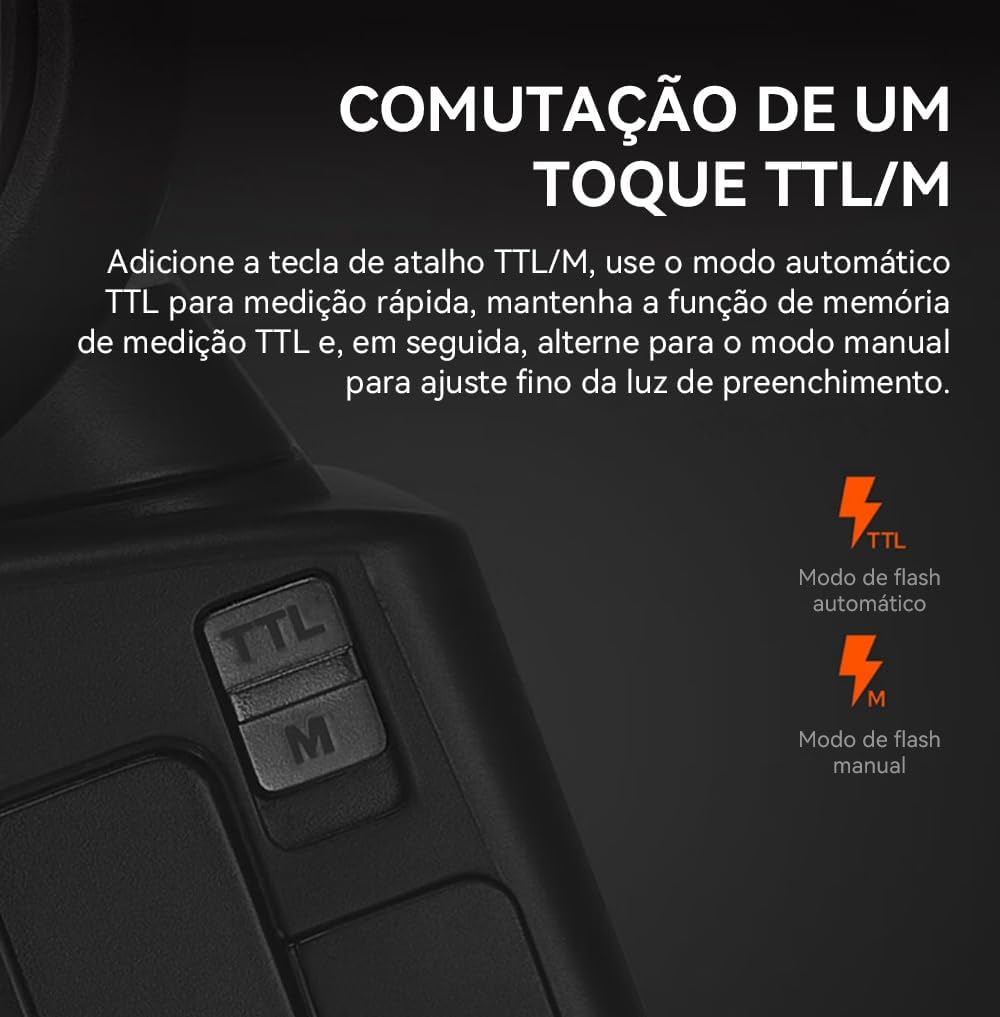
Image: A close-up view of the flash unit's control panel, highlighting the 'TTL/M' button. This button enables quick toggling between automatic TTL flash mode and manual flash mode.
Extended Battery Life and Fast Recycle Time
Equipped with a high-capacity lithium-ion battery, the V860III-C offers an extremely fast recycle time of 1.5 seconds and provides approximately 480 full power flashes, ensuring readiness for extended shooting sessions.

Image: The flash unit's display screen showing '1.5s' for fast recycle time and '480' for full power output, indicating the impressive battery performance.
Updated Quick Release Hot Shoe Lock
The V860III series features an updated quick-release hot shoe lock, simplifying the process of mounting and dismounting the flash. This design saves time and effort, facilitating both on-camera and off-camera use.

Image: A detailed view of the quick release hot shoe lock on the base of the flash, designed for secure and rapid attachment or detachment from a camera's hot shoe.
Multiple Master and Slave Flash Modes
The V860III-C can function as both a master and a slave unit in a wireless flash system, allowing users to easily manage multiple flash units for complex lighting setups.

Image: A diagram illustrating various master and slave flash configurations. The left side shows the V860III-C as a master controlling other Godox flashes, while the right side shows it as a dependent unit controlled by other master units.
Modeling Lamp
The V860III-C is equipped with LED modeling lamps offering 1 to 10 adjustable brightness levels. This feature assists users in pre-visualizing and instantly observing the effects of light and shadow before capturing the shot.
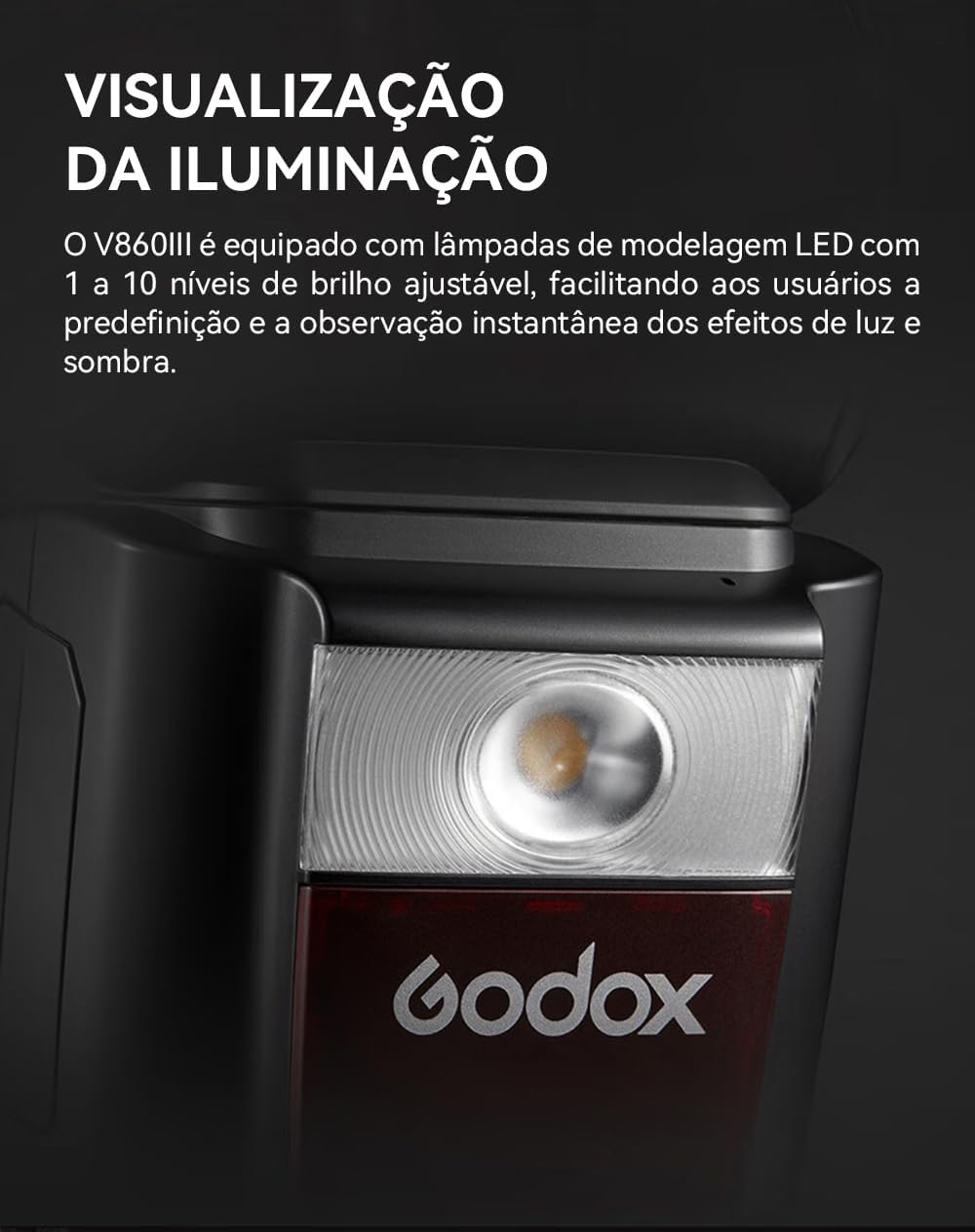
Image: A close-up of the flash head, highlighting the integrated LED modeling lamp. This lamp provides continuous light for previewing lighting effects.
Creative Light Effects
The V860III-C supports a wide range of creative lighting effects and advanced functions, including high-speed sync up to 1/8000 second, flash exposure bracketing, rear-curtain sync, and stroboscopic flash. It is compatible with Canon, Nikon, Sony, Fujifilm, Olympus, Panasonic, and Pentax camera systems (specific model variations apply).

Image: A collage of three photographs demonstrating creative light effects: a pineapple splashing into water, dancers captured with motion blur, and a car with light trails, showcasing the flash's versatility.
Wide Adjustable Focal Length Range
The V860III flash head offers an adjustable focal length range from 20mm to 200mm. This can be set via automatic or manual zoom. A shorter focal length results in wider light diffusion, while a longer focal length creates a narrower, more focused beam effect.

Image: The flash unit's LCD screen displaying the current focal length setting, indicating the ability to adjust the zoom of the flash head from 20mm to 200mm.
Setup
1. Battery Installation
- Open the battery compartment cover on the side of the flash unit.
- Insert the provided lithium-ion battery, ensuring the contacts align correctly.
- Close the battery compartment cover securely.
2. Charging the Battery
- Connect the USB cable to the USB charging base and then to a power source.
- Place the battery into the charging base. The indicator light will show charging status.
- A full charge typically takes approximately 2.5 hours.
3. Mounting the Flash to Your Camera
- Slide the flash's hot shoe into your camera's hot shoe mount.
- Push the flash forward until it clicks into place, securing it with the quick-release hot shoe lock.
- To remove, press the quick-release button and slide the flash backward.
Operating the Flash
Power On/Off
To power on the flash, slide the power switch to the 'ON' position. To power off, slide it to 'OFF'.
Basic Flash Modes
- TTL Mode: Automatic flash exposure control. The flash output is automatically adjusted based on the camera's metering system. Press the 'MODE' button until 'TTL' is displayed.
- Manual (M) Mode: Allows you to manually set the flash output power from 1/1 (full power) to 1/256 in 1/3 stop increments. Press the 'MODE' button until 'M' is displayed, then use the dial to adjust power.
- Multi (Stroboscopic) Mode: Fires a series of rapid flashes during a single exposure to capture multiple images of a moving subject. Press the 'MODE' button until 'MULTI' is displayed, then set frequency, flash count, and power.
Wireless Flash Function
The V860III-C supports both master and slave wireless flash functions. Refer to the detailed instructions in the full manual for setting up wireless groups and channels.
High-Speed Sync (HSS)
When shooting at shutter speeds faster than your camera's maximum flash sync speed, HSS allows the flash to synchronize with the shutter, enabling wider apertures in bright conditions. Activate HSS through the flash menu or dedicated button if available.
Zoom Function
The flash head's zoom can be set to automatic (matching the lens focal length) or manual. Use the 'ZOOM' button and dial to adjust manually.
Maintenance
Cleaning
- Use a soft, dry cloth to clean the flash unit.
- For stubborn dirt, use a slightly damp cloth with a mild detergent, then wipe dry.
- Do not use strong solvents or abrasive cleaners.
- Keep the flash tube and sensor clean for optimal performance.
Storage
- Store the flash in a cool, dry place, away from direct sunlight and high humidity.
- Remove the battery if the flash will not be used for an extended period.
- Use the provided protective pouch to prevent scratches and dust accumulation.
Troubleshooting
If you encounter issues with your Godox V860III-C flash, please refer to the following common problems and solutions:
| Problem | Possible Cause | Solution |
|---|---|---|
| Flash does not fire | Low battery; Flash not securely mounted; Camera flash settings incorrect; Flash in sleep mode. | Charge or replace battery; Re-mount flash firmly; Check camera's flash settings (e.g., external flash enabled); Press test button to wake flash. |
| Flash exposure is incorrect | Incorrect flash mode; Flash power setting too high/low; Subject too far/close; ISO setting. | Switch to TTL mode or adjust manual power; Adjust distance to subject; Adjust camera ISO. |
| Flash recycle time is slow | Low battery; High power output setting. | Charge battery; Reduce flash power output. |
| Wireless function not working | Incorrect channel/group settings; Obstruction between units; Distance too far. | Ensure master and slave units are on the same channel and group; Remove obstructions; Reduce distance. |
| AF assist beam not working (on some Canon R series cameras) | Compatibility issue with specific camera models. | This is a known compatibility limitation with certain camera models (e.g., Canon R7). Disable AF assist beam on the flash if it causes camera errors. |
If the problem persists after trying these solutions, please contact Godox customer support or your retailer.
Specifications
| Feature | Detail |
|---|---|
| Brand | GODOX |
| Model Number | D195071 |
| Compatible Mountings | Canon |
| Camera Flash Type | Hotshoe |
| Flash Sync Speed | Up to 1/250s (HSS up to 1/8000s) |
| Batteries Required | 1 Lithium Ion battery |
| Product Dimensions | 9.1 x 9.1 x 9.1 inches |
| Item Weight | 1 pound |
| Manufacturer | Godox |
| Date First Available | August 23, 2021 |
Warranty and Support
For warranty information, technical support, or service inquiries, please refer to the warranty card included with your product or visit the official Godox website. You may also contact your authorized Godox retailer for assistance.
Please retain your proof of purchase for warranty claims.