
RUBI 26994
RUBI DT-10IN Max Transportable Electric Cutter User Manual
Model: 26994
Product Overview
The RUBI DT-10IN Max is a transportable electric cutter designed for professional tile work, capable of handling stoneware, tiles, ceramics, and other materials. It features a plunge head for specialty and non-through cuts, and can tilt for miter cuts at 0°, 22.5°, and 45°. The machine incorporates a machined aluminum table with a patented rail system for precise operation. An advanced water spray system, including the RUBI Zero Dust water spray capture system, helps maintain a clean work area. An adjustable laser guide assists in fast alignment for various cuts.
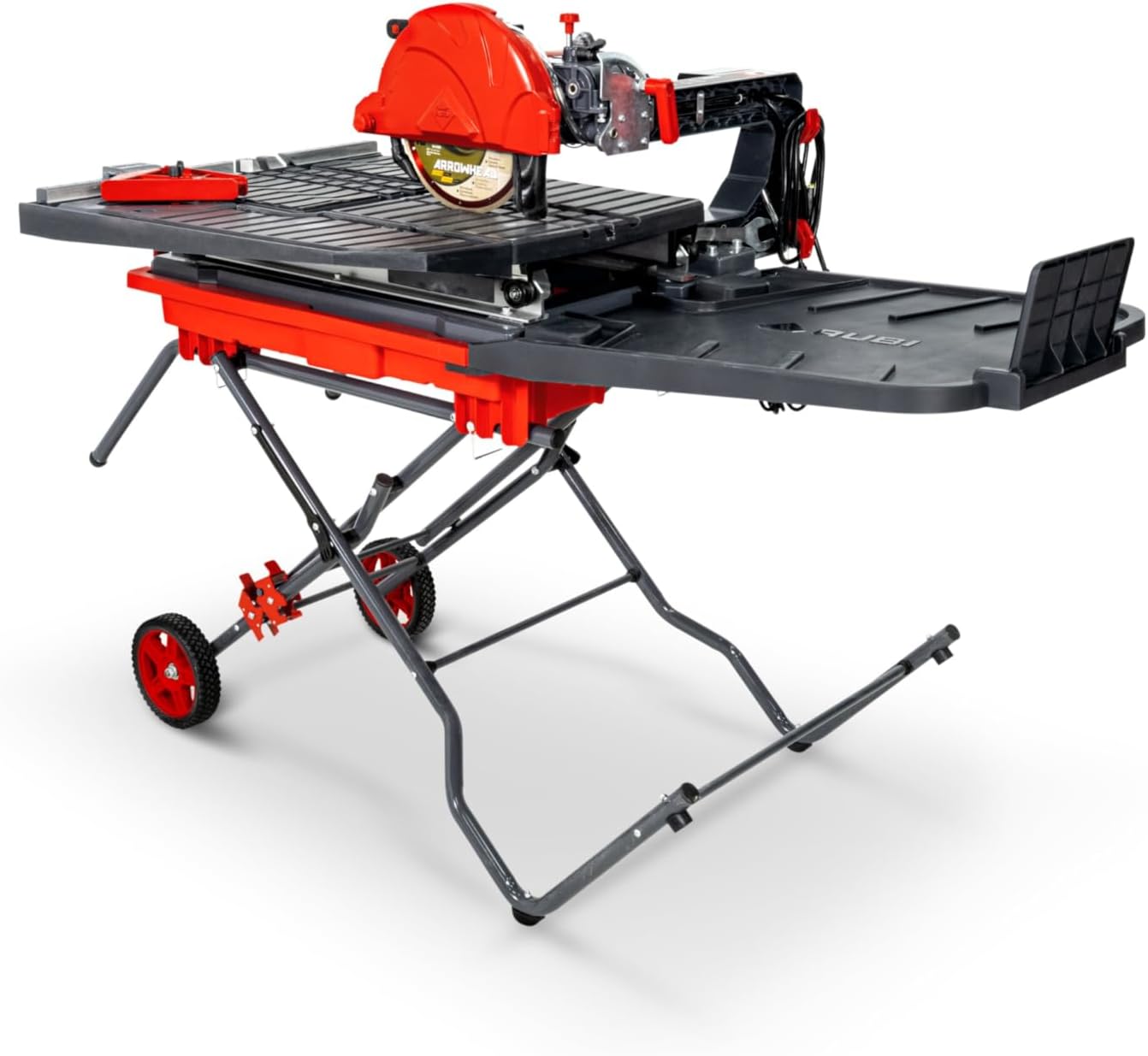
Figure 1: Front view of the RUBI DT-10IN Max Transportable Electric Cutter with its stand.
Included Components
The following components are included with your DT-10IN Max Electric Cutter:
- DT-10IN Max Tile Saw
- Quick-Set Stand
- 10" Arrowhead Premium Diamond Blade
- 45 Degree Angle Guide
- Table Extensions
- Storage Straps
- Operators Manual (this document)
Setup
1. Stand Assembly
Unfold the Quick-Set Stand and ensure all locking mechanisms are securely engaged. The stand is designed for easy transport with integrated wheels.

Figure 2: Side view of the DT-10IN Max, illustrating the unfolded stand with wheels for transport.
2. Saw Placement and Table Extensions
Carefully place the DT-10IN Max tile saw onto the assembled stand. Attach the table extensions to provide additional support for larger materials.
3. Water System Setup
Fill the water tank with clean water. The tank has minimum and maximum level indicators. The maximum capacity is 5 gallons (19 liters). The Python cooling system and Zero Dust system work together to minimize splashes and keep the work area clean.
4. Blade Installation
Install the 10" Arrowhead Premium Diamond Blade according to the instructions provided with the blade. Ensure the blade is securely fastened and rotates in the correct direction.
5. Laser Guide Alignment
The adjustable laser guide facilitates precise cuts. Power on the saw and adjust the laser line to align with your desired cutting path for custom diagonals, L-cuts, and non-through cuts.
Operating Instructions
1. General Operation
Ensure the machine is connected to a 120V - 60Hz power supply. The saw operates at 4000 revolutions per minute. Always wear appropriate personal protective equipment, including eye protection and hearing protection, when operating the saw.

Figure 3: An operator demonstrating the use of the DT-10IN Max for cutting tiles.
2. Making Straight Cuts
Place the material firmly on the machined aluminum table. Guide the material smoothly along the patented rail system towards the blade. The maximum cutting height is 3 1/2 inches. For repetitive cuts, utilize the lateral stop with adjustment from 0° to 45°.
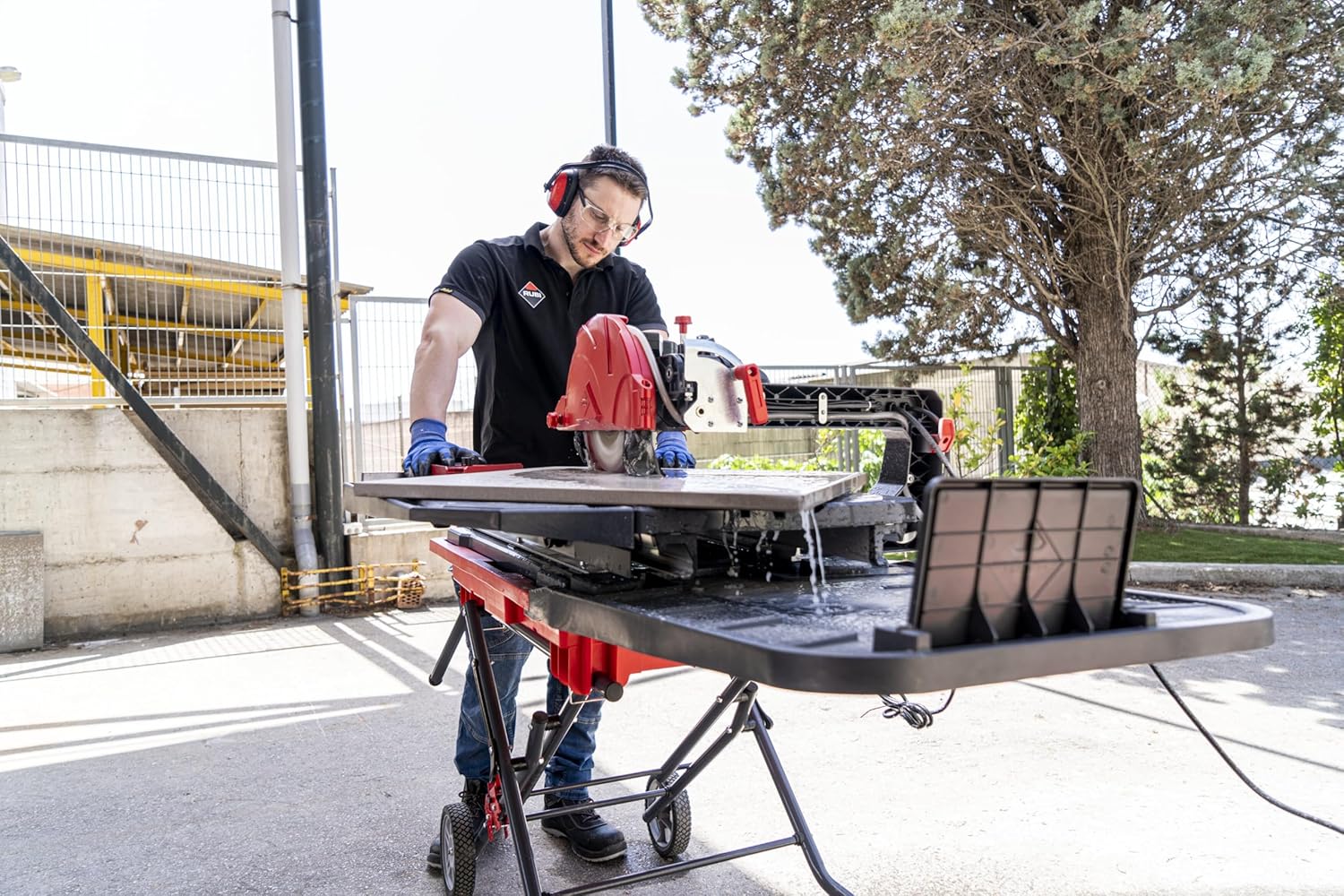
Figure 4: Close-up view of the cutting process, showing the water cooling system in action.
3. Miter and Bevel Cuts
The tilting cutting head allows for precise miter and bevel cuts. Adjust the head to the desired angle: 0°, 22.5°, or 45°. Ensure the head is securely locked in place before making a cut.
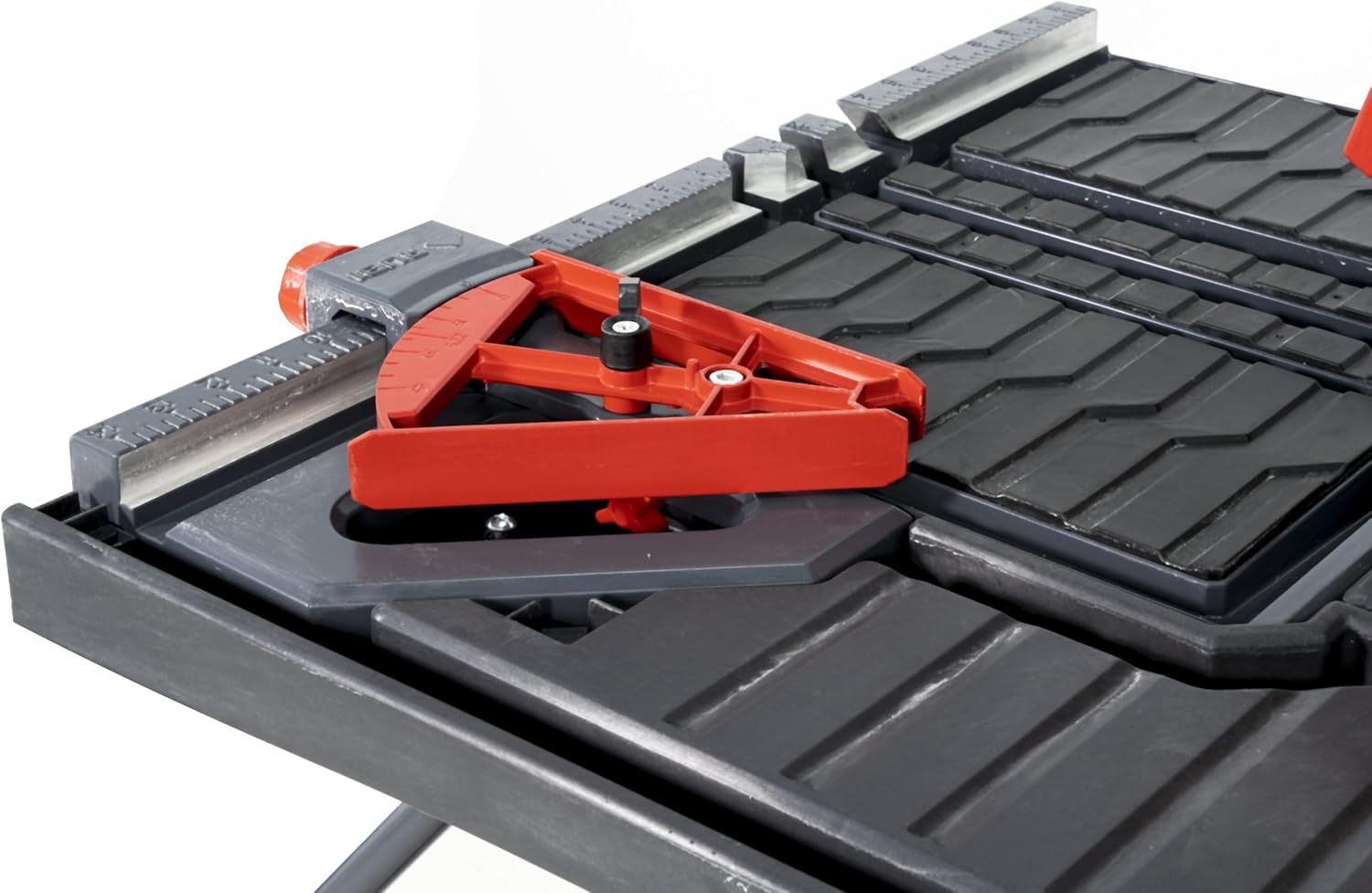
Figure 5: Detail of the 45-degree angle guide and measurement markings on the table.
4. Plunge Cuts
The plunge head feature is ideal for specialty cuts and non-through cuts. Lower the blade into the material at the desired point, following safety guidelines.
Maintenance
1. Water System Cleaning
Regularly drain and clean the water tank to prevent buildup of sediment and maintain optimal cooling performance. The Zero Dust system components should also be inspected and cleaned to ensure efficient splash reduction.
2. Blade Care
Inspect the diamond blade for wear or damage before each use. A worn or damaged blade can affect cutting performance and safety. Replace the blade as needed, following the manufacturer's instructions.
3. General Cleaning
After each use, clean the machine, especially the cutting table and rail system, to remove any debris or material residue. This helps ensure smooth operation and extends the life of the saw.
Troubleshooting
This section provides solutions to common issues you might encounter with your RUBI DT-10IN Max Electric Cutter.
- Saw not powering on:
Check the power cord connection to both the saw and the electrical outlet. Ensure the outlet is functional and providing 120V power. Verify that any circuit breakers or GFCI outlets have not tripped.
- Poor cutting performance or excessive chipping:
Ensure the diamond blade is clean and not worn. A dull or damaged blade will not cut efficiently. Verify that the water tank is filled and the water cooling system is functioning correctly to lubricate and cool the blade during operation. Check that the material is properly secured and not moving during the cut.
- Excessive splashing during operation:
Confirm that the water tank is filled to the appropriate level. Inspect the Zero Dust water spray capture system for any blockages or damage that might impede its function. Ensure all components of the water system are correctly assembled.
- Laser guide not visible or misaligned:
Check if the laser is turned on. If it's dim, the laser module might need cleaning or replacement. For misalignment, refer to the setup section for instructions on how to re-align the laser guide.
Specifications
| Feature | Specification |
|---|---|
| Model Number | 26994 |
| Power Supply | 120 V - 60 Hz |
| Wattage | 1800 watts |
| Current Rating | 15 Amps |
| Revolutions Per Minute (RPM) | 4000 |
| Table Saw Cutting Length | 36 inches |
| Diagonal Cutting Length | 25 inches |
| Cutting Height (Max) | 3 1/2 inches |
| Blade Diameter | 10 inches |
| Cutting Angles | 0°, 22.5°, 45° |
| Water Tank Capacity | 5 gallons (19 liters) |
| Product Dimensions (L x W x H) | 63"L x 36.8"W x 48.4"H |
| Item Weight | 115.9 pounds |
Warranty and Support
Warranty Information
The RUBI DT-10IN Max Transportable Electric Cutter comes with a limited warranty. For specific details regarding the terms and conditions of your warranty, please refer to the warranty card included with your product or contact RUBI customer support.
Customer Support
For technical assistance, spare parts, or any other inquiries, please contact RUBI customer support. Contact information can typically be found on the manufacturer's official website or on the product packaging.

Figure 6: Representation of customer support availability.
Related documents26994


Ask a question about this manual
Ask about setup, troubleshooting, compatibility, parts, safety, or missing instructions. Manuals+ will review the question and use this page’s manual context to help answer it.