
1. Introduction
Thank you for choosing the CubiCubi Z-Shaped Gaming Desk, model GDSZ-47B. This desk is designed to provide a professional and enhanced gaming experience with its robust construction and thoughtful features. This manual provides essential information for assembly, operation, maintenance, and specifications to ensure optimal use of your new gaming desk.

Figure 1: The CubiCubi Z-Shaped Gaming Desk in a typical gaming environment, showcasing its design and functionality.
2. Product Features
- Professional Gaming Design: Engineered for gaming enthusiasts, offering an ergonomic wraparound shape for an immersive experience.
- Carbon Fiber Surface: Features a unique carbon fiber texture for durability and a modern aesthetic.
- Z-Shaped Leg Structure: Provides enhanced stability compared to conventional desk designs.
- Integrated Headphone Hook: Conveniently organize your headphones or backpack.
- Adjustable Foot Pads: Ensures stable construction even on uneven floors.
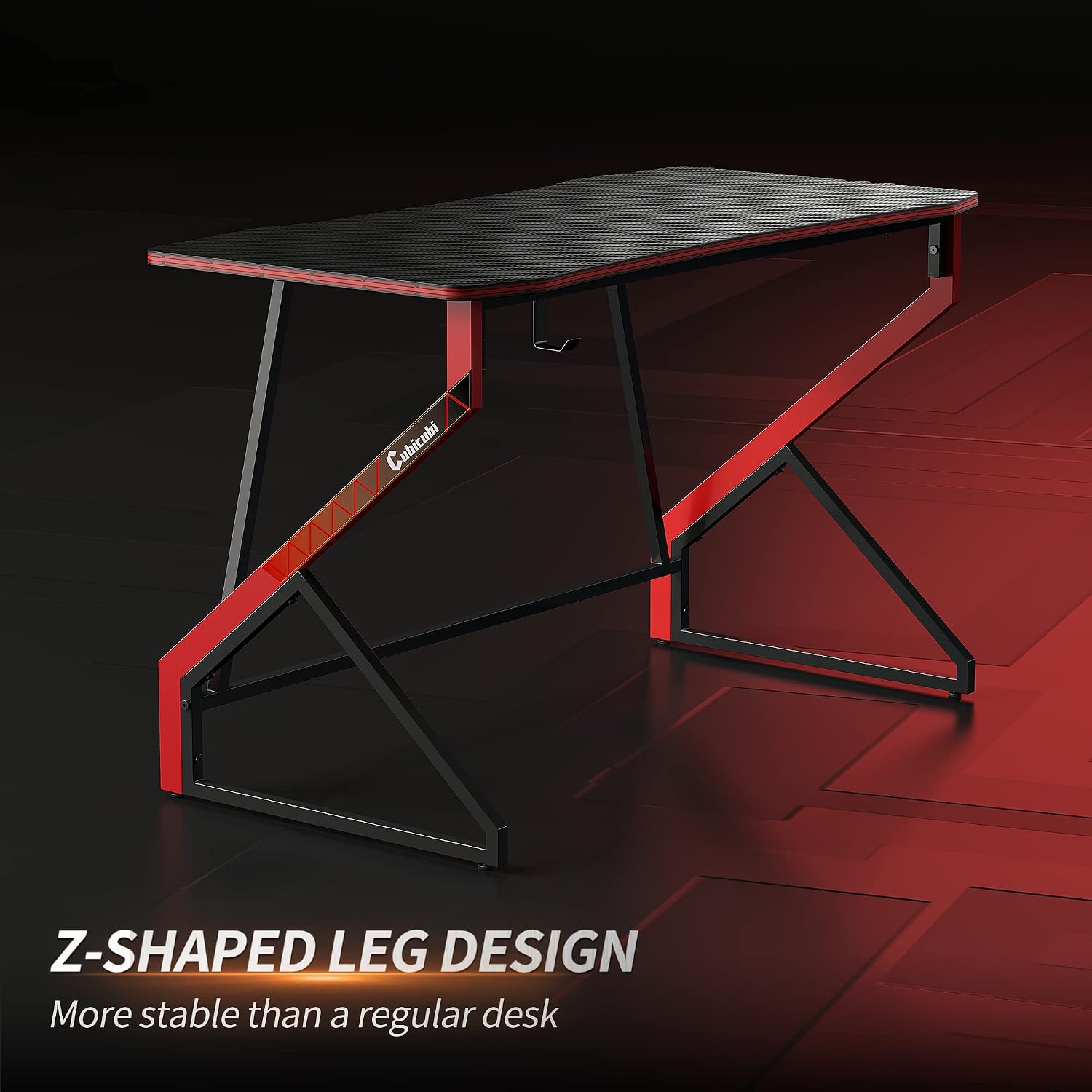
Figure 2: Close-up of the Z-shaped leg design, highlighting its stable and robust construction.

Figure 3: Detail of the carbon fiber textured surface, providing a durable and stylish finish.
3. Setup and Assembly
The CubiCubi Z-Shaped Gaming Desk is designed for easy assembly. All necessary components and instructions are included in the package. It is recommended to follow the provided assembly instructions carefully.
- Unpack all components and verify against the parts list in the included assembly manual.
- Assemble the Z-shaped leg frames according to the diagrams.
- Attach the desktop surface to the assembled frame.
- Install the headphone hook and adjust the footpads for stability.
For visual guidance, an installation video may be available on the product page where you purchased the desk. Please refer to that resource if you require additional assistance. No official seller videos are available for embedding in this manual.

Figure 4: Illustration of the desk's sturdy structure, emphasizing the robust frame design for reliable support.
4. Operating Instructions
The CubiCubi Z-Shaped Gaming Desk is straightforward to use, offering features to enhance your workspace.
- Headphone Hook: Utilize the integrated hook on the side of the desk to hang your headphones, headset, or even a light backpack, keeping your desktop clear and organized.
- Adjustable Foot Pads: The desk is equipped with adjustable footpads. Rotate these pads at the base of each leg to level the desk on uneven surfaces, ensuring maximum stability and preventing wobbling.

Figure 5: Detailed view of the adjustable footpads for stability and the convenient headphone hook for organization.
5. Maintenance
To maintain the appearance and longevity of your CubiCubi Gaming Desk, follow these simple maintenance guidelines:
- Cleaning: Wipe the desk surface and frame with a damp cloth. Avoid using harsh chemicals or abrasive cleaners, as these can damage the carbon fiber finish and metal frame.
- Spills: In case of spills, wipe them immediately with a dry cloth to prevent staining or damage to the surface.
- Inspection: Periodically check all screws and connections to ensure they remain tight. Retighten if necessary to maintain structural integrity.
6. Troubleshooting
This section addresses common issues you might encounter with your gaming desk.
- Desk Wobbles:
- Ensure all assembly screws are securely tightened.
- Adjust the footpads at the bottom of each leg to level the desk on uneven floors.
- Missing Parts:
- Carefully re-check all packaging materials. If parts are still missing, contact CubiCubi customer support.
7. Specifications
| Model Number | GDSZ-47B |
| Brand | CubiCubi |
| Dimensions (L x W x H) | 119.38 cm x 59.94 cm x 71.37 cm (47" x 23.6" x 28.7") |
| Weight | 11.61 kg (25.6 lbs) |
| Material (Top) | Carbon Fiber Texture |
| Material (Frame) | Alloy Steel, Engineered Wood (Base) |
| Color | Black |
| Maximum Recommended Load | 90 Kilograms |
| Assembly Required | Yes (1 person recommended) |
| Special Features | Carbon Fiber Texture, Headphone Hook |

Figure 6: Dimensional diagram of the gaming desk, illustrating its length, width, and height.
8. Warranty and Support
Warranty Information: The CubiCubi Z-Shaped Gaming Desk comes with a Lifetime Warranty, ensuring peace of mind regarding manufacturing defects and material quality.
Customer Support: For any questions, missing parts, or assistance with assembly, please refer to the contact information provided with your purchase or visit the official CubiCubi website. Please have your model number (GDSZ-47B) and purchase details ready when contacting support.

