1. Introduction
Thank you for purchasing the 4lite Die-Cast Aluminium LED Security Floodlight. This manual provides essential information for the safe installation, operation, and maintenance of your floodlight. Please read these instructions carefully before installation and retain them for future reference.
2. Safety Information
WARNING: Electrical installation should only be performed by a qualified electrician.
- Ensure the power supply is disconnected before installation or maintenance.
- This product is designed for outdoor use and must be installed in accordance with local wiring regulations.
- Do not look directly into the LED light source when illuminated.
- Keep packaging materials away from children.
- Do not attempt to modify or repair the unit yourself. Contact qualified personnel for service.
3. Package Contents
Verify that all components are present before beginning installation:
- 1 x 4lite LED Security Floodlight (Model 4L2/1100)
- Mounting hardware (screws, wall plugs)
- Instruction Manual
4. Product Overview
The 4lite 4L2/1100 LED Security Floodlight features a durable die-cast aluminium design with two adjustable LED heads and an integrated Passive Infrared (PIR) motion sensor. It provides powerful illumination for outdoor areas.
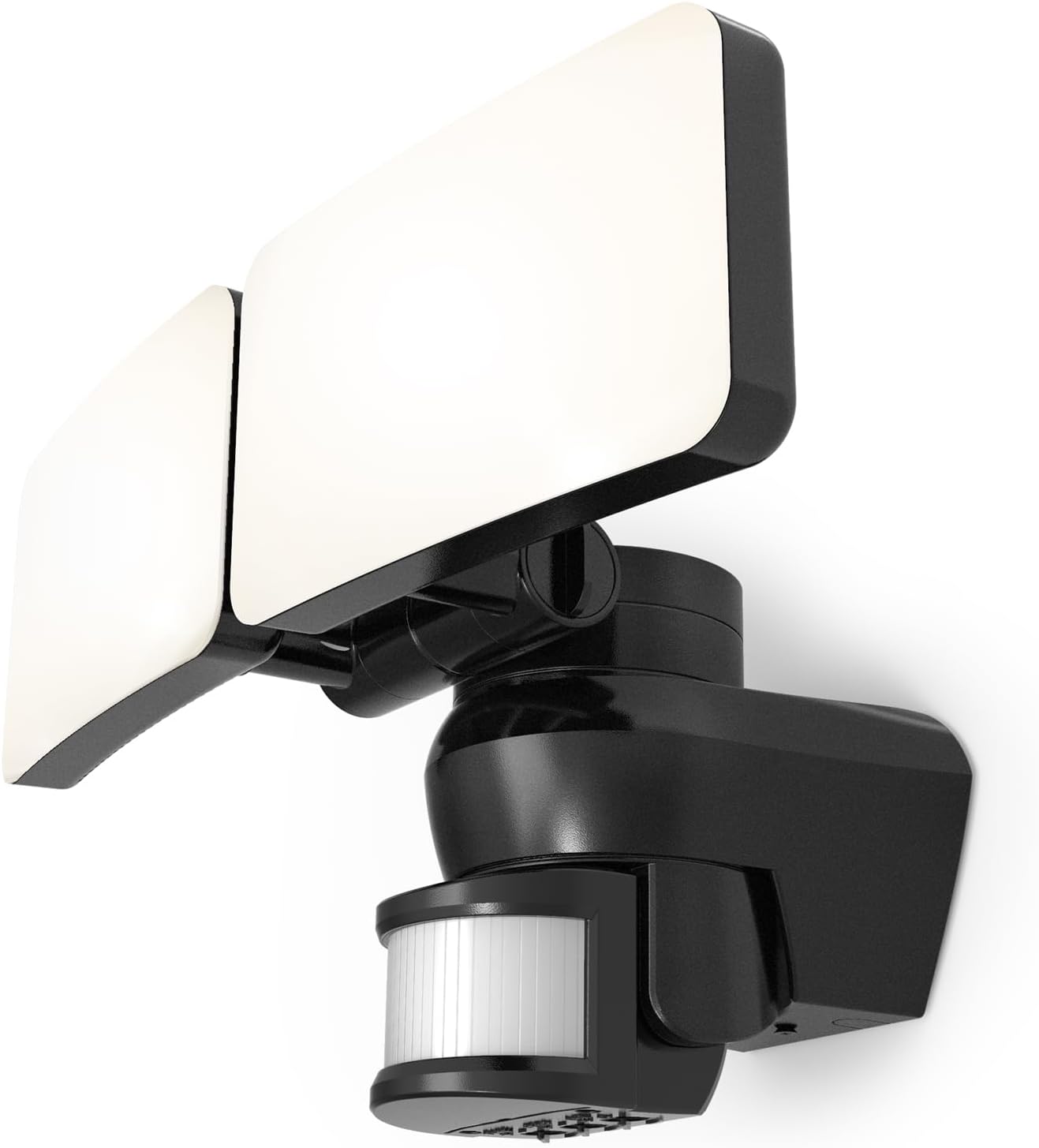
Figure 4.1: Front view of the 4lite LED Security Floodlight, showing the two adjustable light heads and the motion sensor located below.

Figure 4.2: Technical drawing illustrating the dimensions of the floodlight in millimeters. The width is 316mm, height 189mm, and depth 174mm.
5. Installation and Setup
Tools Required: Drill, screwdriver, wire strippers, electrical tape, safety glasses.
- Power Disconnection: Before starting any electrical work, ensure the main power supply to the installation area is switched off at the circuit breaker.
- Mounting Location: Choose a suitable outdoor location for the floodlight, ensuring it is securely mounted to a solid surface (e.g., wall). Consider the desired coverage area for both light and motion detection.
- Mounting the Bracket: Use the provided mounting hardware to securely attach the floodlight's base to the chosen surface.
- Wiring: Connect the floodlight to your electrical supply. Ensure correct polarity: Live (L), Neutral (N), and Earth (E). All connections must be secure and insulated.
- Adjusting Light Heads: Loosen the adjustment screws on the side of each LED head and position them to illuminate the desired areas. Tighten the screws once adjusted.
- PIR Sensor Adjustment: The PIR sensor can be adjusted for direction. Gently pivot the sensor housing to cover the desired detection zone.
- Power Reconnection: Once installation is complete and all connections are secure, restore power at the circuit breaker.
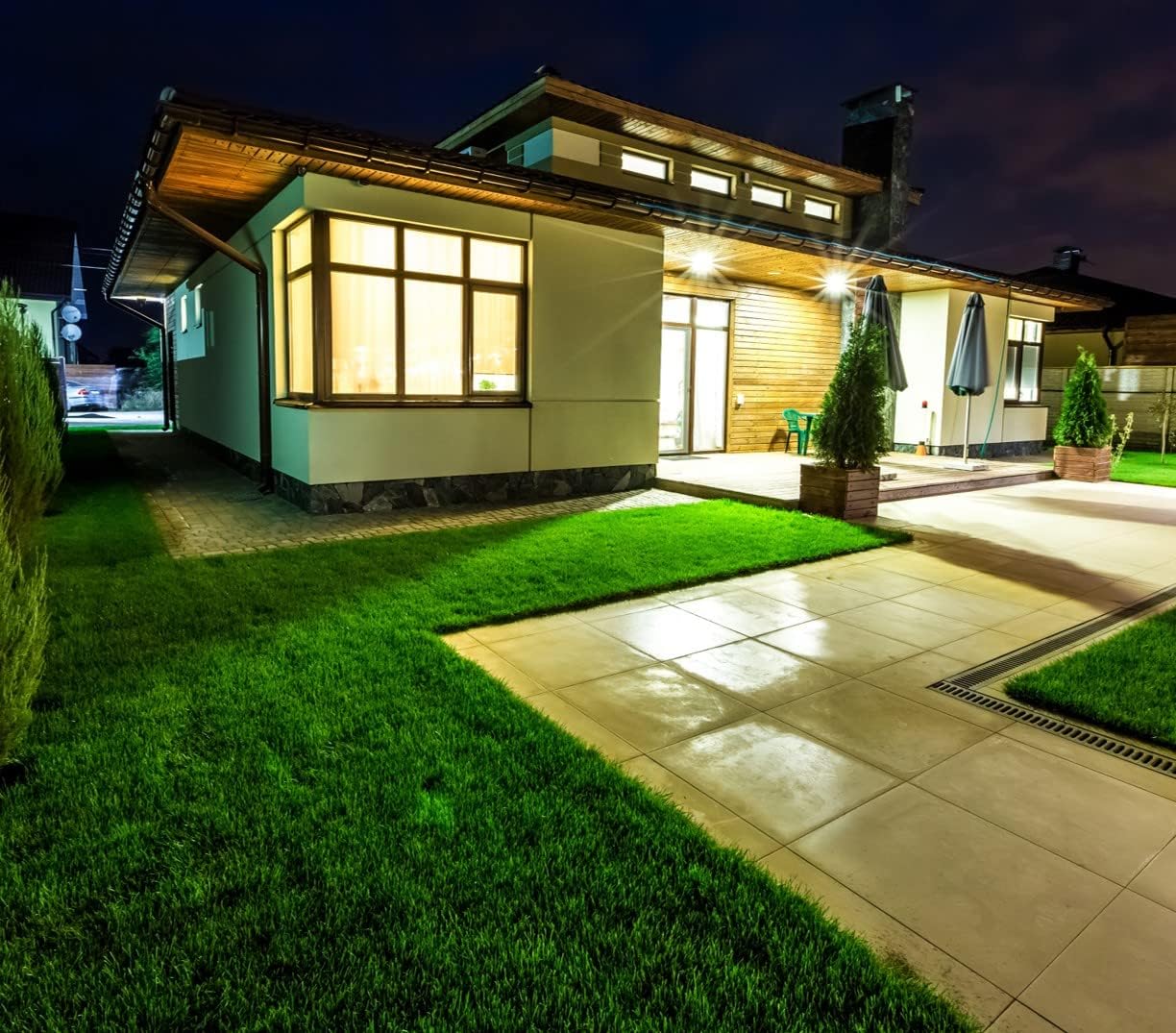
Figure 5.1: An example of the 4lite LED Security Floodlight installed on the exterior of a building, providing illumination to a driveway and garden area at night.
6. Operating Instructions
The 4lite 4L2/1100 floodlight operates automatically based on its integrated PIR motion sensor and ambient light detection.
6.1. Sensor Settings
The PIR sensor typically has adjustable settings for LUX (ambient light level), TIME (duration of illumination), and SENSITIVITY (detection range). These controls are usually located on the underside or side of the PIR sensor unit. Refer to the markings on your specific unit for exact dial functions.
- LUX (Light Sensitivity): Adjusts the ambient light level at which the sensor becomes active. Turn towards the 'sun' icon for daytime operation (always on when motion detected) or towards the 'moon' icon for nighttime operation only.
- TIME (Illumination Duration): Sets how long the light remains on after motion is detected. Typically adjustable from a few seconds to several minutes.
- SENS (Sensitivity/Detection Range): Controls the range and sensitivity of the motion detection. Adjust to prevent unwanted activations (e.g., from passing traffic or small animals).
6.2. Test Mode
To test the floodlight's functionality and sensor settings, some units feature a test mode. A common method to activate test mode is to cycle the power switch ON-OFF-ON rapidly (e.g., 3 times). In test mode, the light may stay on for a short period (e.g., 5-10 seconds) regardless of the TIME setting, and the LUX setting will be overridden, allowing testing in daylight. Consult the specific markings on your unit for test mode activation and behavior.
7. Maintenance
- Cleaning: Periodically clean the floodlight's surface and the PIR sensor lens with a soft, damp cloth. Do not use abrasive cleaners or solvents.
- Inspection: Regularly inspect the wiring and mounting for any signs of damage or wear. Ensure all connections remain secure.
- LEDs: The LED light source is designed for long life and is not user-replaceable.
8. Troubleshooting
| Problem | Possible Cause | Solution |
|---|---|---|
| Light does not turn on. | No power supply; LUX setting too high (daylight); faulty wiring; sensor obstruction. | Check circuit breaker; adjust LUX setting; verify wiring connections; clear sensor path. |
| Light stays on continuously. | Constant motion detected; TIME setting too long; faulty sensor. | Adjust SENSITIVITY; reduce TIME setting; check for constant heat sources; contact support if sensor is faulty. |
| Light flashes or flickers. | Unstable power supply; loose wiring connection; faulty LED driver. | Check power supply stability; inspect and secure wiring; contact support. |
| Motion sensor range is poor. | PIR sensor obstructed; SENSITIVITY setting too low; incorrect sensor angle. | Clear obstructions; increase SENSITIVITY; adjust PIR sensor direction. |
If troubleshooting steps do not resolve the issue, please contact customer support.
9. Specifications
| Model Number | 4L2/1100 |
| Brand | 4lite |
| Power Input | 220-270V AC |
| Wattage | 46W |
| Luminous Flux | 3719 Lumens |
| Light Source | Integrated LED |
| Material | Die-Cast Aluminium |
| Color | Black |
| Dimensions (L x W x H) | 31.6 x 17.4 x 18.9 cm |
| Weight | 630 g |
| Operating Temperature | -20°C to 40°C |
| Special Features | Adjustable PIR Motion Sensor, Adjustable Light Heads |
| Installation Method | Wall Mount |
10. Warranty Information
Specific warranty details for the 4lite 4L2/1100 LED Security Floodlight are typically provided at the point of purchase or on the manufacturer's official website. Please retain your proof of purchase for warranty claims. The warranty generally covers defects in materials and workmanship under normal use.
11. Customer Support
For technical assistance, troubleshooting beyond this manual, or warranty inquiries, please contact 4lite customer support through their official website or the retailer from whom the product was purchased.
Website: www.4lite.co.uk (Example, actual link may vary)


