
Introduction
Thank you for choosing the 5Rcom Rolling TV Stand. This mobile TV cart is designed to securely hold 23-65 inch LCD, LED, and OLED flat or curved screen televisions weighing up to 88 lbs. It features height adjustment, tilt functionality, and 360-degree rotating wheels for easy mobility. This manual provides essential information for safe assembly, operation, and maintenance of your TV stand.
Safety Information
- Read all instructions carefully before assembly and use.
- Do not exceed the maximum weight capacity of 88 lbs (40 kg) for the TV or 25 lbs (11.3 kg) for the media shelf.
- Ensure your TV's VESA bolt pattern is compatible (100x100mm to 400x400mm).
- Assemble the stand on a soft, clean surface to prevent scratches.
- Always use two people to lift and mount the TV onto the stand.
- Ensure all screws are tightened securely before use.
- Lock the wheels when the stand is in a stationary position to prevent accidental movement.
- Keep children and pets away from the stand during assembly and when moving the TV.
Package Contents
Please verify that all parts are present and undamaged. Refer to the included parts list and hardware bag for detailed identification of each component. If any parts are missing or damaged, contact customer support.
Setup Instructions
Assembly of the 5Rcom Rolling TV Stand is designed to be straightforward. Follow the step-by-step instructions provided in the separate assembly guide included with your product. Ensure you have all necessary tools before beginning.
Key Assembly Considerations:
- Base Assembly: Securely attach the X-shaped base components and install the 360-degree rotating wheels. Ensure the locking mechanism on each wheel functions correctly.
- Main Pole Installation: Connect the main support pole to the base.
- Media Shelf Attachment: Install the detachable media shelf at your desired height. This shelf can hold devices up to 25 lbs.
- TV Bracket Installation: Attach the VESA compatible brackets to the back of your television. Select the correct screws from the provided hardware kit that fit your TV's mounting holes.
- TV Mounting: Carefully lift and hook the TV (with brackets attached) onto the main support pole's mounting plate. Secure the TV using the safety lock design.

Image: Product dimensions, load capacity, and VESA compatibility details.
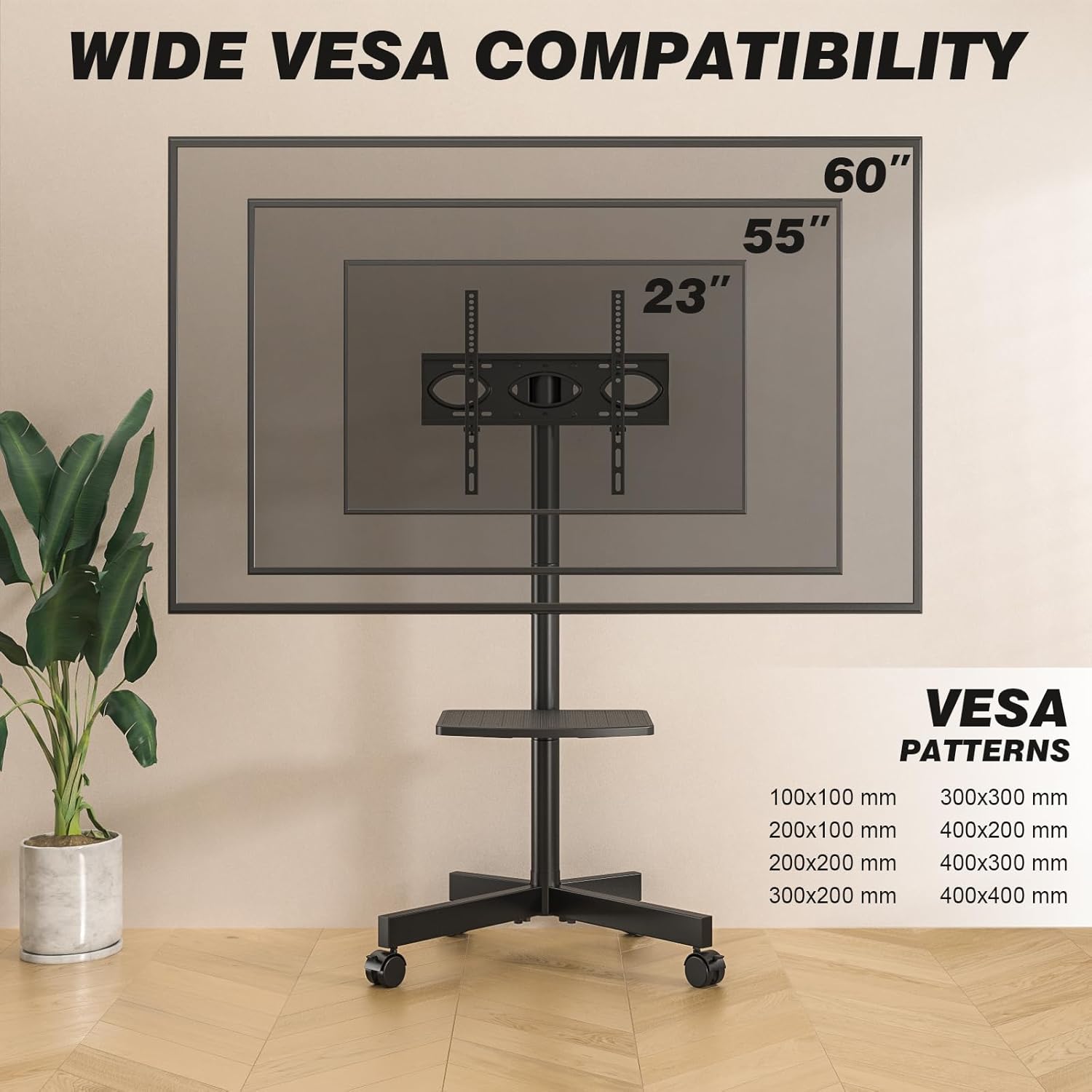
Image: Wide VESA compatibility patterns (100x100mm to 400x400mm).
Operating Instructions
Adjusting TV Height:
The TV stand offers 3 levels of height adjustment. To adjust the height, loosen the small screw on the back of the mount, slide the TV to the desired position (between 53 and 57 inches from the floor), and then securely tighten the screw. Always ensure the TV is level after adjustment.

Image: 3 Levels Height Adjustment for optimal viewing.
Tilting the TV:
The TV mount allows for a tilt range of -2 degrees (downward) to +5 degrees (upward). Adjust the tilt by loosening the tilt knobs on the side of the TV brackets, setting the desired angle, and then tightening the knobs firmly to secure the TV in place.

Image: Tilting functionality for optimal viewing angles.
Moving the TV Stand:
The stand is equipped with 360-degree rotating wheels for easy movement. To move the stand, unlock all four wheels by disengaging their locking mechanisms. Once the stand is in the desired location, engage the wheel locks to ensure stability and prevent unintended movement.

Image: Rolling TV stand with lockable, silent wheels.
Using the Detachable Shelf:
The media storage shelf can be adjusted in height or removed entirely based on your needs. It is suitable for holding laptops, gaming consoles, speakers, DVD players, or other AV equipment, with a maximum weight capacity of 25 lbs.
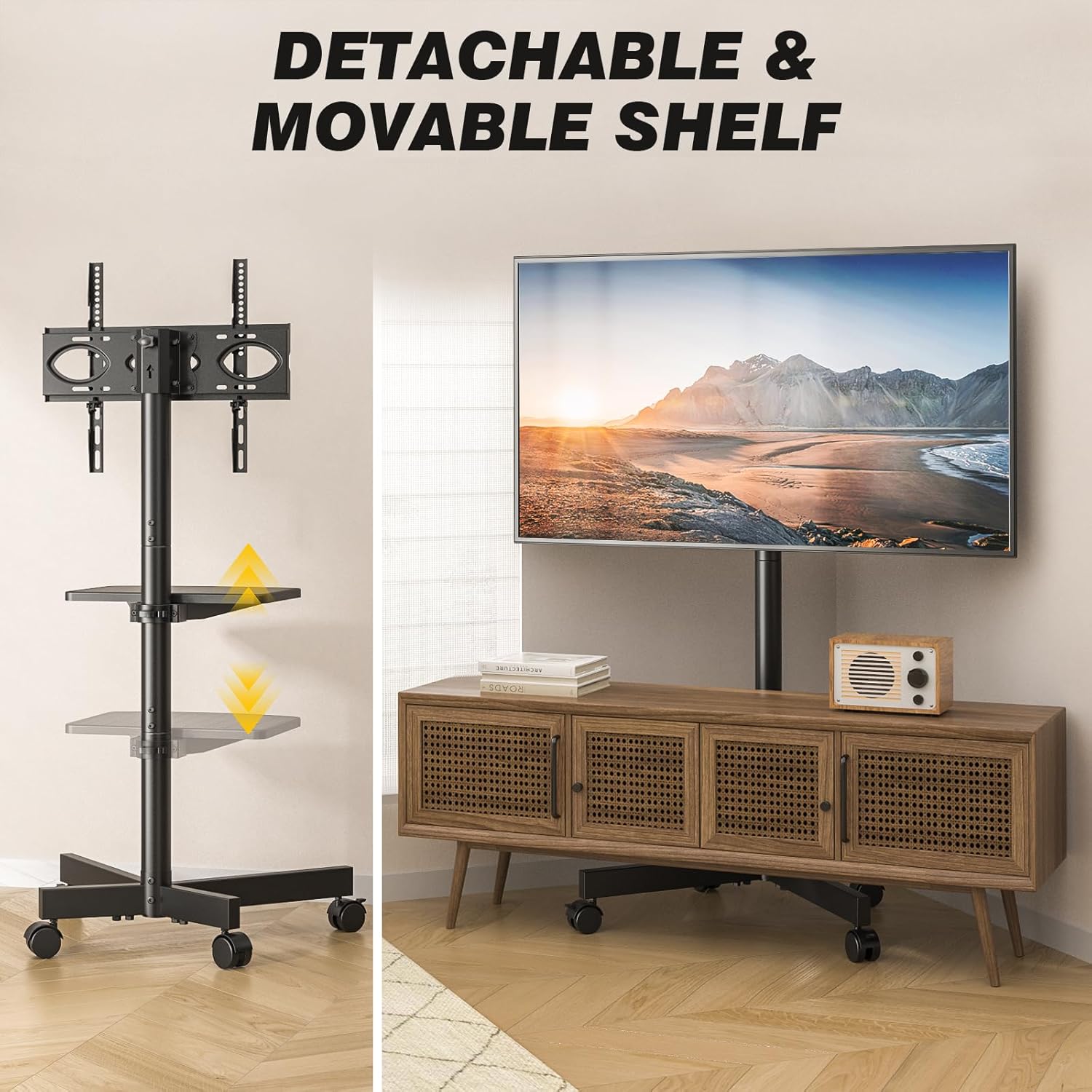
Image: Detachable and movable media shelf.
Maintenance
- Regularly check all screws and connections to ensure they remain tight and secure.
- Clean the stand with a soft, dry cloth. Avoid abrasive cleaners or solvents that could damage the finish.
- Inspect the wheels periodically for any debris or wear that might affect smooth movement.
- Do not hang objects from the TV or stand that exceed the weight limits.
Troubleshooting
Stand is unstable:
- Ensure all assembly screws are fully tightened.
- Verify that the TV weight does not exceed 88 lbs and the media shelf weight does not exceed 25 lbs.
- Confirm the TV is centered on the mount to distribute weight evenly.
Wheels do not roll smoothly or lock:
- Check for any debris (hair, lint) caught in the wheels and remove it.
- Ensure the locking mechanism is fully disengaged for rolling and fully engaged for locking.
TV cannot be tilted or adjusted for height:
- For tilt adjustment, ensure the tilt knobs on the TV brackets are loosened before attempting to adjust, and tightened afterward.
- For height adjustment, ensure the screw on the back of the mount is loosened before adjusting and tightened afterward.
Specifications
| Brand | 5Rcom |
| Model | Rolling TV Stand |
| Compatible TV Sizes | 23-65 inches |
| Maximum TV Weight Capacity | 88 lbs (40 kg) |
| Maximum Shelf Weight Capacity | 25 lbs (11.3 kg) |
| VESA Compatibility | 100x100mm to 400x400mm |
| Height Adjustment | 3 levels, 53-57 inches (from floor to center of TV) |
| Tilt Angle | -2° to +5° |
| Movement Type | Tilt, 360° Rotating Wheels |
| Material | Metal |
| Product Dimensions | 21.2 x 16.1 x 56.6 inches (L x W x H) |
| Item Weight | 16.09 pounds |
Warranty Information
Specific warranty details for the 5Rcom Rolling TV Stand may vary. Please refer to the warranty card included with your purchase or contact 5Rcom customer support for information regarding warranty coverage and terms.
Customer Support
For any questions, assistance with assembly, or troubleshooting, please contact 5Rcom customer support. Refer to the product packaging or the official 5Rcom website for contact information.
