
Introduction
This manual provides essential information for the safe and effective use of your MAXXMEE 959868 replacement battery. This battery is specifically designed for the MAXXMEE LED Power Control 29.5V Cyclonic Vacuum Cleaner, ensuring optimal performance and extended cleaning time. Please read these instructions carefully before installation and use.
Safety Information
- Use only the original charger provided with your MAXXMEE LED Power Control 29.5V Cyclonic Vacuum Cleaner to charge this battery.
- Do not expose the battery to extreme temperatures (above 60°C or below 0°C) or direct sunlight.
- Do not disassemble, puncture, or modify the battery. This can lead to overheating, fire, or explosion.
- Keep the battery away from water and moisture.
- If the battery shows signs of damage, leakage, or overheating, discontinue use immediately and contact customer support.
- Dispose of used batteries according to local regulations. Do not dispose of with household waste.
Product Overview
The MAXXMEE 959868 replacement battery is a high-capacity Li-Ion battery designed to provide reliable power to your compatible cyclonic vacuum cleaner. It offers a long operating time and quick recharge capability.
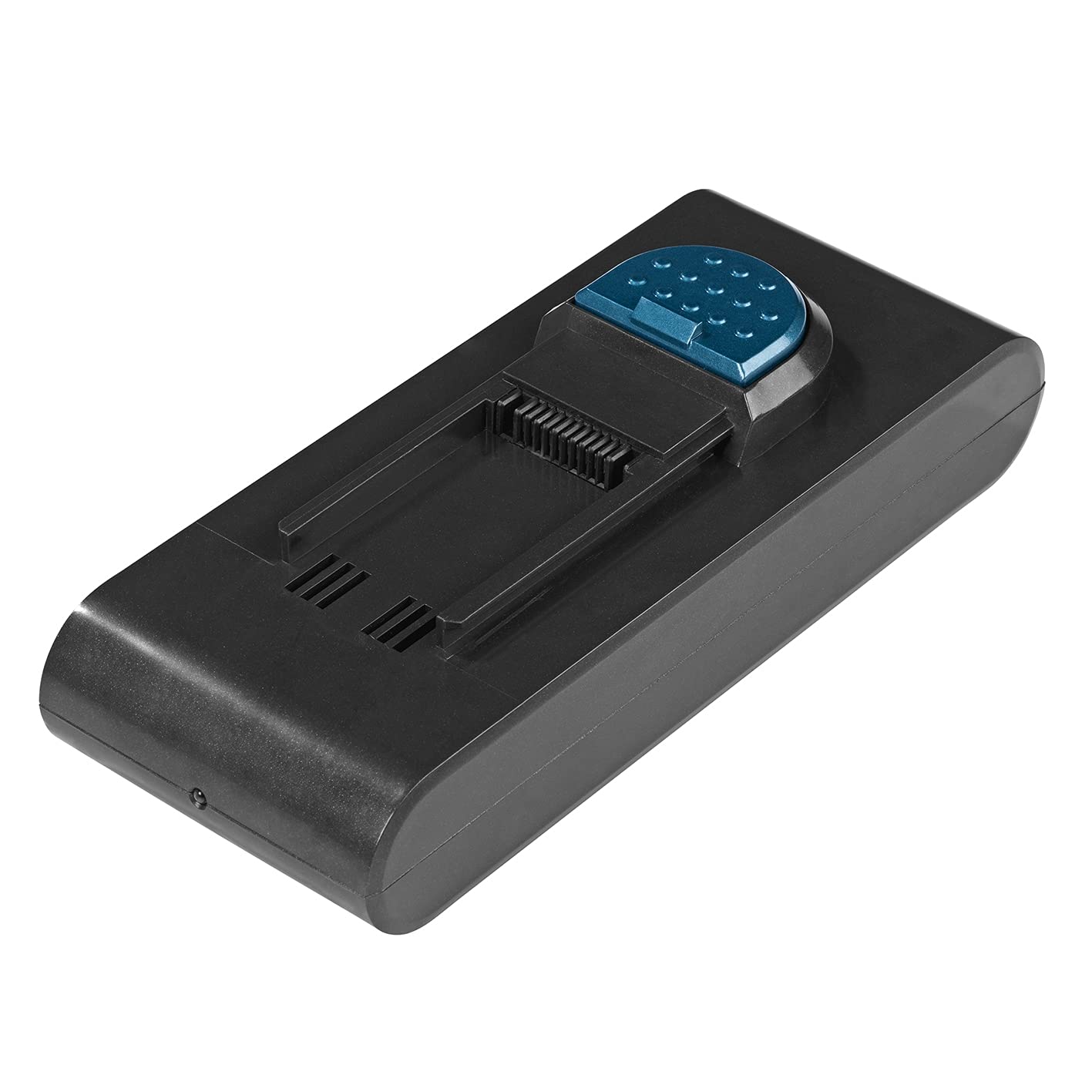
Figure 1: Top view of the MAXXMEE 959868 replacement battery. This image shows the top surface of the battery pack, highlighting its compact design and connection points.

Figure 2: Side view of the MAXXMEE 959868 replacement battery. This image illustrates the slim profile of the battery, designed to fit seamlessly into the vacuum cleaner.
Installation
To install the replacement battery into your MAXXMEE LED Power Control 29.5V Cyclonic Vacuum Cleaner, follow these steps:
- Ensure the vacuum cleaner is turned off and disconnected from any power source.
- Locate the battery compartment on your MAXXMEE vacuum cleaner. This is typically found at the base of the main unit or handle.
- If replacing an old battery, press the release button (if present) and carefully slide out the old battery.
- Align the new MAXXMEE 959868 replacement battery with the battery slot.
- Slide the battery firmly into place until you hear a click, indicating it is securely locked.
- Once installed, the vacuum cleaner is ready for charging or immediate use if the battery has a charge.
Charging the Battery
For optimal performance, fully charge the battery before its first use and after each cleaning session.
- Connect the vacuum cleaner's charger to a power outlet.
- Plug the charger into the charging port on the vacuum cleaner (or directly into the battery if it has a separate charging port).
- The charging indicator light on the vacuum cleaner or battery will illuminate, typically showing red or amber during charging and turning green when fully charged.
- A full charge takes approximately 4 hours.
- Once fully charged, disconnect the charger from the power outlet and the vacuum cleaner.
Operation
With a fully charged MAXXMEE 959868 replacement battery, your MAXXMEE LED Power Control 29.5V Cyclonic Vacuum Cleaner can operate for up to 60 minutes, depending on the power mode selected. This extended runtime ensures thorough cleaning of your home.
- Always ensure the battery is fully charged for maximum performance.
- The actual operating time may vary based on the vacuum cleaner's power settings and the type of surface being cleaned.
Maintenance and Storage
Proper maintenance and storage will extend the life of your battery.
- Cleaning: Wipe the battery's exterior with a dry, soft cloth. Do not use harsh chemicals or immerse the battery in water.
- Storage: If storing the battery for an extended period, charge it to approximately 50-60% capacity. Store it in a cool, dry place, away from direct sunlight and extreme temperatures. Recharge every 3-6 months to prevent deep discharge.
- Avoid Deep Discharge: Do not allow the battery to completely drain before recharging, as this can reduce its overall lifespan.
Troubleshooting
If you encounter issues with your replacement battery, refer to the following common problems and solutions:
| Problem | Possible Cause | Solution |
|---|---|---|
| Battery not charging | Charger not connected properly, faulty charger, or battery too hot/cold. | Ensure charger is securely connected. Try a different outlet. Allow battery to reach room temperature before charging. If problem persists, contact support. |
| Short operating time | Battery not fully charged, operating in high power mode, or battery degradation over time. | Ensure battery is fully charged (approx. 4 hours). Use lower power modes for longer runtime. If battery is old, consider replacement. |
| Battery overheating | Overuse, charging in high temperatures, or internal fault. | Stop using the vacuum and allow the battery to cool down. Charge in a well-ventilated area. If overheating persists, discontinue use and contact support. |
Specifications
| Feature | Detail |
|---|---|
| Model Number | 959868 |
| Battery Cell Composition | Lithium Ion (Li-Ion) |
| Battery Capacity | 2000 mAh |
| Voltage | 25.9 V |
| Amperage | 4 Ampere |
| Recharge Time | Approximately 4 hours |
| Operating Time | Up to 60 minutes |
| Weight | 505 Grams |
Warranty and Support
For warranty information, technical support, or any questions regarding your MAXXMEE 959868 replacement battery, please refer to the documentation provided with your original MAXXMEE LED Power Control 29.5V Cyclonic Vacuum Cleaner or contact MAXXMEE customer service directly. Keep your proof of purchase for warranty claims.
Contact information can typically be found on the manufacturer's website or on the product packaging.