
SilverStone Technology SST-FTF6025B
Contents
SilverStone Technology FTF 6025 Fan User Manual
Model: SST-FTF6025B
1. Introduction
The SilverStone Technology FTF 6025 is a compact 60mm x 25mm fan designed for small form factor (SFF) and medium form factor (MFF) cases where space is limited. This fan features a Hydro Dynamic Bearing (HDB) for quiet operation and extended lifespan, making it an ideal solution for various electronic equipment and computer systems requiring efficient cooling in confined spaces. This manual provides detailed instructions for the installation, operation, and maintenance of your FTF 6025 fan.

Figure 1: Front view of the SilverStone FTF 6025 fan.

Figure 2: Another perspective of the SilverStone FTF 6025 fan.
2. Package Contents
Please verify that all items listed below are present in your package:
- SilverStone Technology FTF 6025 Fan
- 4-pin PWM cable
- Speed reduction cable
- 2+1 fan power cable

Figure 3: Product packaging.

Figure 4: Example of braided cable sleeving.
3. Setup and Installation
Follow these steps to properly install your SilverStone FTF 6025 fan:
- Identify Mounting Location: Determine the optimal location within your system or electronic equipment for fan installation. Ensure there is sufficient clearance for airflow.
- Secure the Fan: Use appropriate screws or mounting hardware (not included unless specified) to secure the fan to the desired mounting points. Ensure the fan is firmly attached to prevent vibrations.
- Connect Power: The FTF 6025 fan utilizes a 4-pin PWM connector. Connect this cable to an available 4-pin fan header on your motherboard or fan controller. If your system only has 3-pin headers, the fan will still operate, but PWM speed control may not be available.

Figure 5: 4-pin PWM connector attached to the fan.
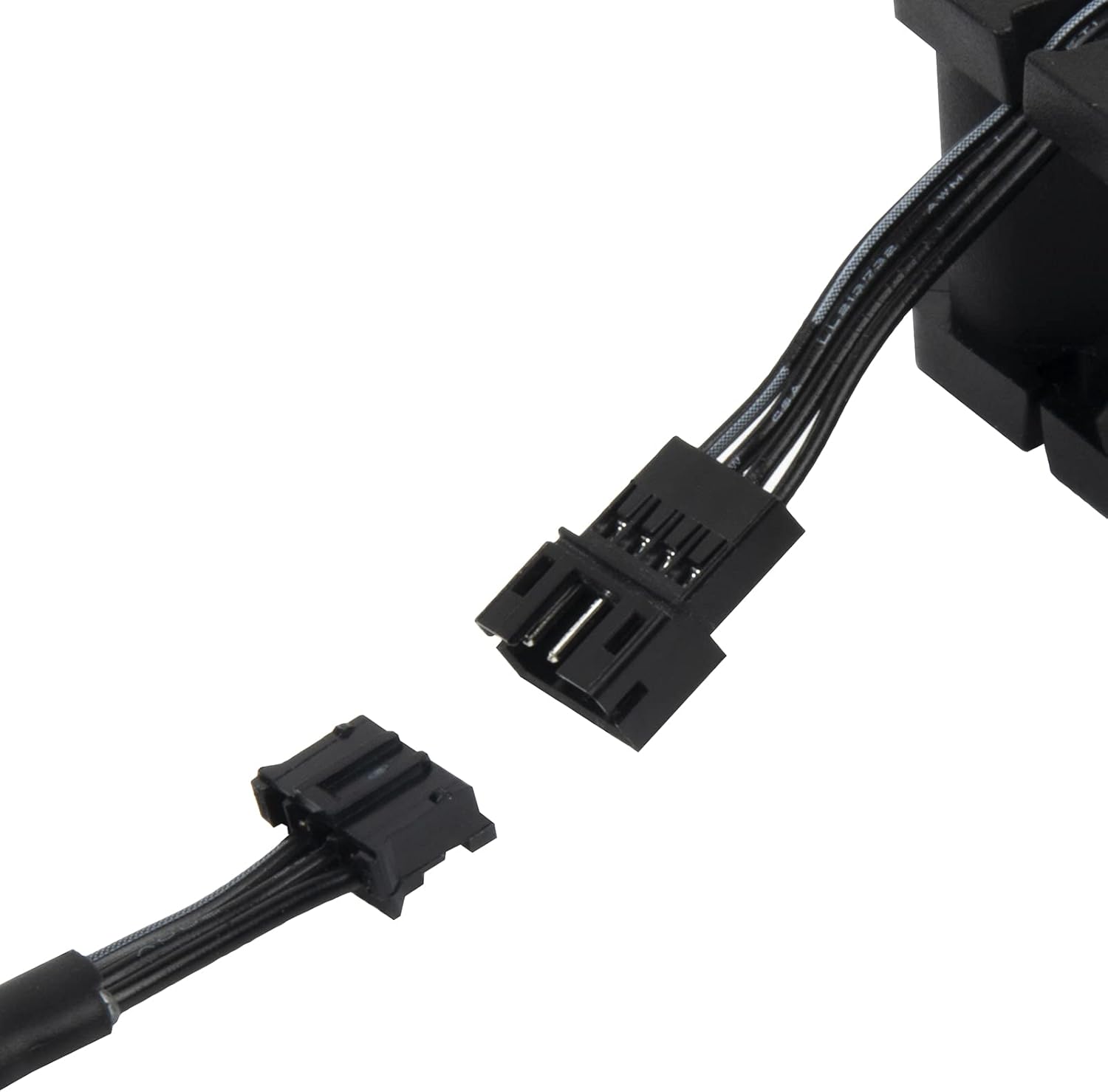
Figure 6: Detached 4-pin PWM connector.

Figure 7: Common fan connector types.
- Manage Cables: Route the fan cable neatly to avoid interference with other components and to ensure optimal airflow within the system.
- Test Operation: After installation, power on your system and verify that the fan is spinning correctly and providing adequate airflow.

Figure 8: Example of fans installed in a computer case, showing airflow direction.
4. Operating Instructions
The SilverStone FTF 6025 fan is designed for continuous operation. Its Hydro Dynamic Bearing (HDB) ensures smooth rotations and minimizes noise levels. The 4-pin PWM connector allows for precise speed control via your motherboard's BIOS settings or dedicated fan control software, enabling you to balance cooling performance with noise levels according to your system's needs.
For optimal performance, ensure that the fan's airflow direction is aligned with your system's cooling strategy (e.g., intake or exhaust). The fan typically has an arrow indicating the direction of airflow and blade rotation.
5. Maintenance
Regular maintenance helps ensure the longevity and optimal performance of your fan:
- Dust Removal: Periodically inspect the fan blades and housing for dust accumulation. Use compressed air or a soft brush to gently remove dust. Ensure the fan is powered off before cleaning.
- Check for Obstructions: Ensure no cables or other components are obstructing the fan blades, which could lead to increased noise or reduced performance.
- Bearing Maintenance: The Hydro Dynamic Bearing is designed for long life and typically does not require lubrication. Avoid disassembling the fan.
6. Troubleshooting
If you encounter issues with your FTF 6025 fan, refer to the following table:
| Problem | Possible Cause | Solution |
|---|---|---|
| Fan not spinning | No power; Incorrect connection; Faulty fan header | Check power cable connection; Ensure fan is connected to a working header; Try a different fan header. |
| Fan making unusual noise | Dust accumulation; Obstruction; Bearing issue | Clean fan blades; Remove any obstructions; If noise persists, fan may need replacement. |
| Fan not controlling speed (PWM) | Connected to 3-pin header; BIOS/software settings incorrect | Ensure connection to a 4-pin PWM header; Check motherboard BIOS or fan control software settings. |
| Insufficient airflow | Incorrect fan orientation; Obstruction; Low fan speed | Verify fan airflow direction; Clear obstructions; Increase fan speed via BIOS/software. |
7. Specifications
Key technical specifications for the SilverStone Technology FTF 6025 fan:
| Feature | Specification |
|---|---|
| Model Number | SST-FTF6025B |
| Dimensions (L x W x H) | 60mm x 60mm x 25mm (2.36" x 0.98" x 0.98") |
| Power Connector | 4-Pin PWM |
| Operating Voltage | 12 Volts |
| Rated Wattage | 1.8 watts |
| Cooling Method | Air Fan |
| Compatible Devices | Desktop Computers |
| Noise Level | 15.5 dB (minimum) |
| Bearing Type | Hydro Dynamic Bearing (HDB) |
| Maximum Rotational Speed | 3600 RPM |
| Item Weight | 4.1 ounces |

Figure 9: Side view illustrating the fan's dimensions.
8. Warranty and Support
SilverStone Technology products are designed for reliability and performance. For specific warranty information regarding your FTF 6025 fan, please refer to the warranty card included with your purchase or visit the official SilverStone Technology website. For technical support, troubleshooting assistance, or to inquire about replacement parts, please contact SilverStone customer service through their official channels.
Online Resources: For the latest drivers, FAQs, and product information, please visit the SilverStone Technology official website.
Documents and downloads
Ask a question about this manual
Ask about setup, troubleshooting, compatibility, parts, safety, or missing instructions. Manuals+ will review the question and use this page’s manual context to help answer it.