
GOOLOO GT3000
GOOLOO GT3000 Jump Starter Instruction Manual
Model: GT3000
1. Introduction
The GOOLOO GT3000 is a powerful and versatile portable jump starter designed to safely start dead 12-volt car batteries. It also functions as a power bank for charging electronic devices and features an integrated LED light. This manual provides detailed instructions for the safe and effective use of your GT3000.
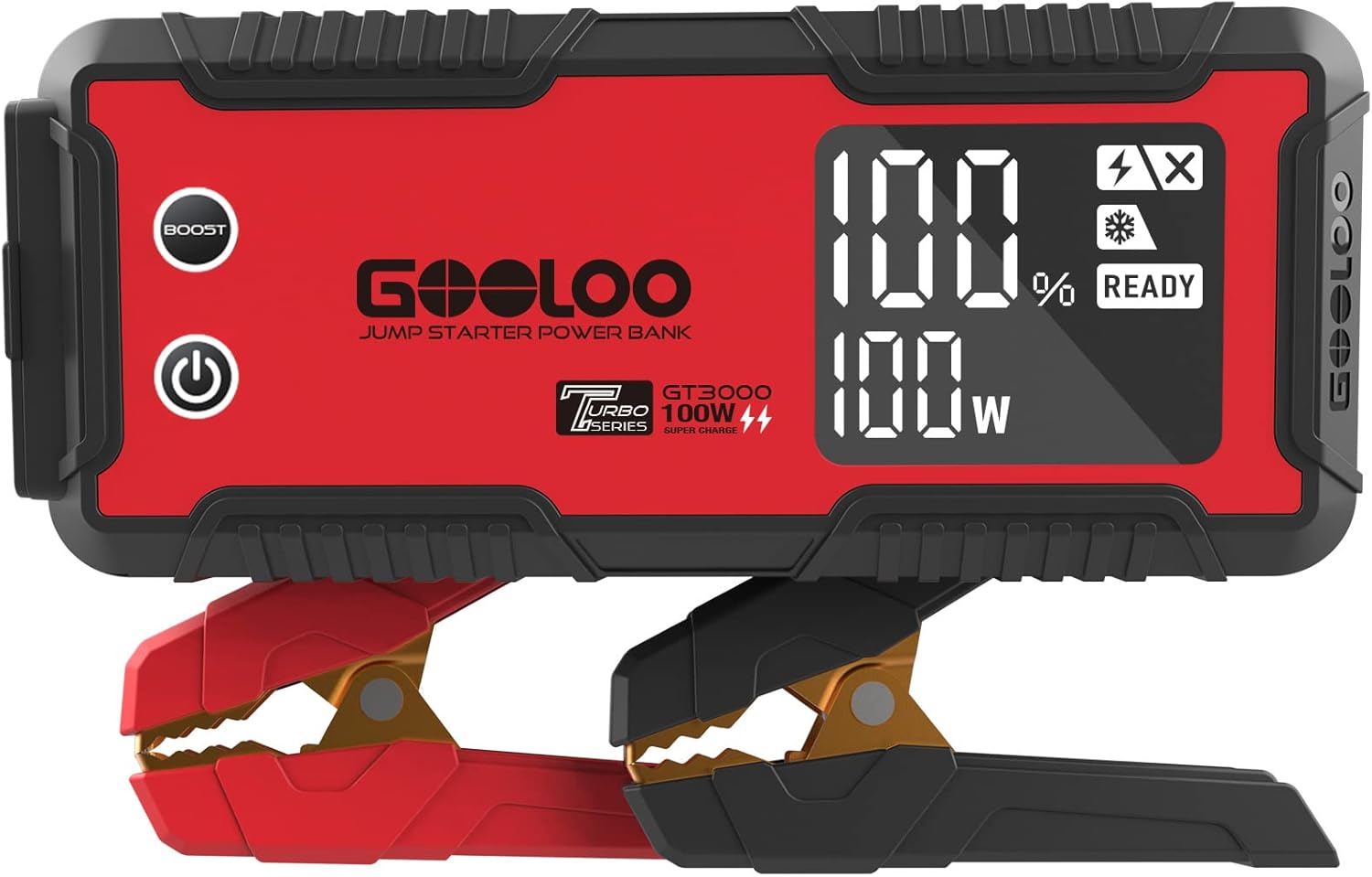
Figure 1.1: The GOOLOO GT3000 Jump Starter with its smart clamps.
2. Safety Precautions
Always observe the following safety precautions when using the GOOLOO GT3000 to prevent electric shock, explosion, fire, or injury.
- Read all instructions before use.
- Do not use the jump starter if the cables or clamps are damaged.
- Ensure proper polarity connection (positive to positive, negative to negative) to avoid damage to the vehicle or jump starter.
- Do not jump start a frozen battery.
- Do not allow the red and black clamps to touch each other.
- Keep out of reach of children.
- Use in a well-ventilated area.
- Disconnect the jump starter from the vehicle battery within 30 seconds after the vehicle starts.
- Store the device in a cool, dry place away from direct sunlight.

Figure 2.1: The GT3000 incorporates 10 smart safety protections for secure operation.
3. Product Overview
Familiarize yourself with the components and ports of your GOOLOO GT3000.

Figure 3.1: GT3000 Port and Button Layout.
- Power Switch: Turns the unit on/off.
- 12V Jump Starter Port: Connects to the smart battery clamps.
- 15V/10A DC Port: For powering 12V/15V DC devices like tire inflators.
- 5V/2.4A Output Port (USB-A): Standard USB output for charging devices.
- 5V/9V/12V Quick Charge Output Port (USB-A): Fast charging for compatible devices.
- IN/OUT PD100W Type-C Port: Bi-directional port for charging the GT3000 or fast charging laptops/devices.
- BOOST Button: Used for jump starting severely discharged batteries.
- 3.2-inch LED Screen: Displays battery status, current mode, and readiness.

Figure 3.2: Intuitive LED Screen displaying operational status.
4. Technical Specifications
| Feature | Specification |
|---|---|
| Model | GT3000 |
| Peak Cranking Power | 3000 Amps |
| Engine Compatibility | Up to 10.0L Gas / 8.0L Diesel |
| Charging Speed (Type-C) | 100W Bi-directional Fast Charging |
| Full Charge Time | 57 minutes (with supplied car charger) |
| Quick Start Charge Time | 3 minutes for a boost |
| USB Output 1 | 5V/2.4A |
| USB Output 2 (Quick Charge) | 5V/9V/12V |
| DC Output | 15V/10A |
| LED Light | 400 Lumen (SOS, Spotlight, Strobe modes) |
| Water Resistance Rating | IP65 |
| Flame Retardant Rating | 94V0 |
| Dimensions (D x W x H) | 9.06" x 3.94" x 2.12" |
| Weight | 4.18 pounds |
5. Charging the GT3000
Before first use, fully charge the GT3000. It can be charged using the supplied car charger or a compatible fast charge wall charger via the Type-C port.
- Connect the charging cable to the IN/OUT PD100W Type-C port on the GT3000.
- Connect the other end of the cable to a power source (e.g., car charger, wall adapter).
- The LED screen will indicate the charging status and battery percentage.
- Charging from 0% to 100% takes approximately 57 minutes with the supplied car charger.

Figure 5.1: Charging the GT3000 using the car charger.
6. Operating Instructions
6.1. Jump Starting a Vehicle
Ensure the GT3000 is sufficiently charged before attempting to jump start a vehicle.
- Connect Clamps: Insert the smart battery clamps into the 12V Jump Starter Port on the GT3000.
- Attach to Battery: Connect the red (positive, +) clamp to the positive terminal of the vehicle's battery. Connect the black (negative, -) clamp to the negative terminal of the vehicle's battery.
- Check Indicator: The GT3000's LED screen will display "READY" when the connection is correct and safe to proceed. If an error is displayed, refer to the troubleshooting section.
- Start Vehicle: Once "READY" is displayed, start your vehicle's engine.
- Disconnect: After the vehicle starts, immediately disconnect the clamps from the vehicle battery, then disconnect the clamps from the GT3000.
Note: If the battery is severely discharged, the "READY" indicator may not appear. In this case, press the "BOOST" button on the GT3000. Wait for the screen to show "READY" and then attempt to start the vehicle within 30 seconds. Use the BOOST function only when necessary and with caution.

Figure 6.1: GT3000 connected for jump starting a vehicle.

Figure 6.2: Simplified steps for jump starting.
6.2. Using as a Power Bank
The GT3000 can charge various electronic devices via its USB-A and Type-C ports.
- USB-A Ports: Connect your device's USB charging cable to either the 5V/2.4A or the 5V/9V/12V Quick Charge USB-A output port.
- Type-C Port: For fast charging compatible laptops (e.g., MacBook) and other devices, connect a Type-C to Type-C cable to the IN/OUT PD100W port.
- 15V/10A DC Port: This port can power 12V or 15V DC devices such as tire inflators or car vacuums.

Figure 6.3: GT3000 charging a laptop and smartphone.
6.3. Using the LED Light
The built-in 400 lumen LED light has three modes: Spotlight, Strobe, and SOS.
- To turn on/off: Press and hold the LED light button.
- To cycle modes: Briefly press the LED light button while it is on to switch between Spotlight, Strobe, and SOS modes.

Figure 6.4: GT3000 LED light functions.
7. Maintenance and Storage
Proper maintenance ensures the longevity and performance of your GT3000.
- Regular Charging: The GT3000 features a 24-month standby time, meaning it retains its charge for an extended period. However, it is recommended to check the battery level periodically and recharge it if it drops below 80% to maintain optimal battery health.
- Cleaning: Wipe the unit with a dry, soft cloth. Do not use harsh chemicals or abrasive materials.
- Storage: Store the GT3000 in a cool, dry place between 0°C and 45°C (32°F and 113°F). Avoid direct sunlight, high temperatures, and high humidity.
- Protection: The unit is IP65 water-resistant and 94V0 flame retardant, offering protection against dust and splashes. However, do not submerge it in water.

Figure 7.1: The GT3000 boasts an impressive 24-month standby time.

Figure 7.2: The GT3000's IP65 water and dust resistance.
8. Troubleshooting
If you encounter issues with your GT3000, refer to the following common problems and solutions:
| Problem | Possible Cause | Solution |
|---|---|---|
| Unit does not turn on. | Battery is completely discharged. | Charge the unit fully. |
| "READY" not displayed when connected to car battery. | Incorrect clamp connection; Battery is severely discharged; Battery voltage too low. | Ensure clamps are connected correctly (red to positive, black to negative). If battery is very low, use the BOOST function. |
| Vehicle does not start after jump attempt. | Vehicle battery is completely dead; Vehicle has other mechanical issues. | Ensure the GT3000 is fully charged. Try the BOOST function. If still unsuccessful, the vehicle may require professional service. |
| Unit beeps or shows error code. | Overload, short circuit, reverse polarity, or other safety protection activated. | Disconnect clamps, check connections, and allow unit to cool if overheated. Refer to the manual for specific error codes if available. |
| Charging of external devices is slow or not working. | Cable issue; Device not compatible with fast charging; GT3000 battery low. | Ensure charging cable is functional. Check device compatibility with fast charging ports. Recharge the GT3000. |
9. Warranty and Customer Support
GOOLOO stands by the quality of its products and offers comprehensive support for the GT3000.
- Warranty: The GOOLOO GT3000 comes with an 18-month warranty from the date of purchase.
- Return Guarantee: A 30-day unconditional return guarantee is provided.
- Customer Support: GOOLOO offers 24/7 customer support. For technical assistance or warranty claims, please contact GOOLOO customer service.
- Technical Support: Lifetime customer and technical support are available for the product.
For further assistance, please visit the official GOOLOO website or contact their customer service team directly.
Related documentsGT3000


Ask a question about this manual
Ask about setup, troubleshooting, compatibility, parts, safety, or missing instructions. Manuals+ will review the question and use this page’s manual context to help answer it.