Introduction
This user manual provides comprehensive instructions for the setup, operation, maintenance, and troubleshooting of your Philips 58PUT7605/94 146 cm (58 inches) 4K Ultra HD LED Smart TV. Please read this manual carefully before using the product to ensure safe and optimal performance.
Safety Information
Always observe the following safety precautions to prevent electric shock, fire, or injury:
- Do not expose the TV to rain or moisture.
- Do not open the TV casing; refer all servicing to qualified personnel.
- Ensure proper ventilation around the TV.
- Unplug the TV during lightning storms or when unused for long periods.
- Keep the TV away from direct sunlight, heat sources, and strong magnetic fields.
What's in the Box
Verify that all components are present in the packaging:
- 1 x Philips 58PUT7605/94 LED TV
- 2 x Table Stand Base
- 1 x Legal and Safety Brochure
- 1 x Quick Start Guide
- 1 x User Manual (this document)
- 1 x Remote Control
- 2 x AAA Batteries
Setup
1. Unpacking and Placement
Carefully remove the TV from its packaging. Place the TV on a stable, flat surface or prepare for wall mounting.
2. Installing the Table Stand
If using the table stand, attach the two table stand bases to the bottom of the TV using the provided screws. Ensure they are securely fastened.

Image: Front view of the Philips 58PUT7605/94 Smart TV with its table stands installed, showcasing its 4K UltraHD, P5 Perfect Picture Engine, Dolby Vision Atmos, Saphi, and Pixel Precise Ultra HD features.
3. Wall Mounting (Optional)
For wall mounting, use a compatible VESA wall mount kit (not included). Follow the instructions provided with your wall mount. Ensure the wall can support the TV's weight (approximately 15 kg).
4. Connecting External Devices
Connect your devices to the TV's ports. Refer to the image below for port locations.
- HDMI Ports: Connect set-top boxes, Blu-ray players, or gaming consoles. This model features 3 HDMI ports, including ARC support for simplified audio connections.
- USB Ports: Connect USB drives for media playback or recording. This model has 2 USB ports.
- Ethernet (LAN) Port: For wired internet connection.
- Antenna (IEC75): Connect your TV antenna for broadcast channels.
- Headphone Out: For connecting headphones.
- Digital Audio Out (Optical): For connecting to external audio systems.
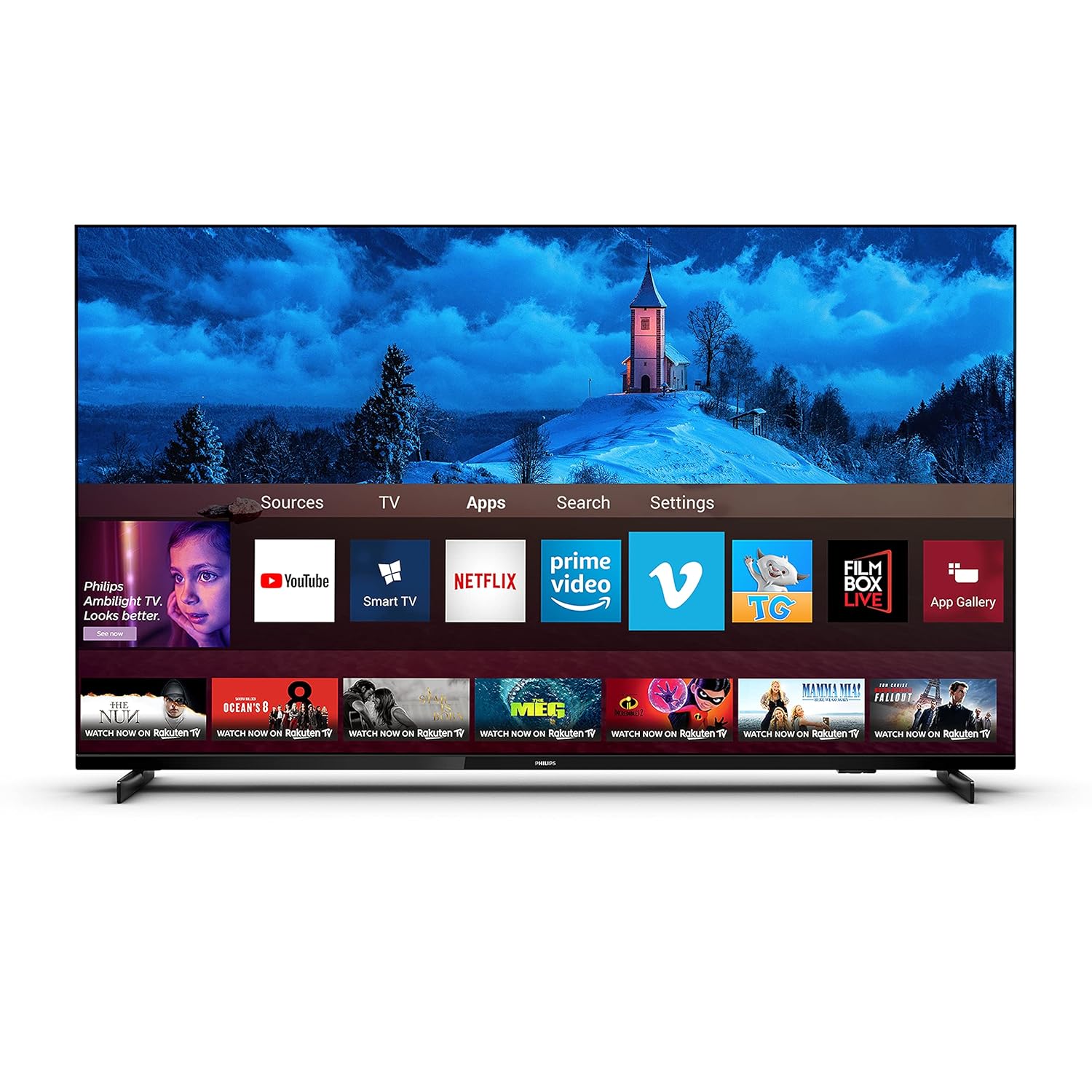
Image: Detailed view of the back panel of the Philips 58PUT7605/94 TV, highlighting the locations of SPDIF, USB 1, Network, TV Antenna, HDMI 1, HDMI 2, HDMI 3 (ARC), and USB 2 ports.
5. Power Connection
Once all connections are made, plug the power cord into a wall outlet. The TV is designed for 240 Volts AC power.
Operating Your TV
1. First-Time Setup
Upon first power-on, the TV will guide you through initial setup, including language selection, country, and network configuration (Wi-Fi or Ethernet).
2. Remote Control Functions
The remote control provides access to all TV functions. It includes dedicated hotkeys for popular streaming services like Netflix and YouTube.
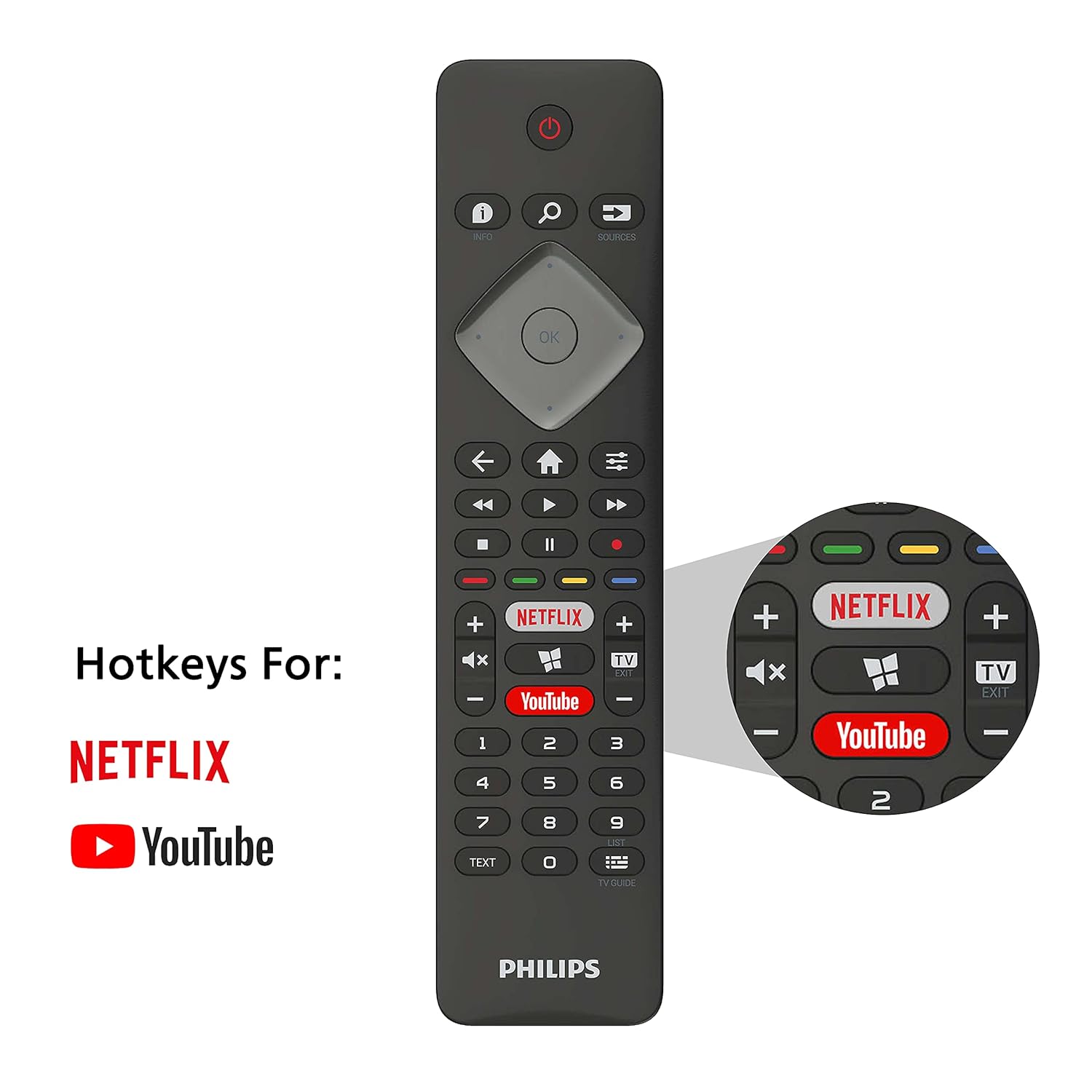
Image: The Philips TV remote control, highlighting the dedicated hotkeys for quick access to Netflix and YouTube applications.
3. Smart TV Features (SAPHI OS)
Your Philips TV runs on the SAPHI operating system, offering a user-friendly interface for accessing various applications and features.
- Built-in WiFi: Connect to your home network wirelessly.
- Miracast: Mirror content from compatible mobile devices to your TV screen.
- USB Recording: Record TV programs to a connected USB storage device.
- Automatic Software Update: Ensures your TV always has the latest features and improvements.
- Supported Applications: Access popular streaming services such as Netflix, YouTube, Prime Video, and Eros Now, along with an internet browser.
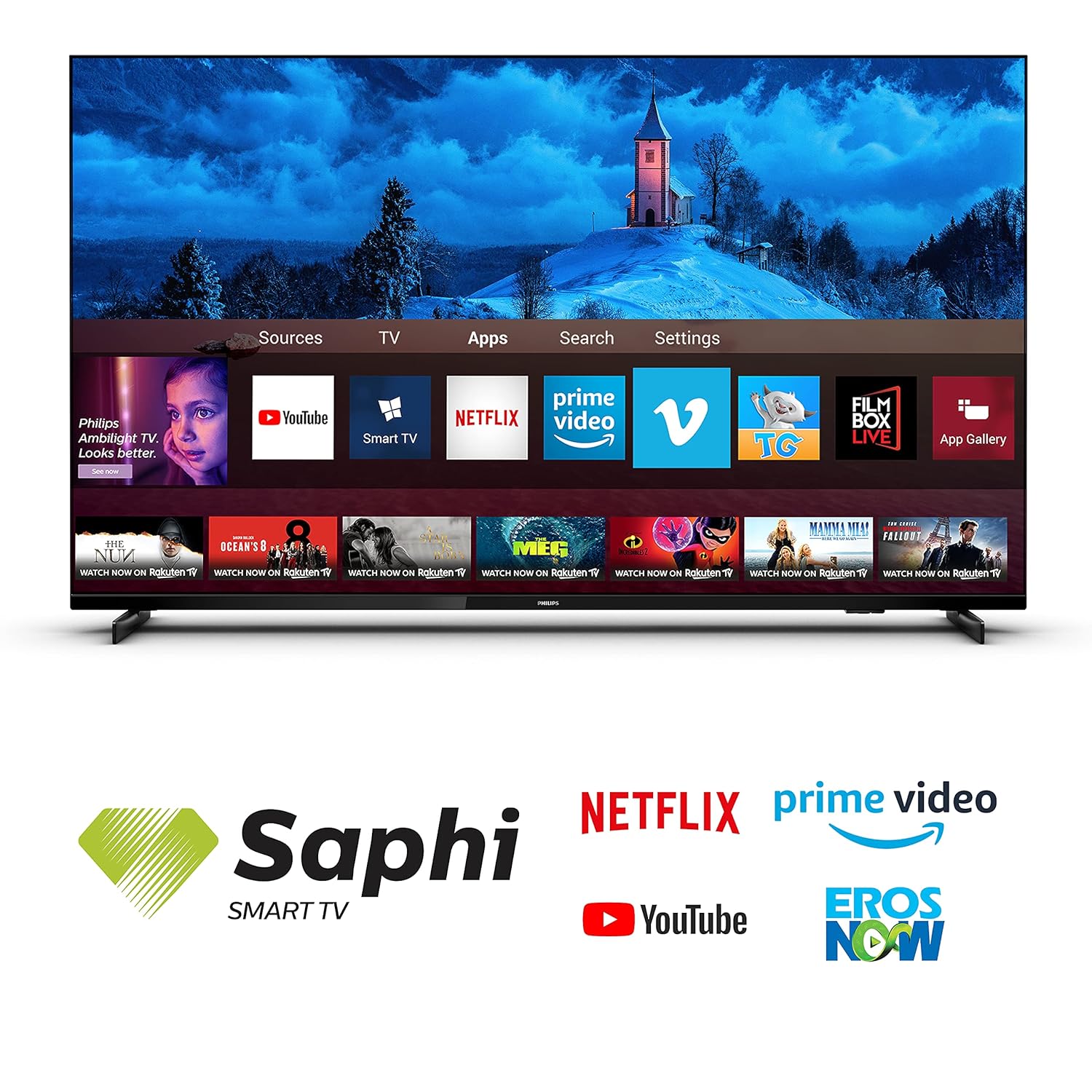
Image: The Philips Smart TV interface displaying a selection of available applications, including YouTube, Netflix, Prime Video, and Eros Now, powered by the Saphi OS.
4. Picture and Sound Settings
- P5 Perfect Picture Engine: Enhances picture quality for sharpness, color, contrast, and motion.
- Dolby Vision & HDR10+: Provides superior brightness, contrast, and color for compatible content.
- Pixel Precise Ultra HD: Optimizes picture quality for 4K resolution.
- Dolby Atmos: Delivers immersive, multi-dimensional audio.
- A.I. Sound & Clear Dialogue: Optimizes audio for clarity and balance.
- Auto Volume Leveler & Bass Enhancement: Ensures consistent volume and rich bass.
Maintenance
1. Cleaning Your TV
Use a soft, lint-free cloth to gently wipe the screen and TV body. For stubborn marks, slightly dampen the cloth with water or a mild, non-abrasive cleaner specifically designed for electronics. Do not spray liquid directly onto the TV.
2. Software Updates
Your TV supports automatic software updates. Ensure your TV is connected to the internet to receive the latest firmware, which can improve performance and add new features. You can also manually check for updates in the TV's settings menu.
Troubleshooting
If you encounter issues with your TV, refer to the following common problems and solutions:
- No Power: Check if the power cord is securely plugged into the TV and the wall outlet. Try a different outlet.
- No Picture/Sound: Ensure the correct input source is selected. Check all cable connections (HDMI, antenna).
- Poor Picture Quality: Adjust picture settings (brightness, contrast, sharpness). Check the resolution of the input source.
- No Internet Connection: Verify your Wi-Fi password or Ethernet cable connection. Restart your router.
- Remote Control Not Working: Replace the AAA batteries. Ensure no obstructions between the remote and the TV's IR sensor.
For persistent issues, please contact Philips support.
Specifications
Key technical specifications for the Philips 58PUT7605/94 Smart TV:
| Feature | Detail |
|---|---|
| Model Number | 58PUT7605/94 |
| Screen Size | 58 Inches (146 cm) |
| Resolution | 4K Ultra HD (3840 x 2160 pixels) |
| Refresh Rate | 60 Hz |
| Display Technology | LED |
| Operating System | SAPHI |
| Audio Output | 20 Watts (Dolby Atmos) |
| Connectivity | 3 HDMI ports, 2 USB ports, Ethernet-LAN, Headphone out, Digital audio out (optical), Wi-Fi, Bluetooth |
| Product Dimensions (WxHxD) | 128.9 x 77.8 x 25.6 cm (with stand) |
| Item Weight | 15 kg |
| Power Consumption (On-mode) | 145 Watts |

Image: Diagram illustrating the dimensions of the Philips 58PUT7605/94 TV, showing measurements for width, height with and without stand, and depth with stand.
Warranty and Support
Warranty Information: Your Philips 58PUT7605/94 Smart TV comes with a 2-year comprehensive warranty provided by Philips from the date of purchase.
Installation and Support: Installation, wall mounting, and demo services will be arranged by Amazon Home Services. For any other information or support, please contact Philips support at 18004256396.
Easy Returns: This Philips smart TV is eligible for replacement within 10 days of delivery in case of any product defects, damage, or features not matching the description provided.


