
1. Introduction
The DIGITNOW B600-US Record Player is a versatile audio system designed to bring the timeless sound of vinyl into your home. This unit features integrated speakers, Bluetooth connectivity for wireless streaming, and a high-quality Audio-Technica stylus for precise tracking. It supports both 33 and 45 RPM records and includes a switchable phono preamplifier for connecting to external speakers. Additionally, it offers a USB port for converting vinyl records to digital formats.

Figure 1: DIGITNOW B600-US Record Player with dust cover.
2. Safety Information
Please read all safety instructions carefully before using the record player. Keep this manual for future reference.
- Power Source: Use only the provided power adapter. Ensure the voltage matches your local power supply.
- Water and Moisture: Do not expose the unit to rain, moisture, or dripping/splashing liquids. Do not place objects filled with liquids, such as vases, on the apparatus.
- Ventilation: Ensure adequate ventilation. Do not block any ventilation openings. Maintain a minimum distance around the apparatus for sufficient ventilation.
- Heat: Do not place near heat sources such as radiators, heat registers, stoves, or other apparatus (including amplifiers) that produce heat.
- Cleaning: Unplug the unit from the power outlet before cleaning. Use a soft, dry cloth for cleaning. Do not use liquid cleaners or aerosol cleaners.
- Servicing: Do not attempt to service this product yourself. Refer all servicing to qualified service personnel.
- Placement: Place the unit on a stable, flat surface to prevent damage from falling.
3. Package Contents
Carefully unpack the box and ensure all the following items are included:
- DIGITNOW Record Player Unit
- Mains Adapter
- Turntable Lid (Dust Cover)
- Slide Mat (Platter Mat)
- Plate with Belt (Platter with Drive Belt)
- Counterweight
- Cartridge Alignment Meter
- 45 RPM Adapter
- Operating Instructions Manual (this document)
4. Product Overview
Familiarize yourself with the various components of your DIGITNOW Record Player.
4.1 Front and Top View
Figure 2: Main view of the record player, showing the platter, tonearm, and dust cover.
- Platter: The rotating platform where records are placed. Made of solid aluminum alloy for stability.
- Tonearm: Holds the cartridge and stylus, which reads the grooves of the record.
- Stylus (Needle): Diamond-tipped Audio-Technica stylus for accurate playback.
- Counterweight: Adjustable weight on the tonearm to balance tracking force.
- Anti-skating Control: Prevents the tonearm from drifting inward or outward.
- Dust Cover: Protects the platter and tonearm from dust when not in use.
- Control Knobs/Buttons: For power, speed selection (33/45 RPM), mode selection (Phono/Bluetooth), and volume.
- Integrated Speakers: Built-in stereo speakers for direct audio playback.
4.2 Internal Speaker System
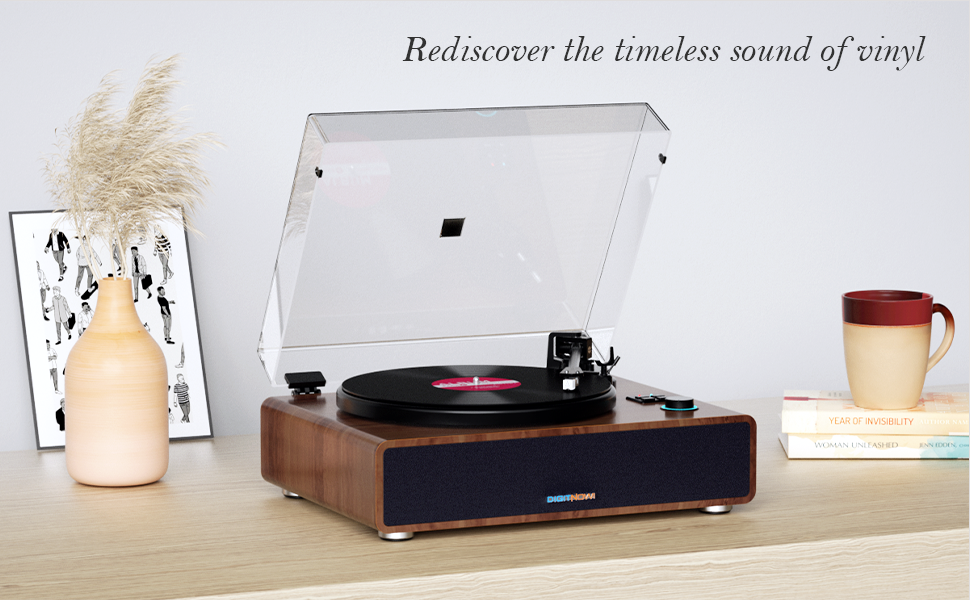
Figure 3: Diagram showing the internal speaker components and vibration absorption system.
The record player incorporates a vibration absorption system and high-performance speakers to deliver clear and dynamic sound directly from the unit.
4.3 Rear Panel Connections

Figure 4: Rear panel showing various input/output ports.
- Ground Connector: Connects the ground wire to reduce sound interference.
- DC IN 15V: Power input for the mains adapter.
- USB-PC Port: For connecting to a computer to convert vinyl to digital audio.
- RCA Line-Out (R/L): Red (Right) and White (Left) outputs for connecting to external amplifiers or powered speakers.
- PHONO/LINE Switch: Selects between phono (for phono input) and line (for line-level output to external speakers/amplifiers).
- ON/OFF Switch: Main power switch for the unit.
5. Setup
Follow these steps to set up your record player for the first time.
- Unpack and Place: Carefully remove all components from the packaging. Place the record player on a stable, level surface away from direct sunlight, heat sources, and excessive dust or vibrations.
- Install Platter and Belt:
- Place the platter onto the spindle.
- Locate the drive belt on the underside of the platter. Carefully stretch the belt around the motor pulley. Ensure the belt is not twisted.

Figure 5: Close-up of the solid aluminum alloy platter, indicating proper placement.
- Install and Adjust Counterweight:
- Slide the counterweight onto the rear of the tonearm.
- Adjust the counterweight to achieve the recommended tracking force for the Audio-Technica AT3600 cartridge (typically 2.5 to 3.5 grams). Refer to the cartridge alignment meter for precise adjustment. The tonearm should float horizontally when properly balanced.
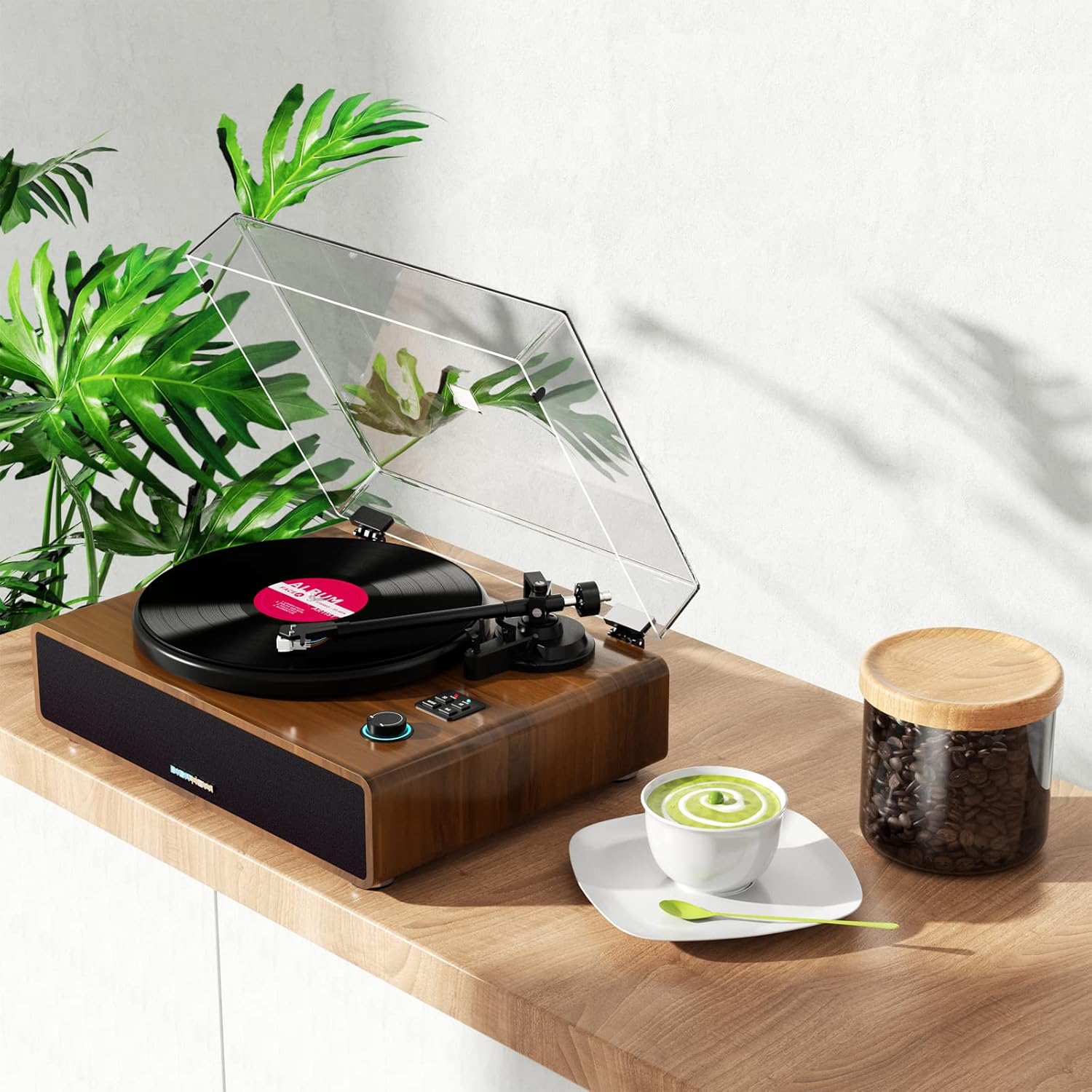
Figure 6: Adjustable counterweight on the tonearm for optimal tracking.
- Install Dust Cover: Carefully place the dust cover onto the hinges at the back of the unit.
- Connect Power: Insert the DC IN 15V plug from the mains adapter into the corresponding port on the rear panel. Plug the mains adapter into a wall outlet.
6. Operating Instructions
6.1 Playing a Record
- Ensure the record player is powered on using the ON/OFF switch on the rear panel.
- Place a record on the platter. If playing a 45 RPM single, place the 45 RPM adapter on the spindle first.
- Select the appropriate speed (33 or 45 RPM) using the speed selector button.
- Gently lift the tonearm using the cueing lever.
- Position the tonearm over the desired starting groove of the record.
- Slowly lower the cueing lever to gently place the stylus onto the record. Playback will begin.
- To stop playback, lift the tonearm using the cueing lever and return it to the tonearm rest.
6.2 Bluetooth Pairing
The record player can receive audio wirelessly from your Bluetooth-enabled devices.
- Turn on the record player.
- Press the "MODE" button until the Bluetooth indicator light flashes, indicating it's in pairing mode.
- On your smartphone or other Bluetooth device, enable Bluetooth and search for available devices.
- Select "B600" or similar from the list of devices. Once connected, the Bluetooth indicator light will become solid.
- You can now stream audio from your device through the record player's speakers.
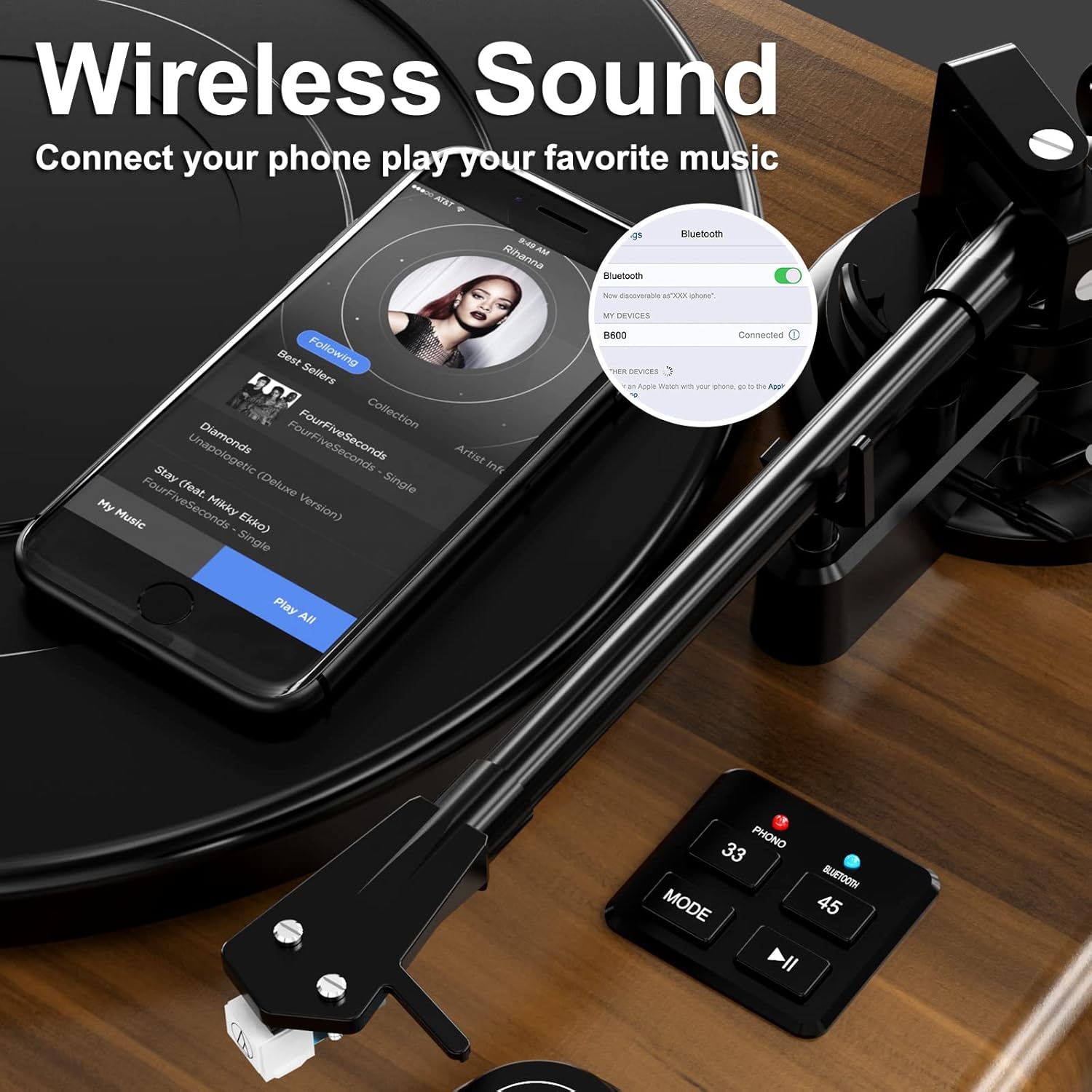
Figure 7: Example of Bluetooth pairing with a smartphone.
6.3 Connecting to External Speakers/Amplifier
To connect your record player to an external audio system:
- Ensure both the record player and the external audio system are turned off.
- Connect RCA cables (not included) from the R (Red) and L (White) RCA Line-Out ports on the rear of the record player to the corresponding audio input ports on your amplifier or powered speakers.
- Set the PHONO/LINE switch on the rear of the record player to "LINE" if connecting to a standard line-level input on your amplifier, or "PHONO" if connecting to a dedicated phono input.
- Turn on both devices and adjust volume levels as needed.
6.4 USB Connection for PC (Vinyl to Digital Conversion)
The USB-PC port allows you to convert your vinyl records into digital audio files (MP3/WAV) using computer software like Audacity.
- Connect a USB cable (not included) from the USB-PC port on the record player to an available USB port on your computer.
- Install and open audio recording software (e.g., Audacity) on your computer.
- In the software's audio input settings, select the record player as the input device.
- Start recording in the software, then begin playing your vinyl record on the record player.
- Once the record finishes, stop recording in the software and save your digital audio file.
7. Maintenance
Proper care will extend the life of your record player and records.
- Cleaning the Unit: Wipe the exterior of the record player with a soft, dry, lint-free cloth. Do not use abrasive cleaners, waxes, or solvents.
- Cleaning the Stylus: Use a soft brush designed for stylus cleaning, brushing gently from back to front. Avoid touching the stylus with your fingers.
- Record Care: Keep your records clean and free of dust. Store them vertically in their sleeves to prevent warping.
- Stylus Replacement: The stylus has a limited lifespan. If you notice a decrease in sound quality or increased skipping, the stylus may need replacement. Contact customer support for information on compatible replacement styli.
8. Troubleshooting
If you encounter issues, refer to the table below for common problems and solutions.
| Problem | Possible Cause | Solution |
|---|---|---|
| No power | Power adapter not connected; power outlet not active. | Ensure power adapter is securely connected to the unit and a working outlet. Check the ON/OFF switch. |
| No sound from speakers | Volume too low; incorrect mode selected; external speakers not connected/powered. | Increase volume. Ensure "PHONO" mode is selected for vinyl playback. If using external speakers, check their connections and power. |
| Sound distorted or skipping | Stylus dirty or worn; tracking force incorrect; record dirty or damaged; unit not level. | Clean stylus. Re-adjust counterweight. Clean record. Ensure unit is on a stable, level surface. Replace stylus if worn. |
| Bluetooth not connecting | Record player not in pairing mode; device too far; device already connected to another Bluetooth unit. | Ensure record player is in Bluetooth pairing mode (flashing light). Move device closer. Disconnect device from other Bluetooth connections. |
| Record speed incorrect | Wrong speed selected. | Press the speed selector button to switch between 33 and 45 RPM. |
9. Specifications
Technical specifications for the DIGITNOW B600-US Record Player.
| Feature | Detail |
|---|---|
| Model Number | B600-US |
| Brand | DIGITNOW |
| Dimensions (L x W x H) | 20.39 x 16.34 x 11.57 inches |
| Item Weight | 20.3 pounds |
| Speeds Supported | 33 1/3, 45 RPM |
| Cartridge Type | Magnet-type (Audio-Technica AT3600) |
| Motor Type | DC Motor |
| Connectivity | Bluetooth Input, RCA Line-Out, Headphone Jack, USB-PC |
| Built-in Speakers | Yes, 4 integrated speakers with equalizer |
| Material | Plastic (with wooden look finish) |
| Color | Brown |
10. Warranty and Support
DIGITNOW products are manufactured to the highest quality standards. For specific warranty information, please refer to the warranty card included with your purchase or visit the official DIGITNOW website.
If you require technical assistance or have questions about your product, please contact DIGITNOW customer support. Have your model number (B600-US) and purchase details ready when contacting support.
Online Support: Visit the official DIGITNOW website for FAQs, troubleshooting guides, and contact information.
Email Support: Refer to your warranty card or the official website for the customer service email address.