1. Introduction
This manual provides essential information for the safe and effective operation, maintenance, and care of your Zipr Roo 4 Wheel Mobility Scooter. Please read this manual thoroughly before using your scooter to ensure proper understanding of its features and functions. The Zipr Roo is designed to offer enhanced mobility for individuals, providing a compact, heavy-duty, and travel-friendly solution.

Figure 1.1: The Zipr Roo 4 Wheel Mobility Scooter, showcasing its compact design and integrated basket.
2. Setup and Assembly
The Zipr Roo 4 Wheel Mobility Scooter is designed for easy assembly and disassembly, requiring no tools. Follow these steps to set up your scooter:
- Charge the Battery: Before initial use, fully charge the scooter's battery. Refer to the charging instructions in the 'Operating Your Scooter' section.
- Attach the Seat: Securely place the seat onto the main frame's seat post. Ensure it clicks into place.
- Attach the Tiller: Insert the tiller into its designated slot on the front base. Tighten any securing mechanisms.
- Adjust Components: Adjust the seat height, armrests, and tiller angle for a comfortable and ergonomic fit.
- Attach the Basket: Hook the front storage basket onto the tiller.

Figure 2.1: Visual guide demonstrating the four simple steps for assembling the scooter.
3. Operating Your Scooter
Familiarize yourself with the controls before operating the scooter.
3.1 Controls Overview
- Power Button/Keyswitch: Insert and turn the key to power on the scooter.
- Variable Speed Dial: Adjusts the maximum speed of the scooter. Start at a low setting until comfortable.
- Throttle Lever: Press to move forward or backward. Release to engage the electromagnetic brake.
- LED Headlights: Button to turn the front headlights on or off for visibility.
- Safety Horn: Button to activate the horn for signaling.
- Battery Life Indicator: Displays the current battery charge level.

Figure 3.1: Detailed view of the easy-to-use control panel, highlighting the LED battery indicator, speed adjustment dial, on-off keyswitch, safety horn, and bright LED headlights.
3.2 Driving Instructions
- Ensure the battery is charged.
- Adjust the seat and tiller for a comfortable driving position.
- Turn the keyswitch to the 'ON' position.
- Set the variable speed dial to a low speed initially.
- Gently press the throttle lever to begin moving. Release the lever to stop.
- Use the tiller to steer the scooter.
- Always be aware of your surroundings and drive safely.
3.3 Charging the Battery
Charge the battery after each use to maintain optimal performance and battery life. Connect the charger to the scooter's charging port and then to a standard electrical outlet. The battery indicator will show charging status.
4. Key Features and Components
The Zipr Roo 4 Wheel Mobility Scooter is equipped with several features designed for comfort, convenience, and performance.
4.1 Mobility and Performance
- Long Range Battery: Travel up to 12.4 miles on a single charge.
- Max Speed: Achieves a maximum speed of 3.7 mph.
- Powerful 24V Motor: Provides smooth and reliable operation.
- 8" Flat-Free Tires: Durable, non-marking tires designed for various surfaces.
- Anti-Tip Wheels: Enhances stability and safety.

Figure 4.1: Key performance indicators including battery range, speed, and charging capabilities.
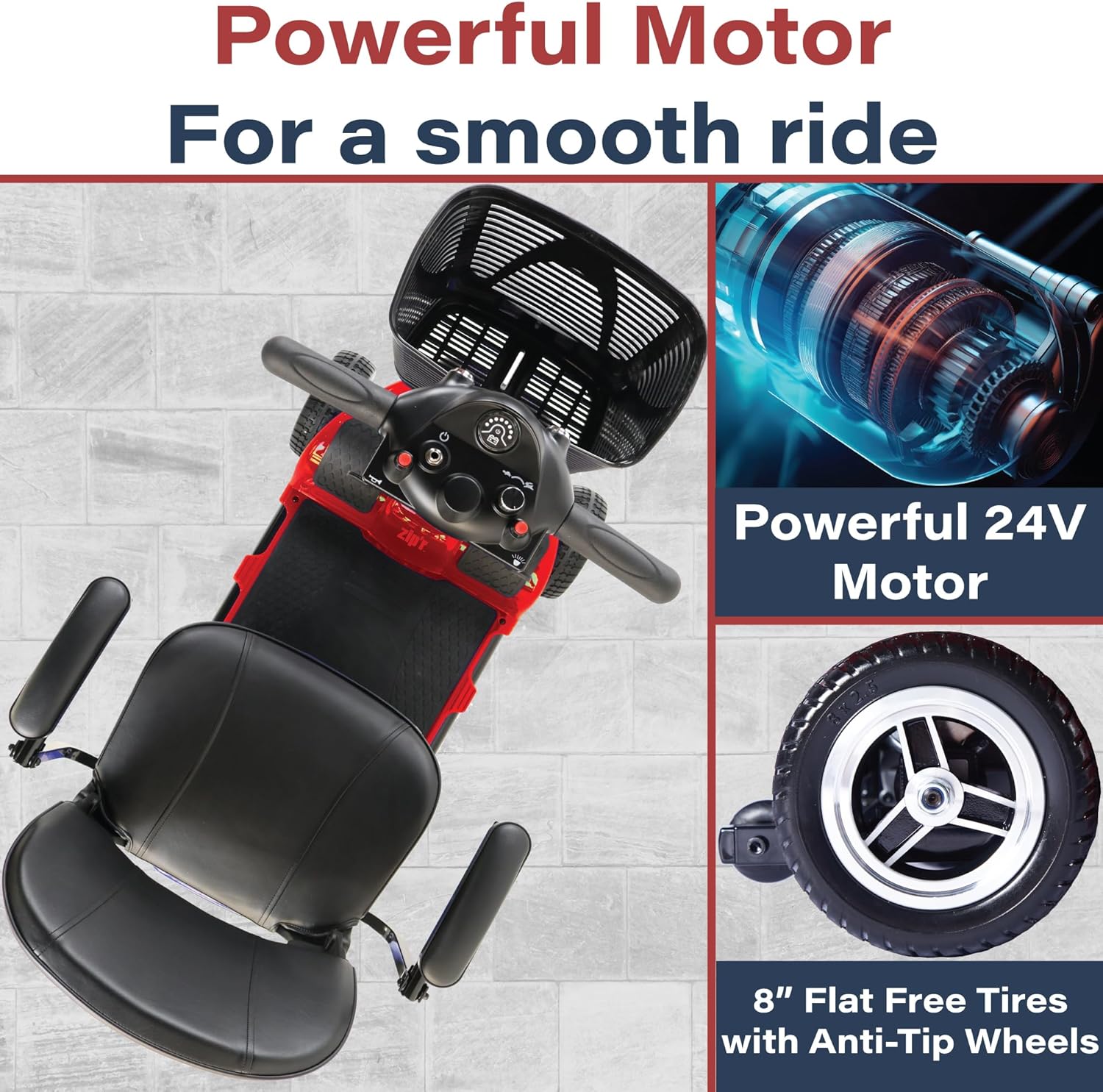
Figure 4.2: Components related to the scooter's powerful motor and durable tires.
4.2 Seating and Comfort
- Comfortably Padded Seat: Wide 17" seat and backrest for supportive cushioning.
- Swivel Seat: Allows for easier access on and off the scooter, and can lock at 90 degrees.
- Height Adjustable: Seat height can be adjusted for personalized comfort.
- Padded Armrests: Provide support and can flip up for convenience.
- Rear Seat Pocket: Additional storage for small items.

Figure 4.3: Details on the comfortable and supportive seating options.

Figure 4.4: Features of the swivel seat for easy access and adjustable armrests.
4.3 Portability and Storage
- Easy Disassembly: Scooter disassembles into four lightweight, transportable pieces.
- Folding Tiller: Reduces overall size for storage and transport.
- Removable Seat: Further aids in compact storage.
- TSA Approved: Suitable for air travel (verify specific airline requirements).
- Front Storage Basket: Sturdy, removable basket for personal belongings.

Figure 4.5: Portability features and weight distribution for easy transport.
4.4 Labeled Components

Figure 4.6: Labeled diagram of the Zipr Roo 4 Wheel Mobility Scooter's main components.
5. Maintenance
Regular maintenance ensures the longevity and safe operation of your Zipr Roo scooter.
- Cleaning: Wipe down the scooter regularly with a damp cloth. Avoid using abrasive cleaners or excessive water.
- Battery Care: Always keep the battery charged, especially if storing the scooter for extended periods. Do not allow the battery to fully discharge.
- Tire Inspection: Periodically check the tires for wear and tear. Although flat-free, ensure they are free from debris.
- Connections: Ensure all electrical connections are secure and free from corrosion.
- Moving Parts: Check that all moving parts, such as the swivel seat mechanism and armrests, operate smoothly.
6. Troubleshooting
If you encounter issues with your scooter, refer to these common troubleshooting tips. For persistent problems, contact customer support.
- Scooter Not Turning On: Check if the key is fully inserted and turned. Ensure the battery is charged.
- Loss of Power/Reduced Speed: This often indicates a low battery. Recharge the battery fully.
- Unusual Noises: Stop using the scooter immediately and inspect for loose parts or obstructions. Do not operate if unusual noises persist.
- Brakes Not Engaging: Ensure the throttle lever is fully released. If the issue continues, contact support.
7. Specifications
Detailed specifications for the Zipr Roo 4 Wheel Mobility Scooter:
| Specification | Value |
|---|---|
| Product Dimensions | 41"D x 19.5"W x 32.4"H |
| Item Weight | 88 Pounds |
| Max Load Capacity | Up to 265 pounds |
| Max Speed | 3.7 mph |
| Range Per Charge | Up to 12.4 miles |
| Batteries | 2 x 12V batteries (included) |
| Tire Type | 8" Flat-Free |
| Model Number | Zipr Roo 4 Red |
| Manufacturer | Zip'r |
| Date First Available | March 28, 2021 |
8. Safety Information
Your safety is paramount. Please adhere to the following guidelines:
- Always operate the scooter on stable, level surfaces.
- Do not exceed the maximum weight capacity of 265 pounds.
- Avoid sudden stops or turns, especially at higher speeds.
- Ensure the area is clear of obstacles before operating.
- Do not operate the scooter under the influence of alcohol or medication that may impair your judgment.
- Keep hands and feet clear of moving parts.
- Legal Disclaimer: Statements regarding dietary supplements have not been evaluated by the FDA and are not intended to diagnose, treat, cure, or prevent any disease or health condition. This product is a medical aid and should be used as directed.
9. Warranty and Support
Zip'r is committed to providing quality products and customer satisfaction.
- Return Policy: This product is eligible for a 30-day return policy for refund or replacement. Please refer to your purchase documentation for full details.
- Customer Support: For any questions, technical assistance, or warranty claims, please contact Zip'r customer support. Contact information can typically be found on the manufacturer's website or your purchase receipt.
- FSA/HSA Eligibility: This mobility scooter is FSA/HSA eligible. Please verify eligibility and requirements with your provider before applying.


