1. Introduction
Thank you for choosing the Crompton Insta Airohot 2000W Heat Convector. This manual provides essential information for the safe and efficient operation, maintenance, and troubleshooting of your new appliance. Please read these instructions carefully before use and retain them for future reference.
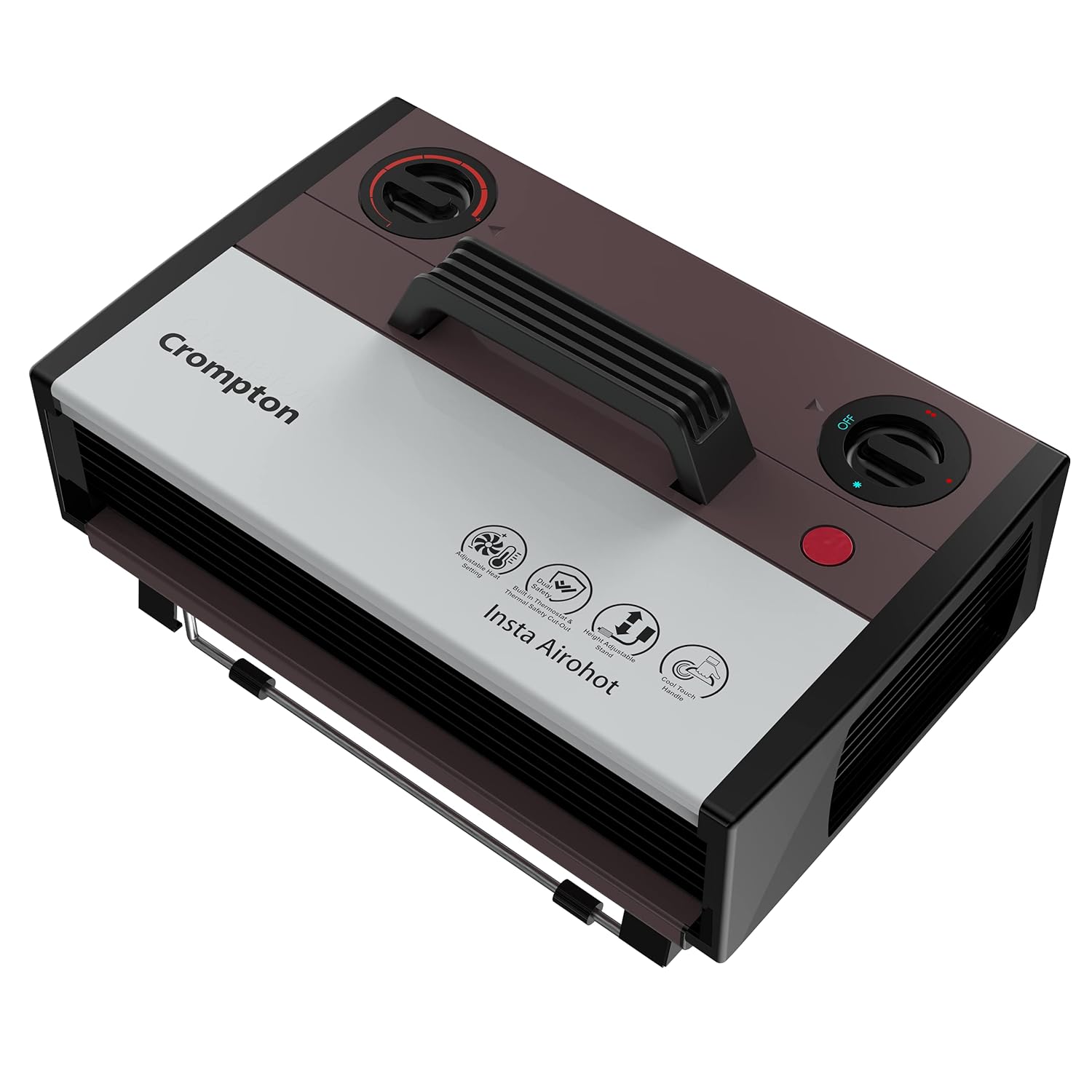
Image 1.1: The Crompton Insta Airohot 2000W Heat Convector, a compact and portable room heater.
2. Important Safety Instructions
WARNING: To reduce the risk of fire, electric shock, or injury, always follow these basic precautions:
- Read all instructions before using this heater.
- Do not use this heater outdoors. It is designed for indoor use only.
- This heater is hot when in use. To avoid burns, do not let bare skin touch hot surfaces.
- Keep combustible materials, such as furniture, pillows, bedding, papers, clothes, and curtains at least 3 feet (0.9 meters) from the front of the heater and keep them away from the sides and rear.
- Extreme caution is necessary when any heater is used by or near children or invalids and whenever the heater is left operating and unattended.
- Always unplug the heater when not in use.
- Do not operate any heater with a damaged cord or plug or after the heater malfunctions, has been dropped or damaged in any manner. Return heater to authorized service facility for examination, electrical or mechanical adjustment, or repair.
- Do not run cord under carpeting. Do not cover cord with throw rugs, runners, or similar coverings. Arrange cord away from traffic area and where it will not be tripped over.
- To disconnect heater, turn controls to OFF, then remove plug from outlet.
- Do not insert or allow foreign objects to enter any ventilation or exhaust opening as this may cause an electric shock or fire, or damage the heater.
- To prevent a possible fire, do not block air intakes or exhaust in any manner. Do not use on soft surfaces, like a bed, where openings may become blocked.
- A heater has hot and arcing or sparking parts inside. Do not use it in areas where gasoline, paint, or flammable liquids are used or stored.
- Use this heater only as described in this manual. Any other use not recommended by the manufacturer may cause fire, electric shock, or injury to persons.
- Always plug heaters directly into a wall outlet/receptacle. Never use with an extension cord or relocatable power tap (outlet/power strip).
3. Product Overview and Features
The Crompton Insta Airohot is designed to provide efficient and comfortable heating for your home. It incorporates several features for user convenience and safety.
Key Features:
- Two Heat Settings: Allows selection between different heating levels for optimal comfort.
- Adjustable Thermostat: Enables precise temperature control to maintain your desired room temperature.
- Overheat Protection: Automatically shuts off the heater if it detects excessive temperatures, preventing damage and ensuring safety.
- Thermal Cut-off: An additional safety mechanism that operates if the thermostat fails, completely shutting down the heater.
- Height Adjustable Stand: Provides flexibility in directing the airflow and heat distribution.
- Cool Touch Handle: Ensures safe and easy portability of the unit even during operation.
- Twin Blade Fan: Distributes heat evenly across the room, reaching every corner.

Image 3.1: Close-up of the temperature control knob, used to adjust the desired heat level.

Image 3.2: The cool touch handle, designed for safe and easy movement of the heater.

Image 3.3: Illustration of the twin blade fan ensuring uniform heat distribution.
4. Setup
- Unpacking: Carefully remove the heater from its packaging. Retain packaging for storage or future transport.
- Placement: Place the heater on a firm, level surface. Ensure it is at least 3 feet (0.9 meters) away from walls, furniture, and other combustible materials. Do not place it directly under a power outlet.
- Adjusting the Stand: The heater comes with a height-adjustable stand. Extend or retract the stand to achieve the desired height and angle for optimal heat distribution. Ensure the stand is stable before operation.
- Power Connection: Ensure the heater is switched OFF before plugging it into a suitable 2000W rated electrical outlet. Do not use extension cords.
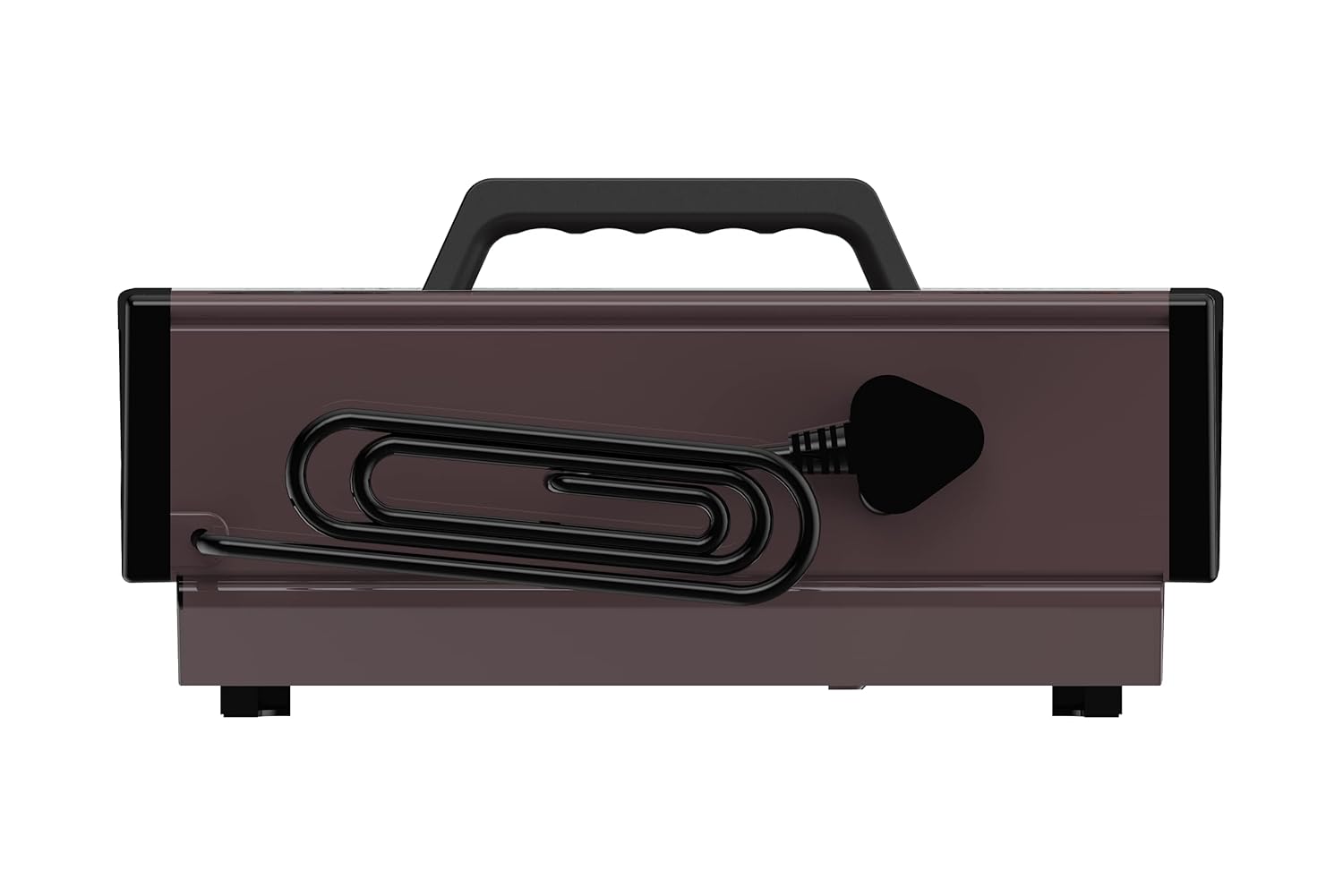
Image 4.1: Rear view of the heater, illustrating the power cord and its storage.
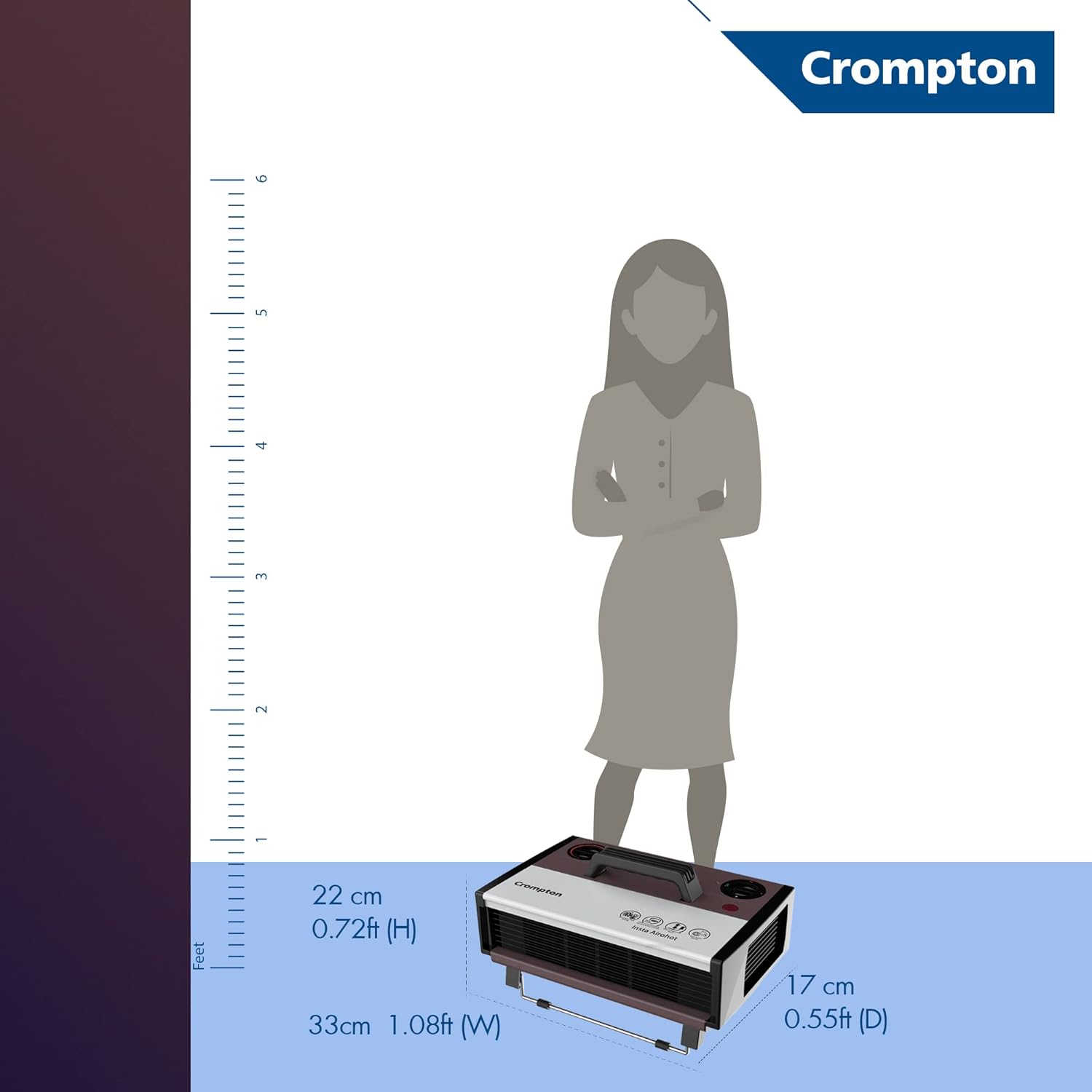
Image 4.2: Visual representation of the heater's dimensions and its adjustable stand.
5. Operating Instructions
- Power On: Plug the heater into a grounded electrical outlet. Turn the main power switch to the 'ON' position. The neon lamp indicator will illuminate, showing the unit is receiving power.
- Select Heat Setting: Use the heat setting knob to choose your desired heat output:
- Setting 1: Low Heat (e.g., 1000W)
- Setting 2: High Heat (e.g., 2000W)
- Adjust Thermostat: Turn the thermostat knob clockwise to increase the desired temperature or counter-clockwise to decrease it. The heater will cycle on and off to maintain the set temperature.
- Power Off: To turn off the heater, first turn the heat setting knob to the 'OFF' position, then unplug the unit from the wall outlet.

Image 5.1: The heater in operation, effectively warming a room.
Video 5.1: An official product video demonstrating the features and operation of the Crompton Insta Airohot heat convector, including its adjustable thermostat, twin blade fan, and safety features like overheat protection and thermal cut-off.
6. Maintenance
Regular maintenance ensures the longevity and efficient operation of your heater.
- Cleaning: Always unplug the heater and allow it to cool completely before cleaning. Use a soft, damp cloth to wipe the exterior surfaces. Do not use abrasive cleaners or solvents.
- Dust Removal: Use a vacuum cleaner with a brush attachment to remove dust from the air intake and exhaust grilles. Ensure these openings are clear of obstructions.
- Storage: When not in use, store the heater in a cool, dry place, preferably in its original packaging.
- Cord Care: Regularly inspect the power cord for any signs of damage. If the cord is damaged, it must be replaced by the manufacturer, its service agent, or similarly qualified persons to avoid a hazard.
7. Troubleshooting
| Problem | Possible Cause | Solution |
|---|---|---|
| Heater does not turn on. |
|
|
| Heater produces insufficient heat. |
|
|
| Heater suddenly stops working. |
|
|
8. Specifications
| Attribute | Detail |
|---|---|
| Brand | Crompton |
| Model Number | ACGRH – Insta Airohot |
| Power Output | 2000W |
| Special Feature | Stand, Adjustable Thermostat, Overheat Protection, Thermal Cut-off |
| Colour | Maroon |
| Form Factor | Cabinet |
| Indoor/Outdoor Usage | Indoor |
| Product Dimensions | 33D x 22.5W x 17H Centimeters |
| Recommended Uses | Home |
| Mounting Type | Floor Mount |
| Burner Type | Radiant |
| Country of Origin | India |
| Item Weight | 2 kg 900 g |
| Included Components | Product, User Manual with Warranty Card |
9. Warranty and Support
Your Crompton Insta Airohot 2000W Heat Convector comes with a 1 Year Standard Product Warranty provided by Crompton from the date of purchase. This warranty covers manufacturing defects.

Image 9.1: The 1 Year Manufacturer's Warranty logo, indicating product coverage.
For warranty claims, technical support, or any product-related inquiries, please refer to the contact information provided on your warranty card or visit the official Crompton website.
Manufacturer: Crompton Greaves Consumer Electricals Limited, Equinox Business Park, 1st Floor, Tower 3, LBS Marg, Kurla (W), Mumbai 400070, Maharashtra, India, Ph - +91-22-6167-8499.


