1. Introduction
The BESTISAN SE06 Soundbar is designed to enhance your audio experience, delivering crystal-clear sound for your TV, PC, and other devices. With its compact design and versatile connectivity options, it's an ideal addition to any home entertainment setup. This manual will guide you through the features and functions of your new soundbar.
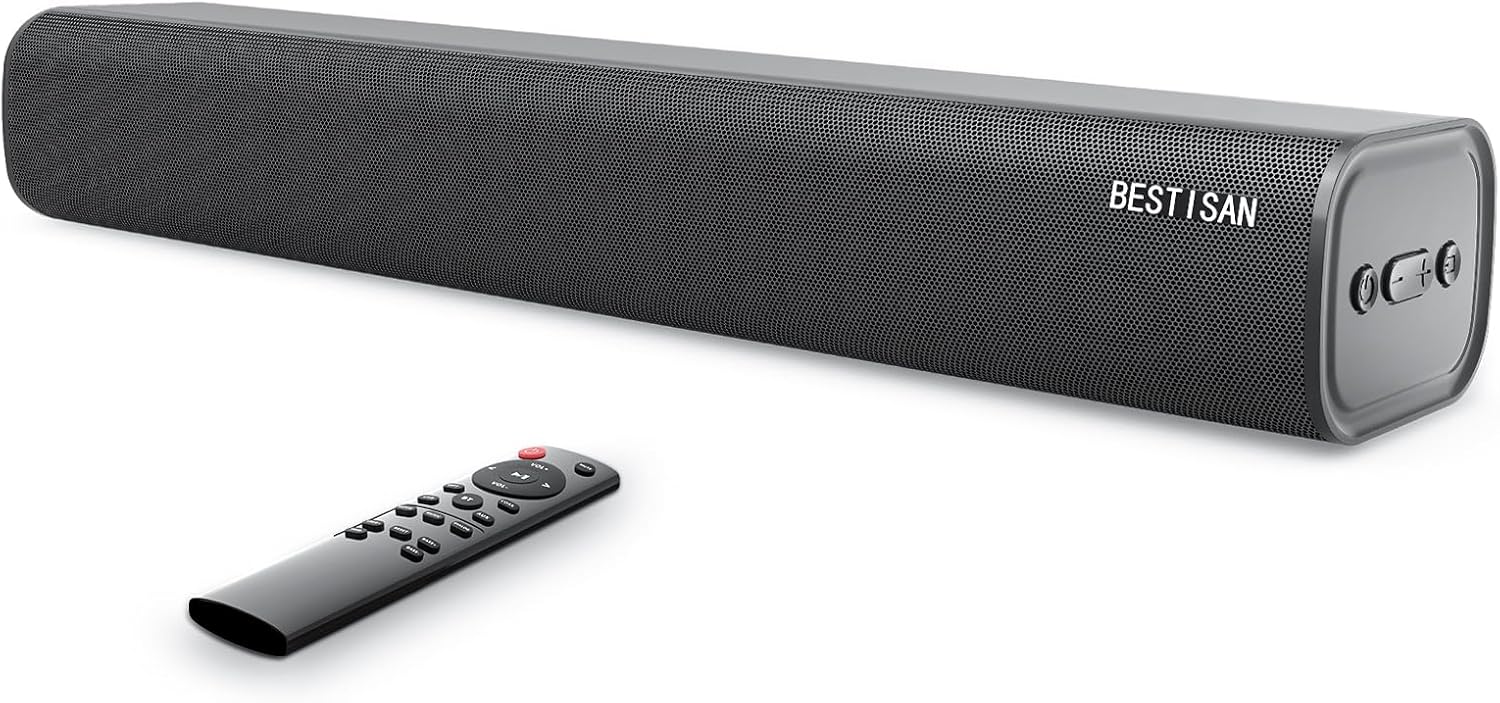
Figure 1: BESTISAN SE06 Soundbar and Remote Control
2. What's in the Box
Carefully unpack your soundbar and ensure all items are present:
- Sound bar (Model: SE06)
- Remote Control
- Power Adapter
- Digital Optical Cable
- Audio Cable (3.5mm to 3.5mm)
- Wall Mount Kits & Template
- User Manual
- Service Card

Figure 2: All included accessories and the soundbar
3. Product Features
- Compact Design: The SE06 delivers outstanding crystal sound with low distortion, designed to produce an immersive sound experience.
- Versatile Connectivity: Features Bluetooth 5.0, USB input, Optical input, Coaxial input, and an AUX port for wide compatibility with TVs, phones, PCs, and other output devices.
- Multiple Sound Modes with DSP Technology: Choose from 3 different Equalizer Modes (Movie, Music, Dialogue) for an optimized audio experience.
- Convenient Control: Control the soundbar via the supplied remote control or the side buttons on the unit. The remote allows for treble and bass intensity adjustments.
- Flexible Placement: Can be placed directly on a TV cabinet or wall-mounted using the included accessories.

Figure 3: Compact dimensions of the soundbar (20.8 inches long)

Figure 4: DSP Technology for optimized sound modes
4. Setup
4.1 Placement
The BESTISAN SE06 Soundbar offers flexible placement options:
- Tabletop Placement: Place the soundbar on a flat, stable surface directly in front of your TV. Ensure it does not block the TV's remote sensor.
- Wall Mounting: Use the included wall mount brackets, screws, and template to securely mount the soundbar below your TV. Follow the instructions on the wall mount template for proper installation.

Figure 5: Soundbar can be placed on a cabinet or wall-mounted
4.2 Connections
Connect the soundbar to your audio source using one of the following methods:
- Optical Connection (Recommended): Use the supplied Digital Optical Cable to connect the soundbar's OPTICAL port to your TV's Optical Digital Audio Out port. Select 'Optical' input on the soundbar.
- AUX Connection: Use the supplied 3.5mm audio cable to connect the soundbar's AUX port to your device's 3.5mm audio output. Select 'AUX' input on the soundbar.
- USB Connection: Insert a USB drive into the soundbar's USB port to play audio files directly. The soundbar will automatically switch to USB input.
- Bluetooth Connection: Power on the soundbar and switch to Bluetooth mode. On your device, search for 'BESTISAN SE06' and pair.
- Coaxial Connection: Use a coaxial cable (not supplied) to connect the soundbar's COAX port to your TV's Coaxial Digital Audio Out port. Select 'Coax' input on the soundbar.

Figure 6: Available input ports on the soundbar
5. Operating Instructions
5.1 Power On/Off
Press the Power button on the remote control or the side panel of the soundbar to turn the unit on or off.
5.2 Input Selection
Press the 'Input' button on the remote or the side panel to cycle through the available input sources (Optical, AUX, USB, Bluetooth, Coaxial).
5.3 Volume Control
Use the 'VOL+' and 'VOL-' buttons on the remote or the side panel to adjust the volume. For optimal sound, ensure your TV's internal speakers are muted or set to a low volume.
5.4 Sound Modes
Utilize the dedicated buttons on the remote control to select different sound modes:
- Movie Mode: Provides louder surround sound, ideal for films and cinematic content.
- Music Mode: Adds clarity and melodious tones, perfect for listening to music.
- Dialogue Mode: Focuses on clarifying and elevating vocals and pronunciation, enhancing speech clarity.
5.5 Bass and Treble Adjustment
Use the 'BASS+' / 'BASS-' and 'TREB+' / 'TREB-' buttons on the remote control to fine-tune the bass and treble intensity to your preference.

Figure 7: Side panel controls and remote control functions
6. Maintenance
To ensure the longevity and optimal performance of your BESTISAN SE06 Soundbar, follow these maintenance guidelines:
- Cleaning: Use a soft, dry cloth to clean the surface of the soundbar. Do not use liquid cleaners or aerosol sprays, as they may damage the finish or internal components.
- Ventilation: Ensure adequate ventilation around the soundbar. Do not block any ventilation openings.
- Environment: Avoid exposing the soundbar to extreme temperatures, humidity, or direct sunlight. Keep it away from sources of heat and moisture.
- Power Cord: Regularly check the power cord for any damage. If damaged, discontinue use and contact customer support.
7. Troubleshooting
If you encounter issues with your soundbar, refer to the following common troubleshooting steps:
| Problem | Possible Solution |
|---|---|
| No Sound |
|
| Bluetooth Pairing Issues |
|
| Remote Control Not Working |
|
| Distorted Sound |
|
8. Specifications
| Feature | Detail |
|---|---|
| Model Name | SE06 |
| Speaker Type | Soundbar |
| Connectivity Technology | Wireless (Bluetooth), Wired (Optical, AUX, USB, Coaxial) |
| Wireless Communication Technology | Bluetooth 5.0 |
| Audio Output Mode | Surround, Stereo |
| Surround Sound Channel Configuration | 2.0 |
| Speaker Maximum Output Power | 120 Watts |
| Product Dimensions | 3.43"D x 20.8"W x 4.5"H |
| Item Weight | 5.59 pounds (2.54 Kilograms) |
| Color | Black |
| Controller Type | Button, Remote Control |
| Recommended Uses For Product | For Televisions |
| Mounting Type | Wall Mount |
9. Warranty & Support
The BESTISAN SE06 Soundbar comes with a Limited Warranty. For any questions, technical support, or warranty claims, please contact BESTISAN support directly.
Contact Information:
- Email: support@bestisan
- Alternatively, you may ask through the Q&A section on the product's retail page.
Please refer to your Service Card included in the box for additional warranty details and terms.


