
1. Introduction
This manual provides essential instructions for the setup, operation, and maintenance of your Pokemon POK4231 Smart Watch for Kids. This interactive smartwatch is designed for children and features a touch screen, various digital functions, and a comfortable silicone strap.
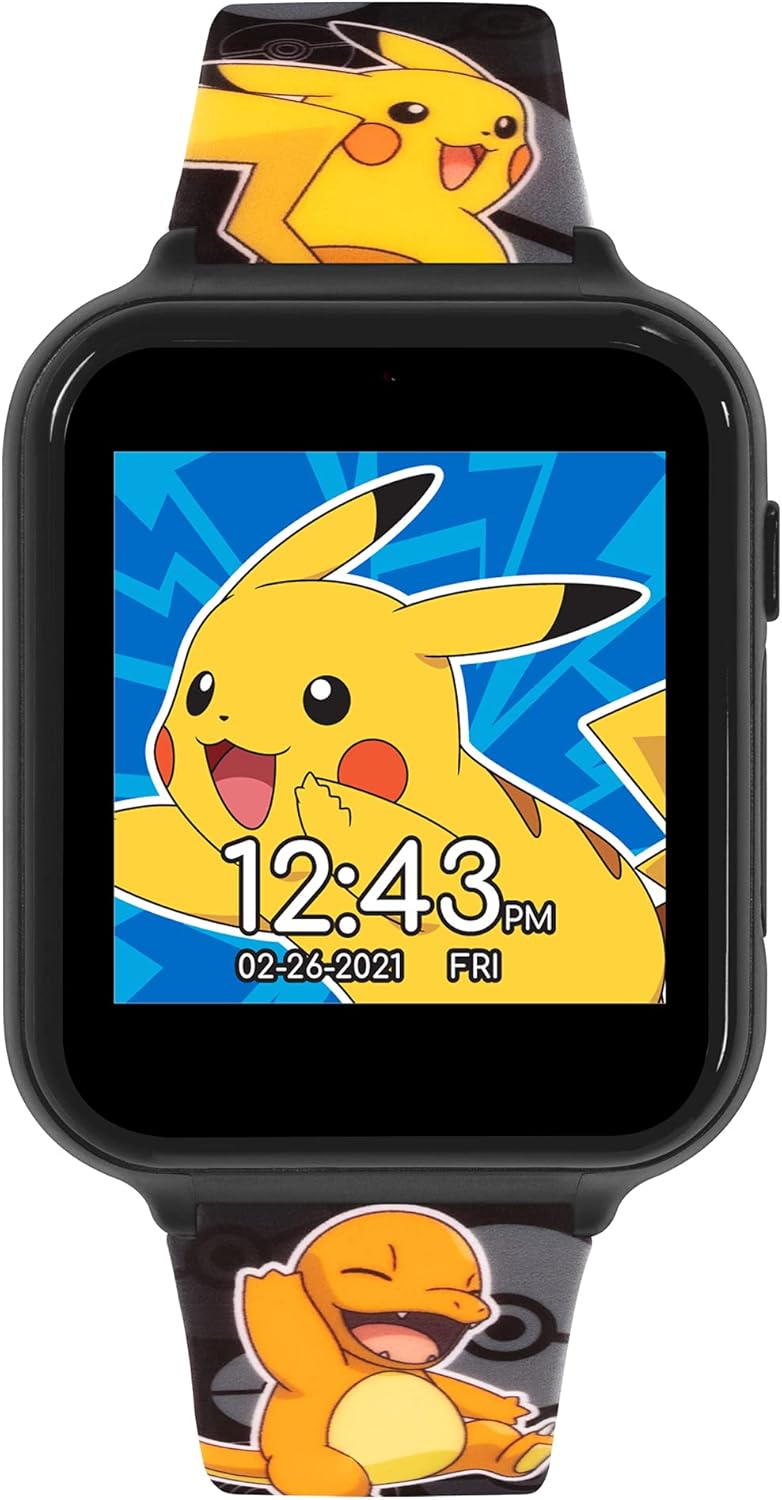
Image 1.1: Front view of the Pokemon POK4231 Smart Watch with a Pikachu watch face.
The watch includes a range of features such as customizable watch faces, a selfie camera, video recording, built-in games, a fitness monitor, alarm, stopwatch, timer, voice recorder, and a calculator. A USB cable is included for charging and data transfer.

Image 1.2: Full view of the Pokemon POK4231 Smart Watch, showcasing the printed silicone strap.
2. Setup
2.1 Charging the Device
Before initial use, fully charge the smartwatch.
- Locate the USB charging port on the side of the watch.
- Connect the provided USB cable to the watch and to a compatible USB power source (e.g., computer USB port, USB wall adapter).
- The watch screen will indicate charging status. Allow sufficient time for a full charge.
2.2 Powering On/Off
- To power on: Press and hold the power button (usually on the side) until the screen illuminates.
- To power off: Press and hold the power button until a power-off option appears on the screen, then confirm.
3. Operating Instructions
The Pokemon POK4231 Smart Watch features a touch screen for navigation and interaction.

Image 3.1: Smart Watch interface showing various feature icons.
3.1 Navigating the Touch Screen
- Tap: Select an icon or option.
- Swipe: Move between different screens or menus.
3.2 Watch Faces
The watch comes with 10 pre-installed watch faces, including 5 analog and 5 digital designs. To change the watch face, swipe left or right on the home screen or access the 'Wallpapers' option in the settings menu.
3.3 Camera and Video
The smartwatch includes a selfie camera and video recording capabilities.
- Camera: Tap the camera icon to open the camera application. Tap again to take a photo.
- Video: Select the video icon within the camera application to switch to video mode. Tap to start recording and tap again to stop.
- Photos and videos are saved directly on the watch's internal storage.
3.4 Games
Access the pre-loaded games by tapping the 'Games' icon. Follow on-screen instructions to play.
3.5 Fitness Monitor
The watch includes a basic fitness monitor to track activity. Tap the 'Fitness' icon to view activity data.
3.6 Alarm, Stopwatch, and Timer
- Alarm: Set alarms for reminders. Tap the 'Alarm' icon, then follow prompts to set time and frequency.
- Stopwatch: Use the stopwatch for timing activities. Tap the 'Stopwatch' icon to start, stop, and reset.
- Timer: Set a countdown timer. Tap the 'Timer' icon, select the desired duration, and start the countdown.
3.7 Voice Recorder
Record short audio clips using the built-in voice recorder. Tap the 'Voice Recorder' icon, then tap to start and stop recording. Recordings are saved on the device.
3.8 Calculator
Perform basic arithmetic calculations using the calculator function. Tap the 'Calculator' icon to open.
4. Maintenance
4.1 Cleaning
- Wipe the watch screen and strap with a soft, dry, lint-free cloth.
- For stubborn dirt, slightly dampen the cloth with water. Avoid harsh chemicals or abrasive materials.
- Ensure the charging port cover (if present) is securely closed to prevent dust or moisture ingress.
4.2 Storage
Store the watch in a cool, dry place away from direct sunlight and extreme temperatures.
5. Troubleshooting
- Watch does not turn on:
Ensure the watch is fully charged. Connect it to the USB charger for at least 30 minutes before attempting to power on again.
- Screen is unresponsive:
Try restarting the watch by holding down the power button. If unresponsive, allow the battery to fully drain and then recharge.
- Charging issues:
Check that the USB cable is securely connected to both the watch and the power source. Try a different USB port or power adapter. Ensure the charging port is clean and free of debris.
- Features not working correctly:
Restart the watch. If the issue persists, refer to the manufacturer's website for further support.
6. Specifications
| Brand | Pokemon |
| Model Name | POK4231 |
| Color | Black |
| Screen Size | 30 Millimeters |
| Operating System | Does not connect to phone |
| Connectivity Technology | Bluetooth (for internal functions, not phone connection) |
| Special Features | Calculator, Stopwatch, Alarm, Selfie Camera, Video Recorder, Voice Recorder, Games, Fitness Monitor |
| Compatible Devices | None (standalone device) |
| Battery Composition | Lithium-ion (1 included) |
| Rechargeable Battery | Yes |
| Manufacturer | Pokemon |
| Country of Origin | China |
7. Warranty and Support
Specific warranty information for the Pokemon POK4231 Smart Watch is not provided in this manual. For details regarding warranty coverage, technical support, or replacement parts, please contact the manufacturer directly or refer to the product packaging.
Manufacturer: Pokemon