
1. Introduction
This manual provides detailed instructions for the installation, operation, maintenance, and troubleshooting of your JOYING 10.1 Android Car Stereo Double Din Head Unit. Please read this manual thoroughly before using the product to ensure proper functionality and safety.
2. Product Features
- Operating System: Latest Android 10 OS for a faster and smoother user experience.
- Processor & Memory: Powerful 1.8GHz Octa-core CPU with 4GB RAM and 64GB ROM.
- Audio Quality: DSP sound effect processing chip with TDA7851 power amplifier output chip, supporting SPDIF digital audio output and 32-band EQ for customizable sound.
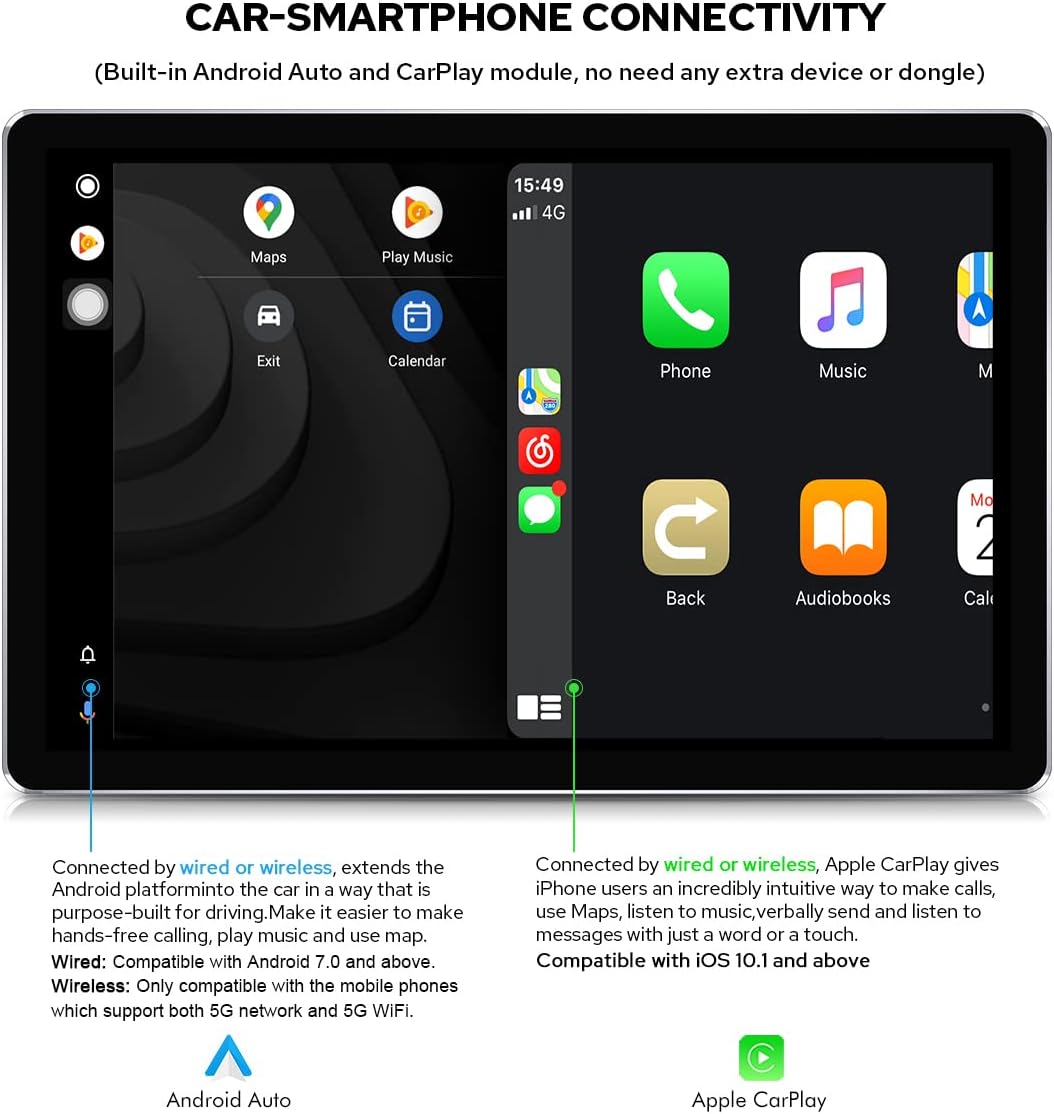
- Smartphone Connectivity: Built-in Carlink supporting wired/wireless Apple CarPlay (iOS 10.1 or later) and wired/wireless Android Auto (Android 7.0 or later, wireless for Android 11+ with 5G WiFi).
- Bluetooth: Upgraded Bluetooth 5.1 (v2.1 + EDR, v5.1 Low Energy) for enhanced transmission rate, effective working distance, audio streaming, automatic Phone Book transfer, and hands-free calls. Supports phone and OBD dongle connection.
- Digital Audio Output: Optical Fiber and Coaxial Digital Output for connection to external amplifiers, providing high-fidelity audio.
- Display: 10.1-inch screen with 1920x1200 resolution, offering high definition and brightness.
- Network Connectivity: Supports 5GHz WiFi for stable network signals and a built-in 4G module (SIM card not included) for internet access.
- Navigation: Integrated GPS with pre-installed Google Maps, supporting online and offline navigation.
- Steering Wheel Control: Supports factory steering wheel controls for convenient operation.
3. Package Contents
The following items are included in your product package:
- JOYING 10.1 Android Car Stereo Head Unit
- GPS Navigation Antenna
- 2x 4G Antennas
- 2x USB Cables
- External Microphone
- ISO Harness
- 20-pin Harness
- Steering Wheel Control Decoder
- External Amplifier Connection Cable
- Radio Antenna Connection Cable
- User Manual

4. Setup & Installation
Professional installation is recommended for this product. Incorrect installation may damage the unit or your vehicle. Ensure the vehicle's power is disconnected before beginning installation.
4.1 Physical Dimensions
Refer to the diagram below for the dimensions of the head unit and screen to ensure compatibility with your vehicle's dashboard.

4.2 Wiring Connections
Use the provided ISO and 20-pin harnesses to connect the head unit to your vehicle's electrical system. Ensure all connections are secure and correctly matched according to your vehicle's wiring diagram.


4.3 Screen Mounting
The screen features a detachable design and adjustable fixed mount positions. Adjust the screen's position to avoid obstructing air-conditioning vents or control switches during installation.

5. Operating Instructions
Your JOYING car stereo runs on Android 10, providing a familiar and intuitive interface. The 10.1-inch touchscreen allows for easy interaction with all functions.
5.1 Basic Interface and Navigation
The main interface provides access to various applications and settings. Swipe left or right to navigate through app pages. The status bar at the top displays time, network status, and other system information.
5.2 Audio Features and Equalizer
The unit features a Digital Sound Processor (DSP) and a 32-band equalizer (EQ) to customize your audio experience. You can select from preset sound modes (e.g., Rock, Pop, Jazz, Cinema) or create a custom user profile. The DSP also allows for independent adjustment of front and rear speakers, surround sound control, and bass boost.

5.3 Smartphone Connectivity (Carlink, Bluetooth)
The built-in Carlink function enables seamless integration with your smartphone. Connect your iPhone for Apple CarPlay or Android phone for Android Auto to access navigation, make calls, listen to music, and use compatible apps directly from the stereo's display.
Bluetooth 5.1 allows for hands-free calling and audio streaming. Pair your phone with the head unit via Bluetooth settings to enjoy these features.
5.4 Network and GPS
The unit supports 5GHz WiFi for high-speed internet access and includes a built-in 4G module for mobile data connectivity (SIM card required). The integrated GPS module provides accurate positioning for navigation using pre-installed or downloaded map applications.
5.5 High-Resolution Display
The 10.1-inch screen boasts a 1920x1200 resolution, providing clear and vibrant visuals for navigation, video playback, and app usage. The high brightness ensures readability even in direct sunlight.

5.6 Demonstration Video
The following video demonstrates various functionalities of the JOYING 10.1 Android Car Stereo, including navigating the user interface, playing music, using the equalizer, tuning the radio, playing videos, and connecting via Bluetooth and Carlink.
6. Maintenance
To ensure the longevity and optimal performance of your JOYING car stereo, follow these maintenance guidelines:
- Cleaning the Screen: Use a soft, lint-free cloth to gently wipe the touchscreen. For stubborn smudges, slightly dampen the cloth with water or a screen-safe cleaner. Avoid abrasive materials or harsh chemicals.
- General Cleaning: Keep the unit free from dust and debris. Use a soft brush or compressed air to clean vents and crevices.
- Software Updates: Periodically check for and install software updates provided by JOYING to ensure the system runs efficiently and has the latest features and security patches.
- Avoid Extreme Temperatures: Do not expose the unit to extreme heat or cold for extended periods, as this can affect performance and lifespan.
7. Troubleshooting
If you encounter issues with your JOYING car stereo, refer to the following common troubleshooting steps:
- No Power: Check all power connections and fuses. Ensure the vehicle's ignition is on.
- No Sound: Verify speaker connections, volume levels, and equalizer settings. Check if the mute function is active.
- Bluetooth Connection Issues: Ensure Bluetooth is enabled on both the stereo and your phone. Try unpairing and re-pairing the devices.
- GPS Signal Loss: Ensure the GPS antenna is correctly installed and has a clear view of the sky. Check map application settings.
- Touchscreen Unresponsive: Try restarting the unit. If the issue persists, a factory reset may be necessary (note: this will erase all user data).
- CarPlay/Android Auto Not Connecting: Ensure your phone's operating system is compatible and that the connection (wired or wireless) is stable. Check app permissions on your phone.
If these steps do not resolve the issue, please contact JOYING customer support for further assistance.
8. Specifications
| Feature | Specification |
|---|---|
| Brand | JOYING |
| Model | B09CDB61KM |
| Operating System | Android 10 |
| CPU Processor | 1.8GHz Octa-core (UIS7862 12nm Dual ARM Cortex-A75 Six ARM A55) |
| RAM + ROM | 4GB + 64GB |
| Screen Size | 10.1 Inches |
| Resolution | 1920 x 1200 |
| Touch Screen Type | Capacitive |
| Bluetooth | Bluetooth 5.1 (v2.1 + EDR, v5.1 Low Energy) |
| Wi-Fi | 5GHz Wi-Fi Support |
| 4G Module | Built-in (SIM card not included) |
| Carlink Support | Wired/Wireless Apple CarPlay, Wired/Wireless Android Auto |
| Audio Output | DSP, TDA7851 Amplifier, SPDIF Digital Output, Optical Fiber, Coaxial Digital Output |
| GPS | Built-in Google Maps, supports online/offline navigation |
| USB Ports | 3 USB ports |
| Micro SD Card Slot | 1 slot (supports up to 64GB) |
| Audio Power Output | 4x50W |
| Working Voltage | 10V-14V |
| Working Temperature | -40℃ - 80℃ |
9. Warranty & Support
JOYING products are designed for reliability and performance. For warranty information and technical support, please refer to the warranty card included in your package or visit the official JOYING website. Our customer service team is available to assist with any questions or concerns you may have regarding your product.
For additional resources and FAQs, please visit: JOYING Store on Amazon
