1. Introduction
Thank you for choosing the Retevis RA79 Two Way Radio. This manual provides essential information for the safe and efficient operation of your device. The RA79 is a high-power, dual-band ham radio featuring 128 channels, designed for reliable long-range communication. Please read this manual thoroughly before use.
Package Contents:
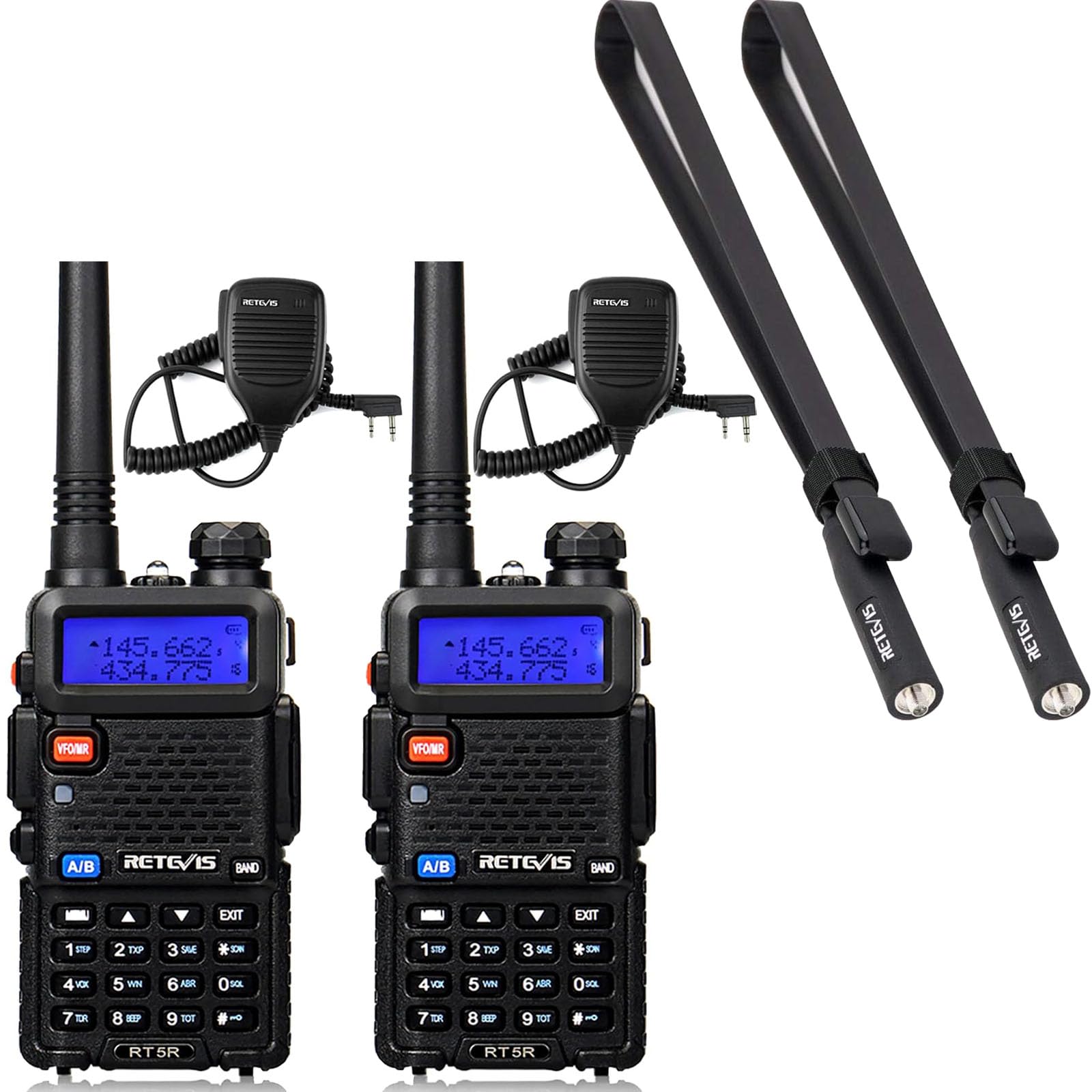
- 2 x Retevis RA79 Two Way Radio
- 2 x Standard Antenna
- 2 x Foldable Tactical Antenna
- 2 x Earpiece
- 2 x Li-ion Battery Pack
- 2 x Charger
- 2 x Belt Clip
- 2 x Sling
- 2 x Adapter
- 2 x Speaker Mic
2. Setup
2.1 Battery Installation
- Align the battery pack with the grooves on the back of the radio.
- Slide the battery pack upwards until it clicks into place.
- To remove, press the battery release latch and slide the battery downwards.
2.2 Antenna Attachment
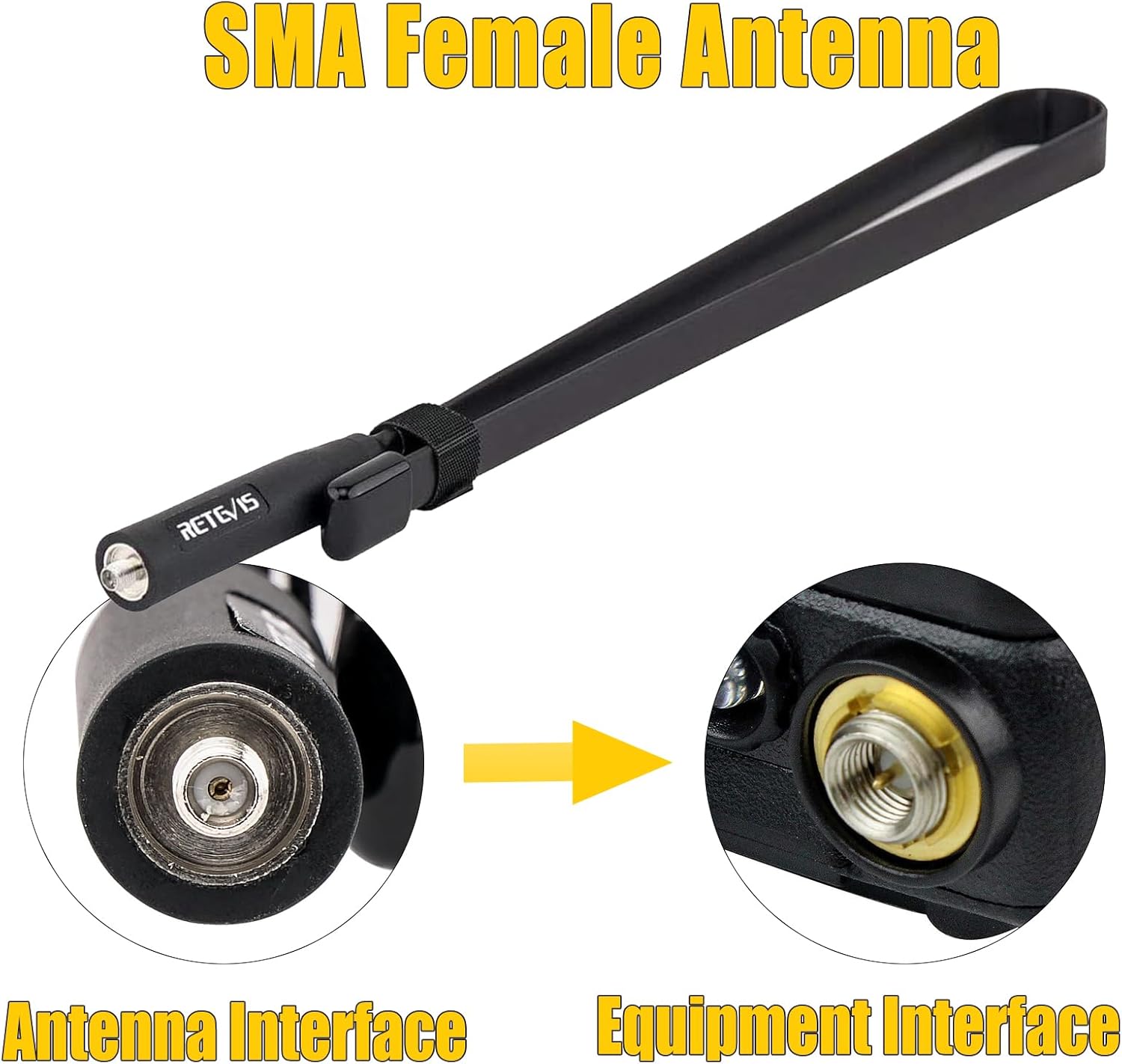
The RA79 uses an SMA female antenna interface. You can choose between the standard antenna or the foldable tactical antenna for enhanced signal strength.
- Screw the desired antenna clockwise into the antenna connector on top of the radio until it is finger-tight. Do not overtighten.
- Ensure a secure connection for optimal performance.

2.3 Charging the Battery
- Connect the adapter to the charger base.
- Plug the adapter into a power outlet.
- Place the radio with the battery attached (or just the battery pack) into the charger base.
- The charger indicator light will show charging status (typically red for charging, green for fully charged).
2.4 Attaching Accessories
- Belt Clip: Secure the belt clip to the back of the radio using the provided screws.
- Earpiece/Speaker Mic: Plug the earpiece or speaker mic into the accessory jack on the side of the radio.
3. Operating Instructions
3.1 Powering On/Off
- Power On: Rotate the power/volume knob clockwise until you hear a click.
- Power Off: Rotate the power/volume knob counter-clockwise until you hear a click.
3.2 Adjusting Volume
Rotate the power/volume knob clockwise to increase volume and counter-clockwise to decrease volume.
3.3 Channel Selection and Dual-Band Display
The RA79 supports 128 channels and features a dual-band display, allowing you to monitor two different frequencies simultaneously. Use the keypad to directly input frequencies or navigate through programmed channels.


3.4 Transmitting and Receiving
- Receiving: When the radio is on and tuned to an active channel, it will automatically receive incoming transmissions.
- Transmitting: Press and hold the Push-to-Talk (PTT) button on the side of the radio. Speak clearly into the microphone. Release the PTT button to stop transmitting and return to receive mode.
3.5 CHIRP Software Support
The Retevis RA79 supports CHIRP software, allowing for personalized programming of channels, frequencies, and other settings. This enables users to customize the radio's functionality to meet specific operational needs. Refer to the CHIRP software documentation for detailed programming instructions.

4. Maintenance
4.1 Battery Care
- Charge the battery fully before first use.
- Avoid overcharging or completely draining the battery to prolong its lifespan.
- Store batteries in a cool, dry place when not in use.
4.2 Cleaning the Radio
Wipe the radio's surface with a soft, damp cloth. Do not use harsh chemicals or abrasive cleaners. Ensure the radio is powered off and dry before cleaning.
4.3 Antenna Care
The foldable tactical antenna is designed for durability and flexibility. While it can bend easily, avoid excessive force or sharp angles that could damage the internal wiring. Ensure the antenna connection remains tight.
4.4 General Handling
The RA79 is built with an anti-falling design for enhanced durability. However, avoid dropping the radio from significant heights or subjecting it to severe impacts to prevent damage.

5. Troubleshooting
If you encounter issues with your Retevis RA79 radio, please refer to the following common problems and solutions:
- Radio does not power on:
- Ensure the battery is properly installed and charged.
- Check that the power/volume knob is rotated clockwise past the 'off' position.
- Cannot transmit or receive:
- Verify the antenna is securely attached.
- Confirm you are on the correct frequency/channel.
- Check if the battery level is sufficient.
- Ensure no squelch settings are too high, blocking weak signals.
- Poor audio quality:
- Adjust the volume level.
- Check the antenna connection.
- Ensure you are within range of the other radio or repeater.
- If using an earpiece/speaker mic, ensure it is fully plugged in and functional.
If these steps do not resolve the issue, please contact Retevis customer support.
6. Specifications
| Feature | Specification |
|---|---|
| Brand | Retevis |
| Model | RA79 |
| Number of Channels | 128 |
| Frequency Bands | Dual Band (VHF & UHF) |
| Power Output | High Power (5W) |
| Antenna Type | SMA Female |
| Antenna Gain (Tactical) | 5dBi |
| Antenna Length (Tactical) | 73.5cm / 28.9 inches |
| Antenna Impedance | 50Ω |
| Display Features | LCD, Dual-band Display |
| Programming | Supports CHIRP |
| Durability | Anti-falling design |

7. Warranty and Support
For warranty information, please refer to the documentation included with your product or visit the official Retevis website. Retevis provides customer support for product inquiries, technical assistance, and warranty claims.
You can find more information and contact details on the Retevis Store on Amazon.


