
1. Introduction
The ChunHee Wireless Intercom System provides reliable and convenient two-way communication for various environments, including homes, offices, and outdoor activities. Designed for ease of use, this system is ideal for connecting with family members, caregivers, or colleagues across different rooms or distances. Its lightweight and compact design ensures portability and simple operation for users of all ages.

Image: The ChunHee Wireless Intercom System units, showcasing their compact design and illuminated PTT buttons.

Image: The intercom system is designed for simple operation, making it accessible for seniors, children, and individuals needing assistance.
2. What's in the Box
Your ChunHee Wireless Intercom System package includes the following items:
- 2 x Wireless Intercom Devices
- 2 x Lithium-Polymer Batteries
- 2 x USB Charging Cables (Power adapters not included)
3. Product Features and Components
Familiarize yourself with the various parts and functions of your intercom device:

Image: Labeled diagram of the intercom unit, highlighting its antenna, flashlight, indicator light, PTT button, microphone, headphone jack, power/lighting key, frequency jack, up/monitor key, charging jack, down/channel/VOX key, and speaker.
Key Components:
- Antenna: For signal transmission and reception.
- Flashlight: Integrated LED light for illumination.
- Indicator Light: Displays device status (e.g., power, charging, transmitting, receiving).
- PTT (Push-to-Talk) Button: Press and hold to transmit your voice. Available on the front and side for versatile operation.
- Microphone: Captures your voice for transmission.
- Headphone Jack: For connecting external audio accessories.
- Power Button + Lighting Key: Controls power and flashlight function.
- Up Key + Monitor Key: Adjusts settings and activates monitor function.
- Down Key + Channel Key VOX: Adjusts settings, changes channels, and activates VOX (Voice Operated Exchange) function.
- Charging Jack: For connecting the USB charging cable.
- Speaker: Outputs received audio.

Image: Dimensions of the intercom unit, illustrating its compact and slim profile.
4. Setup
Setting up your ChunHee Wireless Intercom System is straightforward:
- Charge the Devices: Before first use, fully charge both intercom units. Connect the provided USB charging cables to the charging jacks on each unit and plug them into a compatible USB power source (e.g., computer USB port, wall adapter). The indicator light will show charging status.
- Power On: Press and hold the Power Button (usually located on the side or top) until the device powers on and the indicator light illuminates.
- Select Channel: Ensure both intercom units are set to the same channel for communication. Use the Channel Key (often combined with the Down Key) to cycle through the available 16 channels. A voice prompt will typically announce the selected channel number.

Image: Intercom unit connected for charging, showing the green indicator light.
5. Operating Instructions
Basic Communication:
- Transmit: To speak, press and hold either the front PTT button or the side PTT button. Speak clearly into the microphone. The indicator light will typically turn red while transmitting. Release the PTT button when you are finished speaking.
- Receive: When the other unit transmits, your unit will automatically receive the audio. The indicator light will typically turn green while receiving.

Image: The intercom features both a front and side PTT button for convenient operation with either hand.
Advanced Functions:
- Volume Control: Use the Up/Down keys to adjust the speaker volume to a comfortable level.
- Flashlight: Press the Lighting Key (often combined with the Power Button) to turn the integrated flashlight on or off.
- Monitor Function: Press the Monitor Key (often combined with the Up Key) to temporarily disable squelch and listen for weak signals on the current channel.
- VOX (Voice Operated Exchange): Activate VOX mode (using the VOX Key, often combined with the Down/Channel Key) to transmit automatically when you speak, without needing to press the PTT button. Adjust VOX sensitivity as needed.
Indicator Light Status:
- Green Light (Solid): Receiving signal or standby with sufficient power.
- Red Light (Solid): Transmitting.
- Red Light (Flashing): Low battery alert.
- Blue Light (Pulsing): Finished charging.

Image: Visual representation of the indicator light states for standby, charging, and fully charged.
Range and Placement:
The system offers a talking range of up to 0.5 miles in open areas and can be effective for room-to-room communication within a 1.5-mile radius in ideal conditions. Obstacles like thick walls, metal structures, and electronic interference can reduce the effective range. For optimal performance, place units in central locations and avoid obstructions.
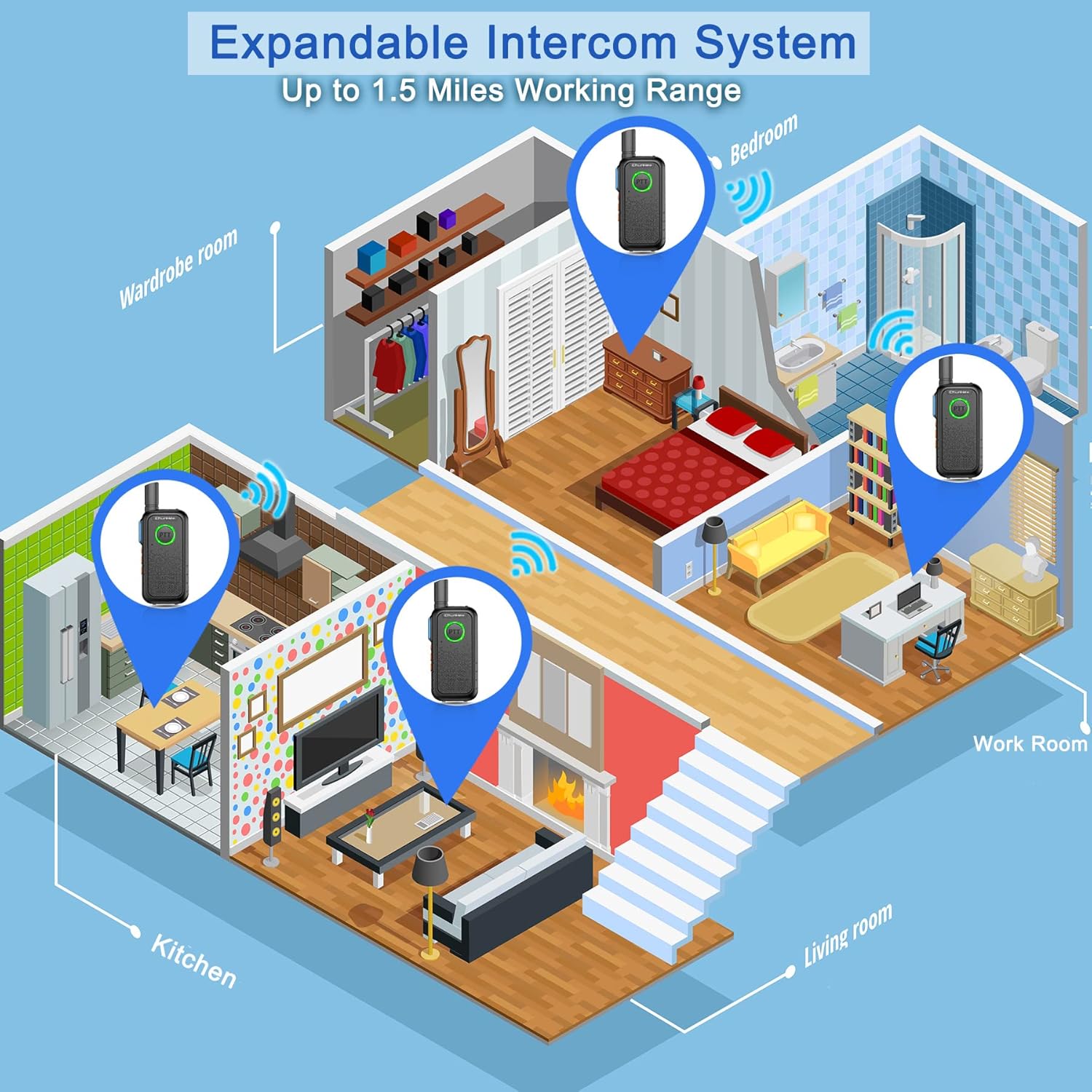
Image: Diagram illustrating the potential for an expandable intercom system to cover multiple rooms within a home, with a working range of up to 1.5 miles.
6. Maintenance
- Cleaning: Wipe the devices with a soft, damp cloth. Do not use harsh chemicals or abrasive cleaners.
- Battery Care: To prolong battery life, avoid fully discharging the batteries regularly. Charge them when the low battery indicator appears. If storing for extended periods, charge the batteries to about 50% every few months.
- Storage: Store the intercom units in a cool, dry place away from direct sunlight and extreme temperatures.
- Water Resistance: The devices are water-resistant, but not waterproof. Avoid submerging them in water. If they get wet, remove the battery (if removable) and allow them to dry completely before re-using.
7. Troubleshooting
| Problem | Possible Cause | Solution |
|---|---|---|
| No power / Device won't turn on | Battery is dead or not properly installed. | Charge the device fully. Ensure the battery is correctly inserted. |
| Cannot communicate with other unit | Units are on different channels. Out of range. Battery low. | Ensure both units are on the same channel. Move closer to the other unit. Charge batteries. |
| Poor audio quality / Static | Interference from other electronic devices. Out of range. Obstructions. | Move away from potential interference sources. Reduce distance between units. Minimize obstructions. |
| Low battery warning (voice prompt/flashing red light) | Battery is running low. | Charge the device immediately. Note: A low battery warning may sometimes be a loud, unexpected sound. |
| Flashlight not working | Flashlight function not activated. | Press the Lighting Key to activate the flashlight. |
8. Specifications
| Feature | Detail |
|---|---|
| Brand | ChunHee |
| Model Number | WT11-2 |
| Item Weight | 11.3 ounces |
| Product Dimensions | 1.97 x 0.79 x 5.12 inches |
| Color | Black |
| Number of Channels | 16 |
| Frequency Range | 400-470 MHz |
| Talking Range Maximum | 0.5 Mile (Outdoor), up to 1.5 Miles (Ideal conditions) |
| Tuner Technology | UHF |
| Voltage | 3.6 Volts |
| Water Resistance Level | Water Resistant |
| Special Feature | Lightweight, Wireless |
9. Warranty and Support
ChunHee products are designed for reliability and performance. For any questions, technical assistance, or warranty inquiries, please contact ChunHee customer support through the retailer where you purchased the product or visit the official ChunHee brand store online. Please retain your proof of purchase for warranty claims.
For additional resources, you may refer to the official ChunHee brand store: ChunHee Brand Store


