Product Overview
The Honeywell Air Purifier Air touch V4 is designed to provide a cleaner and healthier indoor environment. This advanced air purifier features a 5-stage filtration system, including UV LED and Ionizer technology, to effectively remove 99.99% of airborne pollutants and micro allergens. It is suitable for homes and covers an area of up to 543 sq.ft.

Image: The Honeywell Air Purifier Air touch V4, a white rectangular unit with a control panel, shown alongside its remote control.
Setup Guide
Unpacking and Placement
- Carefully remove the air purifier and all packaging materials from the box.
- Check for any damage during transit. If damaged, do not operate and contact customer support.
- Place the air purifier on a firm, level surface. Ensure there is at least 20 cm (8 inches) of clear space around all sides for optimal air circulation.
- Avoid placing the unit near heat sources, direct sunlight, or in areas with high humidity.
Filter Installation
The Honeywell Air touch V4 features a 5-stage filtration system. Filters may come pre-installed or require installation before first use. Refer to the diagram below for filter order.

Image: A detailed diagram illustrating the five stages of filtration: Anti-bacterial filter, Silver ION Anti H1N1 layer, H13 HEPA filter, Activated Carbon filter, and Cold Catalyst filter, with arrows indicating airflow.
- Open the front cover of the air purifier.
- If filters are wrapped in plastic, remove all plastic packaging.
- Insert the filters in the correct order as indicated by the labels on the filters and inside the unit. The typical order is: Anti-bacterial, Silver ION Anti H1N1, H13 HEPA, Activated Carbon, Cold Catalyst.
- Close the front cover securely.
Power Connection
Plug the power cord into a standard electrical outlet. The unit is now ready for operation.
Operating Instructions
Control Panel and Remote
The Air touch V4 can be operated using the touch control panel on the unit or the included remote control.

Image: A close-up view of the air purifier's control panel, highlighting the real-time PM2.5 indicator with color-coded air quality levels (Good, Moderate, Poor).

Image: A hand holding the remote control for the Honeywell Air Purifier, showing its various buttons for power, timer, speed, sleep, UV, and ionizer functions.
Functions
- Power On/Off: Press the power button to turn the unit on or off.
- Fan Speed: Adjust the fan speed (low, medium, high) to control the purification rate.
- Timer: Set the automatic shut-off timer for 1, 2, 4, or 8 hours.
- Sleep Mode: Activates quiet operation for undisturbed sleep. The display lights may dim.
- UV LED: Activates the UV LED for enhanced sterilization against bacteria and viruses.
- Ionizer: Activates the ionizer function to help remove airborne particles.
- PM2.5 Indicator: The display shows real-time PM2.5 levels and indicates air quality (Good, Moderate, Poor) via color changes.

Image: An illustration showing the Honeywell Air Purifier placed in a living space, demonstrating its coverage area of up to 543 sq.ft. and 3D airflow.
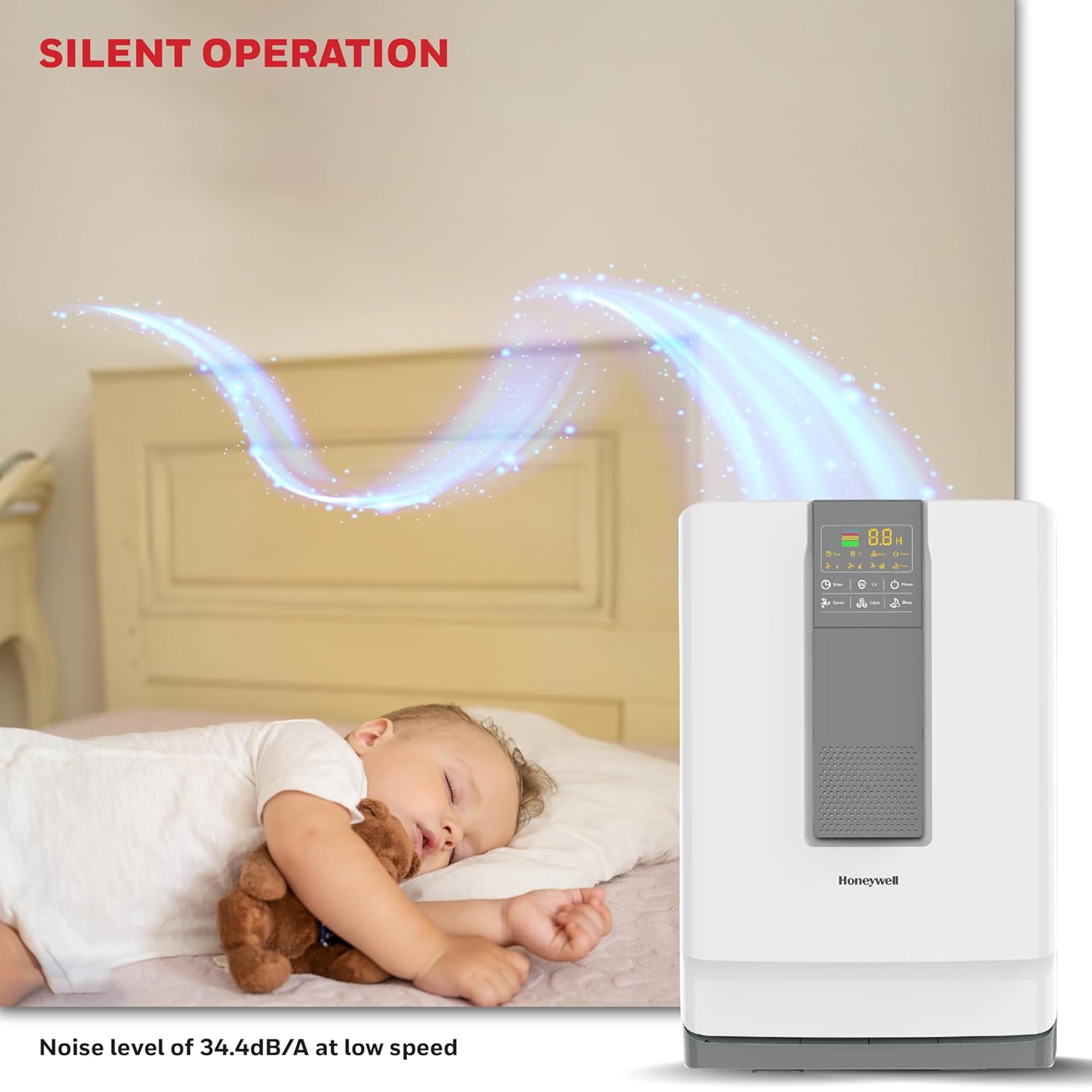
Image: The Honeywell Air Purifier operating quietly in a bedroom, with a sleeping baby nearby, emphasizing its low noise level of 34.4dB/A at low speed.

Image: An illustration demonstrating the UV LED and Ionizer functions of the Honeywell Air Purifier, showing how it helps to kill harmful bacteria and purify the air.
Maintenance
Filter Replacement
The filters have a life of up to 9000 hours or approximately 1 year, depending on usage and air quality. The unit is equipped with a filter reset indicator to notify you when replacement is needed.

Image: The Honeywell Air Purifier with an arrow pointing to the control panel, highlighting the filter reset indicator light.
- Turn off and unplug the air purifier before replacing filters.
- Open the front cover and remove the old filters.
- Dispose of used filters according to local regulations.
- Install new genuine Honeywell replacement filters in the correct order (refer to Filter Installation in Setup Guide).
- Close the front cover.
- Plug in the unit and press and hold the "Filter Reset" button (if available, or as per manual instructions) for a few seconds until the indicator light turns off.
Cleaning the Unit
- Wipe the exterior of the air purifier with a soft, dry cloth.
- Do not use abrasive cleaners, solvents, or spray directly onto the unit.
- Clean the air intake and outlet vents periodically with a soft brush or vacuum cleaner attachment to remove dust buildup.
Troubleshooting
| Problem | Possible Cause | Solution |
|---|---|---|
| Unit does not turn on. | No power; Power cord not securely plugged in; Front cover not closed properly. | Check power outlet; Ensure power cord is fully inserted; Close the front cover securely. |
| Airflow is weak. | Filters are clogged; Air intake/outlet blocked. | Replace filters; Clear any obstructions from vents. |
| Unusual noise. | Foreign object inside; Filters not installed correctly. | Turn off and unplug, check for foreign objects; Reinstall filters correctly. |
| Filter indicator light remains on after replacement. | Filter reset not performed. | Perform filter reset procedure (refer to Maintenance section). |
If the problem persists after attempting these solutions, please contact Honeywell customer support.
Product Specifications
- Model: Air touch V4
- Brand: Honeywell
- Color: White
- Product Dimensions: 18D x 33W x 48H Centimeters
- Coverage Area: Up to 543 Square Feet
- CADR (Clean Air Delivery Rate): Up to 350 m³/h
- Filtration Stages: 5 (Anti-bacterial, H13 HEPA, Silver ION Anti H1N1, Cold Catalyst, Activated Carbon)
- Pollutant Removal: Removes 99.99% Micro Allergens and airborne Pollutants including PM 10 and PM 2.5
- Noise Level: 34.4 dB/A (at low speed)
- Filter Life: Up to 9000 hours or 1 year
- Special Features: UV LED, Ionizer, Real-time PM2.5 indicator, Sleep mode, Remote control
Warranty and Support
Warranty Information
This Honeywell Air Purifier Air touch V4 comes with a 2 Year Manufacturer Warranty from the date of purchase. Please retain your purchase receipt as proof of purchase for warranty claims.
The warranty covers manufacturing defects and malfunctions under normal use. It does not cover damage caused by misuse, accidents, unauthorized repairs, or normal wear and tear of consumable parts like filters.
Customer Support
For technical assistance, warranty claims, or to purchase replacement filters, please contact Honeywell customer support through their official website or the contact information provided in your product packaging.
You can visit the official Honeywell store on Amazon for more information and products: Honeywell Store


