
1. Introduction
This manual provides essential instructions for the safe and efficient operation of your VEVOR Pure Sine Wave Inverter 3500 Watt. Please read this manual thoroughly before installation and use, and retain it for future reference. This inverter converts 12V DC power to 120V AC power, suitable for various applications including RVs, trucks, cars, solar systems, travel, and camping.
2. Safety Information
WARNING: Failure to follow these safety instructions may result in electric shock, fire, serious injury, or death.
- Ensure proper ventilation around the inverter to prevent overheating.
- Do not expose the inverter to water, rain, or excessive moisture.
- Connect the inverter only to a 12V DC power source.
- Always connect the negative terminal first, then the positive terminal. Be prepared for a small spark when making the final positive connection; this is normal as capacitors charge.
- Ensure all connections are tight and secure to prevent arcing and overheating.
- Do not operate the inverter near flammable materials or in environments with explosive gases.
- Avoid overloading the inverter beyond its continuous power rating of 3500W.
- Keep children away from the inverter and its connections.
- In case of malfunction, disconnect the power immediately and consult a qualified technician.
3. Package Contents
Verify that all items are present in your package:
- 1 x AC Power Inverter
- 1 x Remote Control w/Cable
- 8 x 50A Fuses
- 2 x Battery Cables (Red & Black)
- 1 x Convenient Paste
- 1 x User Manual
4. Product Features
4.1. 3500W Pure Sine Wave Power Inverter
Provides 3500W continuous output power and 7000W surge power, converting 12V DC to 120V AC. Features 4 AC outlets and one USB port. No Load Current: < 0.8 A, Efficiency: ≥ 88%. The aluminum alloy shell is designed for durability and optimal performance across various temperatures.

Image: VEVOR 3500W Pure Sine Wave Inverter, showing the main unit, battery cables, remote control, and fuses.
4.2. Professional LCD & LED Indicators
The LCD display shows input voltage, frequency, output voltage, battery power, product power, product waveform, and working status. LED Indicators provide prompt feedback on the inverter's operational status.
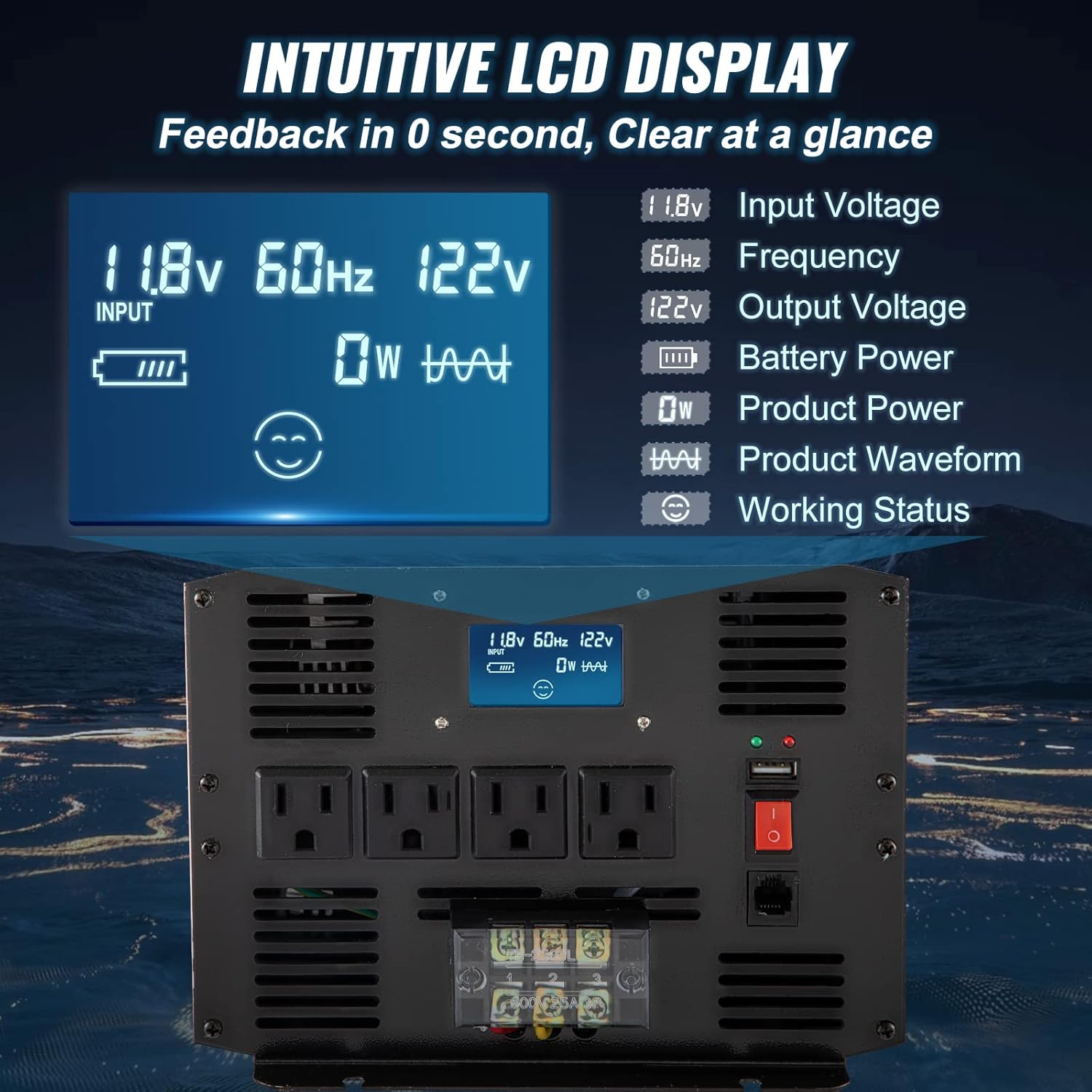
Image: Detailed view of the inverter's intuitive LCD display, highlighting various real-time power metrics.
4.3. Powerful Remote Control
Includes a high-quality plastic LCD remote controller with a 9.8 ft / 3 m cable for convenient remote operation. The remote displays battery status and input voltage, allowing for easy power management from a distance.
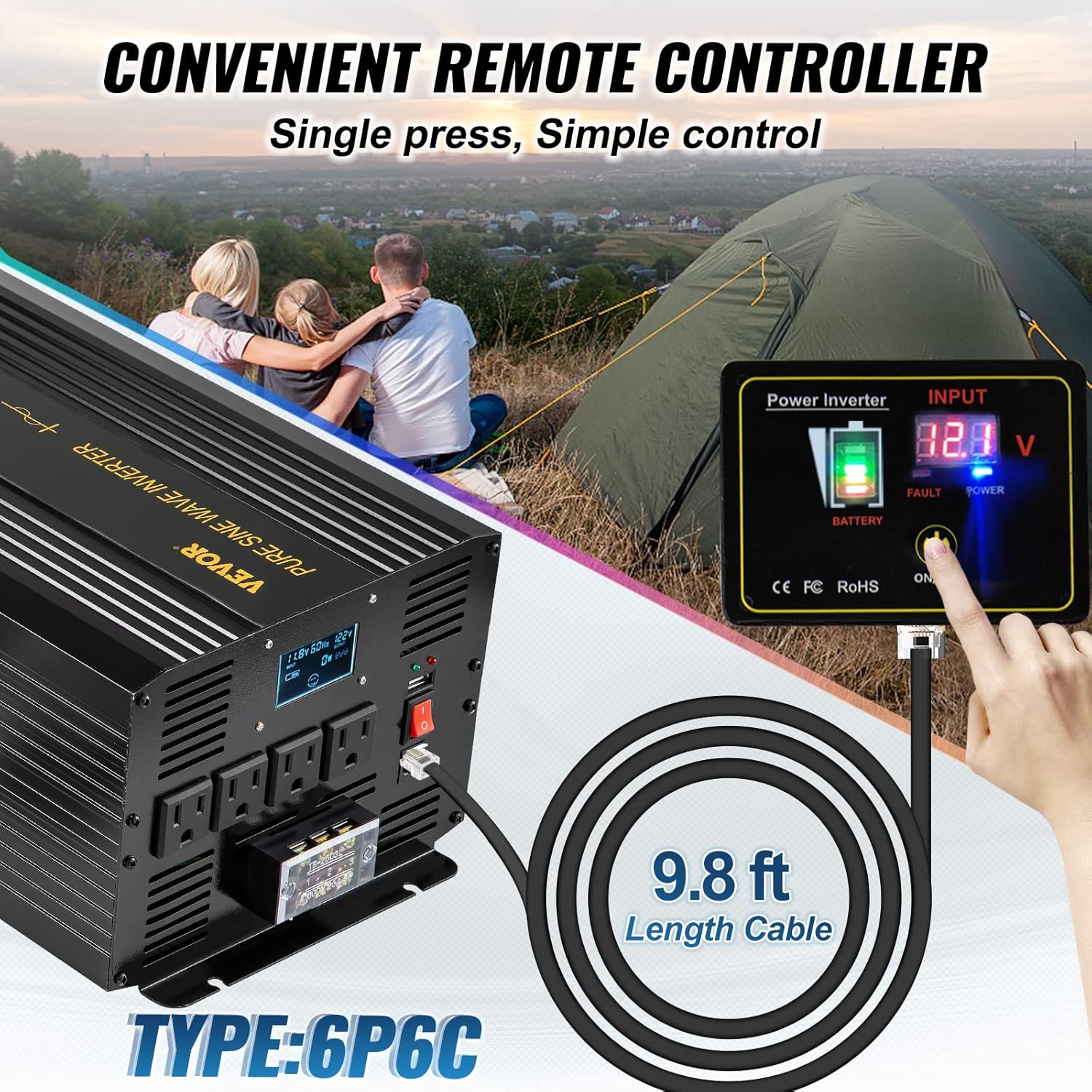
Image: The remote control unit connected to the inverter, illustrating its convenience for distant operation.
4.4. All-Around Security Protection
The inverter incorporates multiple protection features, including overheat, overload, low voltage, over-voltage, reverse polarity, and short circuit protection. It is CE / FCC / RoHS / PSE Certified. A temperature-controlled cooling fan activates when the internal temperature reaches 113℉/45℃, operating with low noise (20-40 dB).
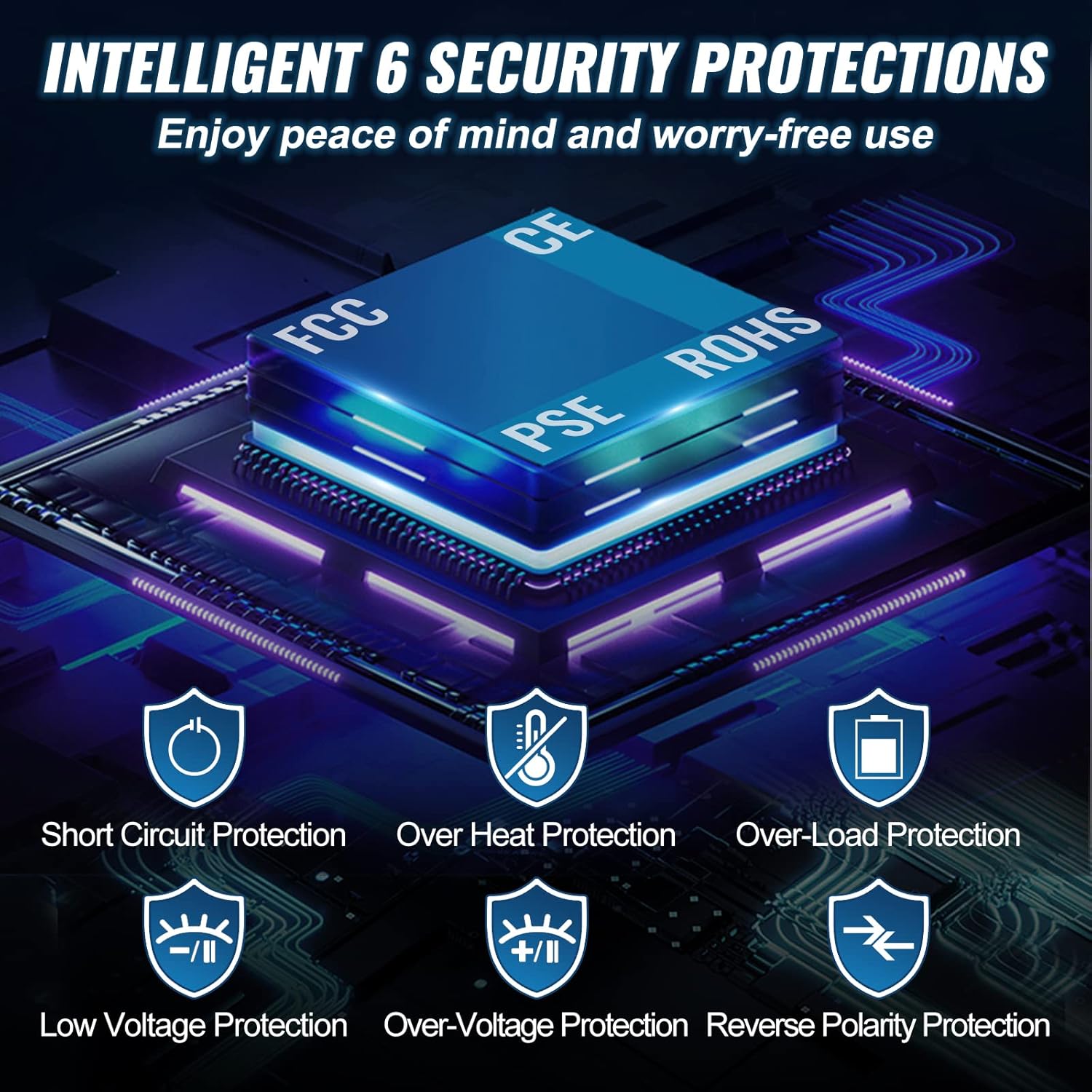
Image: Visual representation of the inverter's comprehensive safety features.
5. Setup and Installation
5.1. Connecting to a 12V DC Battery
- Ensure the inverter is turned off.
- Remove the protective caps from the inverter's DC input terminals.
- Connect the negative (black) battery cable to the negative terminal of the inverter and then to the negative terminal of your 12V DC battery. Tighten securely.
- Connect the positive (red) battery cable to the positive terminal of the inverter and then to the positive terminal of your 12V DC battery. Tighten securely. A small spark may occur during the final positive connection; this is normal.
Video: Demonstrates the process of connecting the VEVOR 3500W Pure Sine Wave Inverter to a 12V battery, including handling the initial spark during connection.
5.2. Connecting the Remote Control
- Ensure the inverter is turned off.
- Plug one end of the remote control cable into the remote control unit.
- Plug the other end of the cable into the designated remote port on the inverter.
- The remote control can now be used to power the inverter on or off and monitor battery status.
Video: Illustrates how to connect and use the remote control for the VEVOR 3500W Pure Sine Wave Inverter, showing its functionality for power control and monitoring.
6. Operating Instructions
6.1. Understanding the LCD Display
The inverter's LCD display provides real-time information:
- Input Voltage: Displays the current DC voltage from the battery.
- Frequency: Shows the output AC frequency (typically 60Hz).
- Output Voltage: Indicates the AC voltage being supplied (typically 120V).
- Battery Power: A visual indicator of the battery's charge level.
- Product Power: Shows the current wattage being drawn by connected appliances.
- Product Waveform: Confirms the pure sine wave output.
- Working Status: Indicates if the inverter is operating normally or if there's a fault.
Image: Detailed view of the inverter's intuitive LCD display, highlighting various real-time power metrics.
6.2. Connecting Appliances
Once the inverter is connected to the battery and powered on, you can connect your AC appliances to the 4 AC outlets or charge USB devices via the USB port. Ensure the total wattage of connected devices does not exceed the inverter's continuous power rating.
Video: A short preview demonstrating the VEVOR inverter powering a phone and an Instant Pot, showcasing its capability to handle household appliances.
Video: Demonstrates the VEVOR inverter's performance under load, powering multiple Instant Pots, a miter saw, a heat gun, and an air conditioner, highlighting its continuous power delivery.
7. Specifications
| Feature | Detail |
|---|---|
| Continuous Output Power | 3500W |
| Surge Power | 7000W |
| DC Input Voltage | 12V DC (9.5-15.5V) |
| AC Output Voltage | 120V AC ± 5% |
| Output Waveform | Pure Sine Wave |
| Output Frequency | 60Hz |
| AC Outlets | 4 x US Outlets |
| USB Output | QC 3.0 18W |
| No Load Current | < 0.8 A |
| Efficiency | ≥ 88% |
| Low-Voltage Alarm | 10.5 ± 0.5V |
| Low-Voltage Shutdown | 9.5 ± 0.5V |
| Over-Voltage Shutdown | 15.5 ± 0.5V |
| Over-Temperature Protection | 176℉/80℃ |
| Fan Operating Noise | 20-40 dB |
| Item Weight | 16 pounds (7.26 kg) |
| Product Dimensions | 19.7 x 11.4 x 9.1 inches (50 x 29 x 23 cm) |
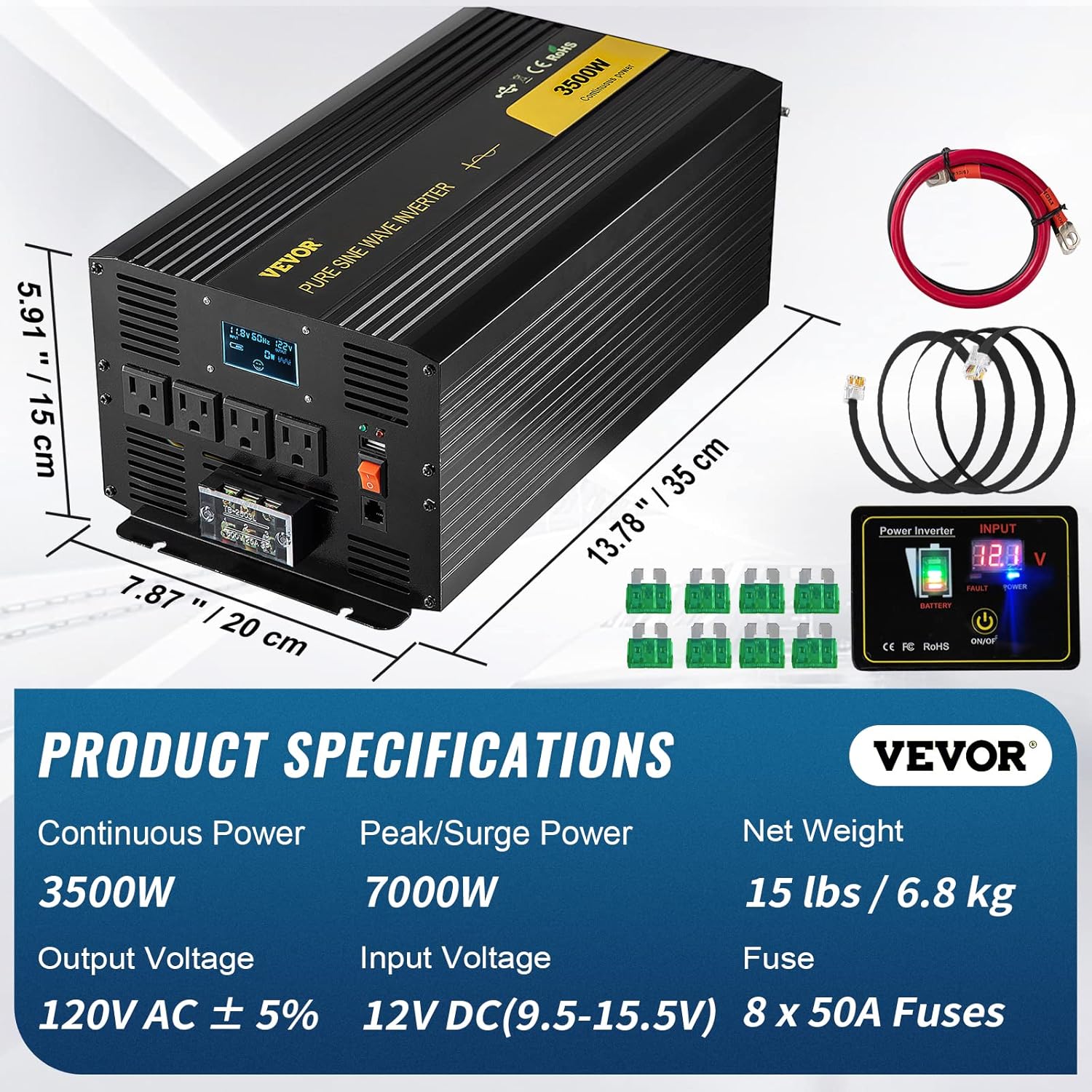
Image: Key product specifications and dimensions of the inverter.
8. Maintenance
- Keep the inverter clean and free from dust and debris. Use a dry cloth for cleaning.
- Regularly check all electrical connections for tightness. Loose connections can cause overheating and damage.
- Ensure the cooling fans are not obstructed and are operating correctly.
- Store the inverter in a cool, dry place when not in use.
- Inspect battery cables for any signs of wear or damage. Replace if necessary.
9. Troubleshooting
- No Power Output: Check battery connections, ensure the inverter is switched on (both main switch and remote, if applicable), and verify battery voltage is within the operating range (9.5-15.5V DC).
- Overload Indication: Disconnect some appliances to reduce the load. The inverter will automatically shut down if overloaded.
- Overheat Indication: Ensure adequate ventilation around the inverter. Clear any obstructions from the cooling fans. Allow the unit to cool down.
- Low/Over Voltage Alarm: Check the battery voltage. Recharge or replace the battery if it's too low. Disconnect from the power source if voltage is too high.
10. Warranty and Support
For warranty information and technical support, please refer to the contact details provided in your product packaging or visit the official VEVOR website. Keep your purchase receipt as proof of purchase.


