
Audio-Technica ATH-M50xBT2
Audio-Technica ATH-M50xBT2 Wireless Over-Ear Headphones User Manual
Brand: Audio-Technica
Model: ATH-M50xBT2
Introduction
The Audio-Technica ATH-M50xBT2 are wireless over-ear headphones designed to deliver the critically acclaimed sonic performance of the original ATH-M50x studio headphones with enhanced wireless functionality. This manual provides essential information for setting up, operating, maintaining, and troubleshooting your ATH-M50xBT2 headphones.
Key features include:
- Critically Acclaimed Sound: Wireless design delivers the same sonic performance as the original ATH-M50x professional studio headphones.
- Extended Battery Life: Up to 50 hours of use on a full charge and up to 3 hours of use on a 10-minute rapid charge.
- Deep, Accurate Bass: Proprietary 45 mm drivers and dedicated amplifier deliver exceptional clarity throughout an extended frequency range.
- Multipoint Pairing: Connect to two Bluetooth devices at once.
- Crystal-Clear Calls: Dual mics and beamforming technology ensure crystal-clear call quality.

The Audio-Technica ATH-M50xBT2 Wireless Over-Ear Headphones in black.
What's in the Box
Please ensure all the following components are included in your package:
- ATH-M50xBT2 Wireless Over-Ear Headphones
- USB charging cable (30cm USB Type-A / USB Type-C)
- Audio cable (1.2m/ ø3.5mm stereo mini-plug)
- Pouch

The included carrying pouch, USB-C charging cable, and 3.5mm audio cable.
Setup
Charging the Headphones
Before first use, fully charge the headphones. Connect the supplied USB charging cable to the USB-C port on the headphones and to a USB power source (e.g., computer USB port or USB wall adapter). The charging indicator light will show charging status.

Icon representing fast charging capability.
Bluetooth Pairing
To connect your ATH-M50xBT2 headphones to a Bluetooth device:
- Ensure the headphones are powered off.
- Press and hold the power button until the indicator light flashes blue and red, indicating pairing mode.
- On your device (smartphone, tablet, computer), enable Bluetooth and search for available devices.
- Select "ATH-M50xBT2" from the list of found devices.
- Once connected, the indicator light will flash blue.

The Bluetooth symbol, indicating wireless connectivity.
Operating the Headphones
Power On/Off
- Power On: Press and hold the power button until the indicator light illuminates.
- Power Off: Press and hold the power button until the indicator light turns off.
Music Playback and Calls
The controls are located on the earcup for easy access:
- Play/Pause: Press the multi-function button once.
- Next Track: Double-press the multi-function button.
- Previous Track: Triple-press the multi-function button.
- Volume Up/Down: Use the dedicated volume buttons.
- Answer/End Call: Press the multi-function button once.
- Reject Call: Press and hold the multi-function button.

The ATH-M50xBT2 headphones offer studio-quality sound and touch control for voice assistants.
Voice Assistant
The ATH-M50xBT2 supports voice assistant activation. Simply touch the left earcup to activate your device's voice assistant (e.g., Amazon Alexa, Google Assistant, Siri).

Icon representing voice assistant functionality.
Multipoint Pairing
These headphones can be connected to two Bluetooth devices simultaneously. This allows you to seamlessly switch between audio sources, such as listening to music on your computer and taking a call on your smartphone.

Icon illustrating multipoint pairing capability.
The headphones feature beamforming microphone technology for clear calls and multipoint pairing for connecting to multiple devices.
Wired Operation
For situations where wireless connectivity is not desired or battery is low, you can use the included 3.5mm audio cable to connect the headphones directly to your audio device.

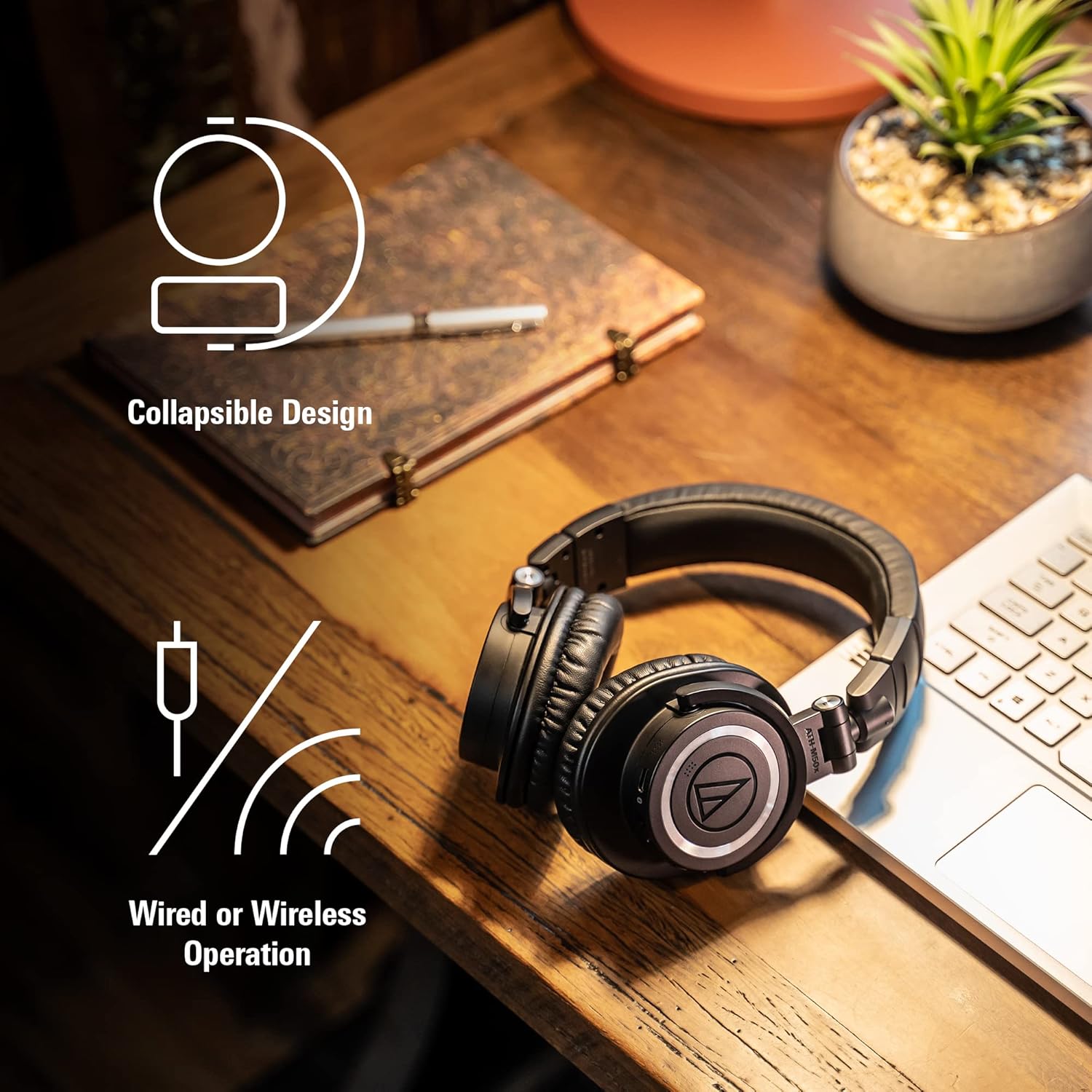
Icon indicating both wired and wireless operation options.

The headphones feature a collapsible design for portability and support both wired and wireless connections.
Maintenance
Cleaning
- Wipe the headphones with a soft, dry cloth.
- Do not use benzene, paint thinner, alcohol, or other chemical solvents, as they may cause discoloration or deformation.
Storage
When not in use, store the headphones in the included pouch to protect them from dust and scratches. The headphones feature a collapsible design for compact storage.
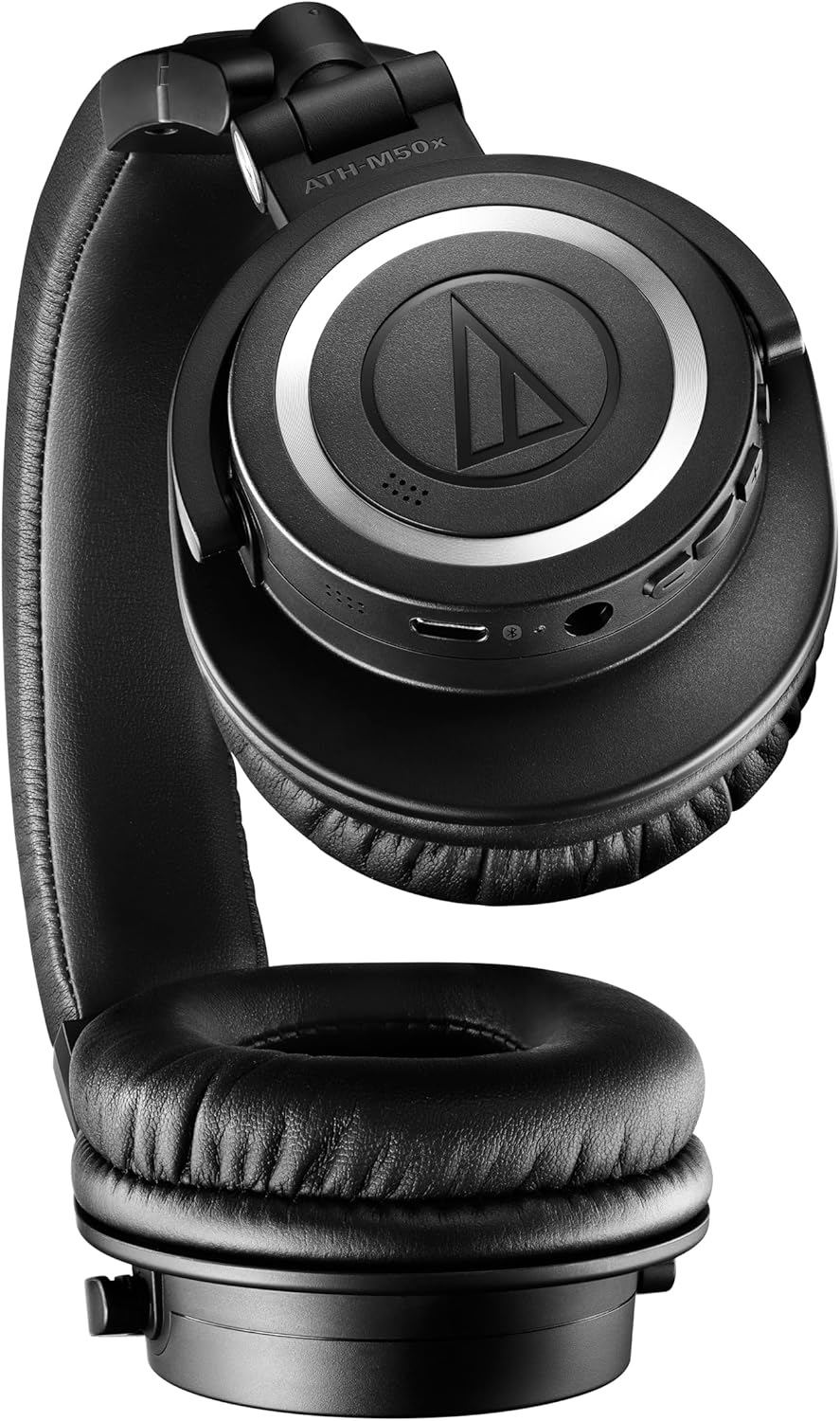
The headphones can be folded for compact storage and portability.
Battery Care
- Avoid exposing the battery to extreme temperatures.
- Charge the battery regularly, even if not using the headphones for extended periods, to maintain battery health.

The ATH-M50xBT2 offers up to 50 hours of battery life and supports fast charging.
Troubleshooting
| Problem | Possible Cause | Solution |
|---|---|---|
| No power | Battery is depleted. | Charge the headphones fully. |
| Cannot pair via Bluetooth | Headphones not in pairing mode; device Bluetooth off; too many paired devices. | Ensure headphones are in pairing mode (flashing blue/red). Turn device Bluetooth off/on. Clear old Bluetooth connections on your device. |
| No sound or low volume | Volume too low; incorrect audio output selected; headphones not connected. | Increase volume on headphones and device. Check audio output settings on your device. Re-establish Bluetooth connection. |
| Poor call quality | Microphone obstructed; environmental noise. | Ensure microphone is clear. Move to a quieter environment. |
Specifications
| Feature | Specification |
|---|---|
| Model Name | M50xBT2 |
| Connectivity Technology | USB, Wireless (Bluetooth) |
| Bluetooth Version | 5.0 |
| Bluetooth Range | 10 Meters |
| Audio Driver Size | 45 Millimeters |
| Battery Life | 50 Hours |
| Charging Time | 3.5 Hours |
| Headphones Jack | 3.5 mm Jack |
| Item Weight | 454 Grams (1 pound) |
| Material | Leather |
| Noise Control | Passive Noise Cancellation |
| Frequency Response | 20 KHz |
| Frequency Range | 85 Hz - 15,000 Hz |
| Impedance | 38 Ohm |
Warranty and Support
Audio-Technica products are manufactured to high quality standards and are warranted to be free from defects in materials and workmanship for a limited period from the date of original purchase. Please refer to the official Audio-Technica website or the included warranty card for specific terms and conditions.
For further assistance, detailed user guides, and support, please visit the official Audio-Technica support page or refer to the comprehensive PDF user manual:
Related documentsATH-M50xBT2


Ask a question about this manual
Ask about setup, troubleshooting, compatibility, parts, safety, or missing instructions. Manuals+ will review the question and use this page’s manual context to help answer it.