
Introduction
This manual provides detailed instructions for using your OPPO Reno6 5G smartphone. Please read this manual carefully before using the device to ensure proper operation and to maximize its features.

Image: The front view of the OPPO Reno6 5G smartphone in blue, showcasing its full display.
Setup
What's in the Box
Your OPPO Reno6 5G package includes:
- Smartphone
- Charger
- USB-C Cable
- Important Information + Warranty Card
- Quick Start Guide
- Screen Protector
- Case
- SIM Ejector Tool

Image: The image displays the contents of the OPPO Reno6 5G box, including the smartphone, charger, USB-C cable, protective case, and SIM ejector tool.
SIM Card Installation
The OPPO Reno6 5G supports Dual-SIM functionality.
- Locate the SIM card tray on the side of the device.
- Insert the SIM ejector tool into the small hole next to the tray and press gently until the tray pops out.
- Place your Nano-SIM cards into the designated slots on the tray. Ensure the gold contacts face downwards.
- Carefully reinsert the tray into the phone.
Important Note for USA Buyers: This smartphone is not compatible with CDMA networks, including VERIZON, SPRINT, and US CELLULAR. Please verify network compatibility with your provider before use.
Initial Power On
Press and hold the Power button (located on the right side) until the OPPO logo appears. Follow the on-screen instructions to complete the initial setup, including language selection, Wi-Fi connection, and Google account setup.
Operating Your Device
Display and Interaction
The OPPO Reno6 5G features a vibrant 6.43-inch AMOLED display with a 90Hz refresh rate, offering smooth visuals and rich colors.

Image: The display of the OPPO Reno6 5G, highlighting its capability to show 16.7 million colors and its 90Hz refresh rate for a smooth visual experience.
Camera System
Capture stunning photos and videos with the advanced camera system.
- Main Camera: 64MP
- Ultra-Wide Angle Camera: 8MP
- Macro Camera: 2MP
- Front Camera: 32MP
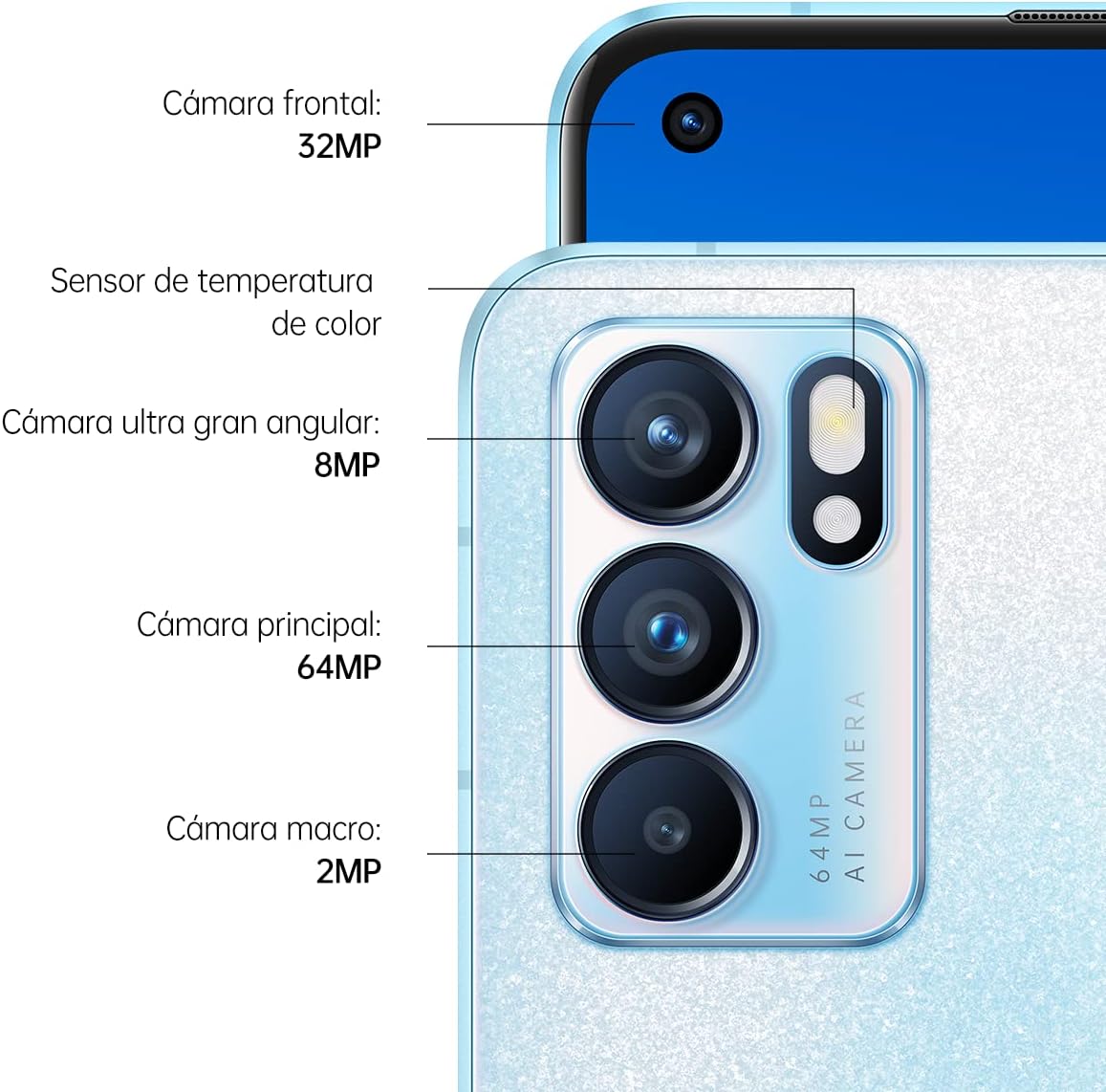
Image: A detailed view of the OPPO Reno6 5G's rear camera module, indicating the 32MP front camera, 8MP ultra-wide, 64MP main, and 2MP macro lenses.
Charging and Battery
The device is equipped with a 4300 mAh battery and supports SUPER VOOC 2.0 fast charging. A 5-minute charge can provide up to 4 hours of video playback.

Image: The bottom of the OPPO Reno6 5G showing the USB-C charging port, with a USB-C cable connected, illustrating the fast charging capability.
Memory and Storage
The OPPO Reno6 5G comes with 8GB of RAM and 128GB of internal storage. The RAM can be expanded virtually by an additional 2GB, 3GB, or 5GB using a portion of the internal storage.
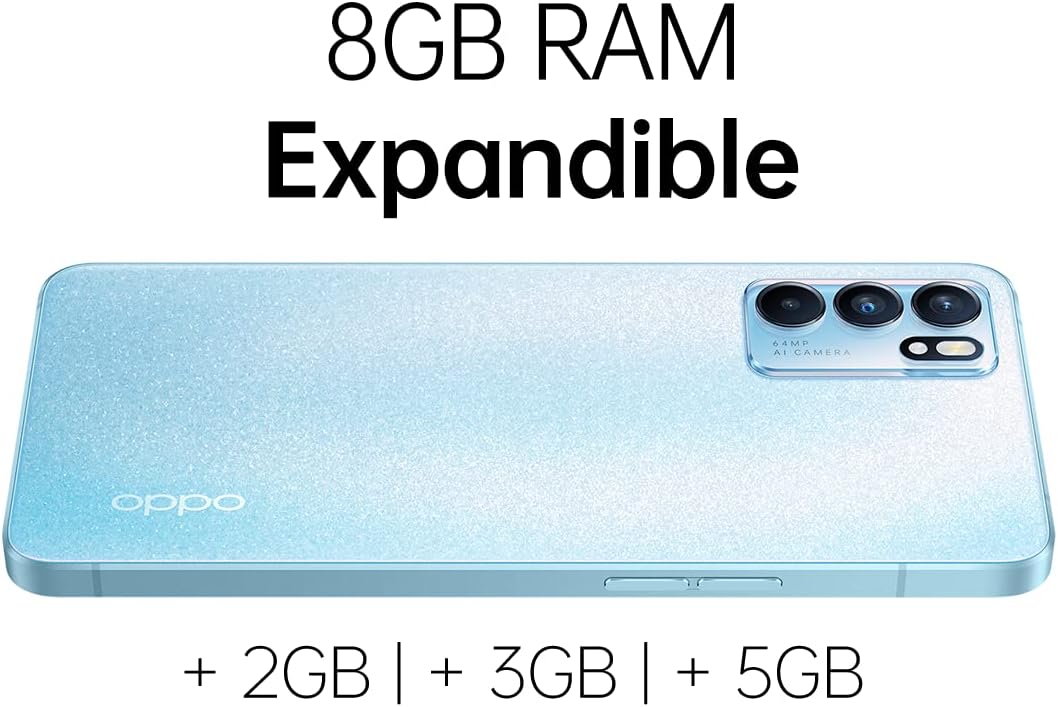
Image: The back of the OPPO Reno6 5G, illustrating the 8GB RAM and the option to expand it virtually by 2GB, 3GB, or 5GB.
Design and Finish
The phone features OPPO Glow 3.0 technology on its back panel, providing a fingerprint-resistant and aesthetically pleasing finish.

Image: A close-up view of the OPPO Reno6 5G's back panel, showcasing the OPPO Glow 3.0 finish which is designed to be fingerprint-resistant.
Maintenance
General Care
- Keep your device dry. Moisture can damage electronic components.
- Avoid extreme temperatures.
- Clean the screen and body with a soft, lint-free cloth. Avoid harsh chemicals.
- Protect the screen with the provided screen protector and use the protective case to prevent scratches and impacts.
Software Updates
Regularly check for and install system updates to ensure optimal performance, security, and access to new features. You can usually find this option in Settings > About phone > Software update.
Troubleshooting
Common Issues and Solutions
| Problem | Solution |
|---|---|
| Device won't turn on | Ensure the battery is charged. Connect the charger and wait a few minutes before attempting to power on again. |
| Poor network signal | Check SIM card insertion. Move to an area with better network coverage. Restart the device. |
| Apps crashing or freezing | Close background apps. Clear app cache/data. Update the app or system software. |
| Battery drains quickly | Reduce screen brightness. Disable unnecessary features like GPS, Wi-Fi, Bluetooth when not in use. Close background apps. |
If issues persist, consider performing a factory reset (back up your data first) or contacting customer support.
Specifications
| Feature | Detail |
|---|---|
| Model Name | Oppo Reno6 5G |
| Item Model Number | 6781196 |
| Operating System | Android 11, ColorOS 11.3 |
| Processor | MediaTek MT6877 Dimensity 900 5G (6 nm), Octa-core |
| Display | 6.43 inches AMOLED, 1080 x 2400 pixels |
| Refresh Rate | 90Hz |
| RAM | 8GB |
| Internal Storage | 128GB |
| Main Camera | 64MP |
| Front Camera | 32MP |
| Battery Capacity | 4300 mAh |
| Charging | SUPER VOOC 2.0 |
| Connectivity | 5G, Wi-Fi, Bluetooth |
| Weight | 6.4 ounces (182 Grams) |
| Color | Blue |
Warranty and Support
Warranty Information
Your OPPO Reno6 5G comes with a standard manufacturer's warranty. Please refer to the "Important Information + Warranty Card" included in your product box for specific terms and conditions, including warranty period and coverage details.
Customer Support
For technical assistance, troubleshooting beyond this manual, or warranty claims, please contact OPPO customer support. Visit the official OPPO website for contact information and support resources.
You can also find additional support and FAQs on the official OPPO website: www.oppo.com/en/support/


