Introduction
Thank you for choosing VCELINK Gen2 RJ45 Cat7/Cat6A Shielded Pass-Through Connectors. These connectors are designed for reliable and high-speed Ethernet cable installations, supporting data transfer rates up to 10 Gigabit Ethernet. This manual provides essential information for proper installation, operation, and maintenance to ensure optimal performance.
Compatibility and Requirements
These RJ45 connectors are specifically designed for Cat7 and Cat6A installation cables. They are not compatible with Cat6, Cat5e, or Cat5 cables. Ensure that individual cable wires have an outer diameter (OD) between 1.35 mm and 1.45 mm (AWG: 23). Using incompatible cable sizes may prevent proper wire seating and contact, leading to connection issues.
A professional RJ45 crimping tool designed for pass-through connectors is required for installation. Refer to the 'Required Tools' section for guidance on selecting the correct tool.

Image: This diagram illustrates the suitable wire outer diameter (1.35-1.45mm) for the connector and the standard T568B wire color sequence (Orange+White, Orange, Green+White, Blue, Blue+White, Green, Brown+White, Brown).
Installation Guide
The pass-through design of these connectors simplifies the assembly process by allowing wires to pass completely through the connector, enabling double-checking of the wire order before crimping. This significantly reduces error rates compared to traditional connectors.
Required Tools
- RJ45 Crimping Tool (specifically for pass-through connectors)
- Cable Stripper/Cutter

Image: This image displays examples of correct (GJ670BL, GJ671BL) and incorrect (GJ668BL, GJ669BL) crimping tools for pass-through RJ45 connectors. Ensure you use a tool compatible with pass-through plugs.
Step-by-Step Installation
- Prepare the Cable: Insert the cable cap onto the Ethernet cable. Use a cable stripper to carefully remove approximately 2-3 cm (0.8-1.2 inches) of the cable's outer jacket.
- Expose Wires: Remove any shielding or protective layers to expose the 8 individual wires. Untwist the wire pairs and straighten them.
- Arrange Wires: Arrange the wires according to the T568B wiring standard (Orange/White, Orange, Green/White, Blue, Blue/White, Green, Brown/White, Brown). Ensure the wires are straight and parallel.
- Insert into Load Bar (Optional): If using the included load bar, carefully insert the arranged wires into the load bar, ensuring they maintain the correct sequence.
- Trim Wires: Trim the ends of the wires at an oblique angle, leaving approximately 1.2-1.5 cm (0.5-0.6 inches) of exposed wire beyond the jacket. This length allows the wires to pass through the connector.
- Pass Through Connector: Carefully push the arranged and trimmed wires through the front of the RJ45 connector. Ensure each wire passes through its designated channel and extends slightly beyond the front of the connector.
- Verify Wire Order: Visually inspect the wire order through the transparent connector body to confirm the T568B sequence is correct. This is a key advantage of the pass-through design.
- Crimping: Insert the connector with the wires into the appropriate slot of your professional pass-through crimping tool. Squeeze the handles firmly to crimp the connector. The tool will cut off the excess wire ends and secure the contacts.
- Secure Ground Wire (for shielded cables): For shielded cables, ensure the ground wire (drain wire) is properly secured by the swallowtail clamp of the connector during crimping. Adjust its position manually if necessary to ensure good contact.
- Final Check: After crimping, ensure all 8 wires are properly seated and the contacts are firmly pressed into the wires. Slide the cable cap over the crimped connector until it clicks into place.

Image: This detailed image illustrates the 12 steps for installing the RJ45 pass-through connector, from cable preparation to final crimping and cap insertion.

Image: This image shows the RJ45 connector with wires inserted before crimping and the finished, crimped connector, highlighting the clean cut of excess wires.
Operation and Performance
Once properly installed, the VCELINK Gen2 RJ45 connectors provide a secure and high-performance connection for your network. These connectors support data transfer speeds up to 10 Gigabit Ethernet, making them suitable for demanding network infrastructures.
Key Features for Performance:
- Shielded Design: The metal shielded housing (copper alloy) reduces signal interference, ensuring stable data transmission.
- Gold-Plated Contacts: The 3u gold-plated contact plates (copper alloy) enhance signal transfer quality and provide robust durability for repeated insertions and disconnections.
- Swallowtail Design: This feature helps to firmly fix the network cable, preventing loosening and maintaining connection integrity.

Image: This image highlights the 'Swallowtail Design' for fixed network cable stability and the 'Shield Design' for anti-interference, both contributing to stable signal transmission.
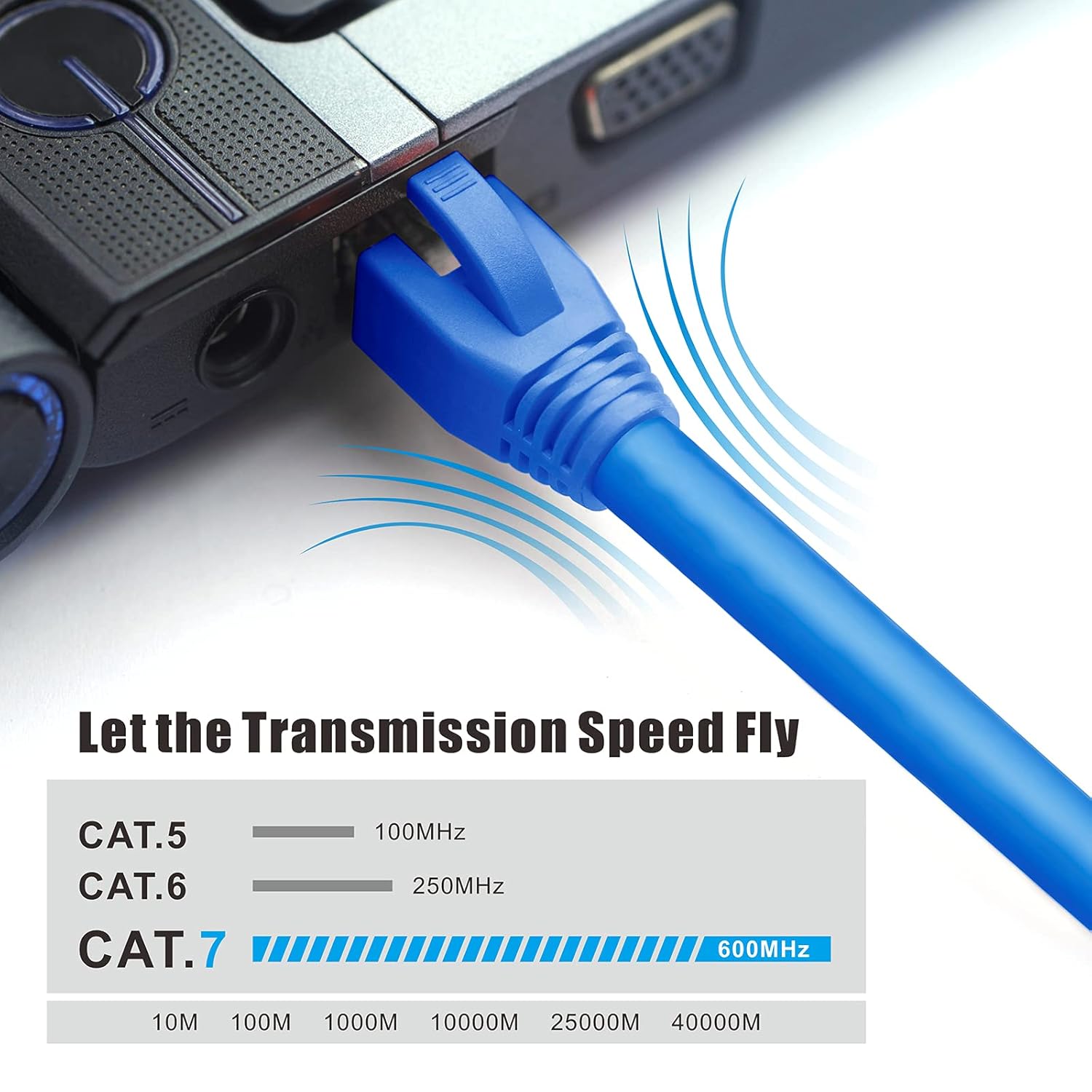
Image: A chart comparing the transmission speeds of Cat5 (100MHz), Cat6 (250MHz), and Cat7 (600MHz) cables, demonstrating the high-speed capabilities supported by these connectors.
Maintenance
These RJ45 connectors are designed for durability and require minimal maintenance. To ensure long-term performance:
- Avoid excessive bending or pulling of the cable near the connector.
- Ensure connectors are properly seated in ports to prevent intermittent connections.
- Keep connectors free from dust and debris. Use compressed air or a soft, dry cloth for cleaning if necessary.
- Do not expose connectors to extreme temperatures or moisture.
Troubleshooting
If you experience network connectivity issues after installation, consider the following troubleshooting steps:
- No Connectivity:
- Verify that the cable type (Cat7/Cat6A) and wire gauge (AWG 23, OD 1.35-1.45mm) are compatible with the connectors.
- Re-check the wire sequence (T568B standard) through the transparent connector body. Incorrect wiring is a common cause of failure.
- Ensure the wires are fully inserted into the connector and make proper contact with the gold pins.
- Confirm that the crimping tool was used correctly and applied sufficient pressure to secure the contacts and cut excess wires.
- Test the cable with a network cable tester to identify any breaks or miswires.
- Slow Connection Speed:
- Ensure all components in your network chain (router, switch, network card) support 10 Gigabit Ethernet.
- Check for signal interference. The shielded design helps, but external factors can still affect performance.
- Verify cable length is within recommended limits for Cat7/Cat6A for 10Gbps.
- Intermittent Connection:
- Inspect the connector for any visible damage or loose wires.
- Ensure the cable is securely held by the swallowtail clamp and the cable cap.
If issues persist, consider re-terminating the cable with a new connector, paying close attention to each installation step.
Product Specifications
| Model Number | SJ657+SR123 |
| Connector Type | RJ45 Pass-Through |
| Cable Category Support | Cat7, Cat6A |
| Wire Compatibility (OD) | 1.35 - 1.45 mm (AWG 23) |
| Data Transfer Rate | Up to 10 Gigabit Ethernet |
| Shielding | Shielded (Copper Alloy Housing) |
| Contact Plating | 3u Gold-Plated (Copper Alloy) |
| Number of Pins | 8 (8P8C) |
| Maximum Voltage | 1000 Volts (DC) |
| Maximum Current | 6 A |
| Material | Copper Alloy (Shielding), PC (Connector Body) |
| Dimensions (L x W x H) | 2.15 x 1.2 x 1.1 cm |
| Weight per item | Approx. 1.45 g (29.03 grams for 20 items) |
| Operating Environment | Indoor Use |
| Included in Package | 20 RJ45 Pass-Through Connectors, 20 Anti-Bend Boots, 20 Wire Guides (optional use) |

Image: This image highlights the robust construction of the connector, featuring a metal shell for anti-interference, environmentally friendly PC material, and 3-prong gold-plated blades for extended lifespan.
Warranty and Support
VCELINK provides an 18-month warranty for these connectors. Additionally, we offer lifetime customer service for any quality-related issues. Our priority is to provide high-quality products and considerate service. Please retain your purchase invoice for warranty claims.
For technical support, troubleshooting assistance, or warranty inquiries, please contact VCELINK customer service through the platform where you purchased the product or visit our official website.
Applications
These VCELINK RJ45 Cat7/Cat6A connectors are suitable for a wide range of networking applications, including:
- Data Centers and Cloud Computing Infrastructure
- High-Speed Enterprise Network Cabling
- Home Network Installations
- Internet Cafes and Gaming Setups
- Any environment requiring reliable 10 Gigabit Ethernet connectivity

Image: This image illustrates the extensive applications of these connectors in various settings such as cloud data centers, engineering cabling, enterprise networks, internet cafes, and general decoration.