
1. Introduction
This manual provides detailed instructions for the proper setup, operation, and maintenance of your YONGYAO BT-509 Car Home Bluetooth Amplifier. Please read this manual thoroughly before using the product to ensure optimal performance and safety. The BT-509 is a versatile audio amplifier designed for both car and home use, featuring Bluetooth connectivity, FM radio, USB/TF card playback, and microphone inputs for karaoke.
2. Package Contents
Verify that all items listed below are included in your package:
- 1 x YONGYAO BT-509 Audio Amplifier
- 1 x Remote Control
- 1 x User Manual (this document)
- 1 x Power Adapter (EU plug, adapter provided based on region)
3. Product Overview
Familiarize yourself with the various components and controls of your amplifier.
3.1 Front Panel

Image: Front view of the YONGYAO BT-509 amplifier, showing the power switch, various control knobs, USB/TF card slots, LCD display, and microphone inputs.
- POWER Switch: Toggles the amplifier on or off.
- MIC VOL: Adjusts the volume of the connected microphones.
- ECHO: Controls the echo effect for microphone inputs.
- BASS: Adjusts the low-frequency audio output.
- TREBLE: Adjusts the high-frequency audio output.
- VOLUME: Main volume control for all audio outputs.
- MIC1 / MIC2: 6.35mm jack inputs for microphones.
- USB Port: For connecting USB flash drives for MP3 playback.
- TF Card Slot: For inserting TF (MicroSD) cards for MP3 playback.
- AUX Input: 3.5mm jack for external audio sources.
- LCD Display: Shows current mode, track information, and FM frequency.
- Control Buttons (VOL-, PLAY/PAUSE, VOL+, MODE): For media playback and mode selection.
3.2 Rear Panel

Image: Rear view of the YONGYAO BT-509 amplifier, showing RCA AUX IN ports, speaker terminals, DC 12V input, AC 220V power input, and FM antenna connection.
- AUX IN (RCA): Stereo RCA inputs for connecting external audio devices.
- SPEAKER OUTPUTS (R/L): Terminals for connecting passive speakers (4-16 Ohm impedance).
- DC 12V/5A Input: Power input for car use (12V DC).
- AC 220V/50Hz Input: Power input for home use (110-220V AC).
- ANT: FM antenna connection.
3.3 Remote Control
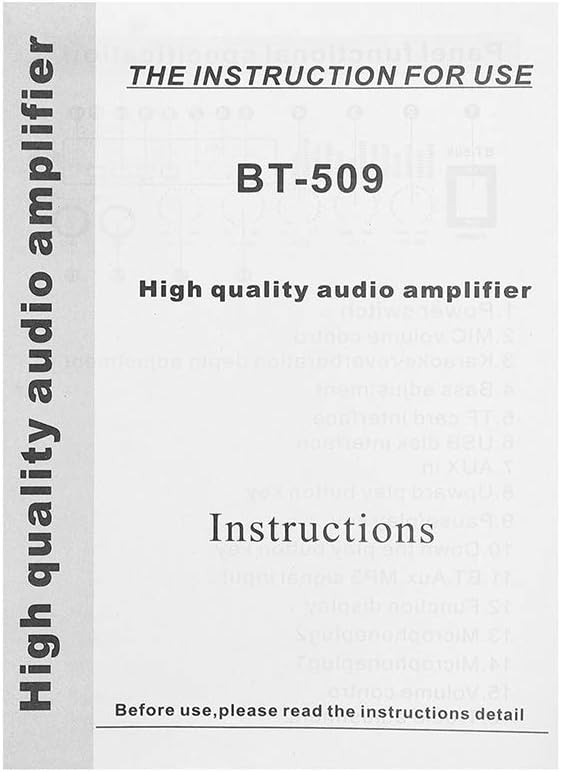
Image: Hand holding the remote control for the YONGYAO BT-509 amplifier, showing various buttons for power, mode, volume, track control, and numeric input.
The remote control allows for convenient operation of the amplifier from a distance. Functions include power on/off, mode selection, volume adjustment, track navigation, and EQ settings.
4. Setup
Follow these steps to set up your amplifier:
- Power Connection:
- For home use, connect the provided AC power cable to the AC 220V input on the rear panel and then to a wall outlet.
- For car use, connect a 12V DC power supply (not included) to the DC 12V/5A input on the rear panel. Ensure correct polarity.
- Speaker Connection: Connect your passive speakers to the SPEAKER OUTPUT terminals on the rear panel. Ensure the positive (+) and negative (-) terminals on the amplifier match those on your speakers. The amplifier supports speakers with an impedance of 4-16 Ohms.
- Audio Input (Optional):
- For external audio devices (e.g., CD player, TV), connect them to the AUX IN (RCA) ports on the rear panel or the 3.5mm AUX jack on the front panel.
- For FM radio, extend the ANT (antenna) on the rear panel for better reception.
- Microphone Connection (Optional): If using microphones for karaoke, plug them into the MIC1 or MIC2 inputs on the front panel.
5. Operating Instructions
5.1 Power On/Off
Flip the POWER switch on the front panel to the 'ON' position to power on the amplifier. The LCD display will illuminate. Flip it to 'OFF' to power down.
5.2 Mode Selection
Press the MODE button on the front panel or remote control to cycle through available input modes: Bluetooth, FM Radio, USB, TF Card, and AUX.
5.3 Bluetooth Pairing
- Switch the amplifier to Bluetooth mode. The LCD display will show 'BT' or 'Bluetooth'.
- On your mobile device, enable Bluetooth and search for available devices.
- Select 'BT-509' from the list of devices to pair. A confirmation tone will sound upon successful connection.
5.4 FM Radio
- Switch the amplifier to FM Radio mode.
- Press the PLAY/PAUSE button to automatically scan and save available FM stations.
- Use the VOL- and VOL+ buttons (short press) to navigate between saved stations.
5.5 USB/TF Card Playback
- Insert a USB flash drive or TF card (containing MP3 audio files) into the respective slot on the front panel.
- The amplifier will automatically switch to USB or TF mode and begin playback. If not, press the MODE button.
- Use the VOL- (previous track), PLAY/PAUSE, and VOL+ (next track) buttons to control playback.
5.6 Microphone Usage (Karaoke)
- Connect one or two microphones to the MIC1 and MIC2 inputs.
- Adjust the MIC VOL knob to control the microphone volume.
- Adjust the ECHO knob to add an echo effect to your vocals.
5.7 Audio Adjustment
Use the BASS, TREBLE, and main VOLUME knobs on the front panel to fine-tune the audio output to your preference.
6. Maintenance
- Cleaning: Use a soft, dry cloth to clean the amplifier's exterior. Do not use liquid cleaners or solvents.
- Storage: Store the amplifier in a cool, dry place away from direct sunlight and extreme temperatures when not in use for extended periods.
- Ventilation: Ensure proper ventilation around the amplifier to prevent overheating. Do not block ventilation openings.
7. Troubleshooting
If you encounter issues, refer to the following common problems and solutions:
- No Power:
- Check if the power cable is securely connected to both the amplifier and the power outlet/source.
- Ensure the POWER switch is in the 'ON' position.
- Verify the power source is active (e.g., wall outlet has power, car battery is charged).
- No Sound Output:
- Check speaker connections for correct polarity and secure fit.
- Ensure the main VOLUME knob is turned up.
- Verify the correct input mode is selected (Bluetooth, FM, USB, TF, AUX).
- Check the audio source device for proper playback and volume.
- Bluetooth Not Connecting:
- Ensure the amplifier is in Bluetooth mode.
- Make sure your device's Bluetooth is enabled and within range.
- Try unpairing and re-pairing the device.
- Ensure no other device is currently connected to the amplifier via Bluetooth.
- Poor FM Reception:
- Extend the FM antenna fully.
- Adjust the position of the antenna or the amplifier for better signal.
- Check for local interference sources.
8. Specifications

Image: Product box for the YONGYAO BT-509 amplifier, displaying key specifications and features.
| Feature | Specification |
|---|---|
| Model | BT-509 |
| Input Voltage | AC 110-220V / DC 12V (5A) |
| Output Power | RMS 20W |
| Speaker Impedance | 4-16 Ohm |
| SNR (Signal/Noise Ratio) | -90DBN |
| Input Impedance | 47K |
| Frequency Response | 20Hz-20kHz |
| Input Sensitivity | 0.25mV-220mV |
| Channels | 2 |
| Bluetooth | Supported |
| FM Stereo Radio | Supported |
| USB/TF Playback | Supported (MP3 format) |
| Microphone Inputs | 2 |
| Display | LCD with backlight |
9. Safety Information
- Do not expose the amplifier to rain, moisture, or extreme temperatures.
- Ensure adequate ventilation to prevent overheating.
- Do not open the amplifier casing. Refer all servicing to qualified personnel.
- Disconnect power before cleaning or performing any maintenance.
- Keep out of reach of children.
10. Warranty and Support
This product is covered by a standard manufacturer's warranty. For specific warranty terms and conditions, please refer to the documentation provided at the time of purchase or contact your retailer. For technical support or service inquiries, please contact the seller or YONGYAO customer service.