
1. Introduction
This manual provides instructions for the installation, operation, and maintenance of your Philips Hue White Ambiance Fair Flushmount Ceiling Light. This smart lighting fixture offers a circular aluminum design with diffused light, providing 50,000 shades of warm-to-cool white light. It can be controlled via Bluetooth or integrated with a Philips Hue Bridge for extended smart features.
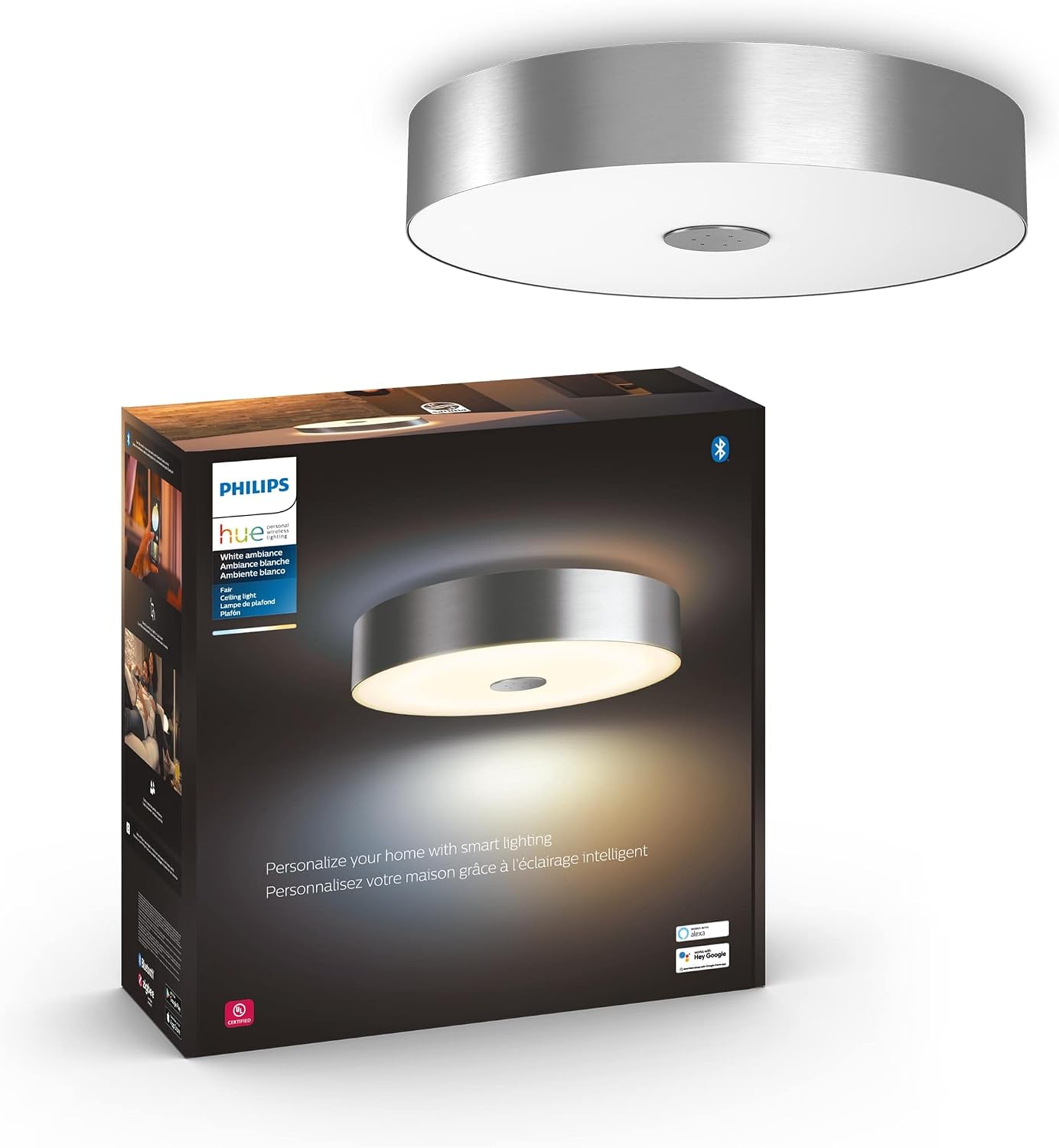
Image 1: Philips Hue Fair Flushmount Ceiling Light and its retail packaging.
2. Safety Information
Please read and understand all instructions before installing or using this product. Failure to follow these instructions may result in electric shock, fire, or other hazards that can cause injury or property damage.
- Electrical Installation: Installation must be performed by a qualified electrician in accordance with all applicable electrical codes.
- Power Disconnection: Always disconnect power at the circuit breaker or fuse box before installation, removal, or maintenance.
- Indoor Use Only: This product is designed for indoor use only. Do not expose to water or moisture.
- Voltage: Ensure the supply voltage is compatible with the fixture's requirements (24 Volts).
- Cleaning: Use a soft, dry cloth for cleaning. Do not use abrasive cleaners or solvents.
3. Setup and Installation
3.1 Physical Installation
The Philips Hue Fair Flushmount Ceiling Light is designed for flush mount installation. It is recommended to have a qualified electrician perform the physical installation to ensure safety and compliance with local electrical codes.
- Prepare Wiring: Turn off power at the circuit breaker. Carefully remove any existing fixture.
- Mount Bracket: Secure the mounting bracket to the ceiling junction box.
- Connect Wires: Connect the fixture's wires to the household wiring (live, neutral, ground) according to local electrical codes.
- Attach Fixture: Secure the Philips Hue Fair Flushmount Ceiling Light to the mounting bracket.
- Restore Power: Turn power back on at the circuit breaker.

Image 2: The Philips Hue Fair Flushmount Ceiling Light installed on a ceiling, showcasing its sleek design.
3.2 Smart Control Setup (Bluetooth)
For basic control in a single room, use the Philips Hue Bluetooth app.
- Download App: Download the Philips Hue Bluetooth app from your device's app store.
- Power On: Ensure the ceiling light is powered on.
- Open App: Open the Hue Bluetooth app and follow the on-screen instructions to discover and connect to your light.
- Control: Once connected, you can control up to 10 lights in a single room directly from the app.

Image 3: Illustration of two setup options: direct control via the Hue Bluetooth app or integration with a voice device.
3.3 Upgrading with Philips Hue Bridge
To unlock the full suite of smart lighting features, including multi-room control, automation, and remote access, integrate your light with a Philips Hue Bridge (sold separately).
- Install Bridge: Connect your Philips Hue Bridge to your router and power it on.
- Open Hue App: Open the main Philips Hue app (not the Bluetooth app) and follow the instructions to set up your Bridge.
- Discover Lights: The app will guide you to discover your Fair Flushmount Ceiling Light and add it to your Hue system.
- Advanced Control: Once connected to the Bridge, you can control up to 50 lights and accessories, set routines, and access your lighting from anywhere.

Image 4: A visual representation of how the Philips Hue Bridge enables full home control and advanced features for your smart lighting system.
4. Operating Instructions
4.1 Basic Light Control
Using the Philips Hue Bluetooth app or the main Hue app (with Bridge), you can:
- Turn On/Off: Toggle the light on or off.
- Dimming: Adjust the brightness level.
- Color Temperature: Change the white light from warm (yellowish) to cool (bluish) tones. The Fair Flushmount offers 50,000 shades of warm-to-cool white light.

Image 5: The ceiling light providing warm white illumination, demonstrating its ambiance capabilities.

Image 6: The ceiling light providing cool white illumination, demonstrating its ambiance capabilities.
4.2 Preset Light Recipes and Scenes
The Philips Hue app includes preset light recipes designed for various activities and moods:
- Energize: Cool white light to boost energy.
- Concentrate: Bright, focused white light for tasks.
- Read: Optimal white light for reading.
- Relax: Soft, warm white light for unwinding.
You can also create and save your own custom scenes within the app.

Image 7: The Philips Hue app displaying various preset light recipes for different daily routines and moods.
4.3 Voice Control
The Philips Hue Fair Flushmount Ceiling Light is compatible with Amazon Alexa and Google Assistant. Once integrated with your smart home system (via Bluetooth or Hue Bridge), you can control your lights using voice commands.
- Example Commands:
- "Alexa, turn on the ceiling light."
- "Hey Google, dim the living room light to 50%."
- "Alexa, set the bedroom light to Relax."

Image 8: An example of using voice commands to control Philips Hue lighting, compatible with Amazon Alexa and Google Assistant.
4.4 Smart Accessories
With a Philips Hue Bridge, you can also use various smart accessories like dimmer switches, motion sensors, and smart buttons to control your lights.
5. Maintenance
The Philips Hue Fair Flushmount Ceiling Light requires minimal maintenance.
- Cleaning: To clean the fixture, ensure power is off. Use a soft, dry, lint-free cloth. Do not use liquid or abrasive cleaners, as they may damage the finish or electrical components.
- Bulb Replacement: The light source is an integrated LED and is not user-replaceable.
6. Troubleshooting
If you encounter issues with your Philips Hue Fair Flushmount Ceiling Light, refer to the following common solutions:
- Light Not Responding:
- Check if the light fixture is properly installed and receiving power.
- Ensure the light switch is in the "on" position.
- Verify Bluetooth connection on your device or check the Hue Bridge connection.
- Restart the Philips Hue app.
- If using a Hue Bridge, ensure it is powered on and connected to your network.
- Cannot Connect via Bluetooth:
- Ensure your mobile device's Bluetooth is enabled.
- Move closer to the light fixture.
- Reset the light (refer to Philips Hue support for specific reset procedures if needed).
- Cannot Connect to Hue Bridge:
- Ensure the Hue Bridge is connected to your router and powered on.
- Check your internet connection.
- Restart the Hue Bridge and try again.
For further assistance, visit the official Philips Hue support website or contact customer service.
7. Specifications
| Brand | Philips Hue |
| Model Number | 4100248U9 |
| Style | Fair |
| Color | Black |
| Material | Aluminum |
| Product Dimensions | 5.8"L x 19.1"W x 20.5"H |
| Item Weight | 11.08 pounds (5.04 Kilograms) |
| Light Source Type | LED |
| Brightness | 2350 Lumens |
| Wattage | 20 watts |
| Voltage | 24 Volts |
| Control Method | App, Remote, Touch, Voice (Alexa, Google Assistant) |
| Installation Type | Flush Mount |
| Indoor/Outdoor Usage | Indoor |
| Special Feature | Dimmable |

Image 9: Dimensional drawing of the Philips Hue Fair Flushmount Ceiling Light, indicating its length, width, and height.
8. Warranty and Support
This product comes with a 2-year manufacturer's warranty.
For warranty claims, technical support, or additional information, please visit the official Philips Hue support website:
9. Product Video
Video 1: An overview of the Philips Hue smart lighting system, demonstrating its various applications for entertainment, wellbeing, ambiance, and security, and highlighting control options via app, voice, and smart switches. This video also explains the role of the Hue Bridge in creating a reliable, independent network for your smart lights.


