
MAXIMUS M-FL-006-B-BL
Maximus Rechargeable Torch User Manual
Model: M-FL-006-B-BL
Introduction
Thank you for choosing the Maximus Rechargeable Torch. This manual provides essential information for the safe and efficient use of your new device. Please read it thoroughly before operation and retain it for future reference.
The Maximus Rechargeable Torch is a powerful and versatile lighting tool, featuring 1200 lumens of brightness, a durable aluminium finish, adjustable focus, SOS function, and a power bank capability. It is designed for reliability with an IP44 protection rating.
Safety Information
Always observe the following safety precautions to prevent injury or damage to the torch:
- Do not look directly into the light beam. The high intensity light can cause temporary vision impairment or permanent eye damage.
- Keep out of reach of children.
- Do not disassemble or modify the torch. This may cause damage, void the warranty, and pose a safety risk.
- Avoid exposing the torch to extreme temperatures, direct sunlight for prolonged periods, or corrosive substances.
- Ensure the charging port is dry and clean before connecting the charging cable.
- Use only the specified charging voltage and current.
- The torch has an IP44 rating, meaning it is protected against solid objects over 1mm and splashing water from any direction. It is not designed for submersion in water.
Package Contents
Please check the package for the following items:
- Maximus Rechargeable Torch (M-FL-006-B-BL)
- 2 x 3.7V 2000 mAh Lithium Batteries (pre-installed or included separately)
- USB Charging Cable
Product Overview
Familiarize yourself with the components of your Maximus Rechargeable Torch.

Figure 1: Overview of the Maximus Rechargeable Torch, highlighting its robust design and key features.
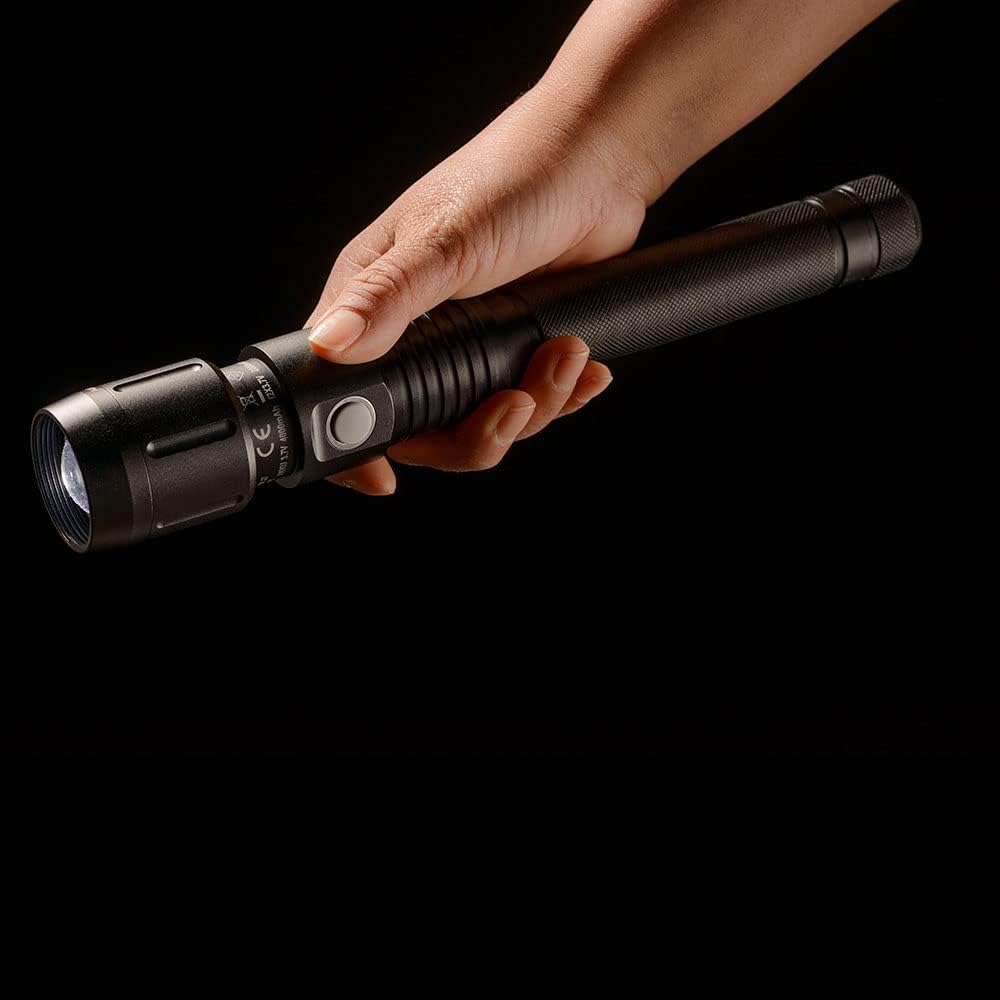
Figure 2: Detail of the charging and power bank ports located on the torch body.
Setup
Initial Charging
Before first use, fully charge the torch's internal batteries. This ensures optimal performance and battery longevity.
- Locate the charging port on the torch body (refer to Figure 2).
- Connect the smaller end of the provided USB charging cable to the torch's charging port.
- Connect the larger end of the USB cable to a compatible USB power source (e.g., computer USB port, USB wall adapter, power bank).
- The charging indicator light will illuminate (typically red) during charging and change color (typically green or off) when fully charged.
- Charging time may vary depending on the power source and remaining battery level.

Figure 3: The torch being charged via a USB connection.
Operating Instructions
Basic Operation
The torch is operated via a single side button.
- Power On/Off: Press the side button once to turn the torch on. Press it again to cycle through brightness modes (if applicable) or to turn it off.
- Mode Selection: With the torch on, press the button repeatedly to cycle through available light modes (e.g., High, Medium, Low, SOS).
- Focus Adjustment: To adjust the beam focus, gently slide the head of the torch forward or backward. This allows you to switch between a wide floodlight and a narrow spotlight.
- SOS Function: Continue cycling through modes until the SOS flashing pattern is activated. This is for emergency signaling.

Figure 4: Proper grip and handling of the torch during operation.

Figure 5: The torch in a user's hand, ready for various applications.
Power Bank Function
The Maximus Torch can also function as a power bank to charge other small electronic devices.
- Locate the USB-A output port on the torch (refer to Figure 2).
- Connect your device's charging cable to this port.
- The torch will begin to supply power to your device. Note that using the power bank function will drain the torch's battery.
Maintenance
Cleaning
To maintain the torch's appearance and functionality:
- Wipe the exterior with a soft, damp cloth. Do not use abrasive cleaners or solvents.
- Ensure the lens is clean for optimal light output. Use a lens cleaning cloth if necessary.
Battery Care
Proper battery care extends the lifespan of your torch:
- Recharge the torch regularly, even if not in frequent use, to prevent deep discharge.
- If storing the torch for an extended period, charge it to approximately 50-70% capacity and store in a cool, dry place. Recharge every 3-6 months.
- Do not expose batteries to fire or extreme heat.
Troubleshooting
| Problem | Possible Cause | Solution |
|---|---|---|
| Torch does not turn on. | Battery is depleted. | Charge the torch fully. |
| Torch light is dim. | Low battery. | Recharge the torch. |
| Torch not charging. | Charging cable or adapter faulty; port dirty. | Try a different USB cable or power source. Clean the charging port gently. |
| Power bank function not working. | Torch battery too low; incompatible device. | Ensure torch is sufficiently charged. Check device compatibility. |
Specifications
| Feature | Detail |
|---|---|
| Model Number | M-FL-006-B-BL |
| Brand | MAXIMUS |
| Luminous Flux | 1200 lumens |
| Power (LED) | 13 W |
| Beam Range | 235 m |
| Protection Rating | IP44 |
| Battery Type | 2 x 3.7V 2000 mAh Lithium |
| Material | Aluminum |
| Special Features | Rechargeable, Focus, SOS, Power Bank |
| Item Weight | 580 g |
Recycling and Disposal
Proper disposal of this product and its batteries is important for environmental protection.
Light Bulb Recycling
For information on recycling the LED light source within this product, please consult local recycling guidelines or visit relevant recycling information resources in your region.
Light Bulb Breakage and Clean Up Information
In the unlikely event of damage to the light source, handle with care. For specific clean-up and disposal instructions for broken lamps, refer to local waste management guidelines to ensure safe handling and environmental protection.
Warranty and Support
This product is covered by the standard manufacturer's warranty. For warranty claims, technical support, or any questions regarding your Maximus Rechargeable Torch, please contact the retailer or the manufacturer directly using the contact information provided at the point of purchase.
Related documentsM-FL-006-B-BL


Ask a question about this manual
Ask about setup, troubleshooting, compatibility, parts, safety, or missing instructions. Manuals+ will review the question and use this page’s manual context to help answer it.