
1. Introduction
The ECOXGEAR EcoEdge Plus GDI-EXEGPL410 is a rugged, waterproof, and floating portable Bluetooth speaker designed for outdoor use. It features 20 watts of audio output, multi-mode LED party lights, and an integrated bottle opener. This manual provides essential information for setting up, operating, and maintaining your speaker.
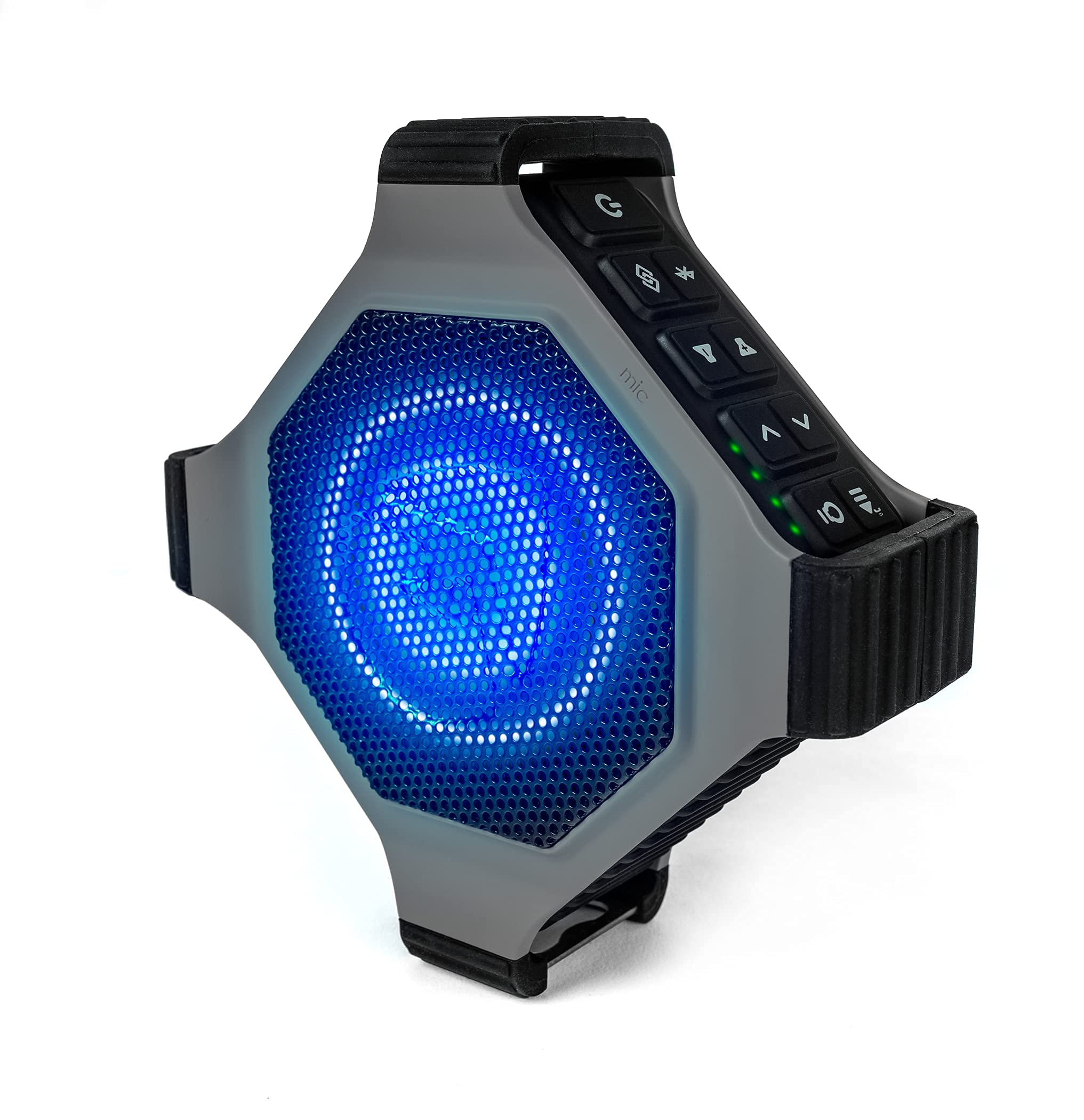
Front view of the ECOXGEAR EcoEdge Plus speaker, showcasing the illuminated blue LED light behind the grille.
2. Setup
2.1 Charging the Speaker
Before initial use, fully charge your EcoEdge Plus speaker. The battery fully recharges in approximately 3 hours.
- Locate the waterproof flap labeled 'POWER + CONNECT' on the underside of the speaker.
- Open the flap to access the charging port.
- Connect the provided charging cable to the speaker and a power source.
- The charging indicator light will illuminate. Once fully charged, the light may change color or turn off, depending on the model.
- Ensure the waterproof flap is securely closed before exposing the speaker to water.
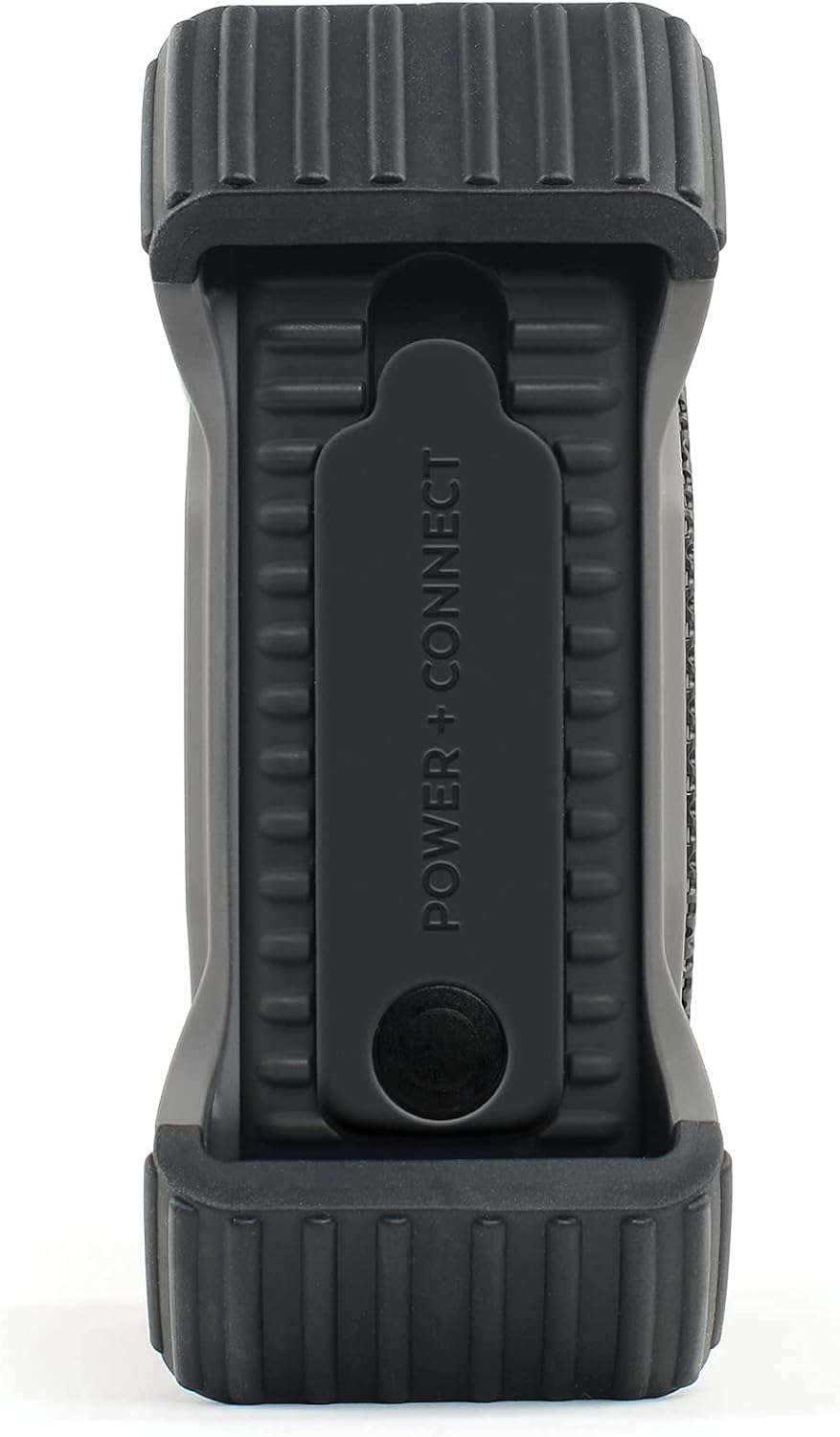
Underside of the speaker, revealing the waterproof flap that covers the charging and AUX-IN ports, labeled 'POWER + CONNECT'.
2.2 Powering On/Off
- To power on, press and hold the Power button (
 ) until the indicator lights illuminate.
 - To power off, press and hold the Power button until the indicator lights turn off.
3. Operating Instructions

Close-up of the speaker's control panel, featuring power, Bluetooth, ECOCONNECT, volume, track control, play/pause, and ECOTALK buttons, along with LED indicators.
3.1 Bluetooth Pairing
Connect your EcoEdge Plus to a Bluetooth-enabled device to stream audio wirelessly.
- Ensure the speaker is powered on. The Bluetooth indicator light will flash, indicating it is in pairing mode.
- On your device (smartphone, tablet, etc.), enable Bluetooth and search for available devices.
- Select "ECOXGEAR EcoEdge Plus" from the list of devices.
- Once connected, the Bluetooth indicator light on the speaker will become solid.
- You can now play audio from your device through the speaker. The Bluetooth range is up to 100 feet.
3.2 ECOCONNECT (TrueWireless Stereo) Pairing
Pair two EcoEdge Plus units together for a TrueWireless Stereo (TWS) sound experience.
- Ensure both EcoEdge Plus speakers are powered on and not connected to any Bluetooth device.
- On one speaker (this will be your primary speaker), press the ECOCONNECT button (
 ). The ECOCONNECT indicator light will flash.
 - On the second speaker, press the ECOCONNECT button. Its ECOCONNECT indicator light will also flash.
- The two speakers will automatically connect to each other. The ECOCONNECT indicator lights on both speakers will become solid.
- Now, connect your Bluetooth device to the primary speaker as described in Section 3.1. Audio will play in stereo across both speakers.
- The ECOCONNECT range between two speakers is within 30 feet.
3.3 Speakerphone Functionality
The EcoEdge Plus features a built-in speakerphone for hands-free calls.
- When a call comes in, the music will pause.
- Press the Play/Pause button () to answer the call.
- To end the call, press the Play/Pause button again.
3.4 LED Party Lights
The speaker includes multi-mode LED party lights for enhanced ambiance.
- Press the Light Mode button () to cycle through different light modes.
- Refer to the specific light patterns in your product's quick start guide for detailed descriptions of each mode.
3.5 Voice Assistant Integration (ECOTALK)
Access your device's voice assistant (Siri or Ok Google) directly from the speaker.
- Ensure your speaker is connected to your device via Bluetooth.
- Press the ECOTALK button () to activate the voice assistant.
- Speak your command clearly into the speaker's microphone.
3.6 Integrated Bottle Opener
The EcoEdge Plus includes a convenient bottle opener built into its design.

Side profile of the speaker, highlighting the built-in bottle opener located at one end.
4. Maintenance
4.1 Cleaning
- To clean the speaker, use a soft, damp cloth.
- Avoid using abrasive cleaners or solvents, as these may damage the speaker's finish or waterproof seals.
4.2 Waterproofing
The EcoEdge Plus is 100% waterproof and dustproof (IP67 standard) and floats. To maintain its waterproof integrity:
- Always ensure the 'POWER + CONNECT' flap covering the charging and AUX-IN ports is securely closed before exposing the speaker to water or dust.
- Do not submerge the speaker for extended periods beyond its rated depth or duration.
- Rinse the speaker with fresh water after exposure to saltwater or chlorinated water to prevent corrosion.
5. Troubleshooting
| Problem | Possible Cause | Solution |
|---|---|---|
| Speaker does not power on. | Battery is depleted. | Charge the speaker using the provided charging cable. |
| Cannot pair via Bluetooth. | Speaker is not in pairing mode; device's Bluetooth is off; speaker is already connected to another device. | Ensure speaker is powered on and Bluetooth indicator is flashing. Turn off and on your device's Bluetooth. Disconnect from other devices. |
| No sound. | Volume is too low; device is not connected; audio source issue. | Increase speaker and device volume. Verify Bluetooth connection. Check audio source on your device. |
| ECOCONNECT pairing fails. | Speakers are too far apart; one speaker is already connected to a Bluetooth device. | Ensure speakers are within 30 feet of each other. Disconnect any Bluetooth devices from both speakers before initiating ECOCONNECT pairing. |
6. Specifications
- Brand: ECOXGEAR
- Model Number: GDI-EXEGPL410
- Speaker Maximum Output Power: 20 watts
- Connectivity Technology: Bluetooth
- Audio Output Mode: Stereo
- Water Resistance Level: Waterproof (IP67)
- Bluetooth Range: Up to 100 feet
- ECOCONNECT Range: Up to 30 feet (between two speakers)
- Battery Playback Time: 10+ hours (full volume), 20+ hours (low volume)
- Battery Charge Time: Approximately 3 hours
- Subwoofer Diameter: 3 inches
- Item Dimensions (D x W x H): 2.3" x 5.5" x 5.5"
- Item Weight: 1.1 pounds
- Power Source: Battery Powered (1 Lithium Ion battery included)
- Control Method: Button, Voice Control
- Additional Features: Portable, Stereo Pairing, Built-in Bottle Opener, LED Party Lights, Speakerphone
7. Warranty and Support
7.1 Warranty Information
The ECOXGEAR EcoEdge Plus GDI-EXEGPL410 typically comes with a 90-day limited warranty. Please refer to your product packaging or the manufacturer's official website for the most current and detailed warranty terms and conditions.
7.2 Customer Support
For technical assistance, troubleshooting beyond this manual, or warranty claims, please contact ECOXGEAR customer support through their official website or the contact information provided with your product.

