1. Introduction
This user manual provides essential information for the safe and efficient operation of your Moulinex I-Companion Touch Multifunction Food Processor, model HF9345. Please read all instructions carefully before first use and retain this manual for future reference. This appliance is designed to simplify your cooking experience with its versatile functions and intuitive touchscreen interface.
2. Safety Instructions
Always follow basic safety precautions when using electrical appliances to reduce the risk of fire, electric shock, and/or injury to persons, including the following:
- Read all instructions.
- Do not immerse the motor unit in water or other liquids.
- Close supervision is necessary when any appliance is used by or near children.
- Unplug from outlet when not in use, before assembling or disassembling parts, and before cleaning.
- Avoid contact with moving parts.
- Do not operate any appliance with a damaged cord or plug or after the appliance malfunctions, or is dropped or damaged in any manner.
- The use of attachments not recommended or sold by the manufacturer may cause fire, electric shock, or injury.
- Do not use outdoors.
- Do not let cord hang over edge of table or counter.
- Do not let cord contact hot surfaces.
- Be careful when handling the sharp blades.
- Ensure the lid is securely locked before operating the appliance.
3. Product Overview
The Moulinex I-Companion Touch is a versatile food processor designed to assist with various cooking tasks. It features a powerful motor, a large capacity bowl, and an intuitive touchscreen for easy operation.

Image 3.1: The Moulinex I-Companion Touch Food Processor, showcasing its main unit with the bowl and touchscreen display.
Components:
- Motor Unit: The base of the appliance containing the motor and control panel.
- Stainless Steel Bowl: 4.5-liter total capacity (3-liter working capacity) for preparing various dishes.
- Lid: Transparent lid with a filling cap for adding ingredients during operation.
- Touchscreen Display: Intuitive interface for selecting programs, adjusting settings, and accessing recipes.
Included Accessories:
The appliance comes with 5 dedicated accessories for optimal results:
- Chopper Blade: For chopping, mincing, and mixing ingredients.
- Kneader/Crusher Blade: Ideal for kneading dough and crushing hard ingredients.
- Whisk: For whipping cream, beating egg whites, and emulsifying sauces.
- Mixer: For stirring and gentle mixing.
- Steam Basket: For steaming vegetables, fish, and other foods.

Image 3.2: Top view of the food processor, showing the bowl and lid with the filling cap.
4. Setup
Before first use, ensure all packaging materials are removed and clean all removable parts according to the "Cleaning and Maintenance" section.
- Place the Motor Unit: Position the motor unit on a clean, stable, and dry surface.
- Insert the Bowl: Place the stainless steel bowl onto the motor unit, ensuring it is correctly seated and locked into position.
- Attach the Accessory: Select the desired accessory (e.g., chopper blade, whisk) and place it inside the bowl onto the central shaft.
- Secure the Lid: Place the lid onto the bowl and turn it clockwise until it locks securely. The appliance will not operate if the lid is not properly locked.
- Connect Power: Plug the power cord into a grounded electrical outlet.
5. Operating Instructions
The I-Companion Touch offers both automatic programs and a manual mode, accessible via its intuitive touchscreen.
5.1 Powering On/Off
- To power on, plug the appliance into an electrical outlet. The touchscreen will illuminate.
- To power off, unplug the appliance.
5.2 Using the Touchscreen
The touchscreen provides access to all functions, recipes, and settings. Navigate by tapping icons and swiping as indicated on the screen.

Image 5.1: The touchscreen displaying a selection of recipes, allowing users to browse and select dishes.
5.3 Automatic Programs
The appliance features 14 automatic programs for various cooking methods, including cooking, baking, steaming, roasting, mixing, kneading, and beating. Select a program from the main menu and follow the on-screen prompts.

Image 5.2: The main menu on the touchscreen, showing options like "My first recipe," "Recipe library," and "Programs."
5.4 Manual Mode
For customized cooking, use the manual mode to set your desired duration, temperature (from 30°C to 150°C), and speed. This allows for precise control over your recipes.
5.5 Recipe Features and Connectivity
The I-Companion Touch provides an extensive and continuously updated recipe library directly on its touchscreen. Connect the appliance to the companion app for enhanced features:
- Recipe Updates: Access new recipes added monthly.
- Step-by-Step Tutorials: Follow guided recipes and video tutorials directly on the screen.
- Personal Cookbooks: Create and organize your own recipe collections via the app, then access them on the appliance.
- "In My Refrigerator" Function: Input available ingredients (manually or using a smart scale, if compatible) to receive personalized recipe suggestions.

Image 5.3: A smartphone displaying the Moulinex companion app interface, showing various recipe options.
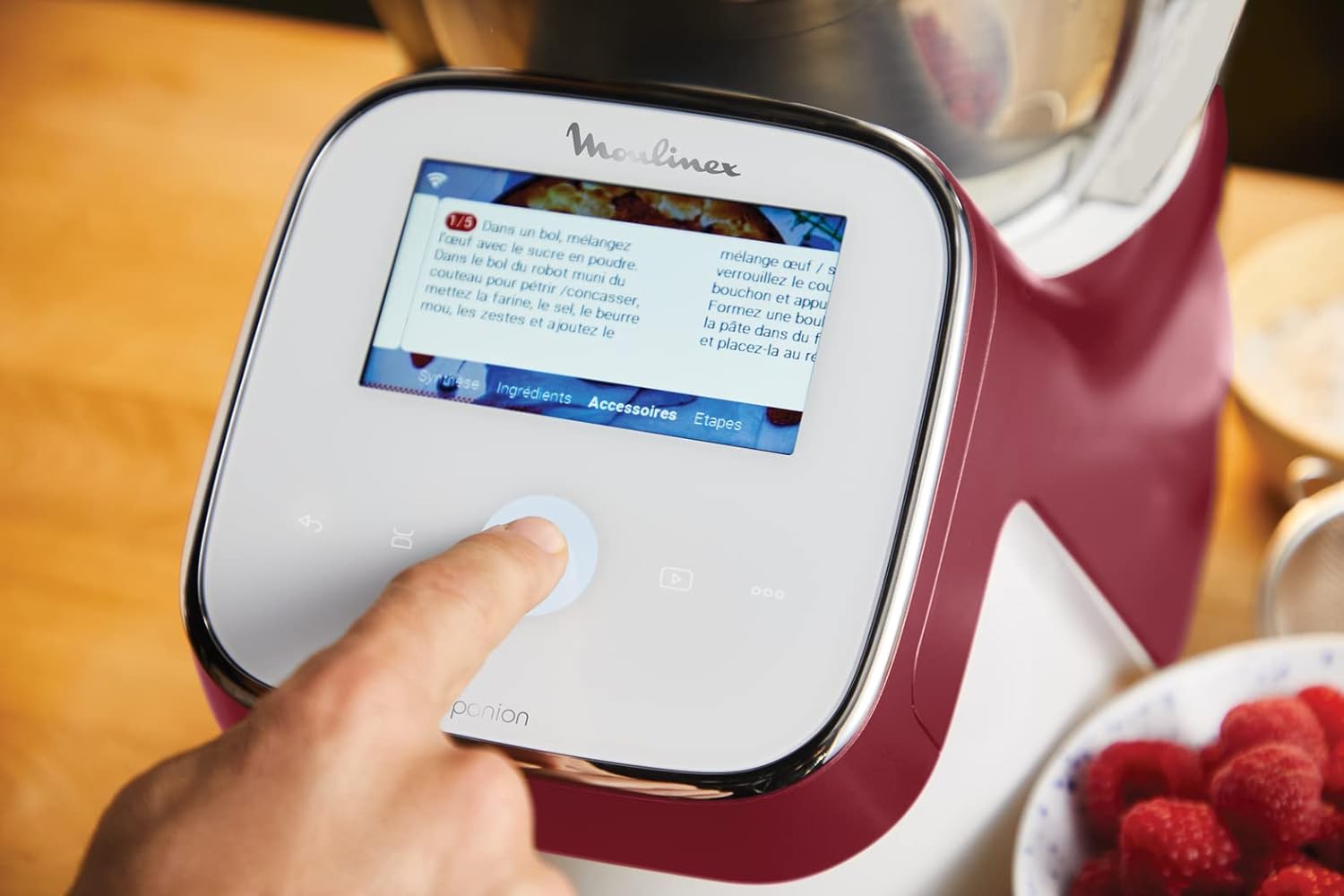
Image 5.4: The touchscreen displaying step-by-step instructions for a recipe, with a finger interacting with the screen.
6. Cleaning and Maintenance
Regular cleaning ensures optimal performance and extends the lifespan of your appliance. Always unplug the appliance before cleaning.
6.1 Cleaning the Bowl and Accessories
- Remove the bowl and all accessories from the motor unit.
- Wash the bowl, lid, and accessories with warm, soapy water. Use a non-abrasive sponge.
- Rinse thoroughly and dry immediately.
- Some parts may be dishwasher safe; refer to the product markings or specific instructions for confirmation.
- For thorough cleaning, disassemble the central part of the bowl by rotating the piece underneath to prevent flavor mixing, especially when switching between savory and sweet preparations.
6.2 Cleaning the Motor Unit
- Wipe the motor unit and touchscreen with a damp cloth.
- Do not immerse the motor unit in water or any other liquid.
- Do not use abrasive cleaners or scouring pads, as they may damage the surface.
7. Troubleshooting
If you encounter issues with your Moulinex I-Companion Touch, refer to the following common problems and solutions:
| Problem | Possible Cause | Solution |
|---|---|---|
| Appliance does not turn on. | Not plugged in; power outlet issue; lid not properly locked. | Check power connection; try a different outlet; ensure lid is securely locked. |
| Motor stops during operation. | Overload; lid dislodged. | Reduce ingredient quantity; check lid position. Allow motor to cool if overloaded. |
| Ingredients not processed evenly. | Incorrect accessory; too many ingredients; ingredients too large. | Use appropriate accessory; reduce quantity; cut ingredients into smaller pieces. |
| Touchscreen unresponsive. | Temporary software glitch. | Unplug the appliance for a few minutes, then plug it back in. |
If the problem persists after attempting these solutions, please contact customer support.
8. Specifications
| Feature | Detail |
|---|---|
| Brand | Moulinex |
| Model Number | HF9345 |
| Power | 1550 Watts |
| Voltage | 230 Volts |
| Bowl Capacity (Total) | 4.5 Liters |
| Bowl Capacity (Working) | 3 Liters |
| Temperature Range | 30°C to 150°C |
| Number of Speeds | 14 |
| Material | Stainless Steel |
| Dimensions (L x W x H) | 35 x 31 x 32 cm |
| Weight | 8 Kilograms |
| Special Feature | Programmable, Touchscreen |
9. Warranty and Support
Moulinex products are designed for durability and performance. This appliance comes with a manufacturer's warranty. For detailed warranty information, please refer to the warranty card included with your product or visit the official Moulinex website.
For technical support, spare parts, or service inquiries, please contact Moulinex customer service. Information regarding spare parts availability is generally provided by the manufacturer.

Image 9.1: Moulinex brand logo.