Introduction
This manual provides essential information for the safe and optimal use of your Polk Signature Elite ES60 Tower Speaker. Please read these instructions thoroughly before setup and operation to ensure proper functionality and longevity of your product.
The Polk Signature Elite ES60 is a high-performance floor-standing loudspeaker designed to deliver cinematic sound. It features a Dynamically Balanced Acoustic Array, a 1-inch Terylene Tweeter, and three 6.5-inch Mica-Fortified Polypropylene Woofers. The speaker incorporates Polk's Patented Power Port Bass Enhancing Technology for improved bass response and is Hi-Res Audio Certified, compatible with Dolby Atmos and DTS:X surround sound systems.
Safety Information
Adhere to the following safety guidelines to prevent damage to the speaker and ensure user safety:
- Placement: Position the speaker on a stable, level surface to prevent tipping. Avoid placing it in areas with excessive heat, humidity, or direct sunlight.
- Ventilation: Ensure adequate airflow around the speaker. Do not block any ventilation openings.
- Liquids: Do not expose the speaker to dripping or splashing liquids. Keep objects filled with liquids, such as vases, away from the speaker.
- Power: Connect the speaker to an appropriate amplifier or receiver as specified in the connection instructions. Ensure all connections are secure before powering on your audio system.
- Servicing: Do not attempt to service the speaker yourself. Refer all servicing to qualified service personnel.
Package Contents
Verify that all items are present in the packaging:
- 1 x Polk Signature Elite ES60 Tower Speaker
- Rubber feet (for carpet and hard floors)

Image: The Polk Signature Elite ES60 Tower Speaker in its white finish, showcasing its front grille and drivers.
Setup
Speaker Placement
Optimal speaker placement is crucial for sound quality. Consider the following:
- Stereo Imaging: For a stereo setup, place the left and right speakers equidistant from your primary listening position, forming an equilateral triangle.
- Distance from Walls: The ES60 features Power Port Technology, which allows for more flexible placement closer to walls compared to traditional ported speakers, while still delivering deep bass. Experiment with distances to find the best balance for your room.
- Toe-in: Slightly angle the speakers inward towards the listening position to improve soundstage and focus.
- Stability: Attach the included rubber feet to the bottom of the speaker for enhanced stability and to protect floor surfaces.

Image: A pair of Polk Signature Elite ES60 Tower Speakers positioned in a home theater environment, demonstrating typical placement.
Connecting Your Speaker
The ES60 tower speaker connects to your amplifier or AV receiver using speaker wire. Follow these steps:
- Prepare Wires: Strip approximately 1/2 inch (12mm) of insulation from the ends of your speaker wires. Twist the bare strands tightly.
- Identify Terminals: The ES60 has dual gold-plated 5-way binding posts. Connect the positive (+) terminal (red) on the speaker to the positive (+) terminal on your amplifier, and the negative (-) terminal (black) on the speaker to the negative (-) terminal on your amplifier.
- Secure Connection: Unscrew the binding post caps, insert the bare wire, and tighten the caps firmly to ensure a secure, loss-less connection.
- Impedance: The ES60 is compatible with 4-ohm and 8-ohm amplifiers. Ensure your amplifier can safely drive speakers with this impedance.
- Bi-wiring/Bi-amping: The dual binding posts allow for bi-wiring or bi-amping if your amplifier supports these configurations. Remove the metal jumpers connecting the upper and lower terminals if you choose to bi-wire or bi-amp.
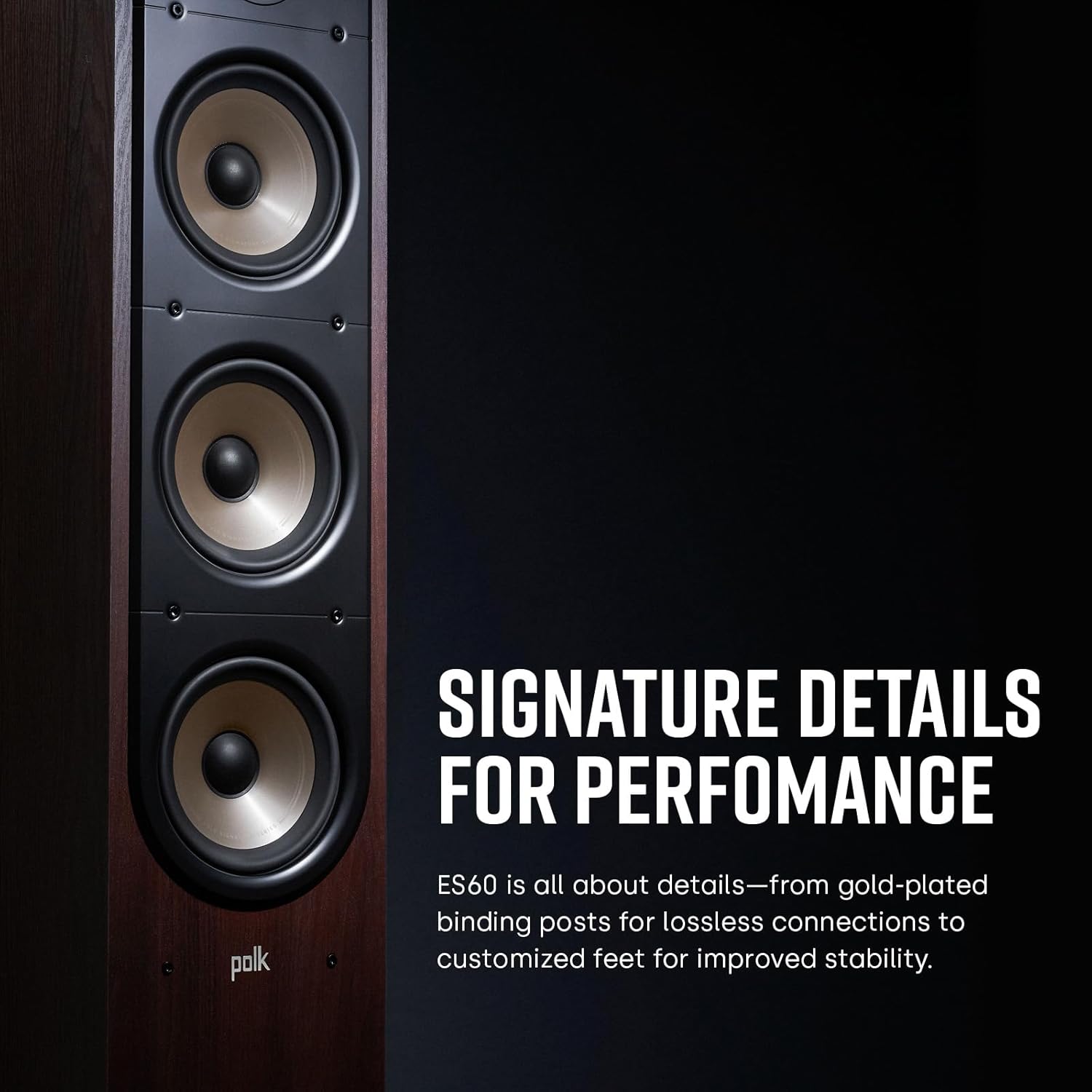
Image: A detailed view of the gold-plated dual binding posts on the rear of the Polk ES60 speaker, used for connecting speaker wires.
Operating Instructions
Once your Polk Signature Elite ES60 speakers are properly set up and connected to your audio system, operation is typically controlled via your amplifier or AV receiver.
- Power On: Ensure your amplifier/receiver is powered on and the correct input source is selected.
- Volume Control: Adjust the volume level on your amplifier/receiver to your desired listening level. Avoid excessively high volumes that may cause distortion or damage to the speakers.
- Source Selection: Select your preferred audio source (e.g., streaming service, Blu-ray player, turntable) through your amplifier/receiver.
- Break-in Period: New speakers may require a break-in period of several hours of listening at moderate volumes to achieve their full sonic potential.
- Compatibility: The ES60 is designed to reproduce Hi-Res Audio and is compatible with Dolby Atmos and DTS:X formats, allowing for an immersive audio experience when paired with a compatible AV receiver.

Image: An arrangement of Polk Signature Elite speakers, including the ES60 tower speakers, demonstrating their compatibility within a multi-channel audio system for Dolby Atmos and DTS:X.
Maintenance
Proper care will help maintain the appearance and performance of your speakers:
- Cleaning Cabinets: Use a soft, dry cloth to wipe the cabinet surfaces. Avoid using abrasive cleaners, solvents, or strong detergents, as these can damage the finish.
- Cleaning Grilles: The speaker grilles can be gently cleaned with a soft brush or a vacuum cleaner on a low setting to remove dust.
- Environmental Conditions: Protect the speakers from direct sunlight, extreme temperatures, and high humidity, which can affect the cabinet finish and driver materials.
- Dust Accumulation: Regularly dust the speaker to prevent buildup, especially around the drivers and ports.
Troubleshooting
If you encounter issues with your Polk Signature Elite ES60 speaker, refer to the following table for common problems and solutions:
| Problem | Possible Cause | Solution |
|---|---|---|
| No sound from speaker | Loose speaker wire connection; Amplifier/receiver off or incorrect input selected; Speaker damaged. | Check and secure all speaker wire connections; Ensure amplifier/receiver is on and correct input is selected; Test with another speaker or contact support. |
| Distorted or unclear sound | Speaker wire polarity reversed; Volume too high; Source audio quality is poor; Amplifier clipping. | Verify positive (+) and negative (-) connections are correct; Reduce volume; Use a high-quality audio source; Check amplifier power output. |
| Weak or absent bass | Speaker placement too far from walls; Amplifier settings (bass/tone controls); Phase issue. | Experiment with speaker placement closer to walls; Adjust bass settings on amplifier; Check speaker phase (if applicable). |
| One speaker not working | Faulty speaker wire; Balance control on amplifier; Damaged speaker driver. | Swap speaker wires to confirm if issue follows wire or speaker; Check amplifier balance settings; Contact support if driver is suspected. |
If the problem persists after attempting these solutions, please contact Polk Audio customer support for further assistance.
Specifications
Detailed technical specifications for the Polk Signature Elite ES60 Tower Speaker:
| Feature | Detail |
|---|---|
| Brand | Polk Audio |
| Model Name | ES60 |
| Speaker Type | Tower |
| Mounting Type | Floor Standing |
| Color | White |
| Product Dimensions (D x W x H) | 8"D x 16"W x 45"H |
| Item Weight | 52 Pounds |
| Tweeter Diameter | 1 Inch |
| Subwoofer Diameter | 6.5 Inches (x3) |
| Impedance | 8 Ohm |
| Speaker Maximum Output Power | 25 Watts (RMS, typical for amplifier rating) |
| Frequency Response | Up to 40 KHz (Hi-Res Audio Certified) |
| Connectivity Technology | Auxiliary (wired connection) |
| Audio Output Mode | Stereo |
| Surround Sound Channel Configuration | 5.1 (compatible) |
| Special Feature | Bass Boost (Power Port), Dolby Enabled, Subwoofer (compatible) |
| Recommended Uses For Product | For Surround Sound Systems, Home Theaters, Music Listening, Gaming |
| UPC | 747192134334 |
Warranty Information
The Polk Signature Elite ES60 Tower Speaker comes with a Limited Warranty. For detailed terms and conditions, including coverage duration, specific exclusions, and the claims process, please refer to the official Polk Audio website or contact their customer support directly. Retain your proof of purchase for warranty claims.
Customer Support
For further assistance, technical support, or warranty inquiries regarding your Polk Signature Elite ES60 Tower Speaker, please visit the official Polk Audio website or contact their customer service department.
You can find more information and support resources at the Polk Audio Official Store.
Note: No official product videos were available in the provided data for embedding in this manual.


